
Saber is the notes app built for handwriting.
It's designed to be as simple and intuitive as possible, while still delivering unique features that you'll actually use. Additionally, Saber is available across all your devices, large and small, and syncs between them seamlessly.
Notably, it can invert your notes when you're in dark mode. This allows you to write with white ink on a black background, which is much easier on the eyes in low-light environments like when the teacher turns off the lights in class.
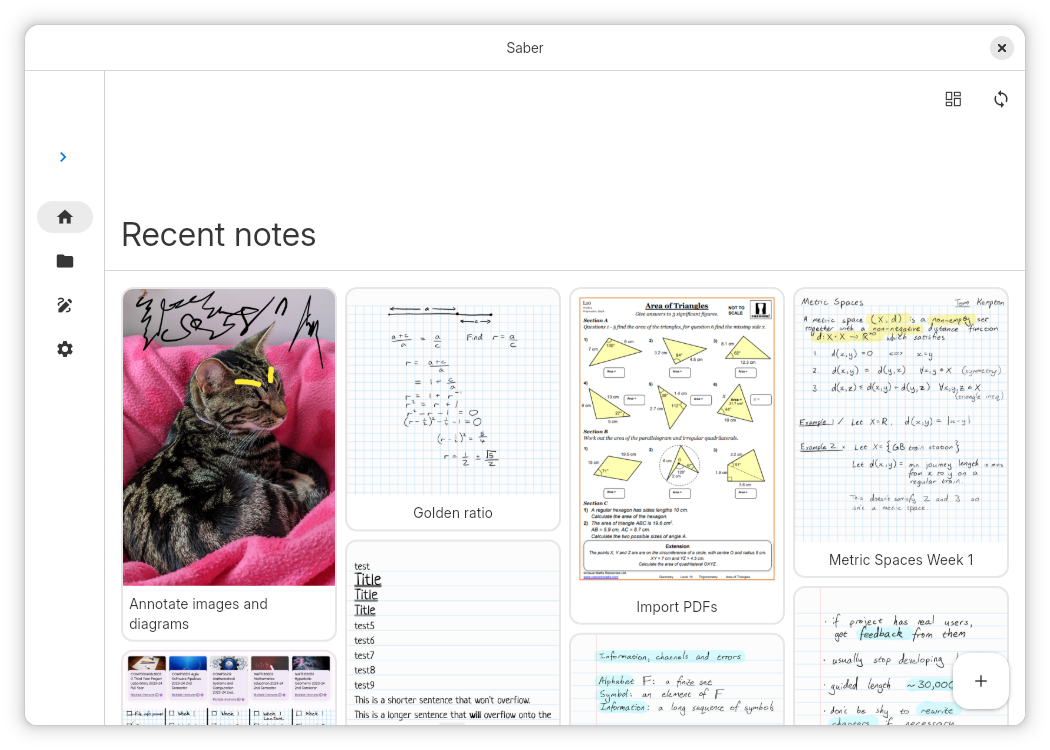
Images and PDFs are also inverted, so you can still use a digital printout or a textbook without the fuss.
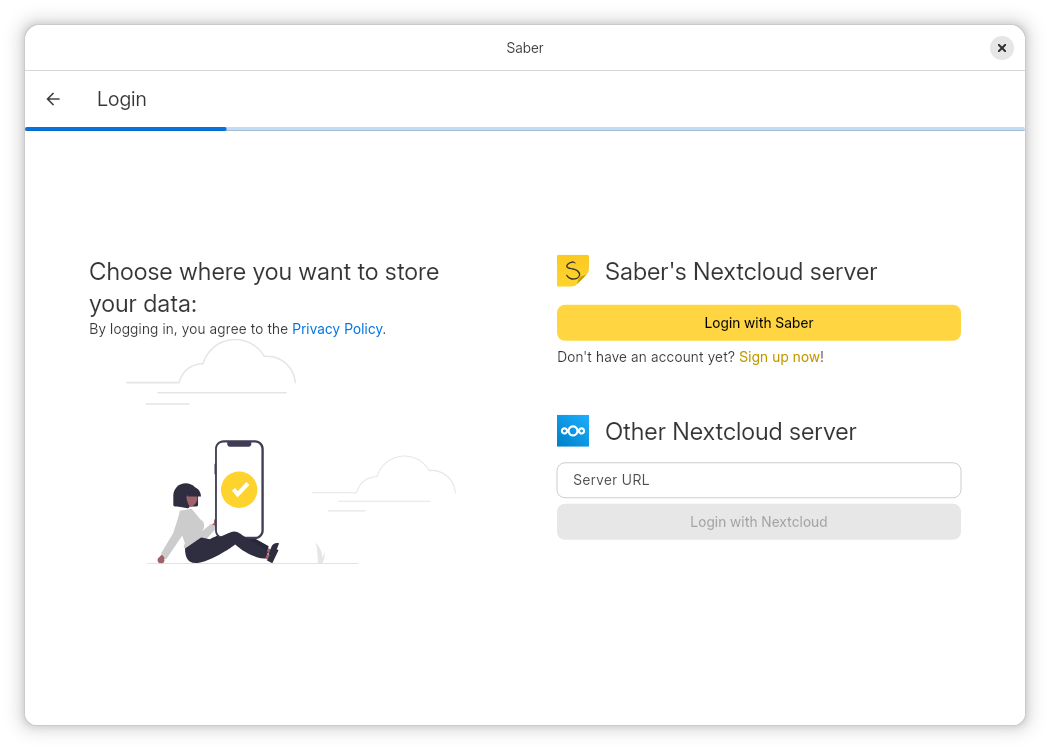
Saber uses a dual-password system to protect your notes from anyone but you, even if they have complete control over the server. You can safely store your notes on the official Saber server, another server, or even host your own!
The app is completely open-source so that anyone can view the source code and see exactly what it's doing and how it handles your data. Many other note-taking apps are closed-source and proprietary, meaning that their inner workings are a mystery to the public.
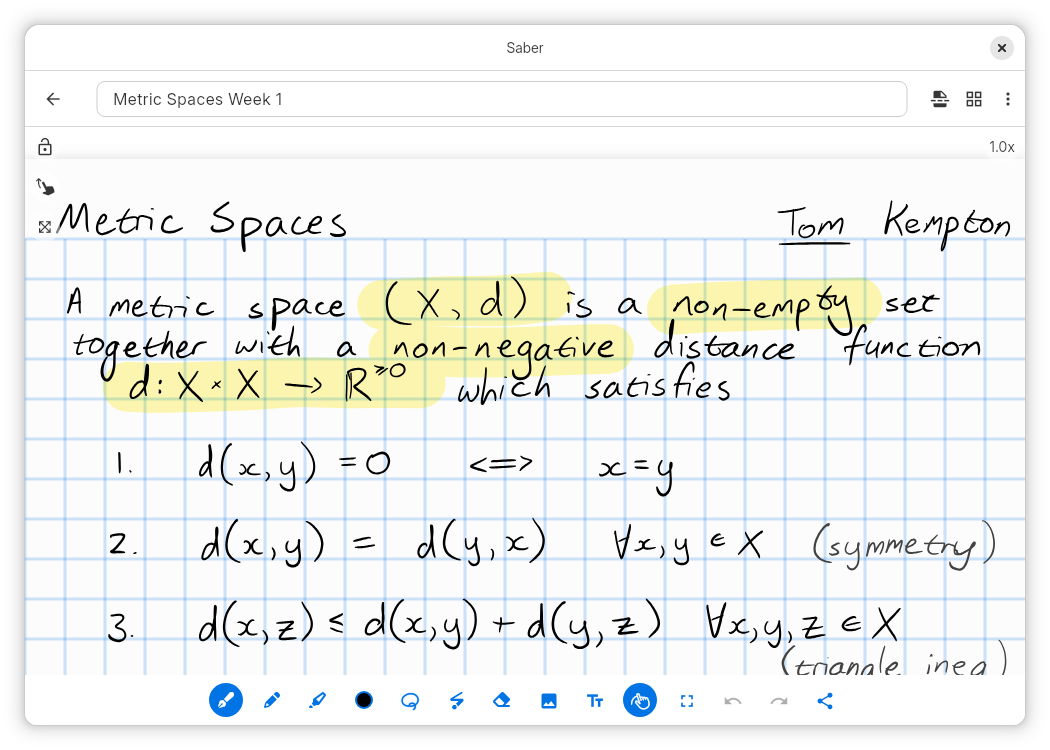
As someone who studies maths, highlighting multi-line equations was always a hassle with other apps, where the highlighter would change color when it overlapped with itself. Another problem I had was that in some apps, the highlighter would render on top of the text, fading it out and making it hard to read.
Saber's highlighter has no such issues. It utilizes canvas compositing to render the highlighter in a way that is consistent with/better than traditional paper, where it handles overlaps and maintains color consistency.
Saber has everything you need to keep your notes organized. Create folders inside folders inside folders to your heart's content with no limit on the number of nested folders. And even though a note may be buried deep within a nested folder, you can still access it easily with your most recent notes always available on the home screen.
Discover a whole new way to capture and organize your thoughts with Saber. Whether you're a student, professional, or creative mind, Saber is your trusted companion for digital handwriting. Download now and let your ideas flow freely!
Screenshots
Observed history
| App | Change | Version | When ↑ |
|---|
No observed changes yet.
The initial import establishes a baseline. Future version changes will appear here.
Browse the app catalogue →Upstream releases
Release notes supplied by the developer. These dates are not Flathub package publication times.
1.36.129 Aug 2026
- Improved the design of the login flow, making better use of space on landscape/desktop screens.
- Tweaked scrolling friction in the editor to make it less slippery.
- Fixed handling of accounts with unlimited storage quota.
- Fixed folders not being sorted in the browse page.
- Fixed parts of the app using a hardcoded Ubuntu font.
- Fixed non-Latin language fonts and inconsistent UI elements in Flathub screenshots.
1.36.020 Aug 2026
- Fixed janky animation when opening and closing the sidebar.
- Added indent guides to the file tree in the sidebar.
- Added Linux support for stylus pressure detection.
- Switched to the new Impeller rendering engine, resulting in fewer frame drops and smoother animations. At present, some graphics may be pixellated/aliased.
1.35.112 Aug 2026
- Reduced RAM consumption by reducing unnecessary threads
- Miscellaneous fixes from dependencies
1.35.08 Jul 2026
- The browse page is now sorted alphabetically by default. You can customize the sort with the button at the top.
- Removed the scroll up to refresh functionality because it was confusing.
- Optimized Linux builds to remove unused code.