
DAW Project Manager
Track and organize your DAW projects across every studio
BandPass Records ✓ Verified
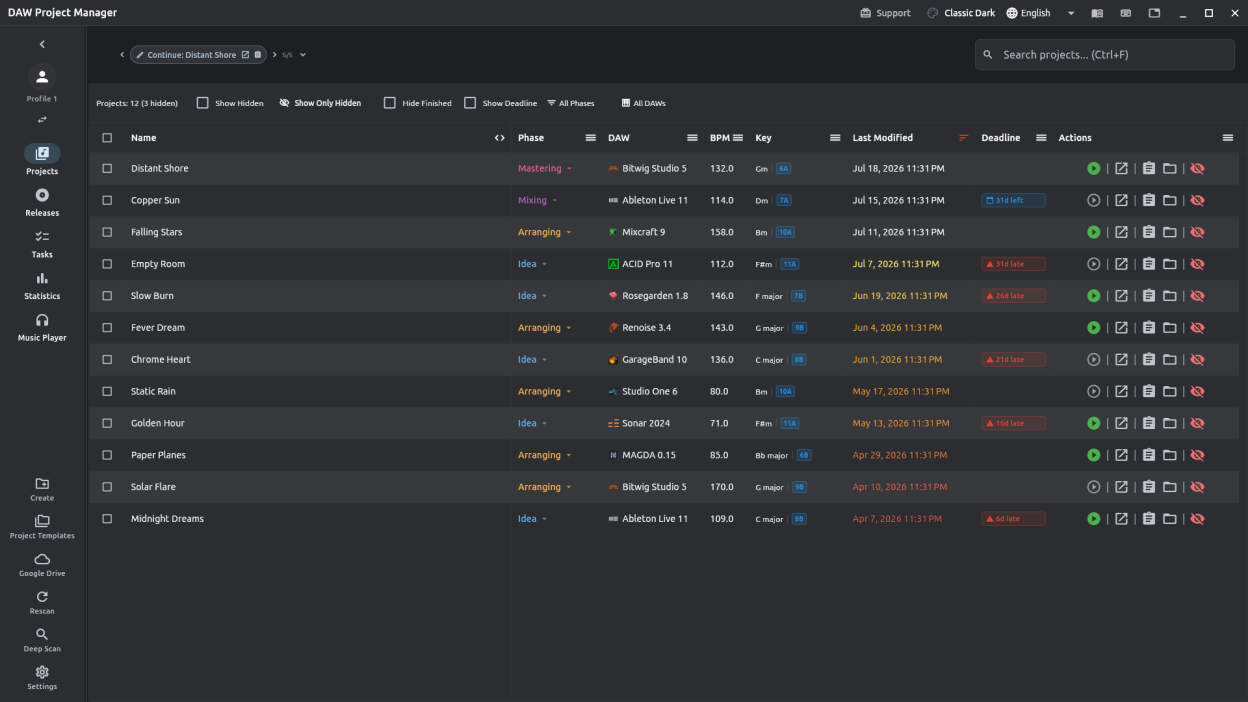
com.bandpassrecords.dpmDAW Project Manager scans your drives for music production projects — Ableton Live, Cubase, FL Studio, Logic Pro, Bitwig, Pro Tools, Reaper, Studio One, and over twenty other DAWs — and keeps them organized in one dashboard.
Track project phases and deadlines, tag releases, manage a task queue per project, sync your library across machines with Google Drive, and browse everything with filtering, search, and playlists for quick A/B listening.
Screenshots
Observed history
| App | Change | Version | When ↑ |
|---|---|---|---|
| updated | 2.9.3 | 10 Oct 2026 |
Upstream releases
Release notes supplied by the developer. These dates are not Flathub package publication times.
2.9.38 Oct 2026
- Edit MIDI clips in the piano roll: draw, select, move, resize and delete notes with select, range, pencil and eraser tools, then save the result as a new clip in a collection.
- The piano roll has its own tempo, time signature and loop region, highlights the project's scale, plays the notes you click, and lists every shortcut under ? or F1.
- Start a new clip from scratch in any collection.
- Collections get folders, clip roles and file-name templates: drag clips and folders around, and rename many clips to your naming scheme at once.
- Table column widths are remembered, and every column, including your own fields, can be switched on separately in the projects table and the release tracklist.
- On Windows, if you installed with the .exe installer, the update prompt now offers the new installer instead of the Microsoft Store.
2.9.23 Oct 2026
- See what's inside a project — track counts, the plug-ins it loads and its MIDI clips — for Ableton Live, Cubase, Nuendo, REAPER and FL Studio (tracks for Studio One).
- Play a project's MIDI clips with a built-in synth: 16 instruments picked from the track name, at the project tempo or your own, on a seamless loop if you like.
- Open any clip in a zoomable piano roll with a playback line, a lane for velocity, pitch bend and controllers, and a ruler you can click to jump.
- A new MIDI tab gathers every unique clip across your projects, arrangeable by tempo, with collections of your favourites that sync and back up.
- Save, share or drag clips into your DAW as .mid files carrying the project's tempo and key, or import .mid files from anywhere into a collection.
- Add your own project fields, show them as columns, and choose which columns the projects table shows.
2.9.129 Sept 2026
- Fixed the Flatpak build so the app can be published to Flathub.
2.9.027 Sept 2026
- Version stacks keep every version of a song under one main project with shared notes, todos, deadline and work time — stack by hand, or automatically by folder with the new Version Stack scan mode.
- Build your own colour themes and share them as a .dpmtheme file.
- Give a project its own cover art, colour and icon — projects you don't decorate look exactly as before.
- A new card view shows your library as a gallery of covers, next to the table.
- Todos can have their own due dates: the Tasks tab puts what's due next first and marks overdue tasks, and Android reminds you ahead of time.
- Attach files and links to a project — a reference track, lyric sheet or stems link — and export them together.
- Move a project to another folder from inside the app; its paths and attachments follow.
- Archive a finished project into a checked zip outside your library, and restore it whenever you need it.
- Tag projects with your own labels and filter, search and sort by them — turn tags on in Settings › Appearance.
- Ctrl/Cmd-click and Shift-click select several rows in Projects, Templates and Releases, and releases can be deleted in bulk.
- A "What's New" summary appears once after each update, and Settings now has a full changelog going back to 1.0.
- Release tracks show each song's length, parts progress (click it to manage parts) and your notes, with the release's total running time at the bottom.
- A song's length is read from its preview song automatically, or can be typed on the project page.
- A release's tracks can also be viewed as a sortable table.
- Creating a release offers to reuse a selected track's cover art as the release artwork.
- Cover art shows in the mobile player, the mini player and the lock-screen notification.
- Only one song on a release plays at a time, and audio files show their length before you press play.
- Player shortcuts: Ctrl+scroll (⌘+scroll on macOS) changes the volume, M toggles mono, and the volume is remembered.
- Project folders can be switched off instead of removed — nothing is deleted — and the project counts now match the list.
- Tasks tab: tasks are ticked off with the checkbox only, and a ticked task stays visible with an Undo button until you leave the tab.
- Breadcrumbs in the title bar show where you are and take you back in one click.
- Cover art and accent colours fade in from the right of the projects list, and card covers fade at the bottom so their buttons stay visible.