
Sioyek
PDF viewer designed for reading research papers and technical books
com.github.ahrm.sioyekSome features in Sioyek:
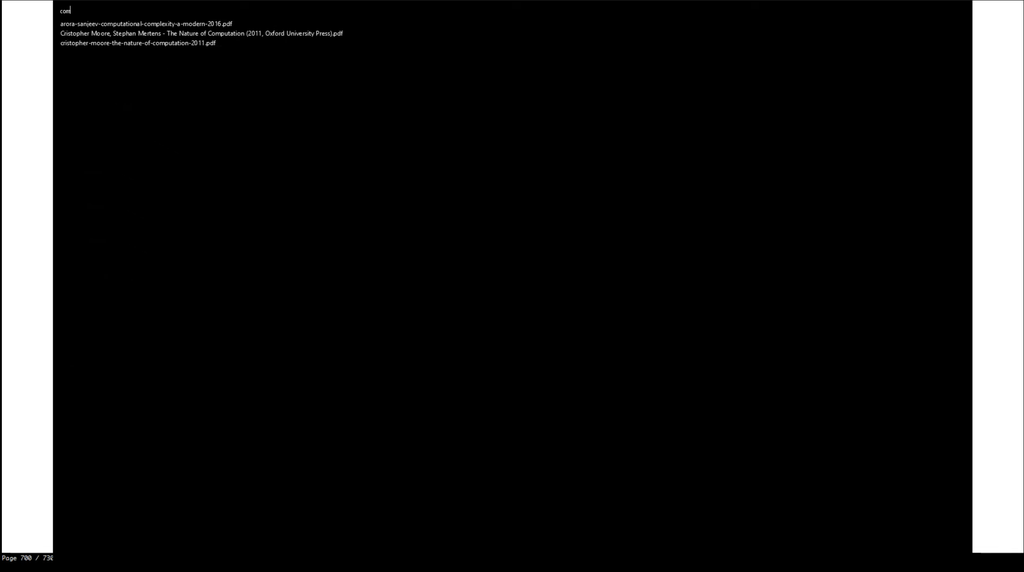
- You can quickly search and open any file you have previously interacted with using sioyek.
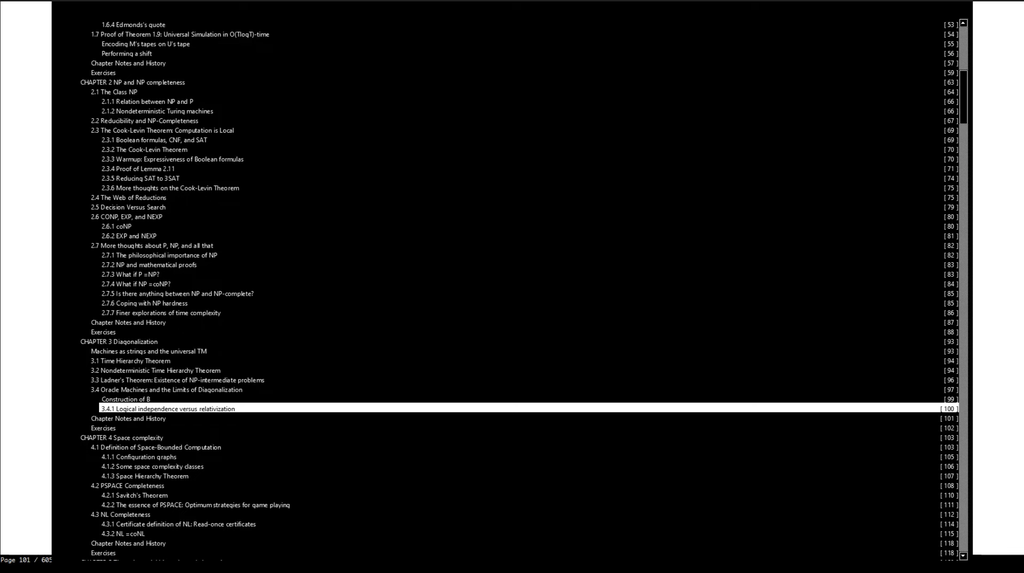
- You can search and jump to table of contents entries.
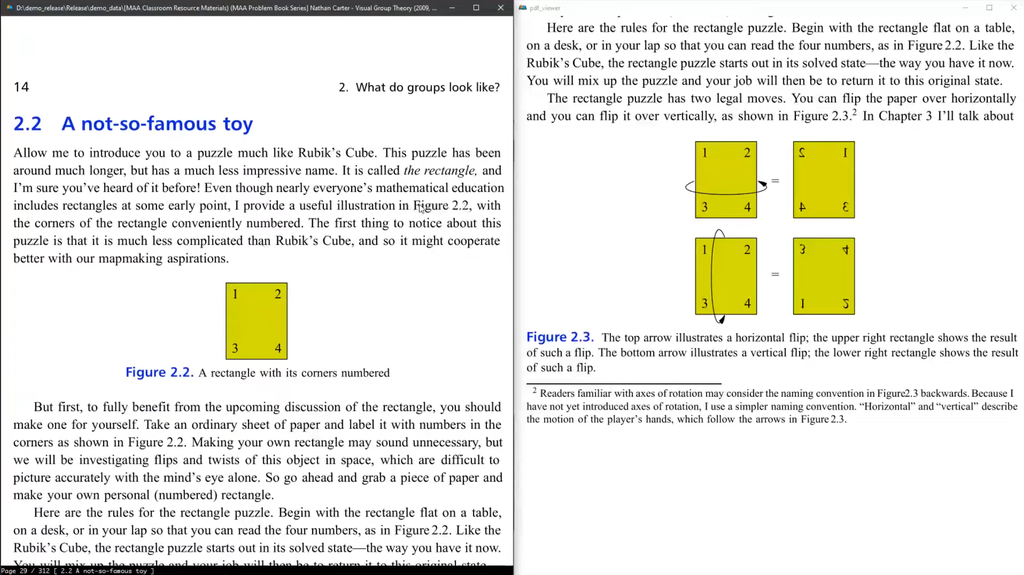
- You can jump to any referenced figure or bibliography item even if the PDF file doesn't provide links.
- You can also search the names of bibliography items in google scholar/libgen by middle clicking/shif+middle clicking on their name.
- You can open a quick overview of figures/references/tables/etc. by right clicking on them (Like Smart Jump, this feature works even if the document doesn't provide links).
- Bookmarks are similar to marks except they are named by a text string and they are all global.
- Highlight text using different kinds of highlight, you can search among all the highlights.
- You can customize all key bindings and some UI elements by editing keys_user.conf and prefs_user.conf. The default configurations are in keys.conf and prefs.conf
Sometimes when reading a document you need to go back a few pages (perhaps to view a definition or something) and quickly jump back to where you were. You can achieve this by using marks. Marks are named locations within a PDF file (each mark has a single character name for example 'a' or 'm') which you can quickly jump to using their name. In the aforementioned example, before going back to the definition you mark your location and later jump back to the mark by invoking its name. Lower case marks are local to the document and upper case marks are global (this should be very familiar to you if you have used vim).
Suppose you are reading a paragraph which references a figure which is not very close to the current location. Jumping back and forth between the current paragraph and the figure can be very annoying. Using portals, you can link the paragraph's location to the figure's location. Sioyek shows the closest portal destination in a separate window (which is usually placed on a second monitor). This window is automatically updated to show the closest portal destination as the user navigates the document.
Under Wayland, Sioyek will use by default the Wayland backend, if you prefer the X11 backend you can force it with flatpak run --nosocket=wayland --socket=x11 com.github.ahrm.sioyek
If you want to theme Sioyek, the prefs_user.config file will be looked up in ~/.config/sioyek/
Screenshots

Observed history
| App | Change | Version | When ↓ |
|---|
No observed changes yet.
The initial import establishes a baseline. Future version changes will appear here.
Browse the app catalogue →Upstream releases
Release notes supplied by the developer. These dates are not Flathub package publication times.
2.0.0.fl116 Nov 2024
- fl1 maintenance release: update runtime to Freedesktop 24.08
- fl1 maintenance release: reduce app size
- fl1 maintenance release: fix bug on accessing prefs_user.config file which affected users trying to theme Sioyek
- fl1 maintenance release: improve Aarch64 build
- We now have a super_fast_search option which can be enabled in prefs_user.config, when enabled, indexes document texts for extremely fast search.
- Scrolling between pages in overview window.
- Search results in an overview: using overview_next_item and overview_prev_item commands, you can now open an overview to search results instead of jumping to them.
- Added a new overview_to_portal command which opens a quick overview to the closest portal. Previously portals were mostly useful for users with multiple monitors, but now they should be beneficial for all users. See the portal section of tutorial video for a brief introduction to what portals are, as well as a demo of this feature.
- You can now define macros in your prefs_user.config file, which can be used to execute multiple commands.
- Added a source command which allows you to include another config file in your prefs_user.config.
- Improved extensions: the official python module now uses a much faster communication method with the running sioyek process. Moreover, we have added some new variables which can be used in extensions.
- Upgrade to MuPDF 1.20 .
- New keybind parsing method with support for non-standard layouts and unicode characters.
- Add a smooth scroll mode.
- Add ability to select single words using keyboard_select command.
- Add a scrollbar which can be enabled using toggle_scrollbar command.
- Add commands to set configuration options at runtime.
- Add prerendered_page_count option which allows to configure how many pages does sioyek prerender.
- Add an option to show the closest bookmark in the statusbar.
- Add an option to indicate whether we are close to a portal in the statusbar.
- Add an option to highlight using middle click instead of pressing a button.
- Add ability to specify colors in config files using hexadecimal strings. For example instead of 1 1 0 you can now use #ffff00.
- Many bug-fixes and quality of life improvements.
2.0.012 Dec 2022
- We now have a super_fast_search option which can be enabled in prefs_user.config, when enabled, indexes document texts for extremely fast search.
- Scrolling between pages in overview window.
- Search results in an overview: using overview_next_item and overview_prev_item commands, you can now open an overview to search results instead of jumping to them.
- Added a new overview_to_portal command which opens a quick overview to the closest portal. Previously portals were mostly useful for users with multiple monitors, but now they should be beneficial for all users. See the portal section of tutorial video for a brief introduction to what portals are, as well as a demo of this feature.
- You can now define macros in your prefs_user.config file, which can be used to execute multiple commands.
- Added a source command which allows you to include another config file in your prefs_user.config.
- Improved extensions: the official python module now uses a much faster communication method with the running sioyek process. Moreover, we have added some new variables which can be used in extensions.
- Upgrade to MuPDF 1.20 .
- New keybind parsing method with support for non-standard layouts and unicode characters.
- Add a smooth scroll mode.
- Add ability to select single words using keyboard_select command.
- Add a scrollbar which can be enabled using toggle_scrollbar command.
- Add commands to set configuration options at runtime.
- Add prerendered_page_count option which allows to configure how many pages does sioyek prerender.
- Add an option to show the closest bookmark in the statusbar.
- Add an option to indicate whether we are close to a portal in the statusbar.
- Add an option to highlight using middle click instead of pressing a button.
- Add ability to specify colors in config files using hexadecimal strings. For example instead of 1 1 0 you can now use #ffff00.
- Many bug-fixes and quality of life improvements.
1.5.020 Aug 2022
- Vastly improved extension capabilities. Now we have can have more inputs to the scripts (for example the text of the current line or the name of the paper under mouse cursor). Extensions are now able to run all of the built-in sioyek commands.
- Add ability to bind control/shift/alt+click to commands.
- Better support for non-english keyboards.
- Show multiline bookmarks/highlights in menus instead of truncating them.
- Significantly improved performance when opening large files for the first time.
- Add ability to create named custom commands which can be executed from the built-in command palette.
- Add ability to try other previews in the overview window if the first one is not correct (using the next_preview and previous_preview commands). Also add commands to directly goto or create a portal to preview locations.
- Add an option to pre-render the next page in presentation mode (prevents flickering).
- Better handling of multicolumn documents in visual mark mode.
- Add ability to search and switch between opened sioyek windows.
1.4.0fl111 Jul 2022
- Flathub packaging: Make Sioyek use Wayland backend when under Wayland, X11 otherwise
- Flathub packaging: Fix launching Sioyek from desktop "Open with.." dialog
- Improved external command support (see release page for more information)
- Ability to control a running instance of sioyek from command line
- Multiple window support within the same instance
- Updated mupdf and synctex versions
- Improved dark mode algorithm
- Fix a rendering issue where sometimes the wrong screen resolution was being used in systems with multiple mointors with different resolutions
- Reduced memory usage
- Improved indexing performance
- Ability to hide the status bar
- Various bug fixes and quality of life improvements