
OTPClient
Application for managing TOTP/HOTP tokens with built-in encryption
Paolo Stivanin ✓ Verified
com.github.paolostivanin.OTPClientOTPClient is a secure and easy-to-use desktop client for TOTP and HOTP one-time passwords, built with GTK4 and libadwaita. Features:
- multiple databases with sidebar management and cross-database search
- token grouping with quick filtering
- desktop search provider for GNOME Shell and KDE KRunner (opt-in trigger keyword)
- command-line companion (otpclient-cli) with scriptable table/JSON/CSV output
- support for TOTP, HOTP, and Steam codes
- configurable digits (4 to 10), period (1 to 120 seconds), and algorithm (SHA1, SHA256, SHA512)
- import and export of encrypted/plain Aegis backups
- import and export of encrypted/plain Authenticator Pro and 2FAS backups
- import and export of plain FreeOTP+ backups (key URI format)
- import of Google Authenticator migration QR codes (file, webcam, clipboard)
- integration with the OS secret service provider via libsecret (opt-in)
- local database encrypted with AES-256-GCM and Argon2id key derivation; plaintext lives only in libgcrypt secure memory while unlocked
Screenshots
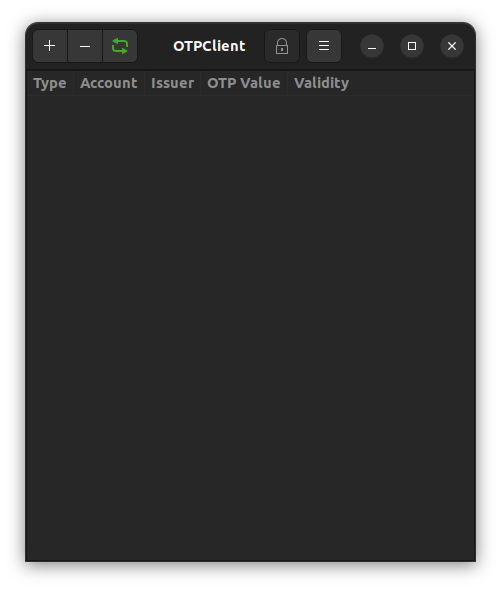
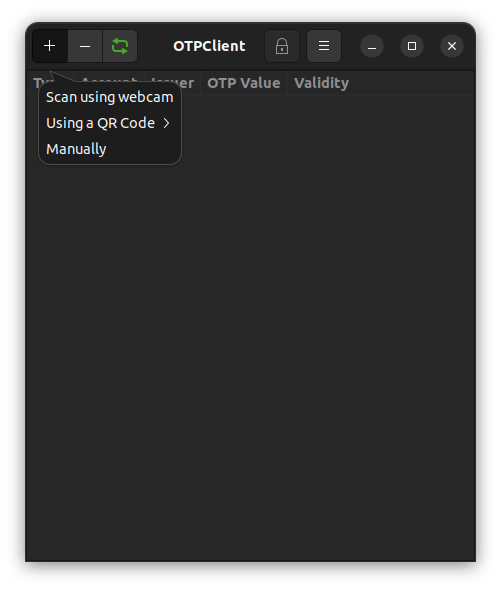
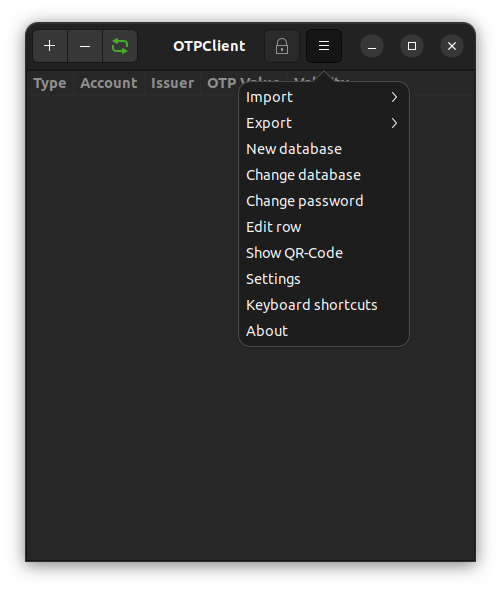
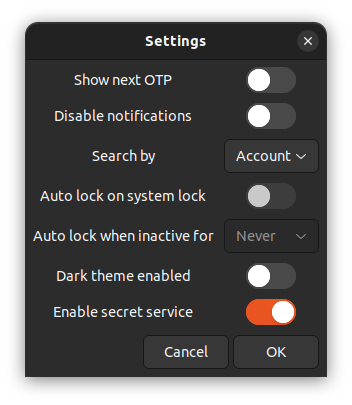
Observed history
| App | Change | Version | When ↓ |
|---|---|---|---|
| updated | 5.2.2 | 26 Sept 2026 |
Upstream releases
Release notes supplied by the developer. These dates are not Flathub package publication times.
5.2.224 Sept 2026
Packaging release. The Flatpak's search provider now sends its notifications through the notification portal instead of talking to the desktop's notification service directly, so the sandbox no longer needs that permission. Native installs are unchanged.
- FIX: inside the Flatpak, the search provider's "code copied" and failure notifications go through the notification portal. A notification carrying a code is marked transient where the portal supports it (version 2 and later; older portals reject the hint, so it is only sent after the portal has reported its version) and is withdrawn after five seconds everywhere, so it no longer lingers in notification history on portals that drop the hint, such as KDE's
5.2.123 Sept 2026
Bug-fix release. A post-release audit of 5.2.0 turned up a batch of defects across the database lifetime, the GUI, the importers and exporters, the command line and the search provider, and this release closes them. The worst of them could destroy data or block saving altogether: a database replaced while an unlock was still running, a token silently omitted from a save that then committed, and an external-modification baseline armed with a pre-write hash that refused every later save with "Database changed on disk". Alongside those, a failed password prompt gave no reason why, a lock and unlock cycle recorded an empty group filter as the user's choice, a delayed refresh could leave an expired code on screen, and several importer and command-line error paths reported the wrong thing, in the wrong place, or nothing at all. A separate report against 5.2.0 is fixed here too: a window left in the tray raised itself, and took focus, on every desktop unlock (#473). There is no on-disk format or settings change; existing databases and preferences are untouched.
- FIX: replacing the active database while an unlock was still running could free the state the worker was reading. The worker holds a raw pointer to the database it was started for, and opening or creating another one freed it underneath. Replacement is now refused until the unlock finishes, replies from the keyring for a database that is no longer active are discarded rather than starting a second unlock, and a second concurrent unlock worker is refused
- FIX: a token could be silently lost to an out-of-memory condition during a save. Merging the quarantined tokens into the database ignored a failed append, so the serialization succeeded without the token and the atomic replace made the omission permanent. The append is now checked and the save aborts before anything reaches disk; the same rule now applies to imports and to the extraction of invalid tokens, where removing a token from the source before the append had succeeded destroyed it outright and still counted it as moved
- FIX: the external-modification guard could be armed with a stale hash and then refuse every save with "Database changed on disk". After a successful atomic write the baseline was recomputed by reopening the destination, which could observe a concurrent writer's bytes, and a failed hash left the pre-write value in place while marking it fresh. The baseline is now derived from the exact bytes the commit wrote, and where hashing is somehow unavailable the guard is disabled for that generation with a journal warning rather than left stale
- FIX: moving a token to another database could delete it instead. If staging the token in the target failed, which any allocation on the way there can cause, the target was not saved but a later success branch still removed the token from the source database by position. The move now verifies the source database and its generation, and the token's own contents, before removing anything
- FIX: the importers and exporters stopped trusting sizes and lengths they could not verify. Aegis, Authenticator Pro, 2FAS and FreeOTP imports reject a failed file-size probe instead of feeding it into the secure-memory budget, Authenticator Pro verifies the backup's header, period-less 2FAS tokens get the 30-second default, the second JSON dump must return the exact length before a database is replaced or an export is called successful, and Base32 validation rejects a secret made only of padding
- SECURITY: a crafted Aegis backup could force a 1 GiB allocation and a long scrypt run before authentication had a chance to reject it. The scrypt parameters are now bounded (n up to 2^17, and n times p up to 2^20)
- SECURITY: the search provider's rate limit was a single global bucket, so a local peer that knew the trigger keyword could keep it drained and starve the real user. The buckets are now keyed on the D-Bus sender, with a bounded map and least-recently-seen eviction so fabricated sender names cannot grow it without limit
- FIX: a wedged Secret Service held the search provider's entry reload open forever, with every later query queued behind it. Every keyring lookup now carries a cancellable 30-second deadline, after which the reload moves on
- FIX: activating a search result resolved it by position, so an entry list that changed between the search and the activation could copy another account's code. Results are now resolved by a stable token identity (issuer, label and contents), and an ambiguous match is refused rather than guessed
- FIX: a rejected password showed no reason why. The unlock dialog cleared its fields before displaying the error, and clearing a field re-fires the change handler that hides the error label, so the message was hidden in the same breath as it was shown: a synchronous rejection, whether a wrong current password, secure-memory exhaustion or a concurrent unlock, flashed by unseen. The error is now set after the fields are cleared and the label survives, and a retry after a failed unlock arrives with the reason the last attempt failed instead of a blank prompt
- FIX: a delayed TOTP refresh tick could hide a freshly generated code or leave an expired one on screen. The code and the step recorded for it came from two separate clock reads, so a period boundary falling between them made the refresh believe the new code belonged to the next step and skip regeneration for the whole period. Generation and the recorded step now share one sampled timestamp, and cross-database search results are included in that bookkeeping
- FIX: the validity countdown's colors bled across rows. Every recycled row registered its own display-wide CSS provider at application priority, so the color that won was whichever row bound or recycled last rather than each row's remaining time, and warning colors could appear on every row or none. The two configured colors now live in one shared provider and each row carries a class
- FIX: locking and unlocking the database filtered every grouped token out of the list. Locking splices the group dropdown's model to zero, which GtkDropDown answers with an invalid selection, and comparing that value against the now-empty last index underflowed to true and recorded the empty-string "Ungrouped" sentinel as the user's choice, which the rebuild then faithfully restored. An invalid selection now means "All"
- FIX: a drag-reorder that failed to commit could leave the on-screen row bound to another entry, because the reorder carried the sorted position rather than the store's; the list is now rebuilt from the database when a reorder fails. A fatal unlock failure now refreshes the content page instead of leaving it stale, and import and file-chooser callbacks are bound to the database and session they were started from
- FIX: a discarded QR result is now wiped, per-row CSS providers and combo row string lists are released, the clipboard timer is cleared, an export to a non-native path is rejected, and parse-uri wipes its split-line copies of the secret
- FIX: the command line's password prompt treated a read error as the end of input, passing a partial password on to surface later as a baffling "Incorrect password". A failed read now names the error and stops. A keyring password that cannot be copied into secure memory no longer records itself as stored while holding nothing, which later reported that no password was set; it fails with the memlock message instead. The database-list JSON output no longer prints "(null)" and exits successfully when serialization fails, and a settings export whose second JSON dump fails is no longer returned as an empty success
- FIX: with minimize-to-tray enabled, unlocking the desktop brought the window back and gave it focus even though it had been left in the tray. Locking the session makes the tray host drop the icon, and the fail-safe that shows a hidden window when its icon does not come back read that as a tray that had gone away, so the window was raised three seconds into every lock and was sitting on screen at unlock. Tray recovery is now suspended for as long as the desktop is locked, however many locks come and go, and resumes at unlock with a fresh grace period only if the icon still has not returned. The desktop's lock state is now tracked for this regardless of whether Auto-Lock is enabled (#473)
- TEST: failure-injection and boundary tests now cover the quarantine append, the committed-bytes digest, the invalid-token extraction, the rendered step, the Base32 and token-identity cases, and the tray's session events, deadlines and stale replies
5.2.016 Sept 2026
Selecting a token no longer copies it. Clicking a row, or just arrowing past one, used to copy the code and, for HOTP, burn a counter, so scrolling through the list could silently desynchronise an account from its provider. Selection is now inert and each row carries an explicit Copy or Generate button, with Enter and Ctrl+C as the keyboard equivalent. Underneath that, HOTP counters are written to the encrypted database before a code is ever shown, in a single transaction, which also means the GUI and the command line finally agree on what the stored counter means. The tray menu was separately empty on every desktop except KDE Plasma, and had been since the tray was rewritten: right-clicking the icon opened a blank rectangle on GNOME, Cinnamon, MATE, Xfce and Waybar alike. That is fixed too, and OTPClient can now start minimized to the tray and start at login. Alongside all of those: the clipboard is no longer wiped out from under another application, locking clears the dialogs it used to leave open, imports say which entries they skipped and why, backup reminders are tracked per database instead of globally, and a round of fixes lands for things that never worked inside the Flatpak sandbox. A pre-release audit of the whole release then turned up a handful more that had never worked anywhere: GNOME Shell search results that did nothing when activated, desktop integration that could not be started at all on sessions using dbus-daemon, and exports that reported success after writing nothing.
- FIX: merely selecting an HOTP token consumed its counter. Single-click and arrow-key navigation both went through the copy path, so browsing the list advanced counters with nothing to show for it, and enough of that would desynchronise the account from its provider. Selection now does nothing but select. A new Action column carries a button per row, copy for TOTP and generate for HOTP, labelled by its icon and its tooltip; the same action heads the row's right-click menu, a double-click on the row does the same, Enter and Ctrl+C activate the selected token while the list has focus, and Enter also activates a search result
- FIX: the validity countdown was drawn only for the selected row, a leftover from when selecting a row was what revealed its code. With selection inert the two came apart, and a code could sit visible with no countdown beside it, most obviously right after the row's own Action button revealed one: the button claims the click, so the row never gets selected. The countdown now follows the code it counts down and appears for every TOTP that is showing one. HOTP rows no longer get one at all, having no rotation period to count down
- FIX: toggling "Hide OTPs by Default" left the already-drawn rows alone until a scroll or a selection change rebound them. The refresh was wired up in the window's constructed(), which reads the application property before GObject has set it, so the hook was never connected at all
- FIX: an HOTP counter could be shown or copied without ever reaching disk. The GUI generated the code, advanced the counter in memory, and deferred the encrypted re-save by up to five seconds to coalesce bursts of clicks; a crash, a kill, or a power loss inside that window handed out a code the database no longer knew it had issued. Generation and persistence are now one atomic transaction, and the code is not revealed until the write has committed
- NOTE: the stored HOTP counter now means the next unused code in both interfaces. Older GUI versions stored the last generated one while the CLI stored the next, and there is no way to tell which wrote a given value, so existing counters are left exactly as they are. If an HOTP account rejects its first code after upgrading, generate the next one or resynchronise the counter with the provider. This affects HOTP only, and only accounts previously used from the GUI
- FIX: a database still in the version 1 or 2 format could crash the app while being upgraded. If the decryption that follows the upgrade failed, after a rekey with the wrong password, on a truncated file, or with the secure-memory pool exhausted, the same buffer was released twice. Upgrading is the first thing an older database does on this release, so the window was narrow but badly placed
- FIX: a database whose directory is full, read-only or over quota could not be saved at all. The lock file added in 5.1.x reported "Failed to open database lock" and stopped there, where it was meant to warn once and carry on unlocked, which is what earlier releases did. Sandboxed builds were the most exposed, the lock sitting beside the database inside the Flatpak's own data directory
- FIX: the backup taken beside the database was overwritten with a copy of the database that had just been saved, so it held the same generation as the file it was there to protect and could not be used to go back. It is now taken before the write and left alone afterwards, and failing to write it no longer aborts the save
- FIX: exiting or locking wiped the clipboard even when the user had since copied something else, destroying unrelated data. OTPClient now clears the clipboard only while it still owns the content it put there, and copying anything elsewhere cancels both the pending wipe and the automatic next-code copy
- FIX: locking left sensitive dialogs open with their contents intact. A displayed QR code, a typed secret, an export password, or an unlock prompt survived the lock in memory and on screen. Locking now closes those dialogs, zeroes their entry buffers, drops their QR textures and snapshots, and cancels any operation still in flight, including when an open file chooser is holding the dialog alive
- FIX: a new encrypted migration export could be created with an empty password, producing a file that looked encrypted and was not. Encrypted exports now require a password. Existing empty-password exports still import, so nothing already on disk becomes unreadable
- FIX: encrypted Aegis, Authenticator Pro and 2FAS exports were written from a buffer sized with different formatting flags than the dump that filled it, and the size mismatch was checked against a value the function cannot return
- NEW: partial imports now report what was skipped and why, per entry, instead of silently importing fewer tokens than the file contained. The command line keeps a success status when at least one valid entry was imported and prints the warnings to stderr; input with nothing valid in it fails and leaves the database untouched
- FIX: malformed third-party backups could slip past the importers. The Aegis, Authenticator Pro and 2FAS readers now check that the entry list is actually a list, validate and repair each token before accepting it, report a parse failure through an error instead of a printed line, and no longer leak the fields of an entry they reject
- FIX: an export that could not be written reported success. None of the four exporters closed the file they had opened, and with the atomic-replace mode in use the rename happens inside that close, so a full disk or an exceeded quota produced "Data successfully exported to" over a truncated file, with a stray temporary left beside it. This is the backup feature, so the silence was the worst part of it
- FIX: a token whose account name contains a percent sign, or whose issuer contains a colon, did not survive a round trip through our own plain-text export. The label was percent-decoded twice, so "alice 100%" was rejected outright on re-import and "Acme:Corp" was split in the wrong place. Query values were decoded twice as well, which dropped any token with an issuer such as "50%off". Exports now escape the two halves of the label separately and imports decode exactly once. Files written by older releases still import
- FIX: importing a large file of junk produced one diagnostic line per skipped entry and handed the lot to a single label, which for a big enough file meant hundreds of megabytes of text nobody could read. The list now stops at the first fifty and counts the rest
- FIX: reading an otpauth file trusted the size reported before the read rather than the number of bytes actually read, so a file rewritten shorter in between was read past its end and then zeroed past its end
- FIX: secrets were left in ordinary, pageable memory in three places: the key that unwraps an encrypted Aegis backup, the per-token seeds handed back by the Google Authenticator migration decoder, and the URI written by the FreeOTP+ exporter. All three now use the secure pool or are wiped before being released
- FIX: Steam tokens were exported with the issuer named twice, which strict third-party parsers reject
- FIX: the command line's JSON output was not a single document and its CSV had no header row, so neither could be piped into an ordinary parser. Diagnostics also went to stdout, mixed in with the data. JSON is now one document, CSV starts with a header, and diagnostics go to stderr
- FIX: the command line never saved the master password to the keyring on first run, so with Secret Service enabled it asked for the password on every single invocation and never explained why. The store was started asynchronously in a process that has no main loop to finish it
- FIX: every argument-validation error from the command line went to standard output, mixed in with the data, contrary to what the manual page promises. A mistyped option fed an English sentence to whatever was parsing the JSON, and redirecting stdout to /dev/null threw away the only diagnostic there was. They now go to standard error
- FIX: the backup reminder tracked one global timestamp, which could not say which database it referred to and was also bumped by migration exports, so exporting for another app suppressed a genuine reminder. Backup history and snoozes are now recorded per database, and exports no longer count as backups from either interface. The old global value cannot be attributed to a database, so it is not carried over: after upgrading, each database reads "No backup recorded" until you take one, and any active snooze is reset
- FIX: search-provider settings needed a restart, typically a logout, to take effect. Disabling the provider, clearing its keyword, or turning off Secret Service now applies immediately and revokes cached keys, cached entry lists, and any activation ID already handed out. A clipboard delivery in flight when the settings change can no longer land afterwards
- FIX: an HOTP search result from a database other than the open one had nowhere to write its counter. Activating one now opens the owning database so it can be unlocked and generated there, rather than appearing to work
- FIX: drag-reordering the list when the save failed left what is on screen and what is in the database disagreeing about which row is which. The next Copy or Generate then acted on a different account, and for HOTP that meant advancing and storing another token's counter. The list is now rebuilt from the database whenever a reorder fails to commit
- FIX: importing or exporting settings from a network or phone mount, sftp, SMB, MTP or a cloud drive, crashed the app. Those locations have no local path, and the failure was reported by reading an error that had never been set. The unsupported location is now named instead. Exporting a backup to one of them also claimed to have succeeded without writing anything
- FIX: searching while the database was locked froze the window for minutes and filled the journal with warnings. The group list is empty while locked, and the loop over it counted down from an empty list rather than skipping it
- FIX: clicking another database in the sidebar while the current one was locked switched to it anyway, out from under the lock
- FIX: a QR code pasted from the clipboard with a transparent background never scanned. Pasted images arrive with their colour channels premultiplied by alpha, which the brightness calculation ignored, so a transparent background read as solid black. Images opened from a file were never affected
- FIX: the typed Base32 secret and the export password were left sitting in their entry buffers when the dialog closed along certain paths, instead of being zeroed
- FIX: several memory leaks in the GUI, and one path where a dialog could be disposed twice
- FIX: pressing Enter on a GNOME Shell search result did nothing at all, and never had. A malformed format string meant the handler read none of its arguments, so there was no copy, no notification and no error, only a warning in the journal. Results appeared and were drawn correctly, which is what made the feature look like it worked
- FIX: neither the search provider nor the KRunner plugin could be started at all on sessions that activate services through dbus-daemon rather than systemd, which covers the Debian and Ubuntu defaults, distributions without systemd, and anything run under dbus-run-session. The service files named the executable without a path, and dbus-daemon does not search PATH. The Flatpak was never affected
- FIX: with the search provider disabled, the process exited before taking its bus name, so every search produced a spawn error for GNOME Shell and KRunner instead of an empty result. It now answers, with nothing to show, and starts serving again the moment the feature is re-enabled
- FIX: a locked login keyring froze the search provider inside the first search it was asked for, and each database it then had to decrypt blocked it again, with every other request queued behind. The keyring lookup and the key derivation now run off the main loop
- FIX: activating a search result whose password is not in the keyring, or whose database will not decrypt, did nothing whatsoever, not even a log line. The reason is now reported
- FIX: handing the code to a clipboard tool could hang the search provider indefinitely if the tool never returned, which is what an xclip against an unreachable display does. The call is now asynchronous and bounded by a timeout
- FIX: the notification carrying the code is now marked transient, so desktops keep it out of their notification history
- NOTE: the search provider's trigger keyword is a query filter, not an authentication mechanism, and is no longer described as one. Desktop search additionally requires Secret Service access, a saved database password, and the provider to be enabled
- FIX: the tray menu was an empty rectangle on every host built on libdbusmenu, which is GNOME with AppIndicator, Cinnamon, MATE, Xfce, Ayatana and Waybar. The tray declared dbusmenu version 3, which makes clients fetch labels with GetGroupProperties and dispatch clicks through EventGroup, and neither method existed, so both menu entries were silently dropped. The group methods are now implemented, and clicking an entry works rather than doing nothing (#470, Flathub #81)
- NEW: start minimized to the tray, from Settings under Integration or with
otpclient --start-minimized. It needs minimize-to-tray and a real system tray, and is ignored with the window shown normally when either is missing. The database is deliberately left locked, so the first time you bring the window up it asks for the password (#471) - NEW: start at login, from Settings under Integration. Native builds write an autostart entry; the Flatpak asks the desktop through the background portal, which a few desktops do not implement, and there the setting is greyed out. The entry follows the start-minimized preference
- FIX: an autostart entry created by hand, or by GNOME Tweaks' Startup Applications, was deleted on the first launch of this release. The start-at-login setting is new and defaults to off, and startup enforced that against a file it had never written. An entry already present is now adopted, with the setting turned on to match, instead of being removed
- FIX: with start-minimized on, the first click on the tray icon always asked for the master password, even with the system keyring enabled and the password saved there. The deferred unlock never consulted the keyring; it does now, which is the combination start-at-login exists for
- FIX: the start-at-login and background-permission settings recorded what had been asked for rather than what the desktop agreed to. A refusal, a timeout, or a quit part way through left a switch claiming a state that was not real, the worst shape of that being a login entry nobody can see still launching the app while the switch reads off. Every answer is now reconciled against what the desktop actually said, an inconclusive one is remembered and retried on the next launch, and only one background request is ever in flight
- FIX: the autostart entry named the executable without a path and carried no TryExec, so an install outside the session's PATH wrote an entry that silently never launched, and uninstalling left one that failed at every login. It now carries the absolute path it was installed to
- FIX: the background-permission prompt was closed out from under the user after a minute, which turned minimize-to-tray off and blamed the desktop for refusing it. The wait is now five minutes, and a local failure to write the autostart file no longer reports itself as a refusal from the desktop either
- FIX: a tray host restarting, a GNOME Shell reload or a plasmashell --replace, force-raised a window the user had hidden, and on a start-minimized launch it brought the password prompt up with it. A short grace period now tells a panel that is coming back from one that is gone
- FIX: webcam QR scanning has never worked in the GTK4 rewrite, on any platform. The scanner opened a zbar preview window instead of the camera, then failed on every frame and reported a timeout. It now opens the camera, and no longer needs an X display to do it
- FIX: in the Flatpak, activating a search result copied nothing. The daemon shells out to a clipboard tool and the runtime shipped none, so every candidate failed silently. The tools are now bundled, the Wayland session is detected from WAYLAND_DISPLAY rather than a variable the sandbox may not set, every available tool is tried instead of committing to one, and a failure is reported instead of being swallowed
- FIX:
otpclient-clifailed with "Application does not handle command line arguments" whenever the GUI was running, because both registered the same application id and the CLI became a remote of the GUI. This mattered rarely before and would have become permanent with start-at-login - FIX: databases opened from outside the Flatpak's own data directory were saved without any lock held. The document portal implements POSIX record locks and refuses flock outright, which is what the code used, so the "Database lock not supported on this filesystem" warning was reached on every save. Locking works again for those databases
- FIX: a database picked from outside the sandbox could stop opening after a reboot, on btrfs and other filesystems whose device numbers are not stable, and the dialog then suggested two things that could not recover it. The dialog now says the sandbox lost access rather than that the file is missing, and offers to re-pick it
- FIX: "Locate..." on the "Database No Longer Accessible" dialog routed into the plain open picker, which appends a row, so relocating a database left the old entry behind and the new one under a different name. It now replaces the path on the row that is already there, keeps its name, drops the duplicate if the target was listed twice, and moves the saved Secret Service password across to the new path
- FIX: a settings backup silently dropped the search-provider keyword and the clipboard-clear timeout, both of which the settings dialog offers, and an imported sidebar-visibility value did not reach a window that was already open
- FIX: turning minimize-to-tray off inside the Flatpak left a dead icon in the panel until the app exited, because the sandboxed tray had no bus name it could release
- FIX: the tray icon now says so when the database is locked, and the "Show OTPClient" entry raises the window on Wayland instead of being blocked by focus-stealing prevention
- FIX: every Flatpak launch logged a warning about not being able to subscribe to suspend events. The system bus is not there to be reached, so the attempt is no longer made and no longer complained about. Locking on screen lock is unaffected
- NOTE: the search provider is a separate process with its own lock state. A hidden or locked GUI does not stop search from working, and using search does not unlock or reveal the GUI
- NOTE: if you use the system keyring to unlock automatically and turn start-minimized on, OTPClient will sit in the tray over a locked database rather than an open one. That is intentional, and it is the reason the first show asks for the password
5.1.821 Aug 2026
Bug-fix release. Minimize-to-tray did not work in the Flatpak: the switch was greyed out as if the desktop had no system tray, and granting the missing permission by hand still produced no icon. The sandbox refuses the process-derived bus name the tray asks to own, so the tray now registers with the tray host under its unique connection name instead, which needs no permission and works in any sandbox. The Flatpak was also missing the permissions Auto-Lock needs, so locking on screen lock silently did nothing; that is fixed in the Flathub packaging, though locking on suspend stays unavailable there.
- FIX: no tray icon appeared in sandboxed builds even with a tray host present, because the session bus refused the process-derived StatusNotifierItem name and the tray gave up. It now falls back to registering under its unique bus connection name, which is what Qt applications do, so the icon appears regardless of what the sandbox grants (Flathub #79)
- FIX: two sandboxed applications could not both show a tray icon: every Flatpak process sees itself as pid 2, so the process-derived StatusNotifierItem names collided and whichever lost the race silently got none. Both now get an icon (Flathub #79)
- PACKAGING: the Flatpak lacked the D-Bus permissions the tray and Auto-Lock need. Access to the StatusNotifierWatcher name un-greys the minimize-to-tray switch, which had reported "No system tray was detected on this desktop" on desktops that do run one, and access to the desktop screensaver services makes Auto-Lock on screen lock work, which had been a no-op. Auto-Lock on suspend stays unavailable in the Flatpak because it needs logind, which Flathub does not permit, so the "Could not subscribe to suspend events" warning remains there (Flathub #79)