
An audio recorder focused on being concise and simple to use.
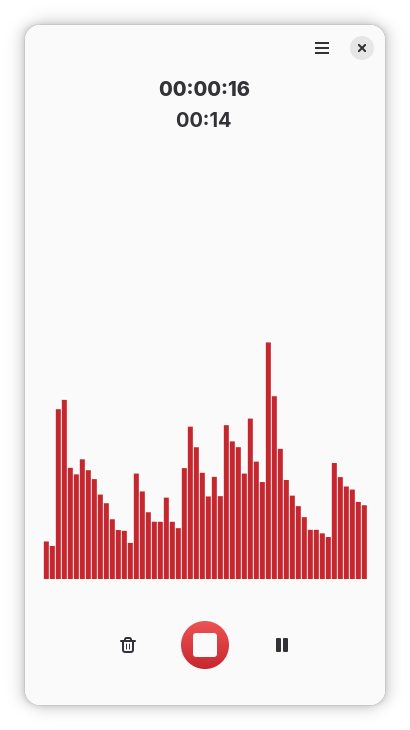
You can use it to record and remember spoken words, system audio, improvized melodies, and anything else you can do with a microphone, speaker, or both.
Features include:
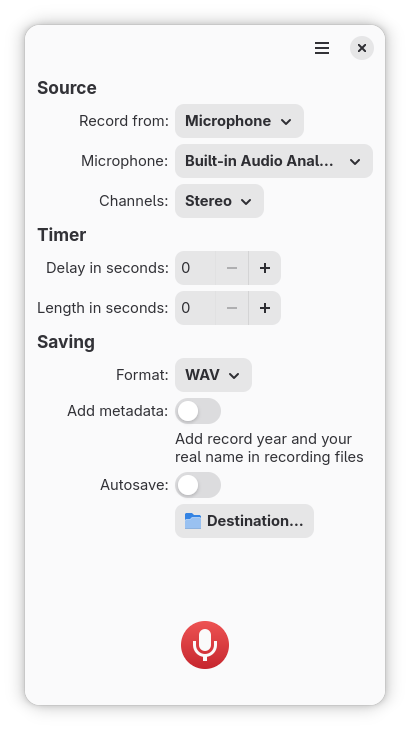
- Recording sounds from both your microphone and system at the same time. This is useful for recording calls or streaming videos on the Internet.
- Saving in many commonly used formats. It supports ALAC, FLAC, MP3, Ogg Vorbis, Opus, and WAV.
- Timed recording. You can set a delay before recording up to 15 seconds, and set the length of recording up to 600 seconds.
- Adding metadata automatically. Reco can add artist and year metadata to recording files.
- Choosing where to save recordings. You can select whether the app saves recordings into a directory of your choosing automatically or manually.
- Saving recordings when the app quits. Even if you happen to quit the app while recording, the recording is either saved automatically, or the file chooser dialog is shown - depending on your preferences.
Screenshots
Observed history
| App | Change | Version | When ↑ |
|---|---|---|---|
| updated | 5.2.2 | 4 Oct 2026 |
Upstream releases
Release notes supplied by the developer. These dates are not Flathub package publication times.
5.2.24 Oct 2026
- Improve mobile support of the keyboard shortcut dialog
- Update translations
5.2.125 May 2026
- Update translations
5.2.03 May 2026
This release introduces support for mobile devices, support for metadata, bugfixes for edge cases, and more.
Big improvements:
- Support mobile devices
- Add an opt-in switch to include artist and datetime metadata to recordings
- Ongoing recordings are trashed instead of being deleted when canceled. Plus a toast is shown when canceled
- Present processing dialog while saving to show progress and prevent users from interacting with UI
- Refresh the waveform only when the window is not "suspended"
- Use system default input device as the selected microphone
Other improvements:
- Recording file is now preselected in the containing folder when clicking "Open Folder"
- Recording file will no longer lose from the temporary folder even if there is an error while saving
- The app now keeps open to allow investigation even if the app was going to quit after saving and there is an error while that
- The saved toast is no longer shown unnecessarily when going to quit
- Recording file is now cleaned up from the temporary folder when recording canceled
- Remember last folder path manually
- Disable AutoSave instead of trying to create directory if the specified path does not exist or is not a directory
- Show error dialog when failed to open folder after saving recording
- Set StartupNotify to true in the .desktop file to allow showing startup loading screen in supported desktop environments like Phosh
- Remove raw log messages from error dialog in favor of log messages on terminal
- Make sure dual-channelization and waveform works
- Update translations
Bugfixes:
- Flatpak version of the app should launch successfully now on devices with dGPU
- Fix holding Ctrl+Shift+R can cause the app crash
- Fix potential issue that error dialog may not disappear when receiving unexpected response
- Fix app quits immediatelly when users try to quit while recording and an error occurred while saving
- Fix countup timer doesn't stop when trying to quit the app while recording
- Fix UI events are blocked and the app is shown as not respond while saving huge size of recording
5.1.112 Oct 2025
- Focus to pause button by default to avoid unintentional cancel
- Show a toast, generic design, instead of changing appearance of the record button when recording succeeded
- App name and icon are now displayed correctly in monitoring apps e.g. pavucontrol or gnome-system-monitor
- Flatpak: Update to GNOME platform 49
- Flatpak: Update blueprint-compiler to 0.18.0
- Update translations