
indiAccounting
Double-entry accounting and payroll for small business
Indomitus Group ✓ Verified
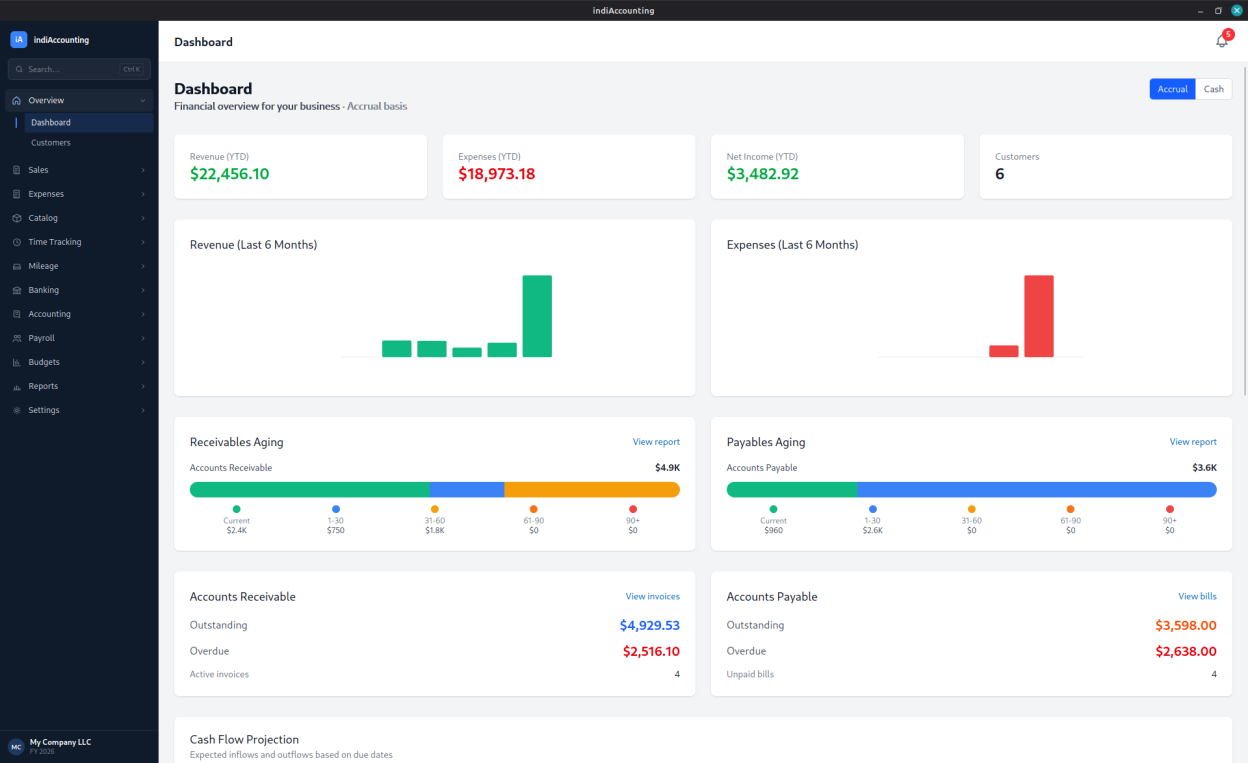
com.indomitusgroup.indiaccountingindiAccounting is a complete double-entry accounting and payroll application for small businesses, with a native desktop interface. It keeps a real general ledger behind the scenes, so your invoices, bills, and payroll all flow into proper financial statements — no spreadsheets, no monthly fees.
Features include:
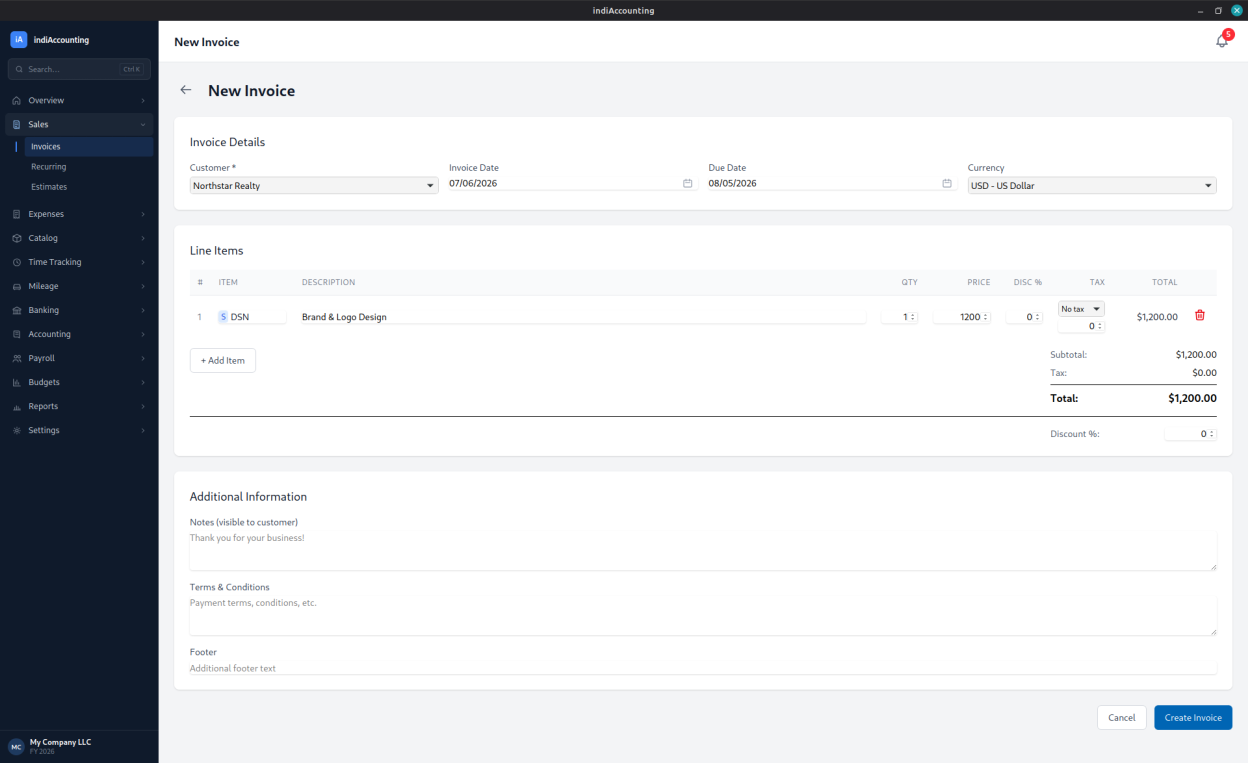
- Invoices and estimates, with customer payments and recurring invoices
- Sales orders, invoiced all at once or in stages as goods ship
- Bills, vendor payments, and purchase orders with receiving
- Accrual-basis double-entry general ledger and manual journal entries
- Close a period so filed figures stay frozen, with corrections posting as reversing entries
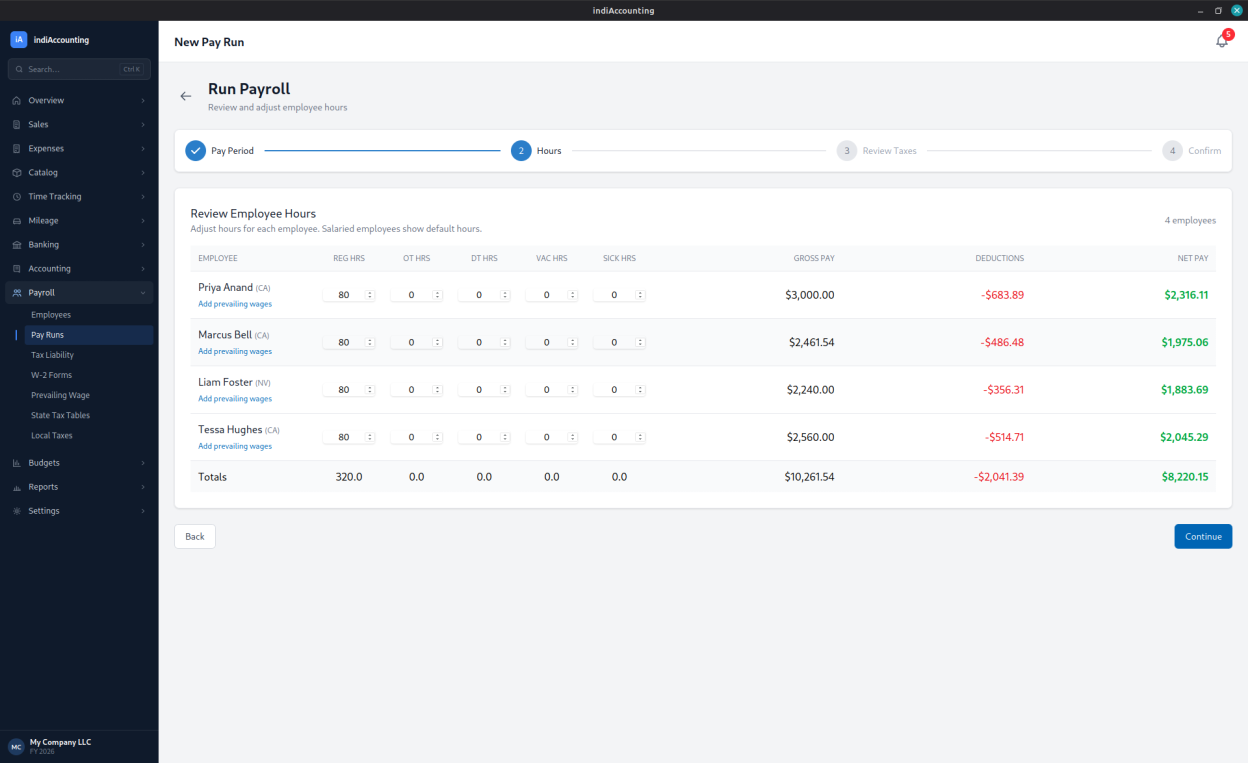
- Payroll with federal and all-50-state withholding, FICA, FUTA, SUTA, and prevailing-wage / certified payroll
- Sales tax tracking by jurisdiction, reporting, and filing
- Inventory and product/service catalog
- Bank statement import and reconciliation
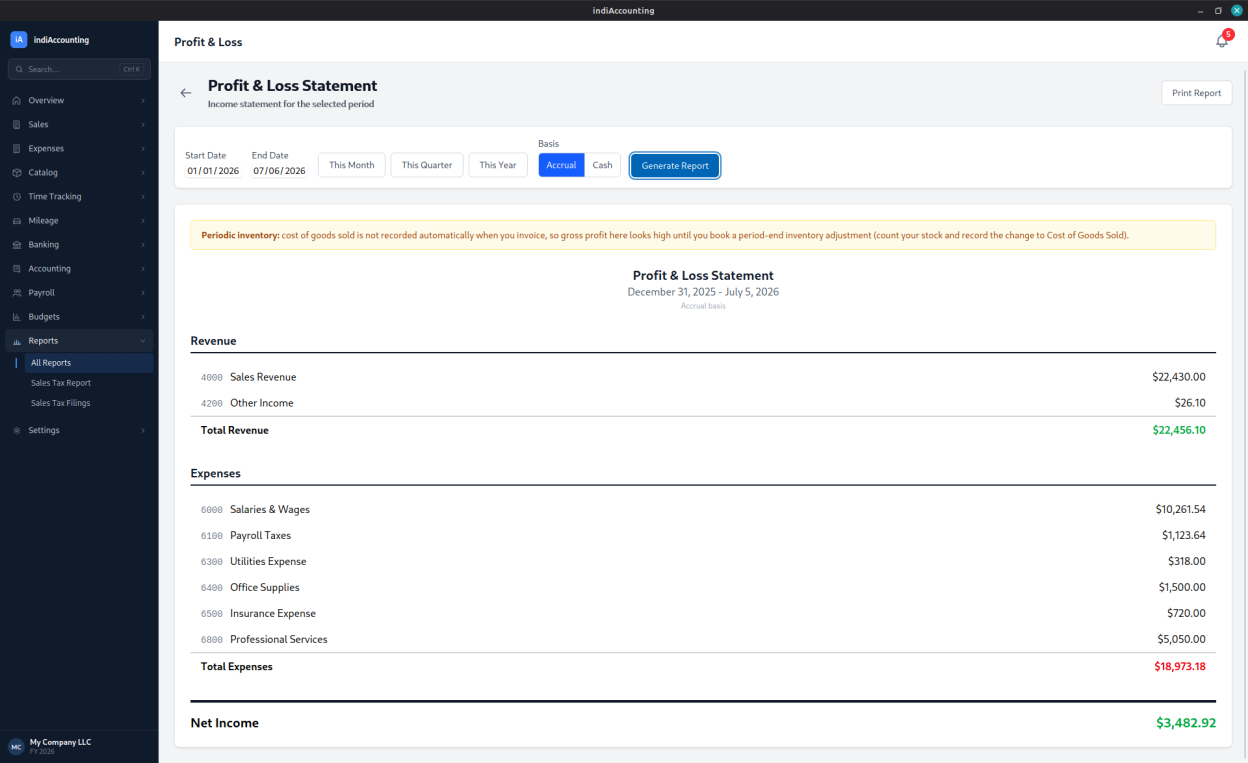
- Financial reports: profit and loss, balance sheet, trial balance, cash flow, A/R and A/P aging, and general ledger — plus a custom report builder and per-job profitability
- 1099-NEC vendor reporting and W-2 payroll forms
- Budgets with budget-vs-actual
- Mileage and time tracking
- Late fees, payment reminders, and customer statements
- CSV import and export, and PDF invoices and estimates
- Receipt capture with OCR (text extraction) and document attachments
- Local database backup and restore
indiAccounting respects your privacy and works entirely offline. Your company's books are stored in a local file on your own computer and never leave your machine.
Screenshots
Observed history
| App | Change | Version | When ↓ |
|---|---|---|---|
| updated | 2.0.2 | 24 Sept 2026 |
Upstream releases
Release notes supplied by the developer. These dates are not Flathub package publication times.
2.0.224 Sept 2026
Order import fixes:
- Fixed: orders that had never been imported could be reported as "Already imported on an earlier run". The import screen guessed the column that ties rows into orders, and in a one-order-per-file export the guess could land on a column holding the same value on every row, such as Tax Exempt. It now starts from the order number and warns whenever the grouping column is anything else. A mapping saved with the old guess keeps it until the grouping column is changed and the mapping saved again
- When an import creates a customer, the file's tax rate can be a percentage: "6.75%" finds the one Tax Rate that charges 6.75%, so rates can be named by place. When several rates share a percentage, the import names them instead of guessing
- A taxable customer created by an import without a tax rate is listed on the result, because its orders are untaxed until a rate is chosen
2.0.116 Sept 2026
Three fixes and a slate of features from one round of non-profit feedback:
- Fixed: individual donors and customers with no company name came out nameless on Income by Customer and the other party reports; the Accrual/Cash toggle on a report is now remembered per report instead of reverting; Print Report on a Linux desktop with no print portal now opens the page in your PDF viewer and says so; Transfer In in the bank register can be saved again
- Donations and sales receipts: income recorded without an invoice, against the donor or customer, to a bank account or to Undeposited Funds
- Make Deposit: everything waiting in Undeposited Funds, batched into one deposit that matches the line on your bank statement, with a printable deposit slip. Invoice payments can be held for deposit too
- Giving statements: every donor's gifts for a period, printed in one run or emailed in a batch, plus a receipt for a single gift; the wording, including the acknowledgment sentence, is yours to edit
- Document wording: rename the invoice heading (REMINDER, STATEMENT OF DUES), the recipient heading, and every label, and add a standing line above the items — on paper, PDF and email alike
- Export any report as an .ods spreadsheet for LibreOffice Calc with the figures as numbers; a Class column on the General Ledger and Custom Transaction Report; customer and vendor drop-downs in the report builder and on the bank register, whose entries can now link to a customer; a Register shortcut in the sidebar
- The upgrade adds one account, Undeposited Funds, to an existing file and nothing else
2.0.028 Aug 2026
Multi-user — host your company on one machine and work in it together from the others:
- Host on your own network: the machine that owns the file starts hosting (Settings → Multi-User); other machines connect over an encrypted, certificate-pinned connection. No server to install, no cloud in the middle
- Machines are paired deliberately with a short on-screen code, listed by name, and revocable — a stolen laptop is locked out without anyone changing a password
- People sign in as themselves, with per-area permissions (Sales, Purchasing, Banking, Payroll, Books — look or change). Every record shows who wrote it, and reports follow the data they expose
- Opening a record for editing holds it: anyone else is told, by name and before the typing, that it is in use. Screens refresh within five seconds of a change made elsewhere
- Maintenance mode: an administrator can close the books — everyone else can look but not change — for period close, restores and repairs
- Entirely opt-in: a single-user company works exactly as before. Multi-user is a separate one-time upgrade — included in the trial — and only hosting requires it
1.9.727 Aug 2026
One fix, for NVIDIA graphics on Linux:
- The app could crash on launch, or show a blank window, on NVIDIA cards — a known interaction between the proprietary driver and WebKitGTK's DMA-BUF renderer that could surface after an ordinary update, because Flatpak refreshes the runtime alongside the app. indiAccounting now detects NVIDIA at startup and disables that renderer automatically before the window is created. Other graphics cards keep the faster renderer, and setting WEBKIT_DISABLE_DMABUF_RENDERER yourself still overrides the automatic behavior. If you had the workaround in place, you can drop it