
ColorSmith
Professional color picker, gradient maker, and palette manager
Keshav Bhatt ✓ Verified
com.ktechpit.colorsmithColorSmith is a professional color management suite designed for designers, developers, and digital artists. It delivers precision tools for color selection, accessibility testing, gradient creation, and palette management with an intuitive interface built for professional workflows.
Professional Features:
- WCAG AA/AAA compliant contrast checker for accessible design
- Visual HSL gradient sliders for intuitive color adjustments
- Smart paste detection that automatically converts color codes between formats
- Enhanced color preview with hover-to-enlarge functionality
- Original color comparison to track color modifications
- Context menu operations on palette swatches for streamlined workflow
Core Features:
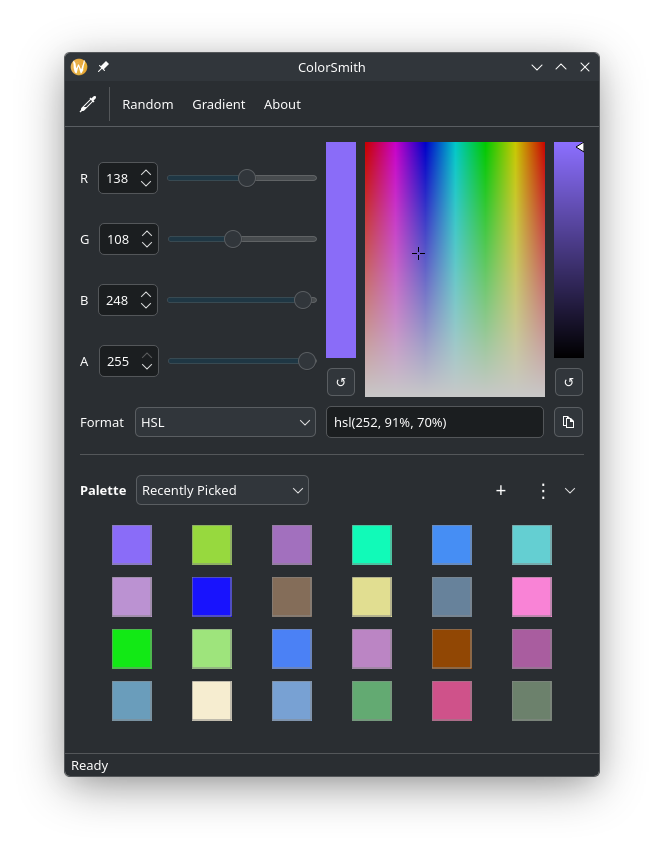
- Screen color picker to capture colors from anywhere on your display
- Interactive HSV color plane with precision brightness adjustment slider
- Support for multiple color formats: HEX, RGB, RGBA, HSL, HSLA, HSV, and CMYK
- Transparency control with alpha channel support
- Random color generator for creative inspiration
- One-click color value copying to clipboard
- Customizable resizable layout with persistent panel sizing
Gradient Generator:
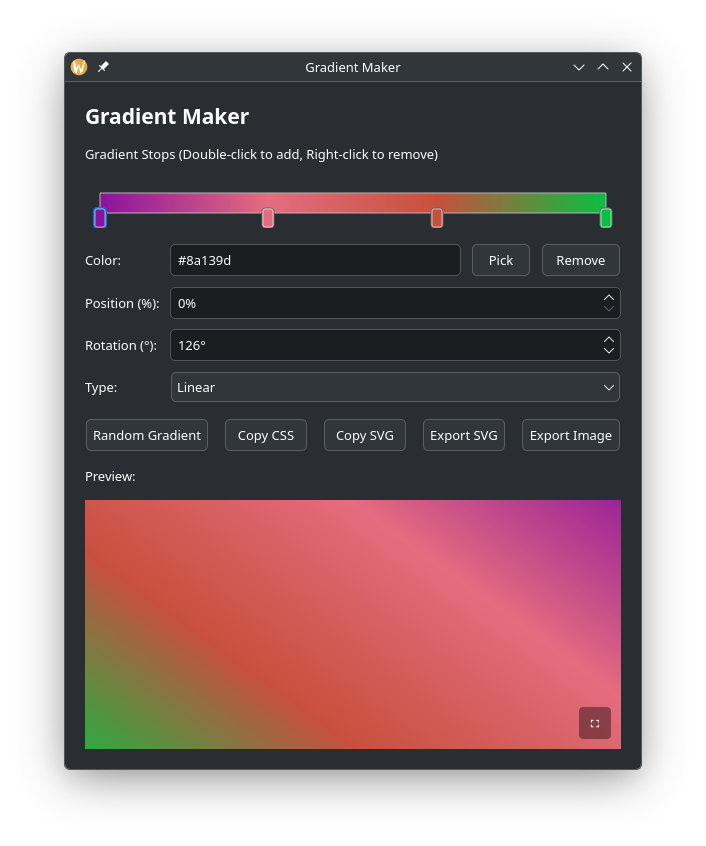
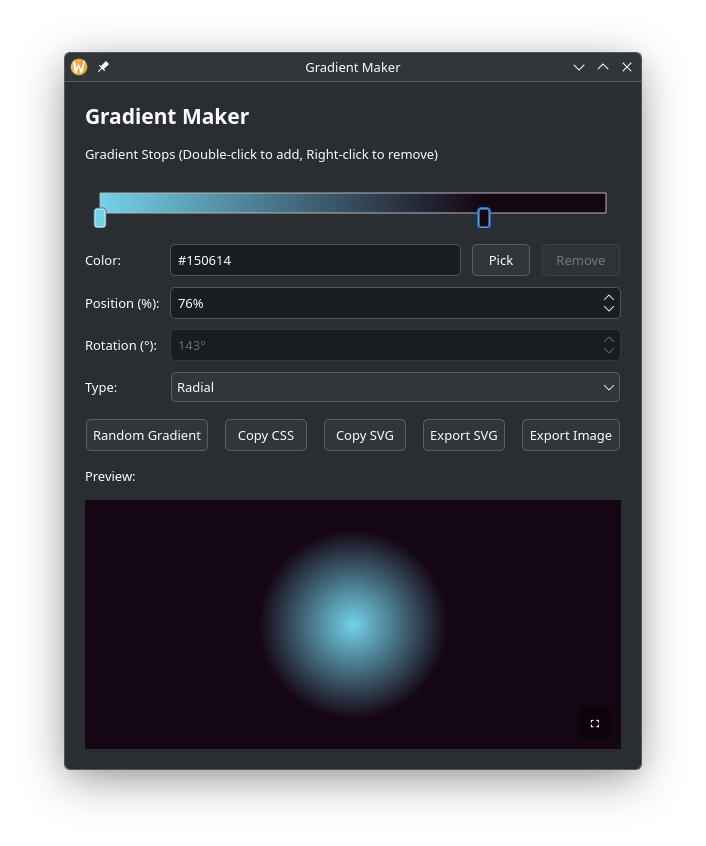
- Create linear and radial gradients with unlimited stops
- Precise control over gradient angles (0-360°) and stop positions
- Live preview with fullscreen mode support
- Export as CSS code (with vendor prefixes and old WebKit syntax)
- Export as SVG files or PNG images with custom dimensions
- Random gradient generation
- Screen color picker integration for gradient stops
Palette Management:
- Create and manage multiple custom color palettes
- Extract color palettes from images using K-means clustering
- Import and export palettes in JSON format
- Add optional names to palette colors for better organization
- Built-in standard HTML colors palette
- Quick add current color to any palette
- Right-click context menu to copy or remove colors
Professional Workflow Tools:
- Comprehensive keyboard shortcuts (Ctrl+K to view all shortcuts)
- Persistent settings that remember window geometry, panel sizes, and last used color
- Clean, modern Qt-based interface with streamlined toolbar
- Quick access to project documentation and source code
Screenshots
Observed history
| App | Change | Version | When ↑ |
|---|
No observed changes yet.
The initial import establishes a baseline. Future version changes will appear here.
Browse the app catalogue →Upstream releases
Release notes supplied by the developer. These dates are not Flathub package publication times.
1.1.09 Feb 2026
Major update with professional accessibility tools and workflow enhancements
- NEW: WCAG-compliant Color Contrast Checker with AA/AAA testing
- NEW: Visual HSL gradient sliders for intuitive color adjustments
- NEW: Smart paste detection that automatically converts color formats
- NEW: Hover-to-enlarge color preview for better visualization
- NEW: Original color comparison to track modifications
- NEW: Keyboard Shortcuts dialog (Ctrl+K) for quick reference
- NEW: Context menu on palette swatches to copy or remove colors
- NEW: Screen picker integration in Gradient Maker and Contrast Checker
- Enhanced: Resizable panels with persistent sizing preferences
- Enhanced: Streamlined toolbar design without borders
- Enhanced: Quick access to source code from About dialog
1.0.027 Jan 2026
Initial release of ColorSmith with comprehensive color management features
- Screen color picker with system-wide color capture
- Support for HEX, RGB, RGBA, HSL, HSLA, HSV, and CMYK color formats
- Interactive HSV color plane with brightness adjustment
- Gradient generator with linear and radial gradients
- CSS, SVG, and PNG export for gradients
- Palette management with import/export functionality
- Image-to-palette extraction using K-means clustering
- Random color and gradient generation
- Recently picked colors history (24 colors)
- Comprehensive keyboard shortcuts
- Settings persistence for window geometry and last color