
Ultimate Media Downloader
Media Downloader for YouTube and 1500+ other websites
Keshav Bhatt ✓ Verified
com.ktechpit.ultimate-media-downloaderUltimate Media Downloader is a fast and open source YouTube downloader for Linux and a video downloader for more than 1500 other websites. It saves videos, playlists, channels, live streams and music from YouTube, Facebook, Instagram, TikTok, X (Twitter), Reddit, Vimeo, SoundCloud, Twitch, Kick, Dailymotion, Rumble, Odysee, Bilibili, Bandcamp, Mixcloud, Pinterest, Tumblr, Streamable and the Internet Archive. Copy a link from Chrome, Firefox or any browser, paste it, pick a preset and download.
Why choose Ultimate Media Downloader?
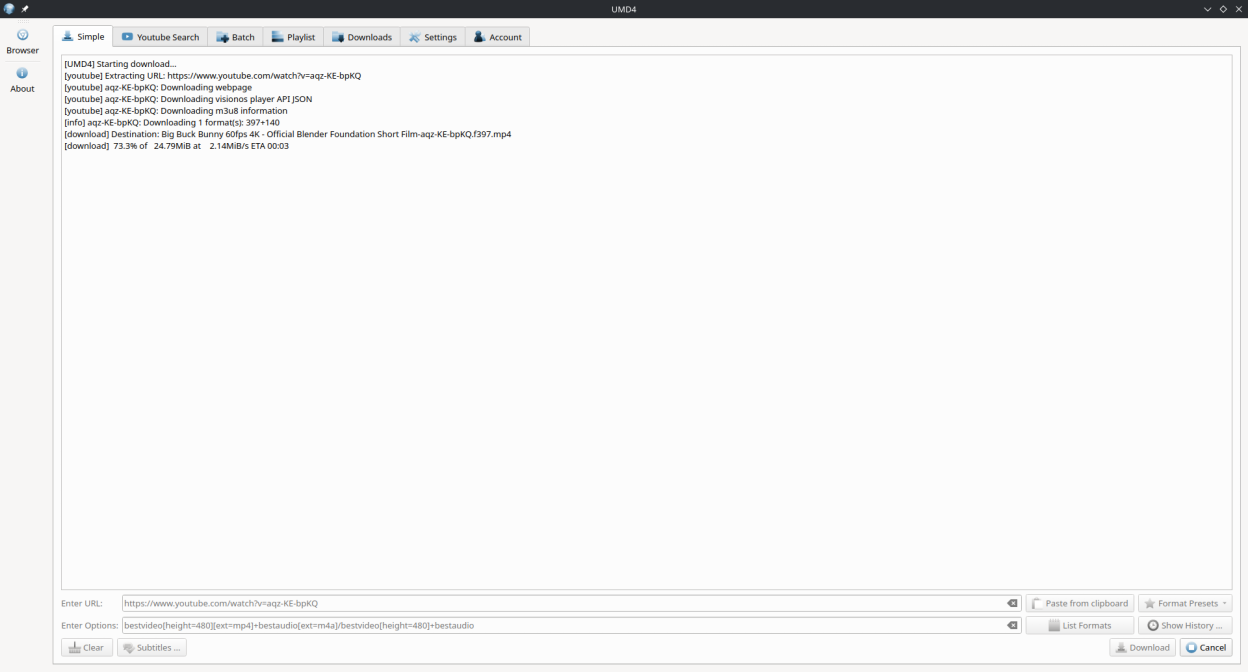
- YouTube video downloader: save videos as MP4, MKV or WEBM in any quality from 144p and 720p HD to 1080p Full HD, 4K and 8K, including 60 fps
- YouTube to MP3 converter, MP3 downloader and music downloader: download YouTube Music songs, albums and playlists, and extract audio as MP3 at 128 to 320 kbps, M4A, Opus or lossless FLAC with tags and cover art
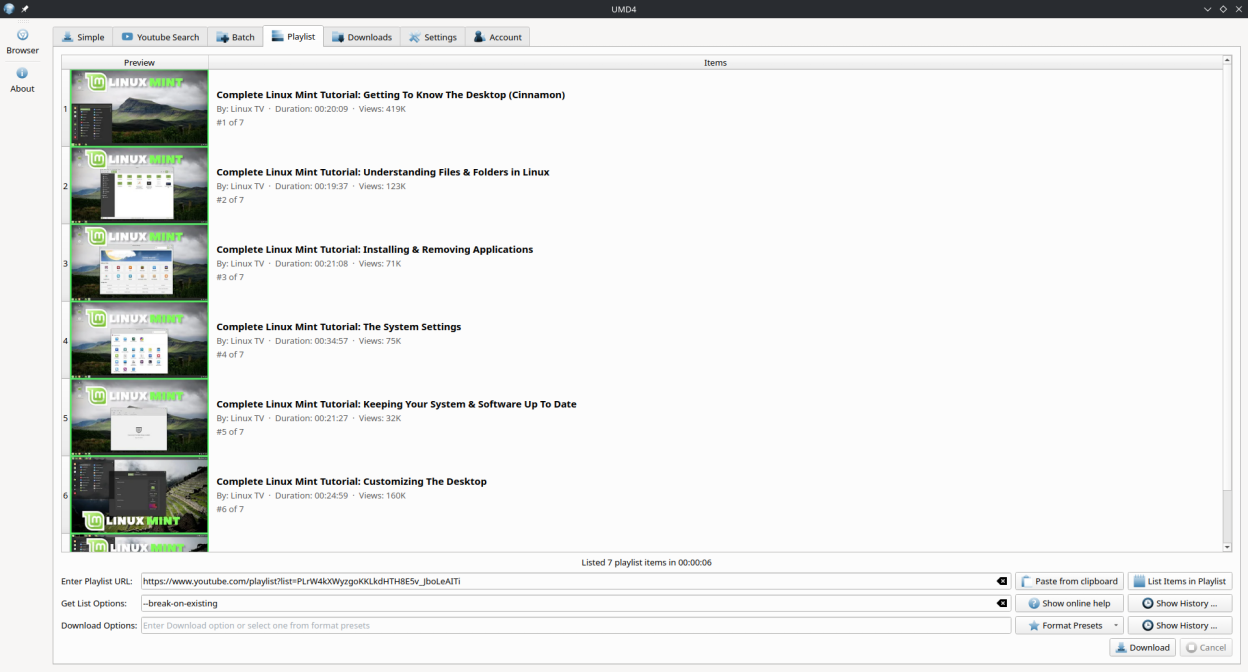
- YouTube playlist downloader and channel downloader: list an entire playlist or channel in seconds and pick exactly the items you want
- YouTube Shorts, live streams and premieres: download Shorts, record a live stream while it runs and grab the VOD afterwards
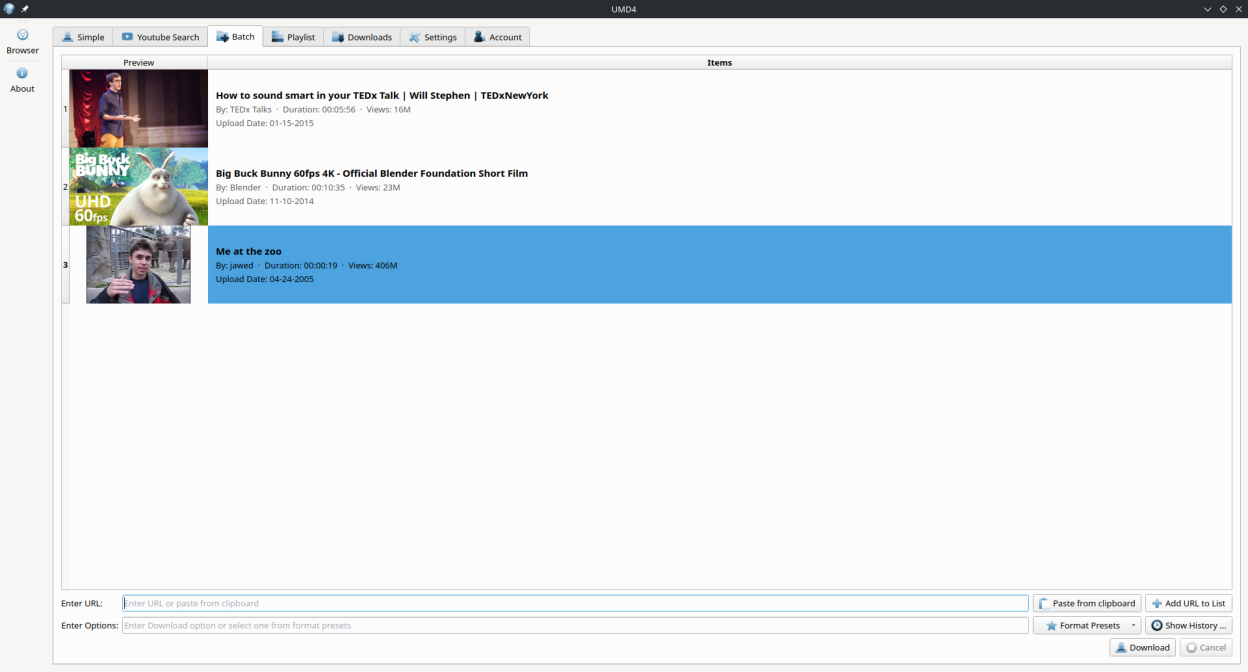
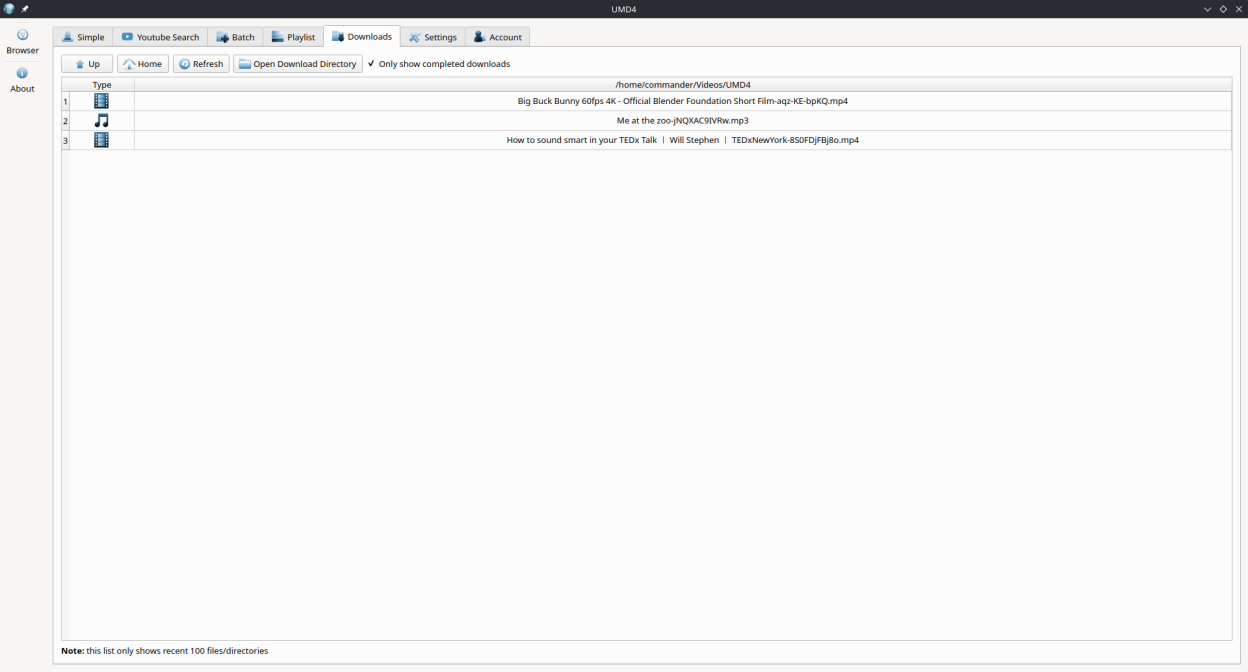
- Batch downloader and download manager: queue many links, download them all at once, watch progress and open finished files from the download library
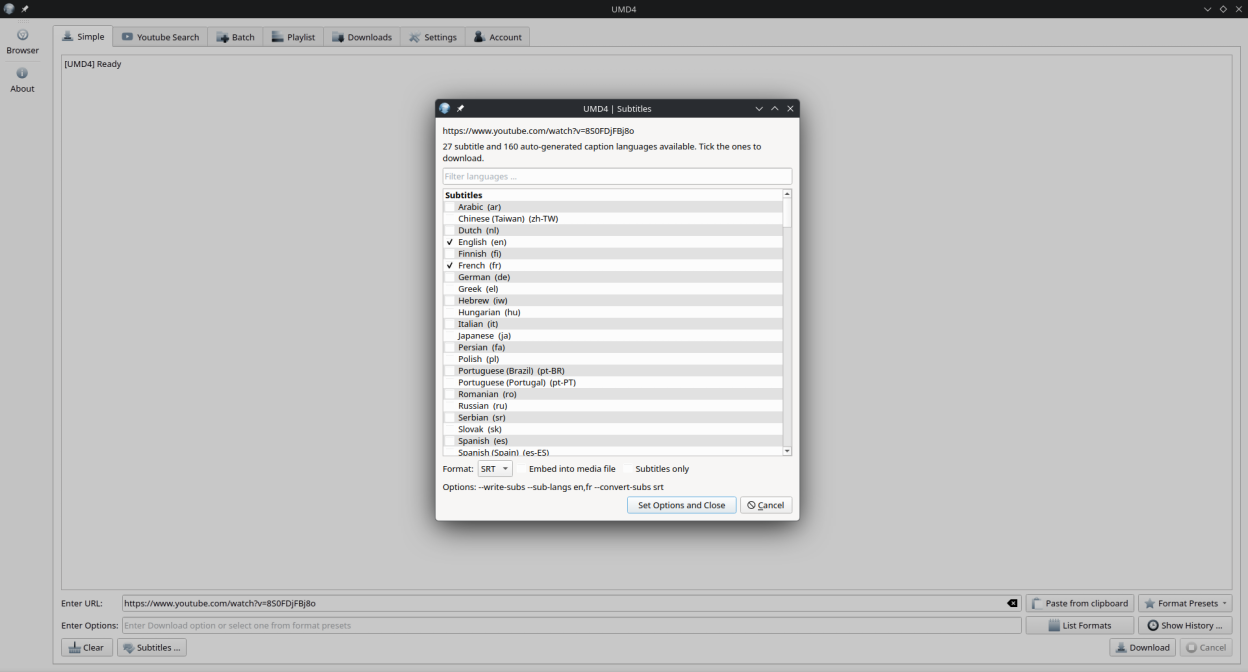
- Subtitles and closed captions: download or embed subtitles in the languages a video offers, including auto-generated captions, as SRT, VTT or ASS
- Sign-in required, private, members-only and age-restricted videos: log in once with your Google account in the built-in Chromium-based browser and download what your account can watch
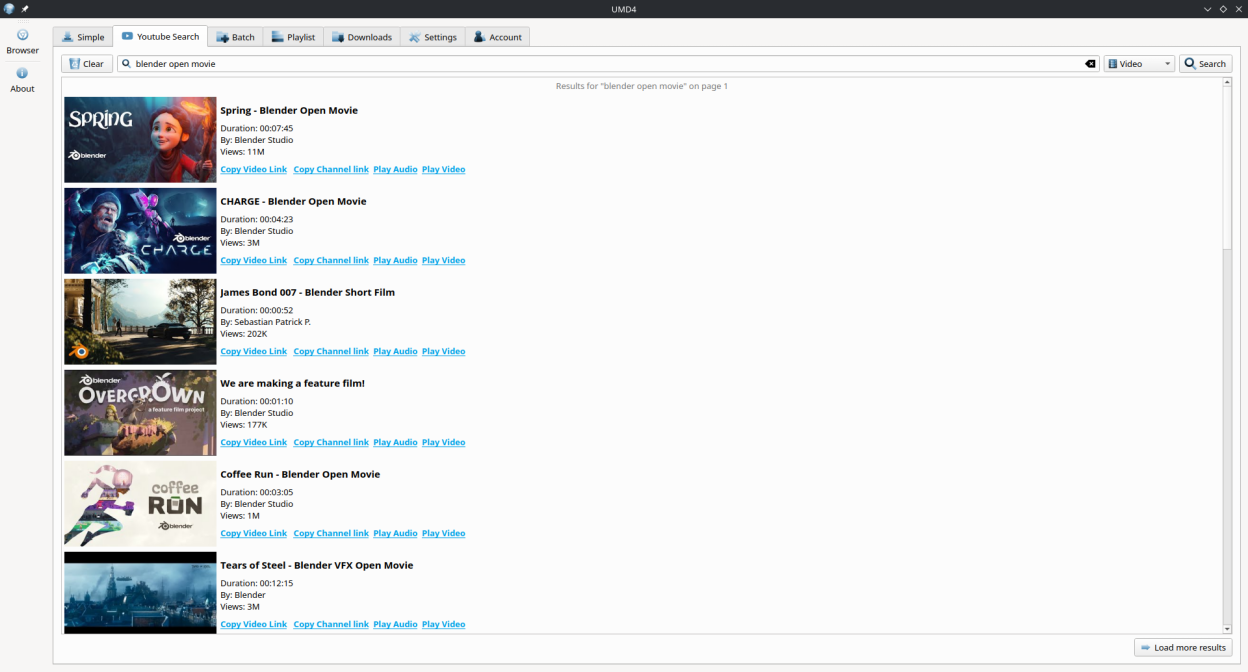
- YouTube search built in: find videos and playlists inside the app and play them without ads
- Custom format selector: choose the exact resolution, codec, container and bitrate when a preset is not enough
- Dark theme, drag and drop, clipboard link detection and a download engine that updates itself so website changes are handled quickly
More than a YouTube downloader
- Social video downloader: Facebook video downloader, Instagram Reels and video downloader, TikTok downloader, X (Twitter) video downloader, Reddit video downloader with audio, Pinterest and Tumblr
- Streaming and live: Twitch VOD and clip downloader, Kick, Dailymotion, Rumble, Odysee, Bilibili, Streamable and live stream recording
- Music and podcasts: SoundCloud downloader, Bandcamp, Mixcloud and podcast downloader, saved as MP3, M4A, Opus or FLAC
- Any page with a video: HLS (m3u8) and DASH streams, direct MP4 and MP3 links, embedded players on news sites, blogs, forums and the Internet Archive
Built on yt-dlp. Ultimate Media Downloader is a graphical yt-dlp GUI and a friendly front end for the youtube-dl successor: every site, format and option yt-dlp supports is available from the interface, with no command line and no terminal. The yt-dlp engine updates itself inside the app, so a YouTube or TikTok change is fixed in hours, not at the next release.
Works with the browser you already use. Copy a video link from Google Chrome, Chromium, Firefox, Brave or Edge and the app picks it up from the clipboard. The built-in Chromium-based browser lets you sign in to YouTube, Google, Twitch or Instagram once, so private, unlisted, subscriber-only and age-restricted videos download like any other link.
Free, open source and offline: nothing is uploaded to a server, there are no ads, no watermarks added and no daily limits. A native YouTube desktop app, video downloader app and 4K video downloader for any Linux desktop (Ubuntu, Fedora, Debian, Arch, openSUSE and Steam Deck via Flatpak), and a free alternative to 4KTUBE, 4K Video Downloader, SnapTube, online video downloaders and YouTube to MP3 converter websites.
Screenshots
Observed history
| App | Change | Version | When ↑ |
|---|---|---|---|
| updated | 6.3 | 18 Sept 2026 |
Upstream releases
Release notes supplied by the developer. These dates are not Flathub package publication times.
6.318 Sept 2026
Stable release 6.3.
- Drag and drop: drop one or more video links anywhere on the window; the Batch tab adds a row per link, the Playlist tab takes the link as the playlist URL, other tabs fill the Simple tab
- Copied links are picked up when the window gains focus and placed into the URL field of the current tab; empty fields only, nothing downloads by itself, off switch in Settings
- Fix: a URL passed on the command line opened the YouTube Search tab instead of the Batch tab
6.226 Aug 2026
Stable release 6.2.
- YouTube search no longer depends on Invidious; results are fetched through the download engine
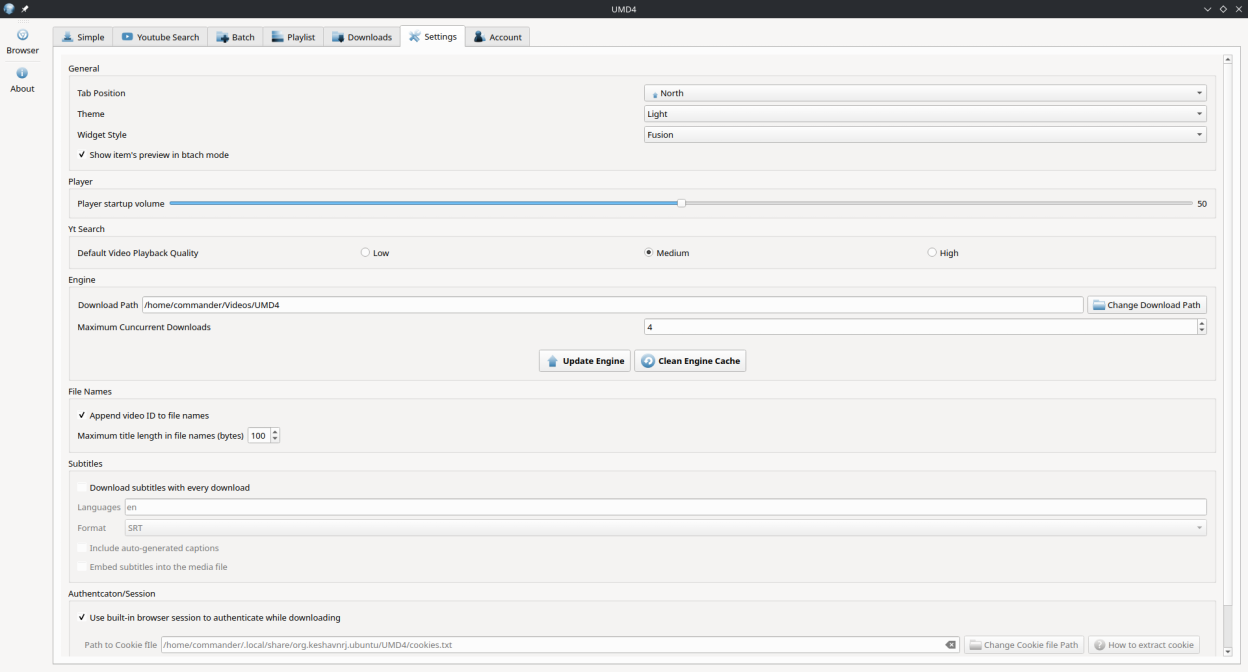
- New "File Names" settings: optional video ID suffix and maximum title length, fixes "File name too long"
- Detect YouTube "HTTP Error 403: Forbidden" and offer the built-in browser sign-in
- Playlist items are listed in seconds instead of one video at a time
- Playlist listing progress is shown in a status line below the table
- Playlist and batch items are styled like the YouTube search results and show uploader, views, playlist position and status when available
- Audio presets with selectable MP3 bitrate (64-320 kbps), M4A, Opus and FLAC, and a separate "Music library" menu that names files "Artist - Song" with tags and cover art
- Subtitle download: global defaults in Settings and a "Subtitles ..." picker in the Simple tab listing the languages a URL offers
- User interface translated into German, Spanish, French, Italian, Brazilian Portuguese, Russian, Simplified Chinese and Hindi
- Fix "401 Unauthorized" detection and the engine update version comparison
6.13 Apr 2026
Stable release 6.1.
- Minor improvements and bug fixes
6.022 Mar 2026
Qt 6 and CMake migration release.
- Migrated build system from qmake to CMake with Ninja
- Upgraded from Qt 5 to Qt 6.10
- Updated snap packaging to core24 with kde-neon-6 extension
- Adopted freedesktop AppStream metainfo and reverse-DNS app ID