
Moonlight
Stream games and other applications from another PC running Sunshine or GeForce Experience
Moonlight Game Streaming Team ✓ Verified
com.moonlight_stream.MoonlightMoonlight can stream games and other applications from another PC with Sunshine or GeForce Experience software installed.
Features include:
- Hardware accelerated video decoding with VAAPI, VDPAU, and Vulkan Video support
- H.264, HEVC, and AV1 codec support
- 7.1 surround sound audio support
- 10-point multitouch support
- Gamepad support with force feedback for up to 16 players
- Support for both pointer capture (for games) and direct mouse control (for remote desktop)
- Support for passing system-wide keyboard shortcuts like Alt+Tab to the host
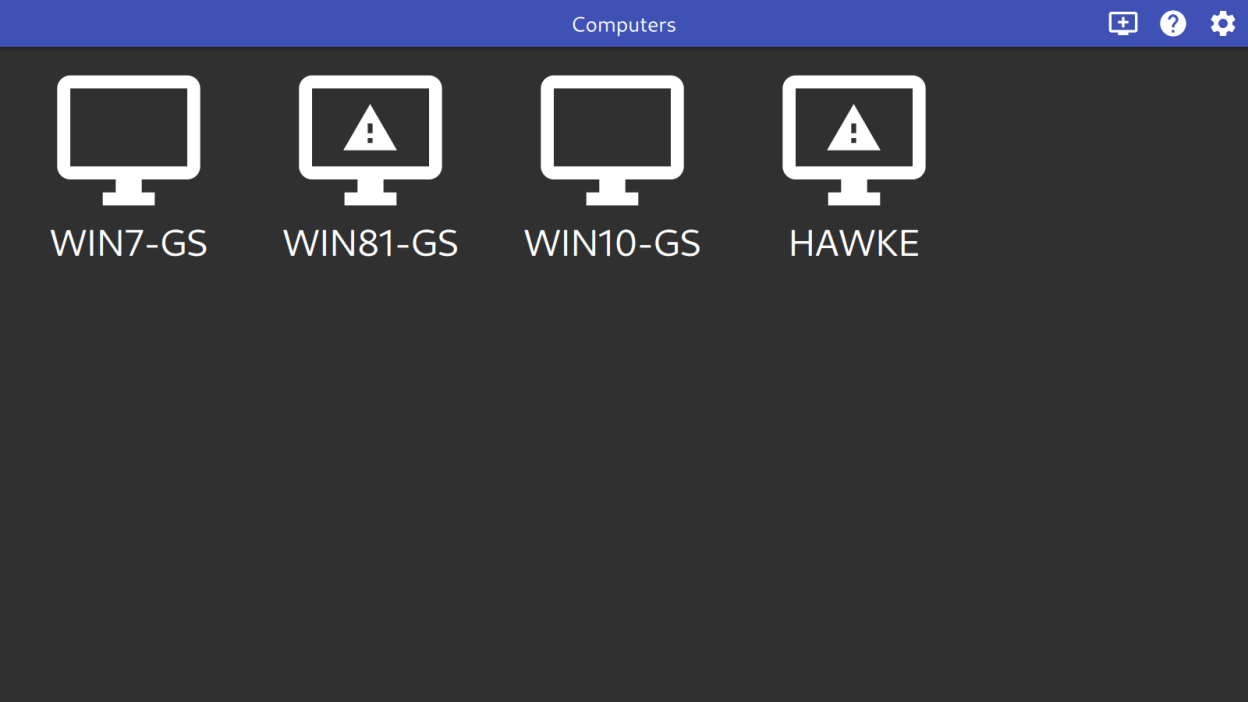
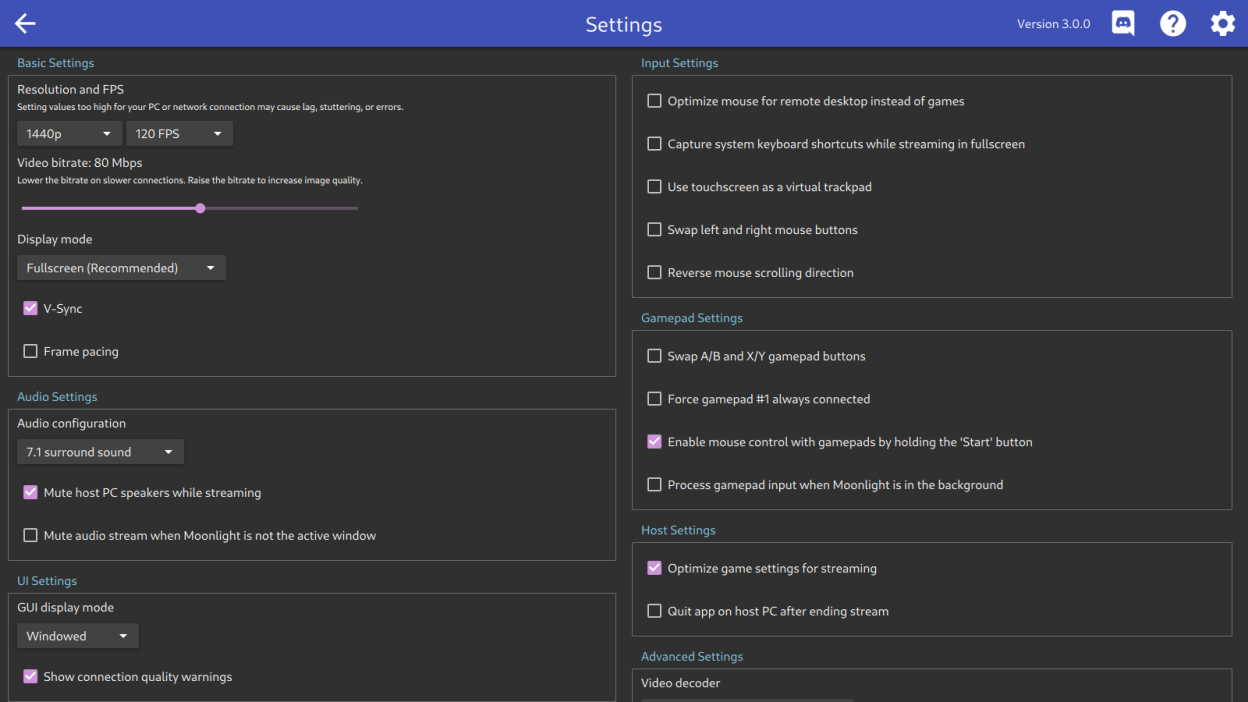
Screenshots
Observed history
| App | Change | Version | When ↑ |
|---|---|---|---|
| updated | 6.2.0 | 4 Oct 2026 |
Upstream releases
Release notes supplied by the developer. These dates are not Flathub package publication times.
6.2.03 Oct 2026
New features:
- Ctrl+Alt+Shift+K has been added to toggle system keyboard grab
- Added support for DualSense adaptive triggers (requires a compatible host)
- Gamepads with a second trackpad can now be passed to the host (requires host support)
- Client identifiers are now provided to the host to allow client-specific session management
- Added an option to disable pre-launch warnings
Behavior Changes:
- Most video renderers now use full range color instead of limited range
- The cursor is now also locked to the video area in single display borderless windowed scenarios. This was previously only done in true full-screen mode.
- The cursor is no longer captured by default in windowed mode. Clicking on the streaming window or pressing Ctrl+Alt+Shift+Z will capture the cursor.
- GPUs on non-x86 Linux platforms are now assumed to be slow by default, which enables a number of optimizations for improved performance. GL_IS_SLOW=0/VULKAN_IS_SLOW=0 can be set at runtime to override this.
- The default streaming resolution for new installs is now 1080p instead of 720p.
- Video bitrate no longer resets when adjusting resolution or frame rate if it's already been manually adjusted
Security:
- CVE-2026-33546, CVE-2026-33547, and CVE-2026-41210 have been fixed
- These vulnerabilities could allow a malicious host to crash Moonlight when connecting
Bugfixes:
- Reduced background CPU usage
- Improved startup, settings page, and stream load times
- Optimized the EGL/GLES renderer to improve performance on low end GPUs and embedded devices
- Fixed EGL/GLES renderer failures under X11 when GLX was used for the UI
- Improved readability of the statistics overlay by adding an outline
- Improved timing accuracy in the statistics overlay
- Improved performance when multiple gamepads are sending input simultaneously
- Improved performance when recovering from dropped network packets
- Fixed black or green padding being rendered on the bottom or right side of the video stream when streaming from certain hosts
- Fixed horizontal scroll direction not being correctly inverted when requested
- Fixed Moonlight not exiting after an abnormal stream termination when launched via the CLI
- Fixed failure to start on Linux systems where desktop OpenGL is not available
- Fixed broken overlay rendering on PowerVR systems using the proprietary driver
- Fixed automatic selection of AV1 on systems where HEVC is not available
- Fixed instability when using VAAPI decoding under X11
- Fixed small deviations in chroma co-siting and color conversion
- Fixed suboptimal format selection on some V4L2 decoders
- Fixed handling of some non-US keyboard layouts
- Fixed stale app list being displayed when using CLI commands
- Fixed handling of IPv6 literals that are not URL-escaped
- Fixed AV1 Vulkan Video decoding on newer versions of FFmpeg
- Fixed Ctrl+C/SIGTERM when running from the console
- Fixed several GUI interoperability issues with Qt 6.9 and later
- Fixed the IME or software keyboard being unexpectedly displayed in various situations
- Fixed launching in a new VT while a Wayland compositor is running
- Fixed moving focus from the app grid into the toolbar via the gamepad or keyboard
- Fixed a possible crash in the Vulkan renderer when disabling an overlay
- Fixed keyboard grab not working under sdl2-compat on Wayland compositors that lack support for keyboard-shortcuts-inhibit-unstable-v1
- Fixed CLI stream launch causing the saved manual address to be overwritten
- Fixed distinguishing between Enter and Numpad Enter keys (requires updated host software)
- Fixed mDNS discovering unexpected devices after running for a period of time
- Fixed libdecor-gtk window decorations not being displayed on the streaming window
- Updated community-contributed translations from Weblate
6.1.016 Sept 2024
New features:
- Experimental YUV 4:4:4 support for improved text clarity during remote desktop usage
- HDR is now supported with software decoding (requires GPU with Vulkan support)
- Bitrate limit can now be increased to 500 Mbps
- Audio decoding now uses 32-bit floating point format
Bugfixes:
- Fixed incorrect color range when streaming with AV1 from a host with an AMD GPU
- Updated community-contributed translations from Weblate
6.0.130 Jun 2024
New features:
- HDR to SDR tonemapping is now supported by the Vulkan renderer on Linux
Behavior Changes:
- More time is now provided for PCs to wake up before displaying an error when starting a stream from the CLI
- Moonlight will no longer try to guess VA driver names when running libva 2.20 or later
Bugfixes:
- Fixed crash when the Vulkan renderer executed on a system with no Vulkan devices
- Updated community-contributed translations from Weblate
6.0.06 Jun 2024
New features:
- HDR is now supported on Steam Deck and other HDR-capable Linux systems using a new Vulkan-based renderer
- Vulkan Video decoding of H.264, HEVC, and AV1 is now supported using the new Vulkan renderer
- Full E2E stream encryption is now supported when streaming from Sunshine v0.22 or later
- Initiating a stream via the command-line will now automatically wake the target machine if it is sleeping
- Error codes are now displayed in the connection termination dialog
- Detailed PC state information is now available via the new "View Details" context menu option (similar to the Android client)
- The performance overlay can now be configured to be shown by default when starting a stream
Behavior Changes:
- The selected bitrate is no longer silently adjusted by Moonlight based upon the video codec or HDR mode
- The selected mouse mode when starting a stream no longer influences the acceleration curve when the mouse mode is toggled using the Ctrl+Alt+Shift+M key combo while streaming
- Hardcoded fallback paths for VAAPI and VDPAU drivers are no longer used
- Per-session keys (rikey and rikeyid values) are now automatically stripped from logs
- Log messages will now be logged to stderr rather than stdout
- EGL is now always used instead of GLX for loading OpenGL in X11 environments on non-x86 platforms
Bugfixes:
- Improved reliability of streaming during momentary drops of WiFi connections
- Improved performance with high polling rate mice
- Improved input latency when a gamepad is connected
- Added missing command-line options to control HDR and AV1 codec usage
- Fixed instant connection termination error when streaming over the Internet behind certain Carrier-Grade NAT devices
- Fixed incorrect MTU detection when streaming over the Internet without a VPN
- Fixed recovery of audio when no audio output device is present when the stream starts
- Fixed merging of gamepad state when multi-controller mode is disabled
- Fixed indefinitely resending mDNS queries when a host could not be resolved
- Fixed inability to pair when the host is not using a RSA-2048 key
- Updated included gamepad mappings
- Updated community-contributed translations from Weblate