
Birdtray is a system tray new mail notification for Thunderbird, which does not require extensions
Features:
- Shows the unread email counter in the Thunderbird system tray icon.
- Optionally can animate the Thunderbird system tray icon if new mail is received.
- You can snooze new mail notifications for a specific time period.
- Birdtray checks the unread e-mail status directly by reading the Thunderbird email search database. This means it does not need any extensions, and thus is immune to any future extension API changes in Thunderbird
- It can hide the Thunderbird window, and restore it. There is also context menu for that.
- You can configure which accounts you want to check for unread emails on
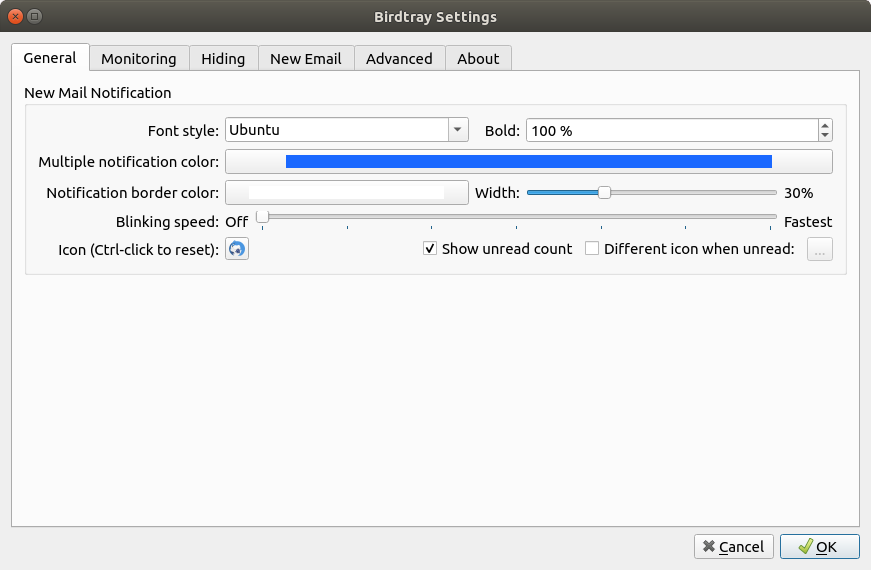
- You can choose different font colors for different email accounts. This allows you, for example, to have blue unread count for personal emails, red unread count for work emails, and green unread count if both folders have unread mail.
- Can launch Thunderbird when Birdtray starts, and terminate it when Birdtray quits (configurable).
- Can monitor that Thunderbird is running, and indicate it if you accidentally closed it.
- Has configurable "New Email" functionality, allowing pre-configured email templates.
The feature to "Start Thunderbird when Birdtray starts" needs the flathub thunderbird installed by default. The default thunderbird directory is "~/.var/app/org.mozilla.Thunderbird/.thunderbird".
Screenshots
Observed history
| App | Change | Version | When ↓ |
|---|---|---|---|
| updated | 1.11.4 | 11 Oct 2026 |
Upstream releases
Release notes supplied by the developer. These dates are not Flathub package publication times.
1.11.44 Sept 2023
No release notes supplied.
1.11.31 Sept 2023
No release notes supplied.
1.11.231 Aug 2023
No release notes supplied.
1.9.020 Oct 2020
No release notes supplied.