Improve ImgSLI
Image comparison with advanced magnifiers
Loganavter ✓ Verified
io.github.Loganavter.Improve-ImgSLIImprove ImgSLI is an open-source image comparison tool focused on precise visual inspection, responsive interaction, and advanced canvas rendering workflows. It is designed for artists, photographers, retouchers, AI upscaling workflows, quality control, and anyone who needs to compare images at pixel level without losing context.
Key features include:
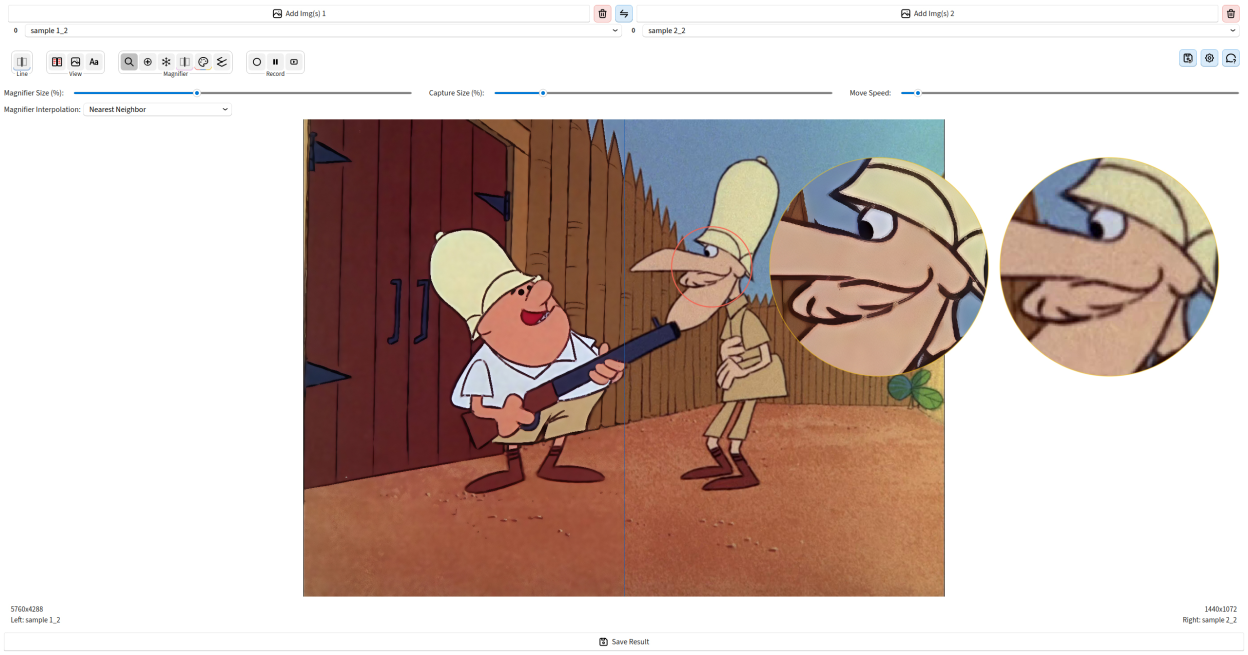
- Compare images with a movable horizontal or vertical split line, including zooming and panning in the main canvas.
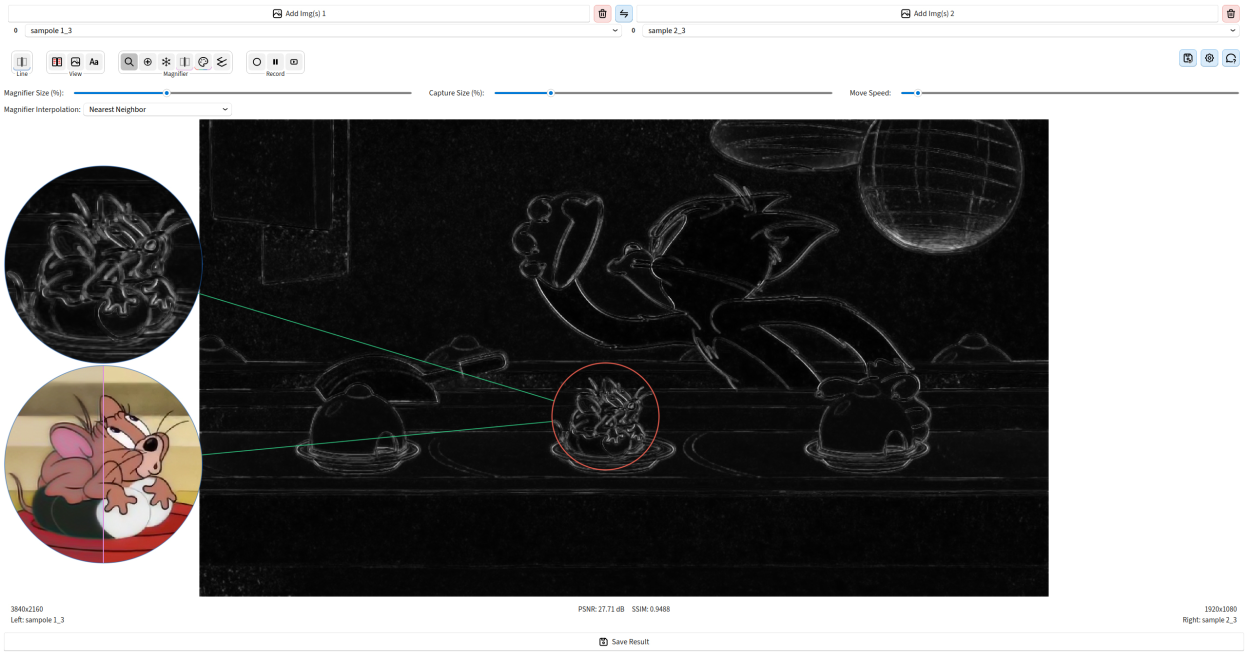
- Use one or more synchronized magnifiers with adjustable capture areas, display sizes, freeze mode, combined layouts, internal split, per-instance colors, and keyboard-assisted positioning.
- Load and manage multiple images per side with drag-and-drop, list switching, swapping, and direct filename editing.
- Inspect visual differences with rendering-aware preview controls and selectable interpolation modes.
- Export full-resolution comparison images with overlays, labels, and comparison state preserved.
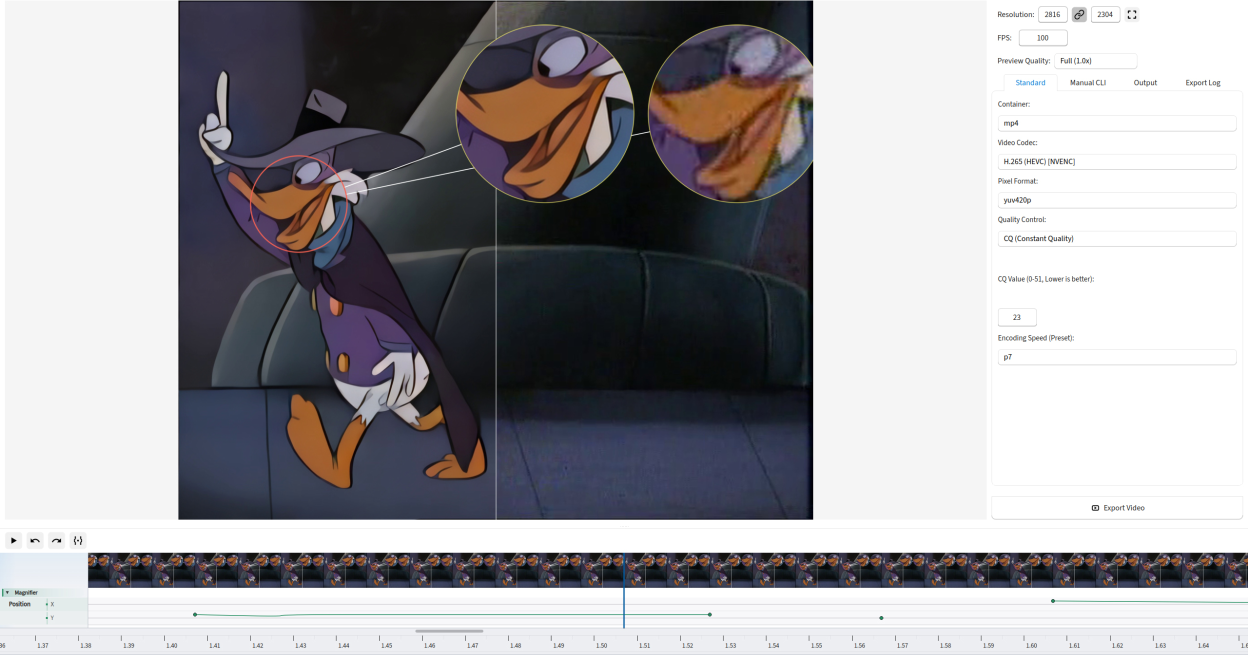
- Edit recorded comparison sessions in the built-in video editor with timeline selection, trimming, preview playback, and export.
- Use a feature-contract based canvas architecture that keeps overlays, magnifiers, guide lines, settings, and export behavior synchronized.
- Use persistent settings, multilingual interface support, and structured diagnostics for advanced troubleshooting.
The application is distributed under the MIT License.
Screenshots
Observed history
| App | Change | Version | When ↓ |
|---|
No observed changes yet.
The initial import establishes a baseline. Future version changes will appear here.
Browse the app catalogue →Upstream releases
Release notes supplied by the developer. These dates are not Flathub package publication times.
9.0.030 May 2026
A major release focused on smoother canvas interaction, sharper rendering, and a richer multi-magnifier workflow.
- Smoother zoom and panning in the main comparison canvas, with more responsive feedback during interactive movement.
- Cleaner image rendering with corrected alpha handling, so anti-aliased edges, magnifier circles, and overlays look crisp both on screen and in screenshots.
- Reworked multi-magnifier workflow: easier to add, hide, delete, and manage multiple magnifiers, each with its own color and settings.
- Optional automatic color assignment for new magnifiers and optional intersection highlighting while dragging capture areas.
- More consistent behavior across comparison modes, guide lines, capture rings, filename overlays, and exported images.
- Smoother live interactions: separators, splits, and magnifier dividers move without lag and stay in sync with the cursor.
- Better compatibility with Flatpak: removed the direct DBus notification path that caused integration issues.
- Updated in-app help to cover the expanded magnifier behavior and new canvas controls.
8.1.030 Mar 2026
A major release consolidating months of deep architectural work and introducing significant new features.
- Hybrid CPU-GPU rendering: a new rendering engine capable of offloading work to the GPU via OpenGL shaders for dramatically improved performance on large images.
- Canvas architecture overhaul: the comparison canvas was fully rewritten for correctness and performance across all operating modes and edge cases.
- Native Qt widgets: all pop-up and overlay windows are now native Qt widgets, greatly improving Wayland compatibility.
- Canvas zooming and panning: the main comparison view can now be zoomed and panned interactively.
- Video editor improvements: the timeline was rewritten with keyframe-based model, aspect-ratio-correct thumbnails, and dynamic spacing.
- Plugin-based architecture for extensibility and a cleaner internal structure.
7.9.027 Oct 2025
This release includes various improvements and bug fixes.
6.2.016 Aug 2025
This is the most extensive architectural refactoring in the project's history, transitioning the entire application to a robust and modern Model-View-Presenter (MVP) pattern. This update establishes a new, stable foundation for future development and introduces a completely custom-built UI.
- Complete Architectural Overhaul: The codebase is now fully modular and based on the MVP pattern, significantly improving stability and maintainability. Many underlying bugs have been passively fixed as a result.
- New Custom UI: The third-party `PyQt-Fluent-Widgets` library has been removed and replaced with a custom-built set of "fluent-style" components. This removes GPL licensing constraints and gives the application a more unique design.
- Enhanced Image List Management: The image selection flyout is now a powerful two-panel manager with full drag-and-drop support for reordering and moving images between lists.
- New and Reimagined Dialogs: Introduced a dedicated, feature-rich Export dialog and a redesigned, easier-to-navigate Help window.
- Improved Caching: The caching system has been upgraded from two to three levels for even smoother performance during interactive use.
- Reduced Package Size: The removal of the external UI library has decreased the application's overall size on some platforms.