
CrossMacro is an open-source, cross-platform mouse and keyboard macro recorder, editor, and automation tool for Linux, Windows, and macOS. Record clicks, movement, scrolling, and keyboard input, then edit and replay macros with configurable speed, pauses, loops, repeat counts, delays, global hotkeys, or schedules.
Linux-first Wayland and X11 support provides compositor-aware cursor positioning and daemon-backed or direct-device input paths. CrossMacro uses absolute mouse positioning when the active session exposes a compatible cursor-position protocol and falls back to relative input when that capability is unavailable. It also combines text expansion, screen-reading commands, native PNG image recognition, profiles, themes, a GUI, and a scriptable CLI in one application.
Features:
- Record and replay mouse and keyboard macros with configurable timing and pause/resume control
- Edit macros with undo/redo, action reordering, coordinate modes, variables, loops, conditionals, and text input
- Bind macros to global hotkeys with toggle or hold-to-run modes
- Schedule macros at specific times or intervals, including one-time, weekly, custom weekday, and randomized intervals
- Expand text from global shortcuts with configurable typing methods
- Read screen pixels and search native PNG templates for image-based workflows
- Control playback speed from 0.1x to 10x, loops, repeat counts, and fixed or randomized repeat delays
- Save, load, sequence, and replay .macro files, then switch between profiles
- Customize themes and use the desktop GUI, CLI, or GUI-less runtime on Linux Wayland/X11, Windows, and macOS
- Use customizable global controls with F8 recording, F9 playback, and F10 pause as the defaults
Wayland and X11 support:
CrossMacro treats Wayland and X11 as first-class Linux targets and selects compositor-aware positioning and daemon-backed or direct-device input according to the active session's capabilities.
On GNOME, a Shell Extension can be installed on first run. A logout/login may be required for the extension to take effect.
If permissions are missing, the app offers Quick Setup on launch. Quick Setup opens a standard system authorization prompt to enable direct device access for the current user session. If setup cannot complete, use the direct-device troubleshooting instructions in the project README.
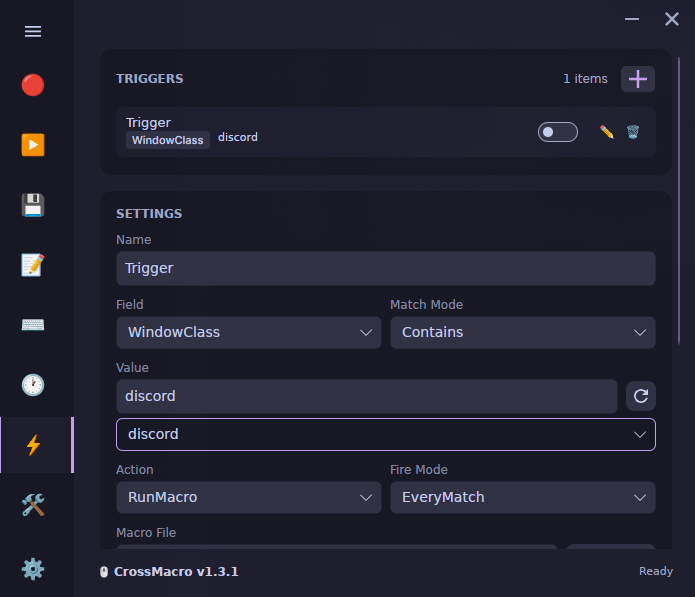
Screenshots
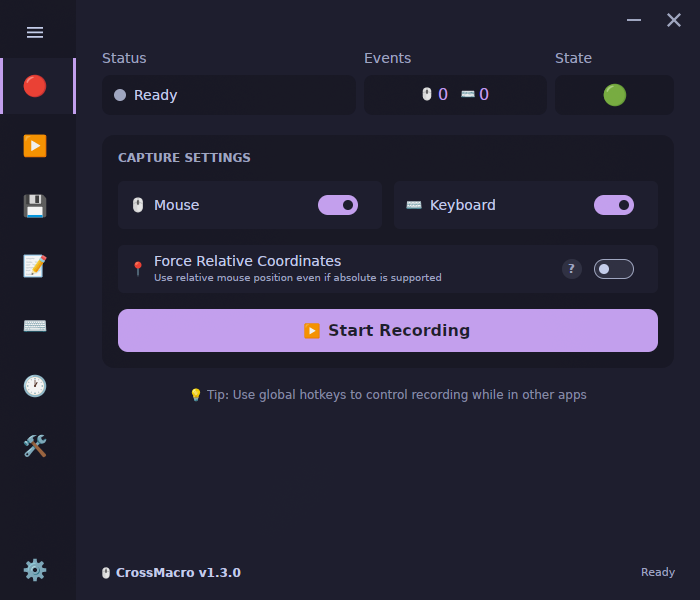
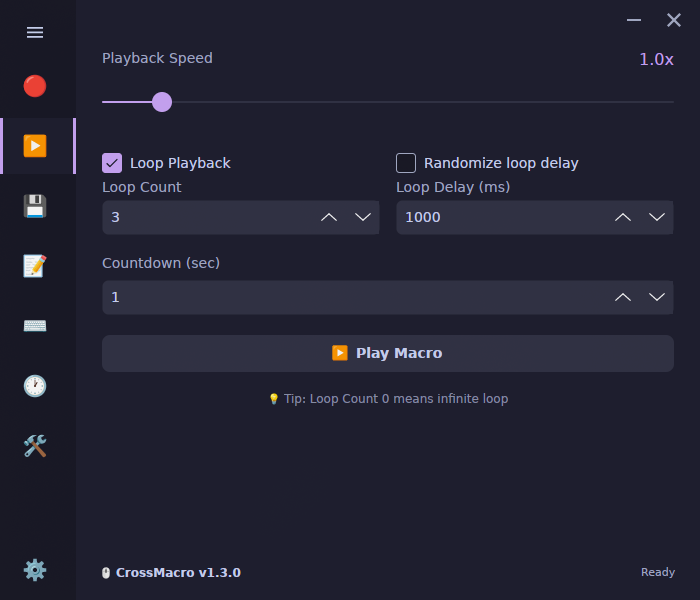
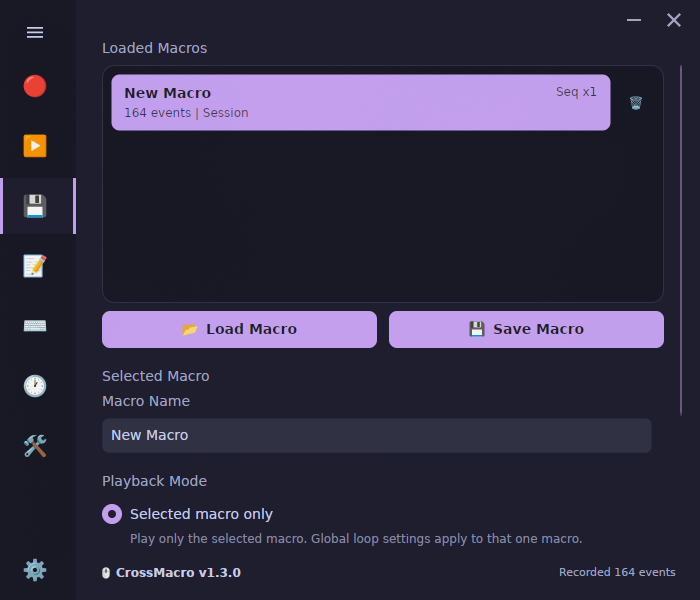
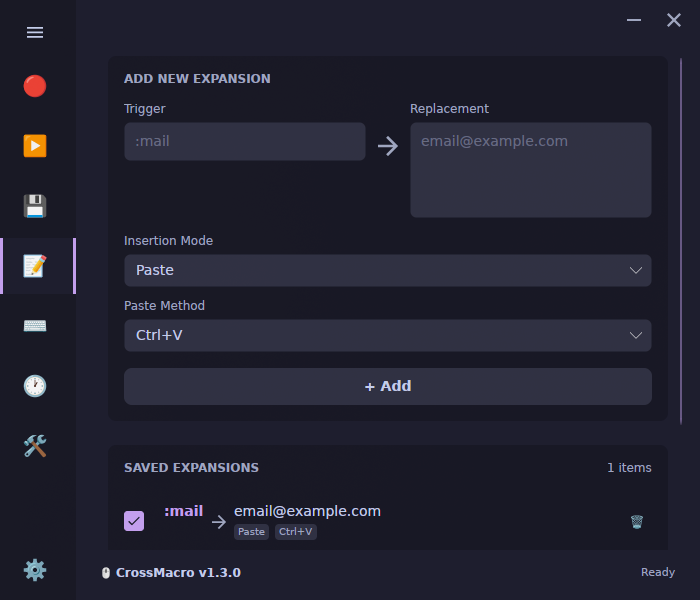
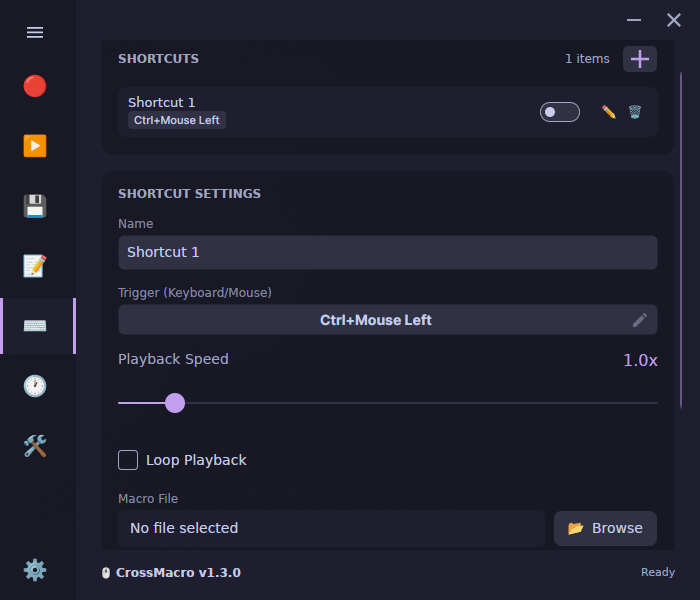
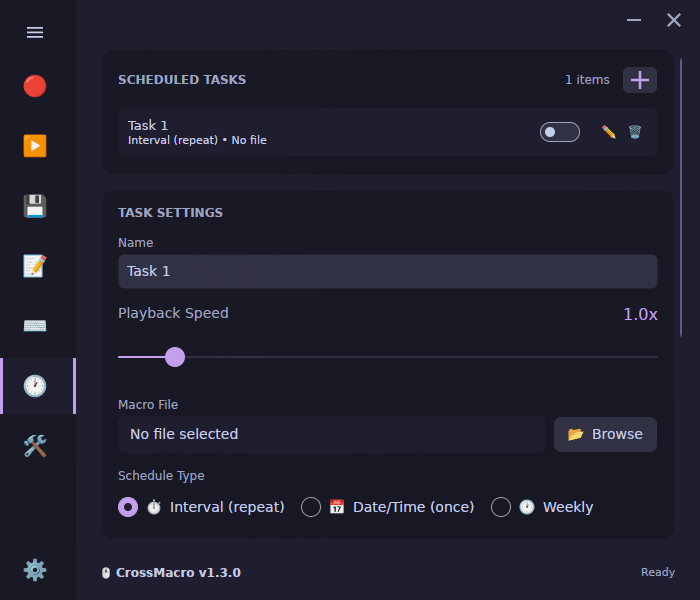
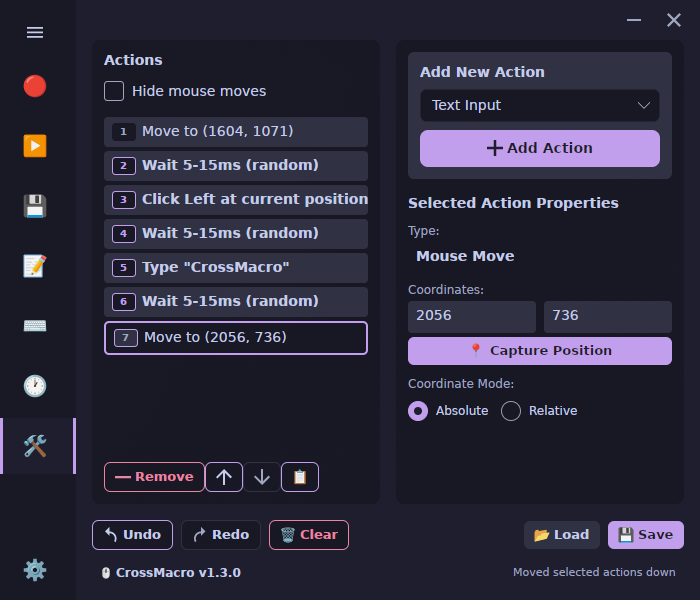
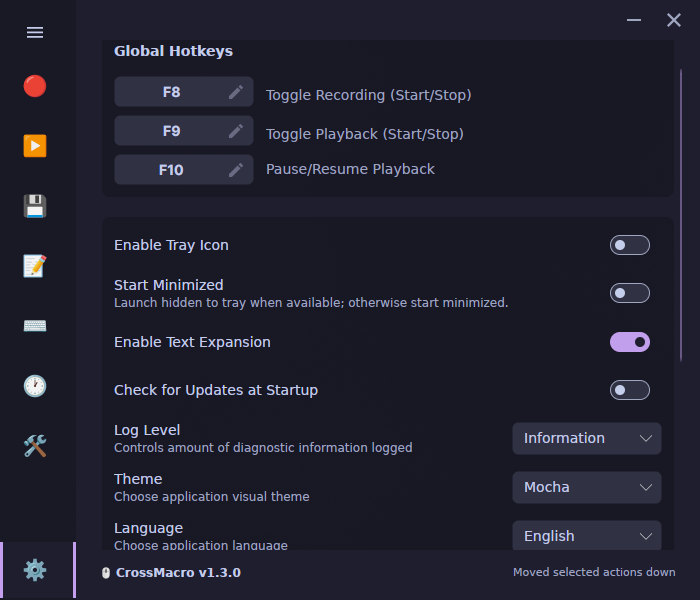
Observed history
| App | Change | Version | When ↑ |
|---|---|---|---|
| updated | 1.5.0 | 16 Sept 2026 |
Upstream releases
Release notes supplied by the developer. These dates are not Flathub package publication times.
1.5.016 Sept 2026
CrossMacro 1.5.0 makes larger macro projects easier to author and test with a multi-document editor workspace, flexible image search regions, and stronger Linux runtime reliability.
- Added a multi-document macro editor workspace with independent tabs, drag reordering, inline tab renaming, unsaved-change protection, and explicit Playback integration for disk-loaded macros.
- Added Run Selected so a chosen subset of editor actions can be started, stopped, or cancelled without running an entire macro.
- Added variable-driven left, top, width, and height image search regions for image search, image click, and wait actions. Existing endpoint-based region syntax remains compatible.
- Added tray preferences that can hide the main window while recording or playback runs and restore it afterward when a system tray is available.
- Launching the GUI again now activates the existing CrossMacro window instead of leaving a second desktop instance open.
- Added the Jadeite and Gruvbox Sublime themes.
- Raised macro script, event, file-line, and loop limits for large recordings; increased editor undo history; and allowed image matching and PNG decoding to use available CPU capacity.
- Improved playback resilience by logging and continuing when an absolute cursor move cannot settle in time.
- Improved Linux input recovery with temporary direct-device access guidance when daemon or direct capture is unavailable, while preventing unrecoverable daemon startup failures from causing reconnect loops.
- Strengthened settings persistence, startup and shutdown cleanup, native input, capture, clipboard, and window lifetimes across desktop platforms.
- Hardened Flatpak, AppImage, and other package validation so incomplete outputs, invalid staging inputs, and required setup failures are reported before publishing.
1.4.025 Aug 2026
CrossMacro 1.4.0 is a major automation release for Linux. It adds visual automation, Linux window control, structured scripting, a substantially expanded CLI, local MCP integration, higher-fidelity input handling, custom themes, and extensive Wayland and portable-package improvements.
- Added reusable image assets and image-based actions that can find an image, wait for it to appear, and use the result in later macro steps. Image automation is available in the editor, scripts, CLI, runtime, and saved macros.
- Added automatic image matching with a 0.95 confidence threshold, time-bounded colour and image polling, image-click actions, and clearer immediate versus waiting screen commands.
- Improved visual automation on multi-monitor desktops with scale-aware matching, transparency and valid-pixel handling, and reliable capture of regions that span multiple displays.
- Improved Wayland screen reading with native capture and clipboard backends across the GUI, CLI, and headless runtime; improved PipeWire and Portal capture; common SDR format support; cached frames; multi-monitor selection; and clearer diagnostics.
- Added Linux window control for KDE Plasma, GNOME Shell, Hyprland, Niri, and Sway. Macros and CLI commands can list, find, wait for, focus, close, move, resize, center, maximize, fullscreen, float, and move supported windows between workspaces.
- Added focused-window shortcut rules that match a window class, title, or process, with a visual picker, CLI support, and persistent settings.
- Made window automation degrade safely: unavailable backends are skipped and unsupported controls are hidden instead of causing startup failures.
- Added Raw and Logical relative mouse-recording modes. Raw mode records device deltas, while Logical mode records desktop-pixel movement; both are available through settings, recording, the editor, CLI, and saved macros.
- Improved relative playback by keeping raw device deltas out of logical cursor settling, re-anchoring logical movement after manual cursor changes, and starting relative editor moves from the current cursor position.
- Preserved microsecond macro timing and added motion-fidelity controls for more deterministic relative playback, safer cursor settling, repeated-target handling, and confirmation before rapidly repeating low-delay macros.
- Improved Linux input reliability by reporting partial device writes, safely reusing virtual devices, preserving evdev timestamps, and resuming daemon capture after a keyboard or mouse is reconnected.
- Added structured script actions for shell commands, clipboard operations, and current mouse-position variables, plus arithmetic with mul, div, and expressions in repeat, for, if, and while arguments.
- Shell steps run as the current user in native Linux and AppImage packages. Flatpak shell steps run in a nested networkless sandbox that cannot access host commands, input devices, or the desktop session bus.
- Added clipboard get, set, and selected-text capture steps, with safer clipboard error handling and support for using current mouse coordinates in later actions.
- Added selected-text capture in the editor, variable mouse coordinates, inline macro testing, and more reliable action editing, undo behaviour, raw-key actions, and random delays.
- Added user-defined JSON themes, a themes-folder shortcut, safe theme refresh behaviour that keeps the active theme selected, debounced settings writes, and reduced text-expansion trigger polling.
- Added CLI commands for profiles, text expansions, settings, schedules, shortcuts, screenshots, clipboard access, window control, screen reading, direct input, and runtime automation.
- The CLI can export screenshots, use native capture services, automate windows, run colour and image actions, and report coordinate modes and backend capabilities.
- Added a secure local Model Context Protocol server for controlled AI-assisted CrossMacro workflows, with operation-specific permissions and file-path policies.
- Saved loaded macro sessions per profile and improved support for Bazzite and Linux environments with directory-backed identities.
- Flatpak and AppImage now select direct input devices predictably on Wayland instead of probing the host daemon. Both retain temporary Quick Setup when input permissions are needed, including a command-line setup flow with clearer authorization guidance.
- Flatpak screen reading uses the XDG Desktop Portal and PipeWire, while AppImage follows the native Wayland capture path.
- Updated Linux launchers and package integration across Flatpak, AppImage, DEB, RPM, Arch, and Nix. Development snapshots are now available through the crossmacro-git AUR package. Linux daemon authorization and setup now support NSS, Active Directory, LDAP, SSSD, Userborn, and other directory-backed group identities.
- Improved runtime recovery after daemon restarts, automatic text-expansion capture recovery after transient failures, duplicate-startup protection, profile persistence, and the installation, platform, CLI, MCP, man-page, and troubleshooting documentation.
1.3.128 Jun 2026
CrossMacro 1.3.1 implements Native AOT compilation, major CLI performance optimizations, and Linux uinput stabilization fixes.
- Added Native AOT compilation support for CLI and UI packages, eliminating the .NET runtime dependency and dramatically reducing binary size, startup latency, and memory footprint.
- Optimized Linux virtual uinput device creation and stabilization using dynamic sysfs and ioctl calls, dropping sequential run delays.
- Optimized CLI startup by lazily evaluating capability probes and conditionally bypassing profile initialization, saving multiple redundant disk I/O operations on macro runs.
- Fixed a desktop entry filename casing issue across Linux packages to ensure standard application launcher compliance.
- Fixed a potential race condition (ENOENT) during evdev hardware device scanning when a temporary virtual uinput node is destroyed.
- Replaced the IsCapturing boolean with EditorCaptureMode enum in the UI editor to support rich macro recording states.
1.3.027 Jun 2026
CrossMacro 1.3.0 adds screen-reading capabilities, profile management, and input simulation enhancements.
- Added pixelcolor, waitcolor, and pixelsearch commands for color-based automation.
- Added built-in color picker and region capture controls for editor actions.
- Added support for native screen capturing backends.
- Added profile management to easily save, load, and switch configuration profiles.
- Added Fast and Compatible (Key-by-Key) method selector for Direct Typing text expansion to resolve character skipping.
- Added scheduler safeguards to prevent burst-firing of macros after system stalls.
- Improved Linux AppImage and Flatpak diagnostics to reliably detect missing input recording permissions upfront.