

FerrumPix
Photo-Editor, Viewer, Gallery, Immich and Nextcloud Client
Bitpainter75 ✓ Verified
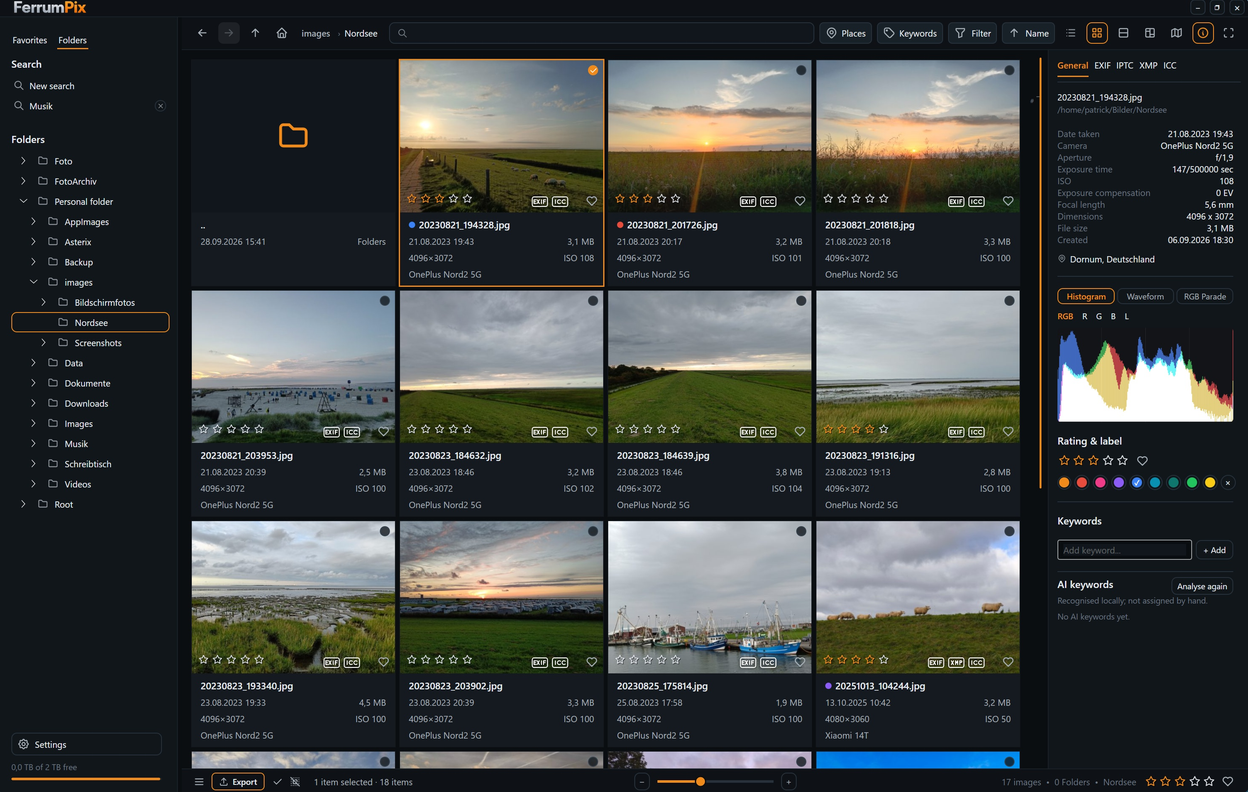
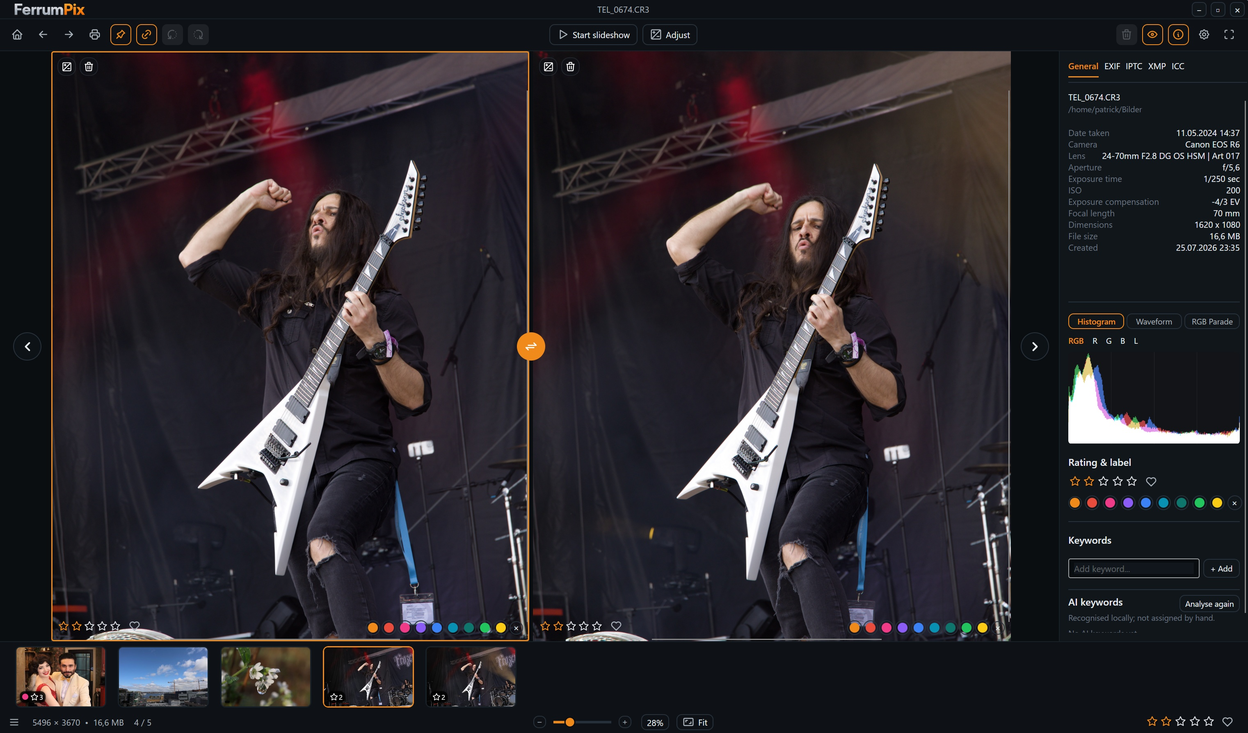
io.github.bitpainter75.ferrumpixFerrumPix brings your photos together in one desktop application. Browse and organise your pictures in a gallery, view them quickly, or open them in the editor to make anything from a small correction to a more detailed edit. FerrumPix supports RAW photos as well as common image formats, so you can work with your pictures in the way that suits you.
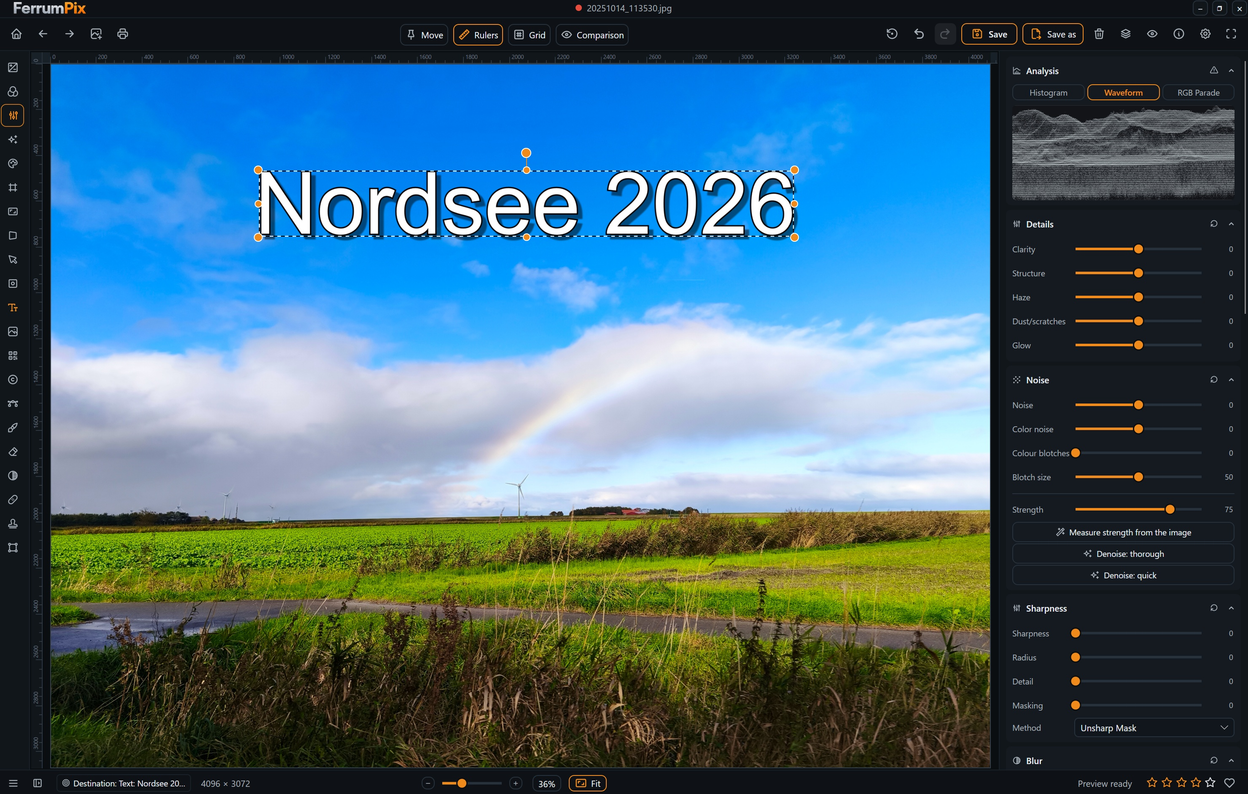
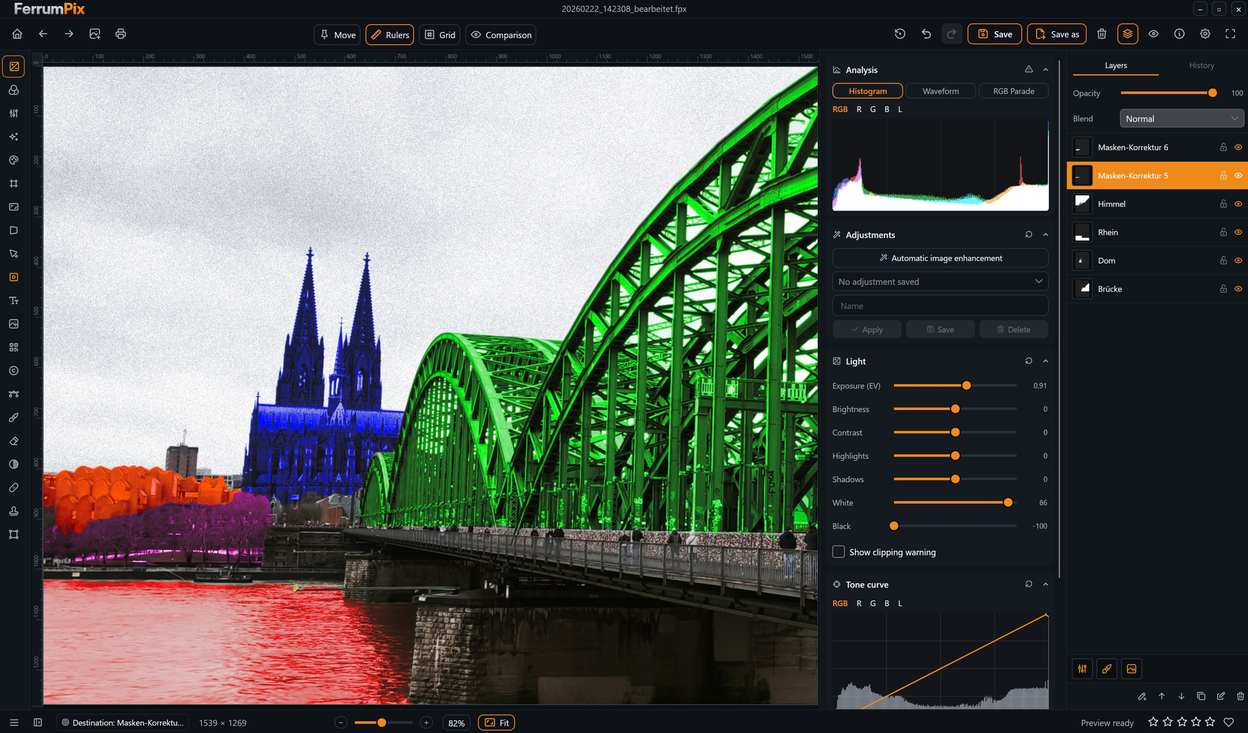
Adjust exposure and colors, develop RAW images, fine-tune tones with curves and color grading, or use automatic enhancements. For more creative work, FerrumPix offers layers, masks, filters, text and shapes, along with optional AI-assisted selections. Edits can be saved in a project format and continued later without losing the original image.
You can also create new images from scratch, manage your photo collection and connect to your own Immich or Nextcloud server. Whether you simply want to look through your photos or spend more time editing them, FerrumPix gives you the tools in one place.
Screenshots
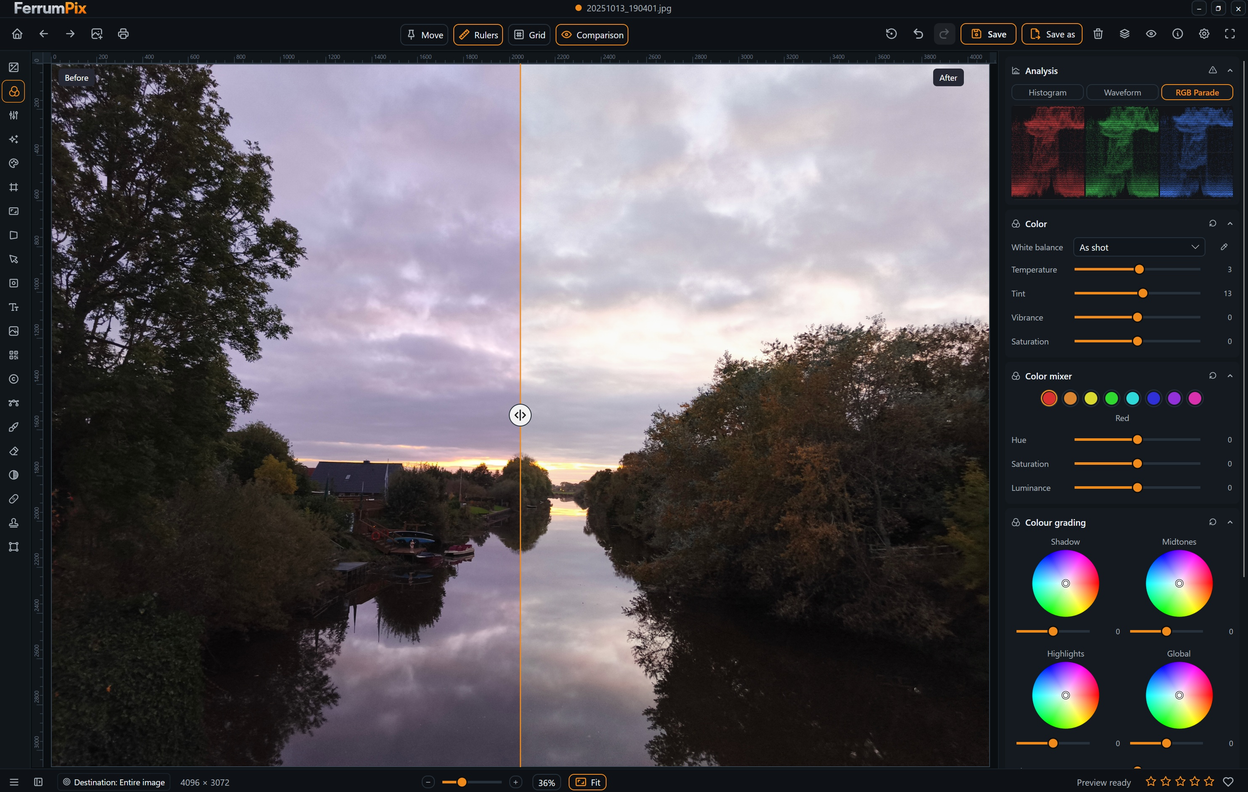
Observed history
| App | Change | Version | When ↓ |
|---|---|---|---|
| updated | 0.9.88-1 → 0.9.89-1 | 22 Nov 2026 | |
| updated | 0.9.87-1 → 0.9.88-1 | 20 Nov 2026 | |
| updated | 0.9.86-1 → 0.9.87-1 | 18 Nov 2026 | |
| updated | 0.9.85-1 → 0.9.86-1 | 17 Nov 2026 | |
| updated | 0.9.84-1 → 0.9.85-1 | 16 Nov 2026 | |
| updated | 0.9.83-1 → 0.9.84-1 | 15 Nov 2026 | |
| updated | 0.9.82-2 → 0.9.83-1 | 14 Nov 2026 | |
| updated | 0.9.81-1 → 0.9.82-2 | 13 Nov 2026 | |
| updated | 0.9.80-1 → 0.9.81-1 | 12 Nov 2026 | |
| updated | 0.9.79-1 → 0.9.80-1 | 11 Nov 2026 | |
| updated | 0.9.78-1 → 0.9.79-1 | 10 Nov 2026 | |
| updated | 0.9.77-1 → 0.9.78-1 | 8 Nov 2026 | |
| updated | 0.9.76-1 → 0.9.77-1 | 7 Nov 2026 | |
| updated | 0.9.75-1 → 0.9.76-1 | 4 Nov 2026 | |
| updated | 0.9.74-1 → 0.9.75-1 | 2 Nov 2026 | |
| updated | 0.9.73-1 → 0.9.74-1 | 1 Nov 2026 | |
| updated | 0.9.72-1 → 0.9.73-1 | 31 Oct 2026 | |
| updated | 0.9.71-1 → 0.9.72-1 | 29 Oct 2026 | |
| new | 0.9.71-1 | 27 Oct 2026 |
Upstream releases
Release notes supplied by the developer. These dates are not Flathub package publication times.
0.9.89-122 Nov 2026
This update opens many more picture formats, lets you save edits alongside photos without changing the originals, adds line spacing for text and produces more faithful conversions of film negatives:
- New formats: JPEG 2000, OpenEXR, Radiance HDR and TIFF with floating point values, plus Sigma X3F RAW files. HDR pictures are developed like a RAW, so light brighter than white can be brought back with Exposure and Highlights.
- A new setting lets you save edits to JPEG, PNG and WebP photos alongside the original files, leaving them untouched. For TIFF, HEIC, AVIF, JPEG XL, BMP and GIF, edits are always saved separately, so the Save command now works for these formats too. The gallery, viewer, printing, collages and exports all take these saved edits into account.
- If an edit cannot be saved alongside the photo in the usual way, Save now offers to store it as a separate project next to the original instead of being disabled. This also applies to RAW and PSD files.
- Text objects and text watermarks get an adjustable line spacing. Multi-line text from PSD files stays editable text, text that cannot be reproduced faithfully comes in as a picture, and missing fonts are named when a PSD or FerrumPix project is opened. PSD files with 32 bits or in Lab colour show their full picture.
- Loading a layer or mask as a selection can now add, subtract or intersect. The colour picker shows red, green, blue and alpha as numbers, and every eyedropper shows the colour under its tip.
- Film negative conversion now works from the light that actually passed through the film and keeps greys neutral from the shadows to the highlights. A slide or an ordinary photo with the inversion switched on gets a note.
- Frames now remember their most recent settings and are included when copying adjustments or saving them as presets. Gallery search supports + and -, and scrolling the gallery is smoother and uses significantly fewer GPU resources.
- Fixed: noise removal with the model no longer leaves coloured patches in dark areas, damaged RAW files no longer crash the application, AVIF images open again everywhere, and HEIC and AVIF with 10 or 12 bit keep their fine tonal steps.
0.9.88-119 Nov 2026
This update makes editing RAW photos more responsive, adds two new frame styles and lets you download extensions directly from the settings:
- Adjusting sliders on RAW photos is now faster. While you drag a slider, FerrumPix processes a smaller preview to keep the image responsive. As soon as you pause briefly, it switches back to full resolution, even before you release the slider. With GPU processing enabled, the image also stays on the graphics card between updates while dragging.
- Two new frame styles are available: Keyline adds a solid border with a fine line along its inner edge, with separately adjustable colour and width. 35mm Film creates a filmstrip border with sprocket holes, in either landscape or portrait orientation.
- Extensions can now be downloaded directly under Settings → Extensions instead of being bundled with FerrumPix. The directory lists available extensions with descriptions, sample images and a button to install them. When a newer version is available, you can update it from the same place. Two new extensions by Spoilerhead have been added: a vignette and a graduated filter that preserve bright highlights. In compact adjustments mode, extensions appear as a group within the Adjustments tool.
- When pasting adjustments onto JPG, PNG or WebP images, you can now save a copy alongside the original instead of overwriting it.
- The settings now show the location of the diagnostics log and let you open it in a window where you can select and copy its contents.
- Fixed an issue in trackpad mode where clicks on a zoomed-in image weren't passed to the active tool. You can now select and create objects normally while zoomed in.
0.9.87-118 Nov 2026
This update introduces extensions that add their own editing tools, a new High Pass sharpening method, and improved interaction between Highlights and Shadows:
- FerrumPix now supports extensions: small files that add editing tools with their own sliders, color controls, curves and presets, such as black-and-white conversion or toning effects. You can load, hide and arrange them under Settings → Extensions. They work on entire photos, mask and selection layers, and objects. Photos retain their extension settings even if the extension isn't installed. Four extensions are included with FerrumPix, initially hidden: Silicon Bonk for black-and-white conversion, Fat Toni for split toning, a curve-based toning effect and a light falloff effect.
- Sharpening now offers a third method, High Pass. It produces the effect of a high-pass layer blended using Linear Light, but processes everything in a single step to bring out even the finest details.
- Highlights and Shadows now reinforce each other when adjusted in the same direction. Increasing both or decreasing both produces a stronger combined effect instead of the adjustments partially cancelling each other out.
- If another application modifies a photo's sidecar file while FerrumPix is saving to it, FerrumPix now preserves the other application's changes rather than overwriting them.
- Fixed an issue on some Windows computers where model-based denoising or GPU detection could hang indefinitely. If the graphics card stops responding, the models now fall back to CPU processing after one minute. When the Move tool is active or Space is held down, dragging over a selected object now pans the view instead of moving the object. Sidecar files containing variants created by a newer FerrumPix version are no longer rewritten in a way that discards unrecognised data.
0.9.86-117 Nov 2026
This update lets you create multiple editing variants of a single RAW photo, copy and paste adjustments in the viewer and editor, and brings clearer dialogs with icons and search fields that are easier to clear:
- A single RAW photo can now have multiple editing variants, such as a colour version and a black-and-white version. Each variant has its own rating, colour label, pick mark and keywords, and appears as a separate photo in the gallery, filmstrip, fullscreen view and viewer comparison. When exporting, each variant gets its own file. All variants are stored together in a single sidecar file next to the original RAW. Renaming or deleting a variant never changes the original file, and if you delete the Standard variant, the next one takes its place.
- In the editor, the Adjust tool has been renamed Light. Saved adjustments have moved to the Filters panel, which now also contains a new Variants section. Here you can switch between variants of the current photo, create new ones, rename them or delete them. The window title shows which variant you're currently editing.
- You can now copy adjustments from one photo and paste them onto others in the gallery, viewer and editor alike. The shortcuts are the same everywhere: Ctrl+Shift+C to copy and Ctrl+Shift+V to paste.
- Dialogs now show an icon matching the action next to their heading, making them easier to recognise at a glance. Every search field also has a small clear button (×) so you can remove the search text with a single click.
- Fixed an issue where the gallery incorrectly showed "No keywords assigned" when a search in the keyword list returned no matches. In the Flatpak version, files without write permission can now also be moved to the trash on a second drive.