
TV Remote
Control an Android TV over the network via ADB
Eren Seymen ✓ Verified
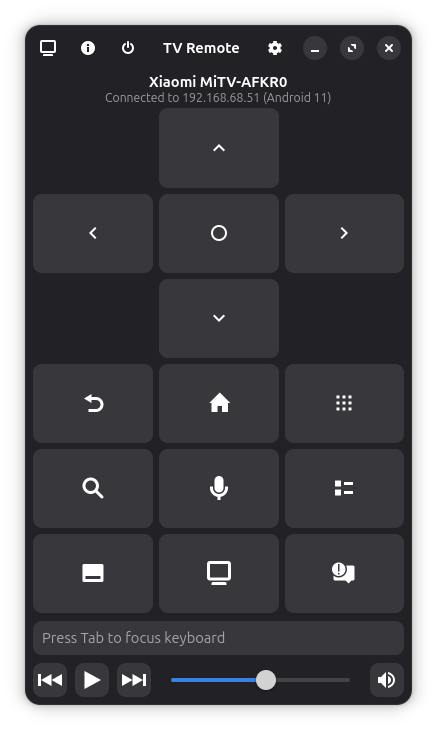
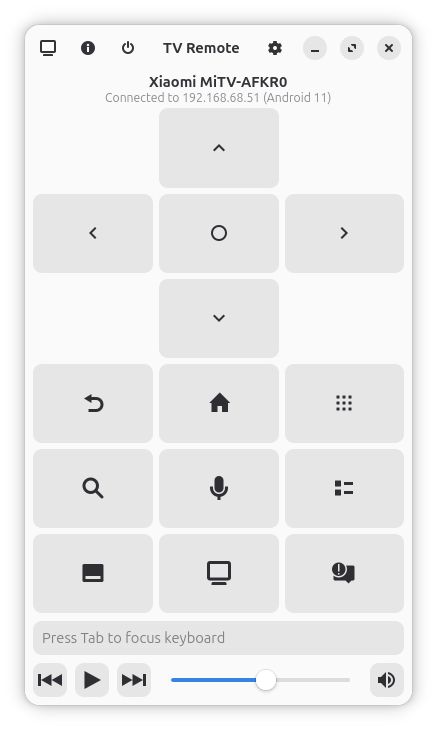
io.github.erenseymen.android-tv-remoteTV Remote is a modern GNOME application that lets you control your Android TV from your Linux desktop. It discovers Android TV devices on your local network, connects via ADB (Android Debug Bridge), and provides an intuitive remote control interface.
Features:
- Automatic network scanning to discover Android TV devices
- Low-latency input (35-70ms) using scrcpy-server technology
- Full D-pad navigation, volume controls, and media buttons
- Keyboard shortcuts for all remote functions
- Text input for searching and typing on your TV
- Auto-connect to last used device on startup
- Native GNOME/Libadwaita design following HIG
Setup: Enable Developer options and USB/Wireless debugging on your TV, ensure ADB over network is enabled on port 5555, and accept the authorization prompt on first connection.
Screenshots
Observed history
| App | Change | Version | When ↓ |
|---|
No observed changes yet.
The initial import establishes a baseline. Future version changes will appear here.
Browse the app catalogue →Upstream releases
Release notes supplied by the developer. These dates are not Flathub package publication times.
1.1.314 Apr 2026
This update focuses on stability and architecture support:
- Implemented 100% architecture-agnostic execution by removing dependency on native ADB binary
- Refactored scrcpy controller to use direct ADB multiplexed stream for input injection
- Fixed scrcpy-server connection persistence issues when restarting the app
- Improved reliability of device discovery and connection management
- Full support for both x86_64 and aarch64 (ARM) platforms
1.1.216 Jan 2026
Major feature update including UI overhaul and new remote capabilities:
- Added start/end buttons for media playback
- Implemented long-press support for buttons and keyboard shortcuts
- Added hold-to-repeat for D-pad navigation with mouse
- Added refresh button and network scanning to device selection dialog
- Improved connection management with device name and model display
- Refresh volume state correctly on connection
- Modernized "Now Playing" interface and overall UI improvements
- Various bug fixes including mute button state and volume slider initialization
1.0.021 Dec 2025
Stable release with improved features and UI enhancements:
- Added new remote actions: Previous Track, Next Track, Google Assistant, and Captions/Subtitles
- Added support for YouTube Rewind shortcut
- Refined user interface with more compact and modern button designs
- Improved overall visual aesthetics and premium feel
- Enhanced keyboard shortcut support
- Various bug fixes and performance improvements
0.1.018 Dec 2025
Initial release with core features