
SONE
Native TIDAL client for Linux — modern UI, bit-perfect lossless FLAC and Hi-Res audio
Hassan Rabbi ✓ Verified
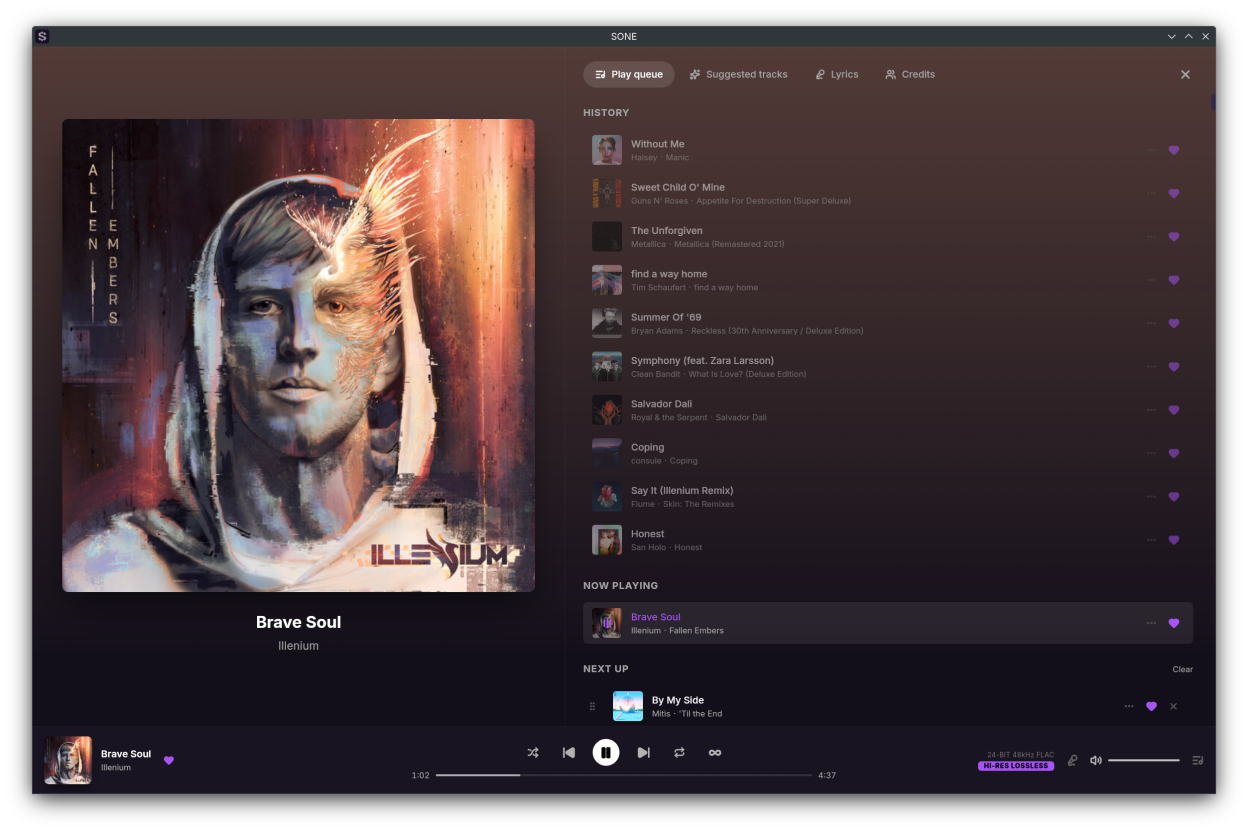
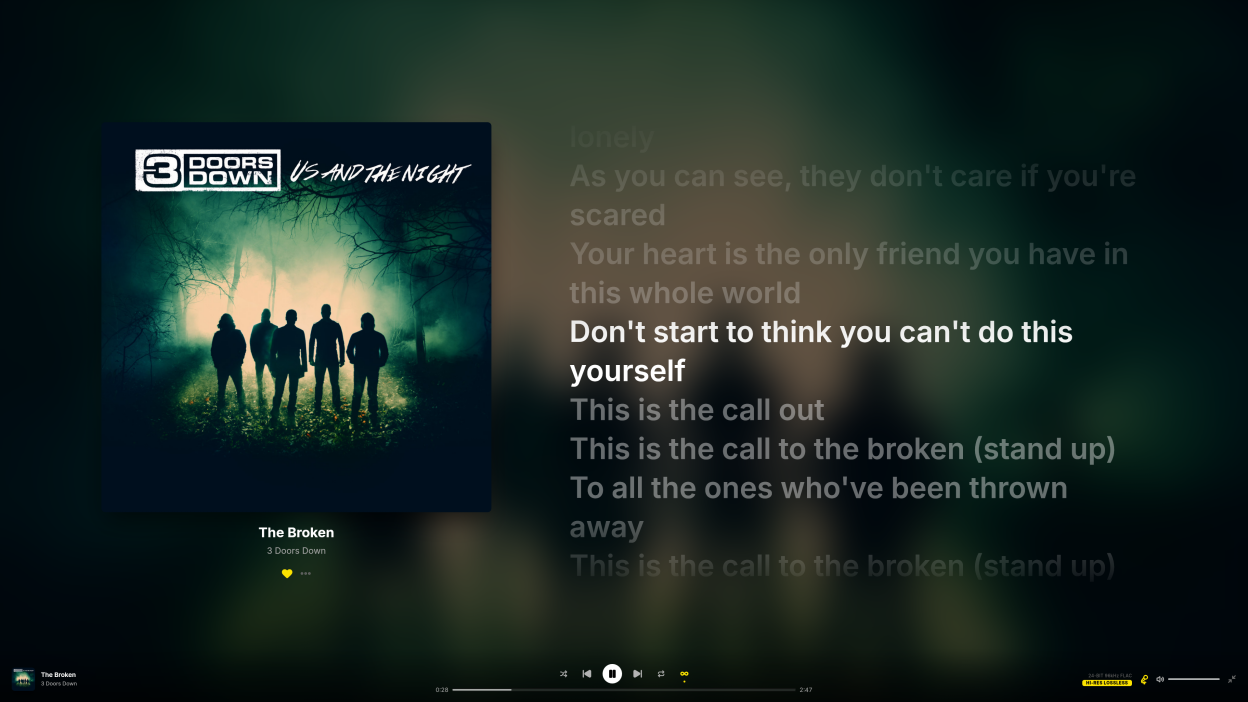
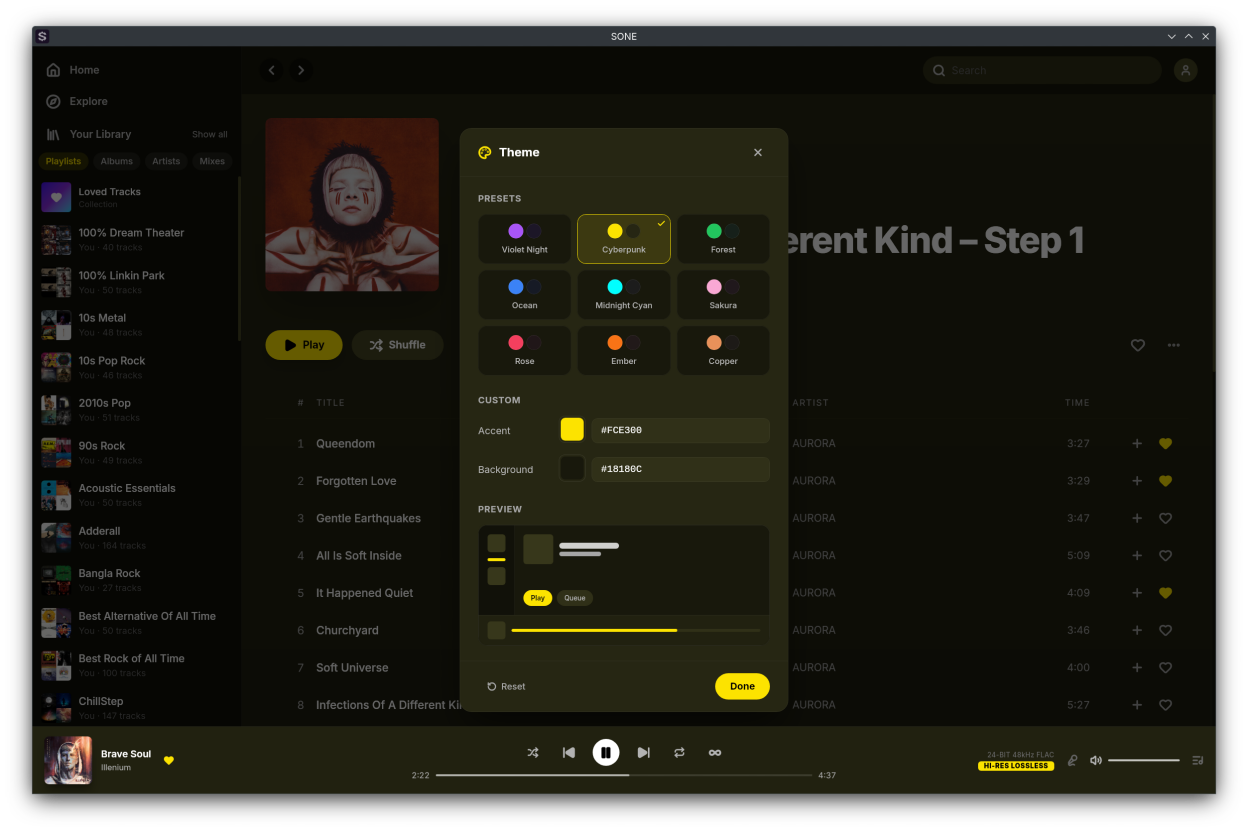
io.github.lullabyX.soneSONE is a native, lightweight desktop client for TIDAL on Linux that pairs a modern, polished interface with bit-perfect, lossless Hi-Res audio — no compromise on either. Built with Tauri and Rust, it's small and fully native. The interface is customizable to the core: a full-screen player with karaoke-style synced lyrics, a floating miniplayer, and a theming engine that derives a complete light or dark palette from any two colors.
It streams your library in lossless FLAC and Hi-Res quality up to 24-bit/192kHz, with gapless, silence-free playback. For bit-perfect output, exclusive ALSA mode bypasses PulseAudio and PipeWire entirely, sending the unaltered signal straight to your DAC — or use normal mode for casual listening through your system's default output.
Audio
- Lossless FLAC and Hi-Res streaming up to 24-bit/192kHz
- Exclusive ALSA output — bypasses PulseAudio and PipeWire, sending bit-perfect audio straight to your DAC
- Bit-perfect mode with bit-depth promotion to your DAC's native depth
- Automatic DAC format and sample-rate detection, with graceful fallback on mismatches
- Channel negotiation and a stereo mix matrix for fixed-channel DACs
- Hot-swap DACs — the ALSA output re-initialises on device change, no restart needed
- Signal Path Transparency — inspect the live pipeline and confirm a pristine, bit-clean path to your DAC
- Gapless, silence-free playback
- Volume normalization (ReplayGain) with automatic album/track switching
Video
- Music video playback in a dedicated player — full-screen or minimized to the player bar, with HLS streaming that starts at your selected quality and adapts to your bandwidth (video audio is streamed, not the bit-perfect path)
- Videos and tracks share one queue, with shuffle, repeat, autoplay, and history across both
- Favorite videos, browse them in Loved Tracks/Videos tabs, add them to playlists, and find them in Explore and search
Interface and customization
- Modern, fully customizable light and dark themes
- 15 theme presets and a full color picker that derives a complete palette from any two colors
- Full-screen player with album art, a blurred backdrop, and auto-hiding controls
- Karaoke-style synced lyrics
- Floating, resizable miniplayer
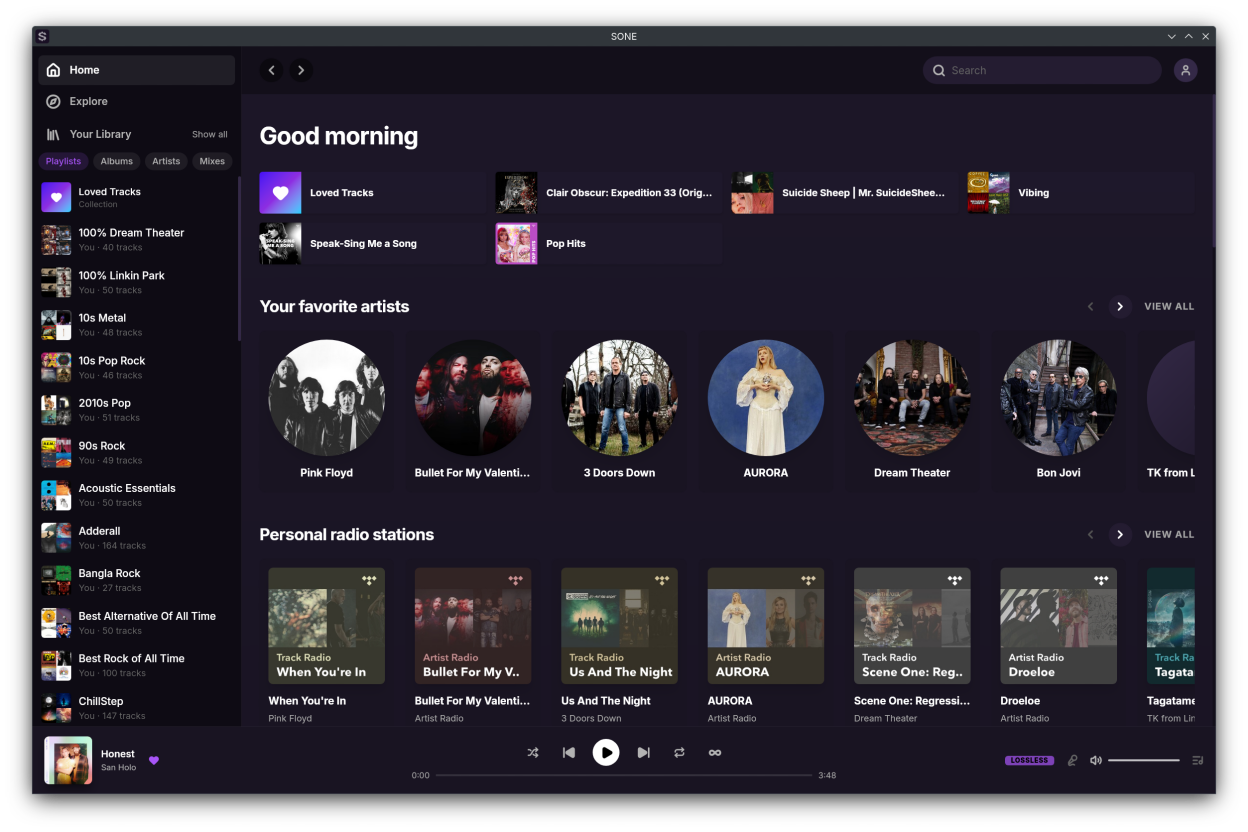
- Tabbed home page that remembers your last view
- Optional custom title bar — toggle native window decorations
- Customizable in-app keyboard shortcuts
Library and playback
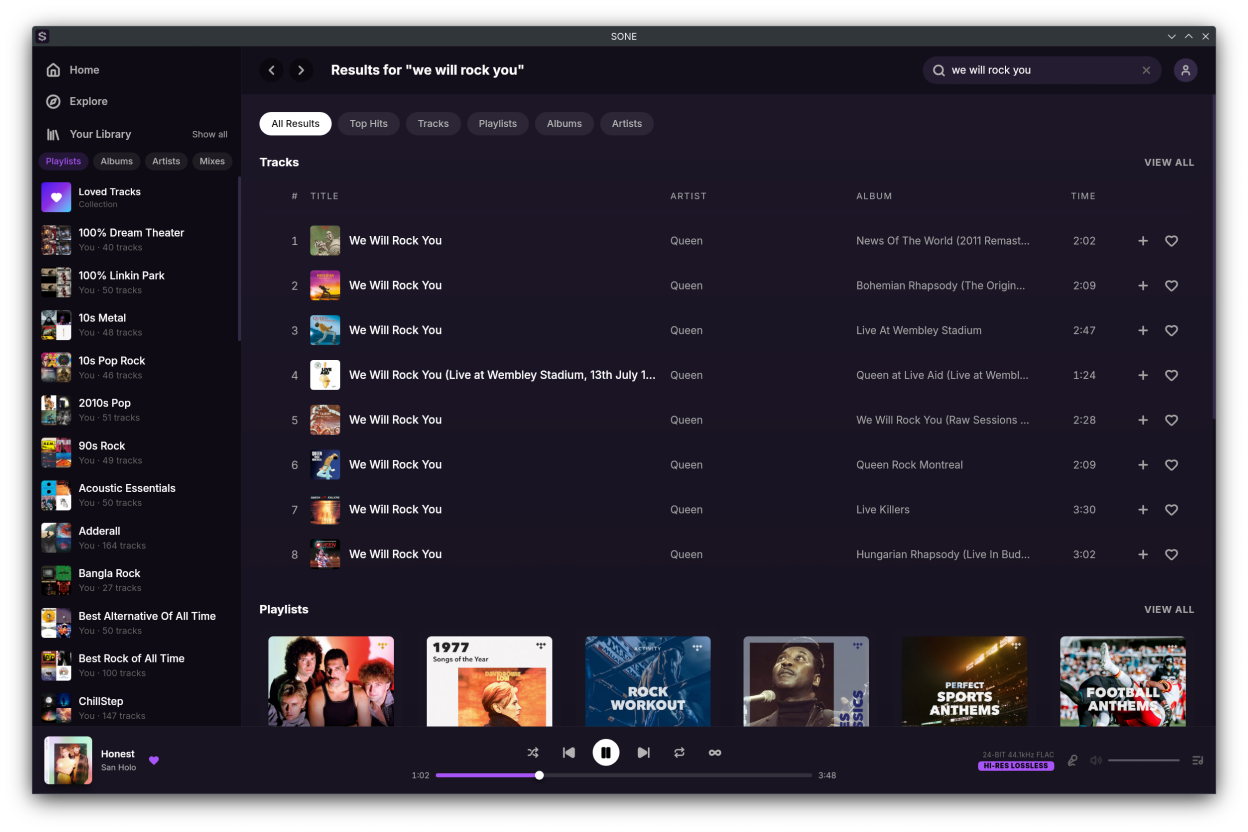
- Browse your library, playlists, albums, artists, and mixes
- Personalized home feed and full catalog search
- Playlist management — folders, create, rename, edit, reorder, and public/private toggle
- Sort tracks and favorites by date added, name, or artist
- Queue with append and persistence across restarts
- Track and mix radio
- Explicit-content filter
Integrations and system
- Scrobble to Last.fm, Libre.fm, and ListenBrainz with ISRC and MusicBrainz metadata
- Discord Rich Presence with album art and a customizable status
- MPRIS media controls with media-key, position, shuffle, repeat, and seek support
- System tray with single-instance focus
- Open and share tidal:// deep links for tracks, albums, playlists, artists, and mixes
- Keep Awake — prevents the screen from sleeping during playback on X11, Wayland, and D-Bus
- MCP server — external AI agents like Claude Code can search your library and control playback (off by default)
- OBS stream overlay — a built-in browser source shows the current track, album art, and a live progress bar in OBS and other streaming software, styled with your theme (off by default)
- Play reporting — finished plays are reported to TIDAL so Recently Played stays in sync (on by default)
- Proxy support — HTTP, HTTPS, and SOCKS5
- Sign in securely with PKCE inside the app
Unofficial client — requires an active TIDAL subscription. SONE is a streaming client only and does not support offline downloads.
Screenshots
Observed history
| App | Change | Version | When ↓ |
|---|---|---|---|
| updated | 0.22.1 | 16 Sept 2026 |
Upstream releases
Release notes supplied by the developer. These dates are not Flathub package publication times.
0.22.116 Sept 2026
Activity Feed
- See what the people you follow are listening to and sharing, on a new Feed page grouped by month
- Play or open anything straight from a feed row, or right-click it for the full context menu
- An unread badge tells you when there is new activity, and clears when you open the page
Stream Overlay for OBS
- Show what you are playing on stream — a built-in browser source for OBS and other streaming software
- The overlay shows album art, title, artist, a quality badge, and a live progress bar in your current theme
- Choose your own port, see status and errors right in settings, and the overlay reconnects and resyncs on its own
Listening History
- Finished plays are now reported to TIDAL so Recently Played stays in sync — turn it off any time in settings
- Single tracks, favorites, radio, and artist tracks now all show up properly in Recently Played
Keyboard Shortcuts & Navigation
- Shortcuts follow a familiar standard keymap, now with shuffle and repeat bindings — your custom keys carry over
- Escape closes one thing at a time — the menu, then the dialog, then the drawer
- Go back and you land exactly where you left off, even in long lists that are still loading
- Arrow keys scroll the main view, and your shortcuts keep working even while a text field is focused
Themes & Dark Mode
- Your theme is now a plain file you can edit by hand — save it and SONE updates instantly, no restart
- Light and dark themes are ready before the window appears, so there is no flash of the wrong colors at launch
HTTP & SOCKS5 Proxy Fixes
- Audio now plays through proxies that require a username and password, not just browsing and artwork
- SOCKS5 now resolves addresses through the proxy instead of leaking them to your local DNS
- If the proxy cannot be reached, SONE stops instead of sending your traffic around it — and tells you why
- A blocked or silently failing proxy is now reported, with a way out before you even sign in
- Switching proxies mid-song no longer restarts the track — playback picks up at the same spot
- Settings are checked as you type, a bad proxy can always be undone, and turning proxying off restores your system settings
Fixes
- Unplayable tracks are skipped instead of stalling your queue
- When the service is busy, playback pauses for a moment instead of dropping the track you picked
- Long track and playlist lists scroll smoothly again, and keep loading more as you reach the bottom
- Window edges no longer swallow the scrollbar or the window buttons, and the title bar drags properly again
- Your zoom level is set before the window appears, and icons stay crisp at every zoom level
- Artists without a photo fall back to album artwork everywhere, and search suggestions show the full track title
- Discord Rich Presence connects reliably, retries on its own, and no longer floods the log with errors
- You stay signed in more reliably, and the MCP server releases its port cleanly when restarted
- Play a music video full-screen straight from the now-playing drawer
0.21.014 Jul 2026
Music Videos
- Watch music videos in a dedicated video player — go full-screen or minimize it to the player bar and keep browsing
- HLS streaming that starts at your selected quality and adapts down smoothly when your bandwidth drops
- Videos and tracks share one queue — previous, next, shuffle, repeat, autoplay, and history all work across both
Video Player
- Full transport, favorite, quality, volume, full-screen, and minimize controls
- The playing video is restored when you relaunch SONE
- Control video from the tray, MPRIS media keys, the miniplayer, and in-app keyboard shortcuts, just like audio
Favorites
- Favorite videos, kept separate from your loved tracks and reflected everywhere you see them
- Loved page now has Tracks and Videos tabs — a paginated, searchable video grid with tab-aware Play and Shuffle, and starting one queues the rest
Playlists
- Add videos to your playlists; mixed playlists show an accurate "N Videos · M Tracks" count
Explore & Search
- New video sections while you explore — Featured playlist promos and wide 16:9 video cards
- Videos in search — a Videos section in All Results, a dedicated Videos tab, and video rows in Top Hits
0.20.021 Jun 2026
Profiles
- View and edit your profile — bio, social links, and a croppable avatar; your public playlists appear as a scrolling row
Settings
- Redesigned as a single centered window with a grouped sidebar for playback, themes, network, MCP, Discord, scrobbling, and more
Themes
- Three new presets — Noir, Meadow, and Blossom — plus a custom color picker with a live in-app preview
Streaming Quality
- Set a maximum streaming quality ceiling in playback settings
Design
- Animated album covers in the drawer, fullscreen, and album page
- Full-width cover-art banners and redesigned album, playlist, artist, and mix headers
- Animated Living Heart banner on the Loved Tracks header
Fixes
- Logging out fully tears down your session and clears cross-account state; re-login restores Discord and MCP
- Playing a recommended track from a playlist now queues the visible recommended tracks, not the playlist
- Detail-page shuffle button no longer toggles global shuffle
- Repeat-all preserves play history on source-backed playlists
- Playback position stays correct on pause/resume and miniplayer sync
0.19.06 Jun 2026
Gapless Playback
- Seamless, silence-free transitions between tracks in normal output mode; on by default
Home
- Home page is now organized into tabs, with magazine-style cards and quick deep-link shortcuts
- Remembers your last-used tab, with skeleton placeholders and a fade-in while loading
Now Playing
- Album cover gently tilts toward your cursor with a true-perspective 3D effect
- Tap the time display to switch between total duration and time remaining
- Adjust volume by scrolling the mouse wheel over the volume control
Keep Awake
- Your screen no longer sleeps or blanks while music is playing, across X11, Wayland, and D-Bus/portal desktops
Scrobbling
- Sends the primary artist, plus MusicBrainz artist IDs when available, to Last.fm, Libre.fm, and ListenBrainz for more accurate matching
Updates
- A gentle toast lets you know when a new version of SONE is available
Logging
- Disk logs now capture more detail by default and keep more history (~50MB), making bug reports and troubleshooting easier
Fixes
- Support for DACs with a fixed channel count, via automatic channel negotiation and a stereo mix matrix
- Exclusive and bit-perfect output now correctly resolve ALSA plugin devices (front:, hdmi:) to the right sound card
- Signal Path now classifies bit-depth widening as lossless instead of lossy
- Player overlays close properly on navigation and browser back/forward
- Miniplayer: clicking the album art focuses the main window, and clicking the track title opens the album
- "Go to track radio" works even when a track has no associated mix
- Smoother loading on long "View all" lists with incremental pagination
Install & Packaging
- Official apt/dnf/zypper repositories via Cloudsmith so SONE stays up to date with your system updates
- Nix flake for `nix run` and `nix profile install`, plus a ready-to-use development shell