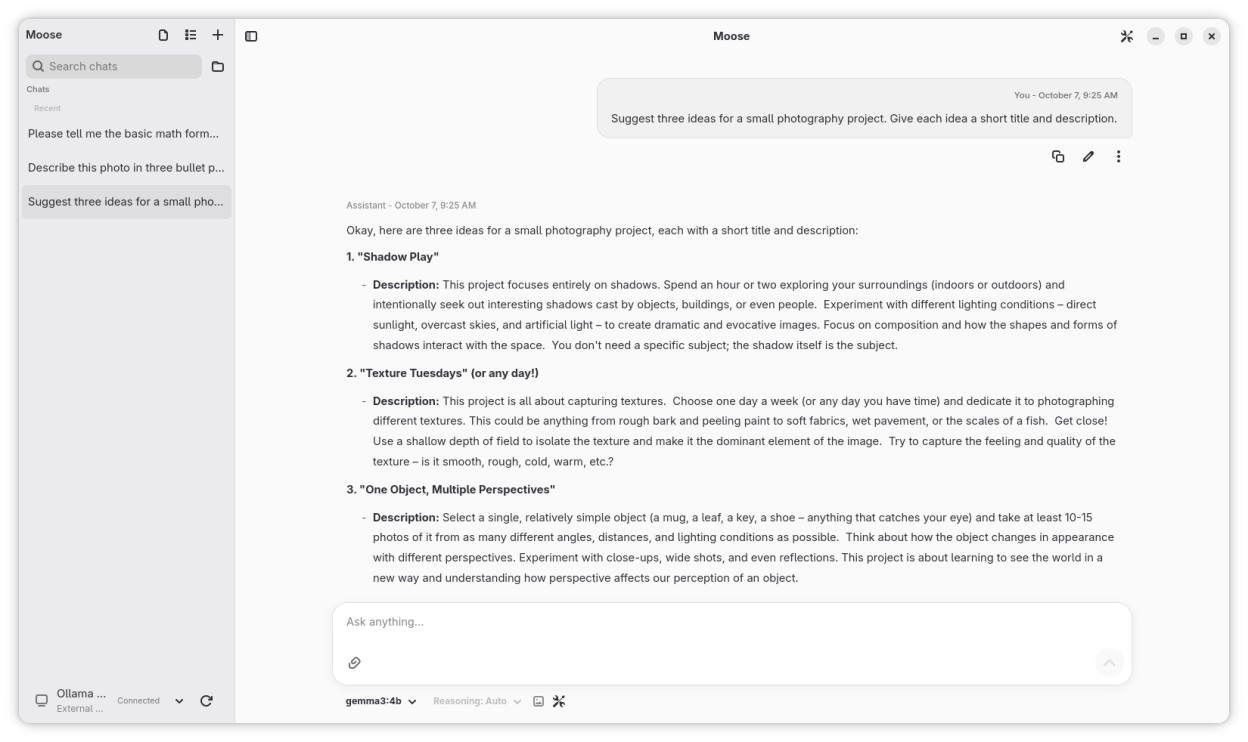
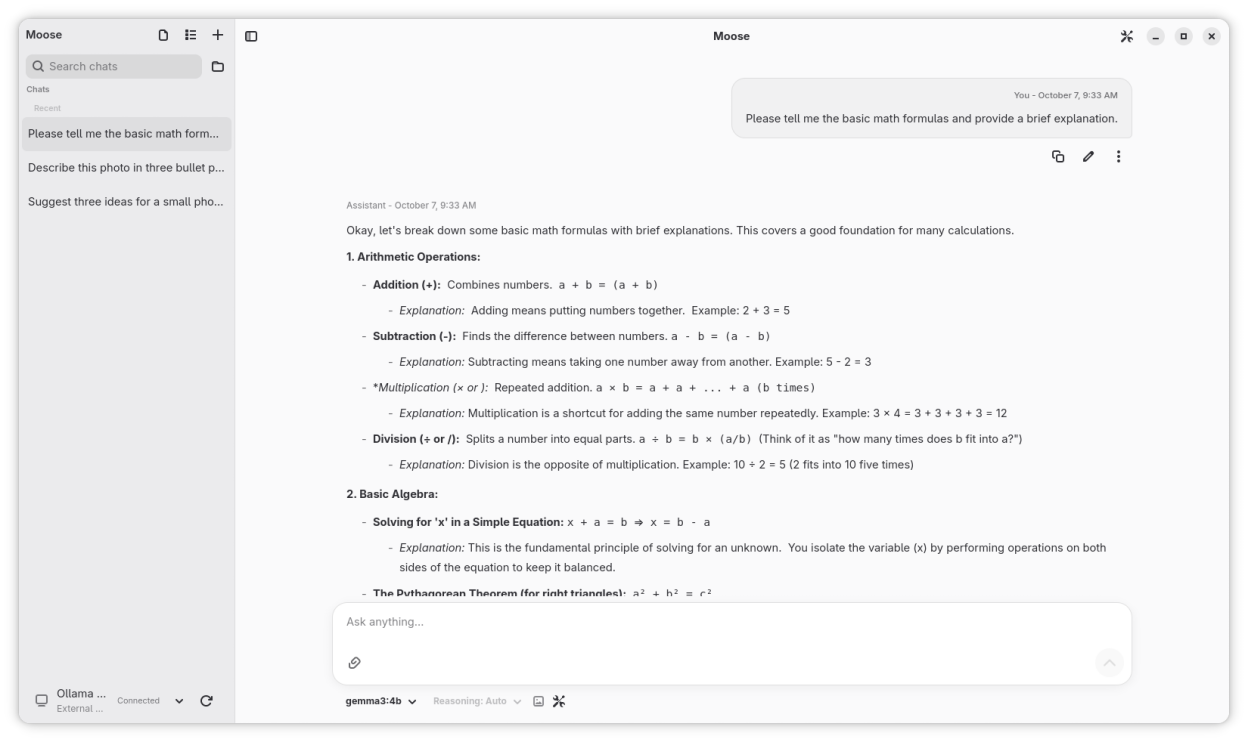
Ask questions, write and work through code with local AI models. Set up Ollama and download models, or connect securely to cloud providers using your own API key.
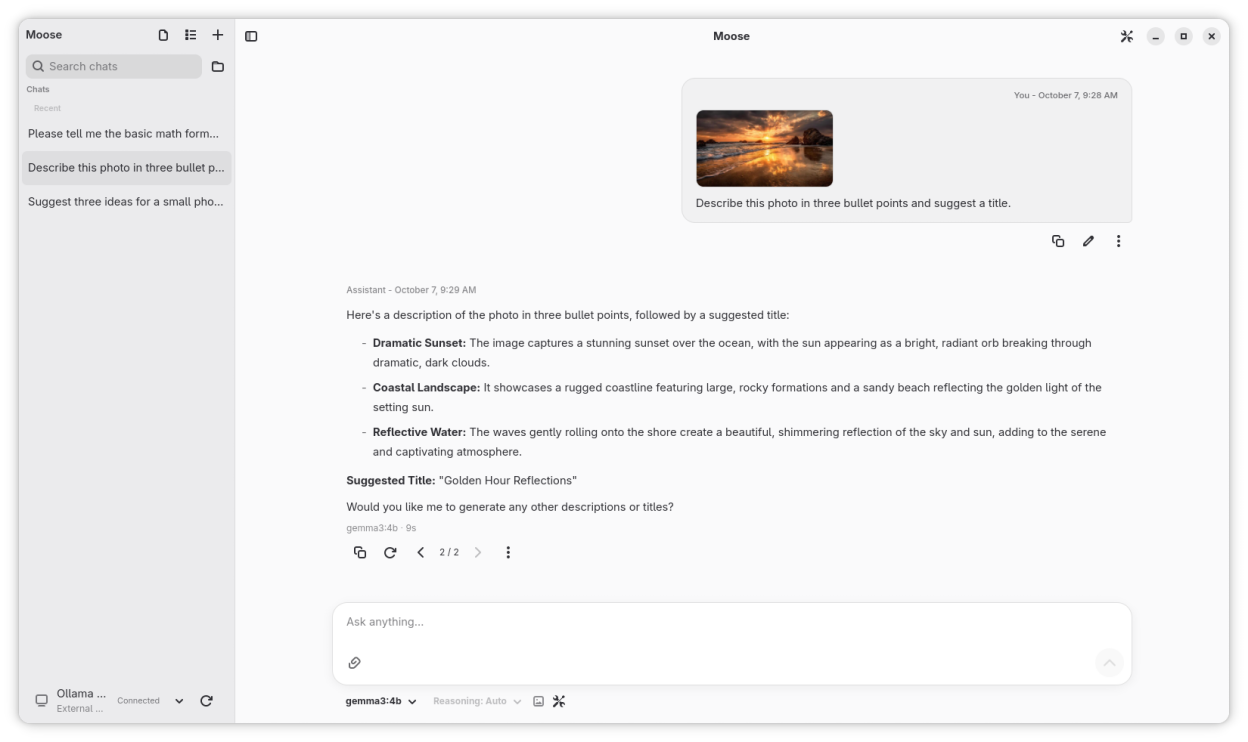
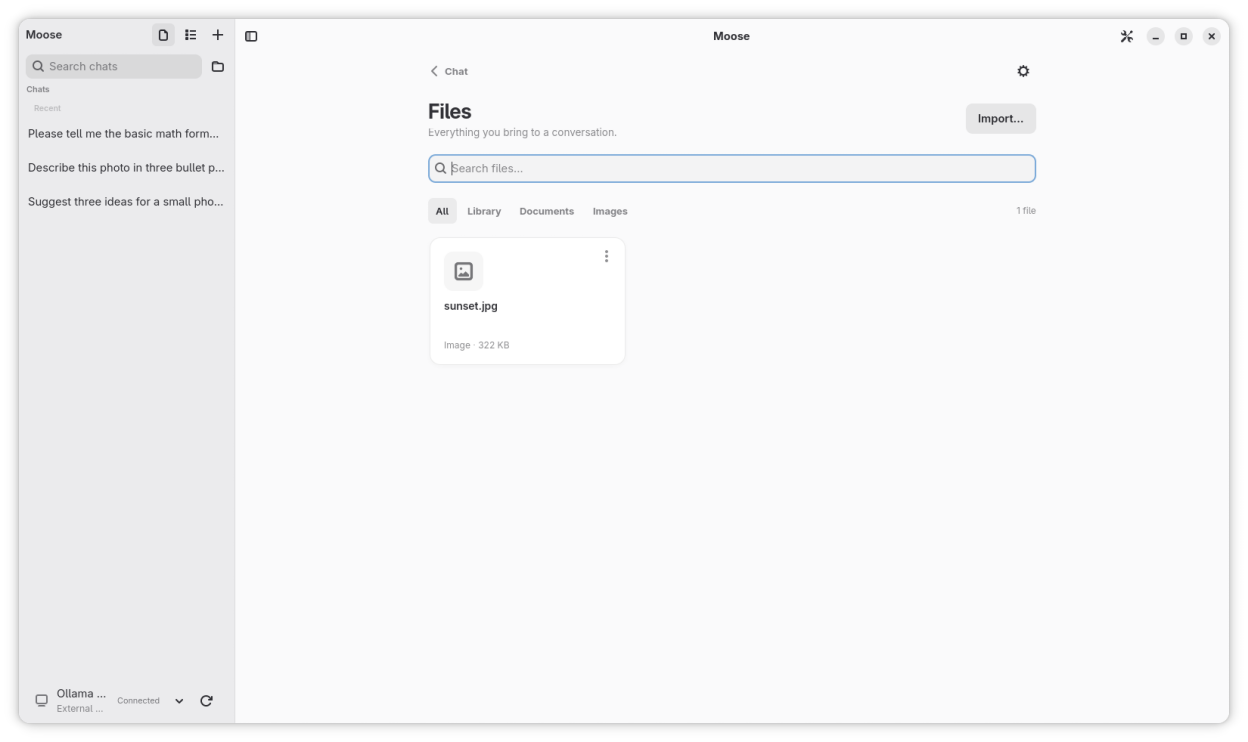
Bring images, PDFs and text files into your chats. Browse attachments and your document library in Files, preview documents and return to the chats that use them. Search documents locally and read source excerpts alongside answers. Images need a model with vision support, and PDFs need selectable text.
Edit messages, explore different answers and return to earlier versions. Drafts save automatically, and responses can include formatted code, mathematical formulas and model reasoning.
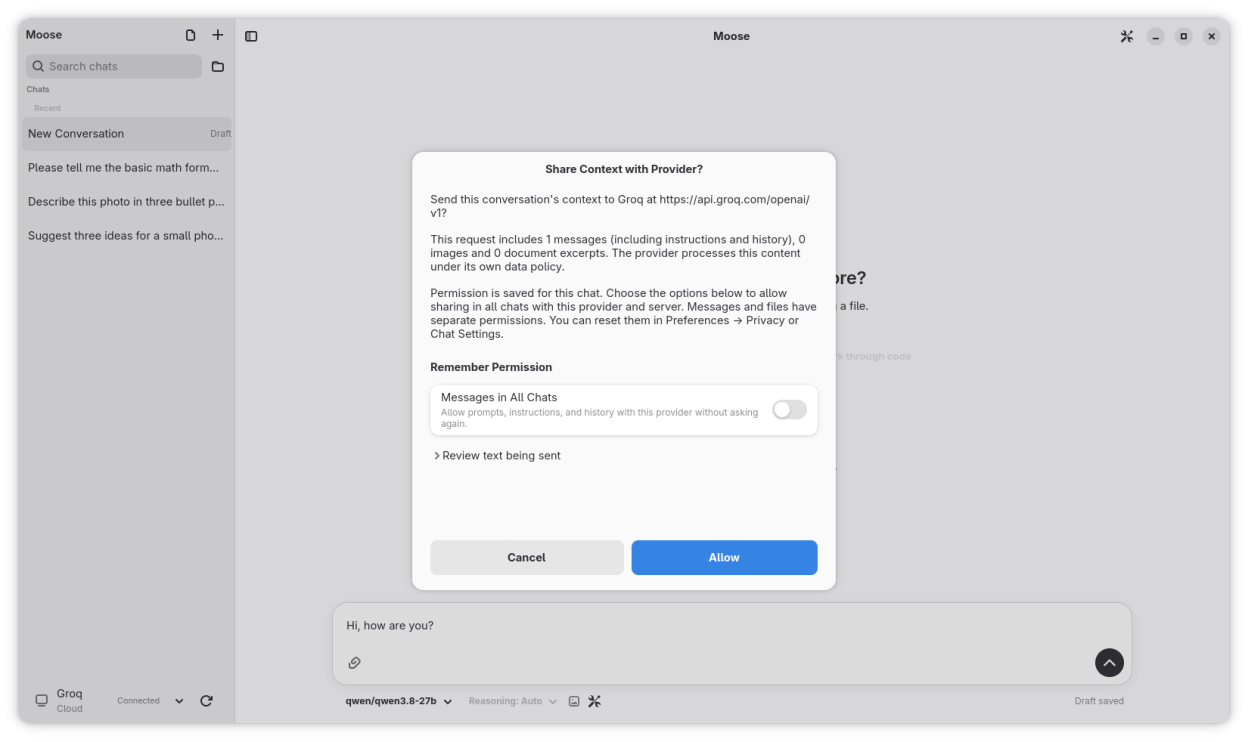
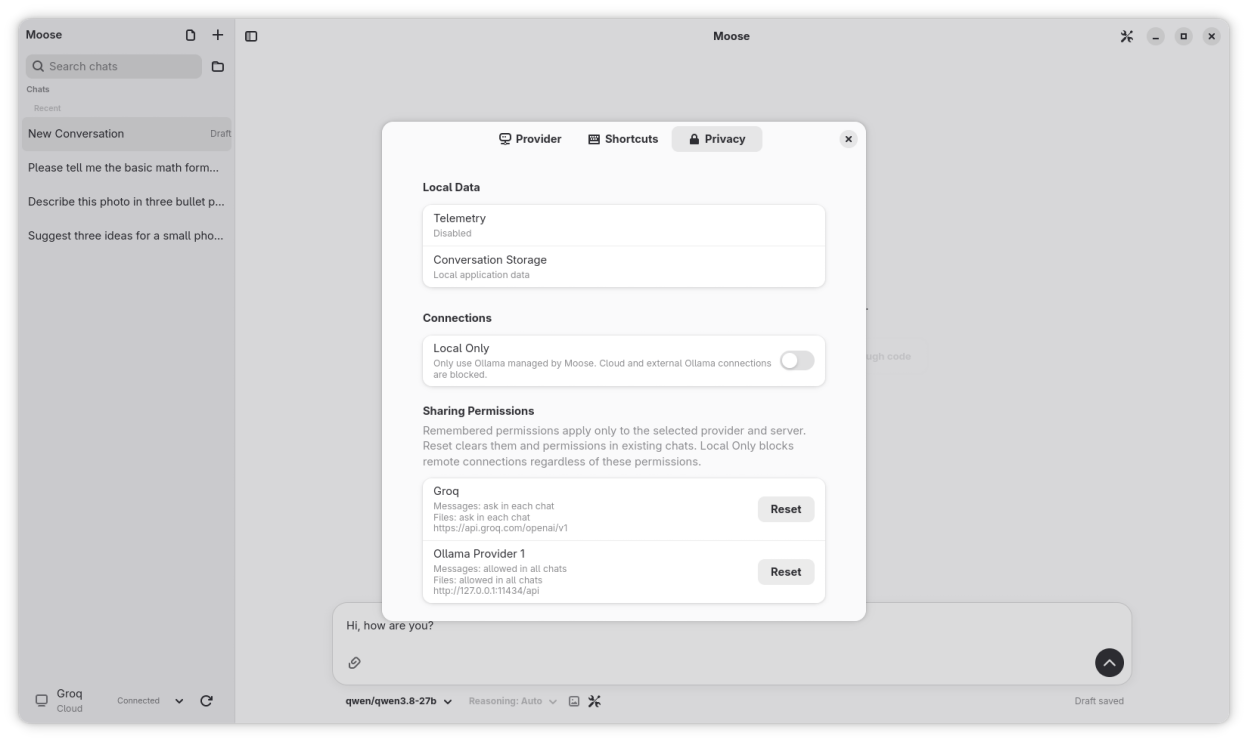
Your conversations, drafts and document library are stored on your device. Local Only mode restricts inference to Ollama managed by Moose. Remote connections require your permission to share messages, history or files. Message and file permissions are separate and can be reset in Privacy settings. The provider's data policy applies to shared content. API keys are stored securely using your desktop's secret storage.
Screenshots
Observed history
| App | Change | Version | When ↑ |
|---|---|---|---|
| updated | 0.6.0 | 7 Oct 2026 |
Upstream releases
Release notes supplied by the developer. These dates are not Flathub package publication times.
0.6.06 Oct 2026
Connect securely to cloud providers using your own API key and control what you share.
- Enable Local Only mode to restrict inference to Ollama managed by Moose.
- Allow messages in all chats with a provider or ask in each chat. File sharing requires separate permission. Review context before sending and reset permissions in Privacy settings.
- Open Files from the sidebar to browse, search and filter attachments and library documents. Preview files, find their original folder, reopen related chats or attach them to the current chat.
- Browse more local models for chat, vision, reasoning and coding.
- See clearer waiting and reasoning indicators that disappear when the answer starts arriving.
- External Ollama connections now require HTTPS, with HTTP available only for connections on this device.
0.5.026 Sept 2026
Bring images and documents into your conversations. Attach photos, PDFs, text and code, or search your local document library with source excerpts and page references.
- Edit messages in place, regenerate answers and switch between saved versions or continue in a separate chat.
- View model reasoning separately and choose the reasoning options supported by your model.
- Keep drafts and attachments between sessions, move between chats during a response and receive a completion notification.
- Review model download history, retry interrupted downloads and keep chatting while a model downloads.
- Read mathematical formulas with local rendering, scrolling for long expressions and access to the original LaTeX.
- Use a wider, aligned chat and composer, compact model controls, clearer attachment previews and helpful starting suggestions.
0.4.317 Jun 2026
Adds GPU acceleration support for managed Ollama through Vulkan when available.
Adds a managed hardware preference so GPU acceleration can be enabled or disabled.
Shows the active managed Ollama acceleration backend in the provider status.
0.4.216 Jun 2026
Adds configurable keyboard shortcuts for common chat, model and navigation actions.
Adds a shortcuts page to preferences so shortcuts can be changed, cleared or reset.
Shows when the active conversation is generating a response in the conversation list.