
Quickly create outlines and export them in a number of useful formats. Outliner contains powerful features to quickly create, edit, navigate, and search your outlines while using a clean interface to keep you focused on your ideas.
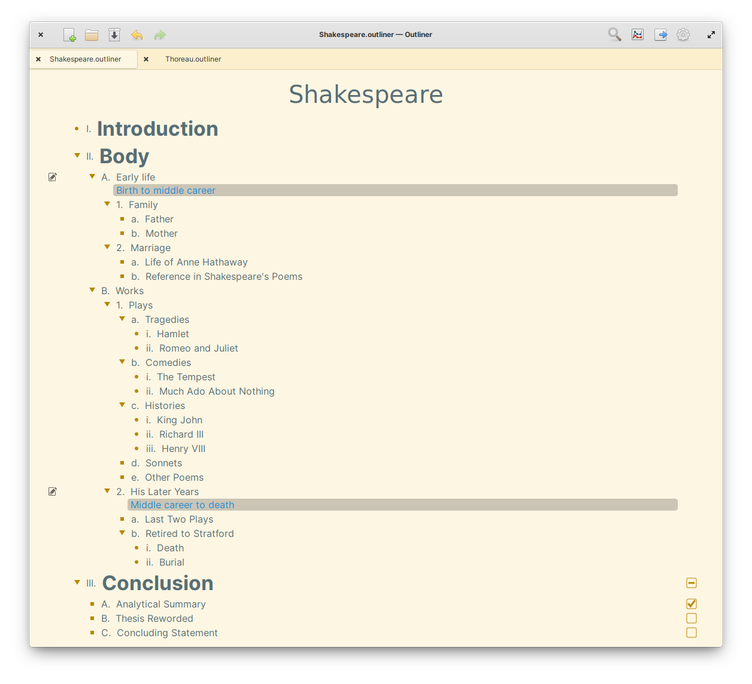
- Quickly create and navigate outlines using the keyboard or mouse.
- Full support for rich text formatting and/or Markdown formatting.
- Add notes to any outline text.
- Add tags to any outline row.
- Add checkboxes to any or all outline text.
- Close/Hide any group within the outline for increased focus.
- Quick search and replace of any text within the document, including notes.
- Optionally focus on a portion of the document at a time when editing.
- View document statistics such as character count, word count, row count and task information.
- Support for showing depth lines.
- Unlimited undo/redo of any change.
- Automatically saves in the background.
- Open multiple outlines with the use of tabs.
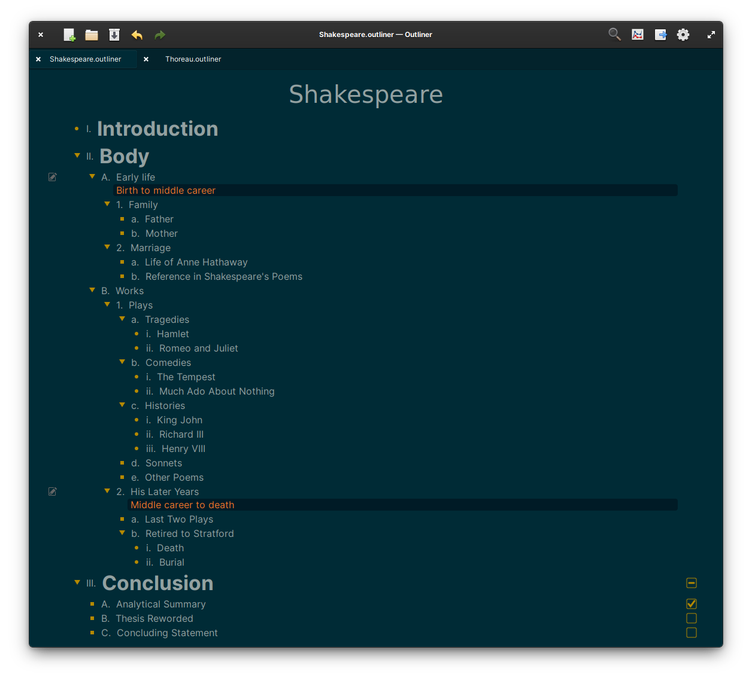
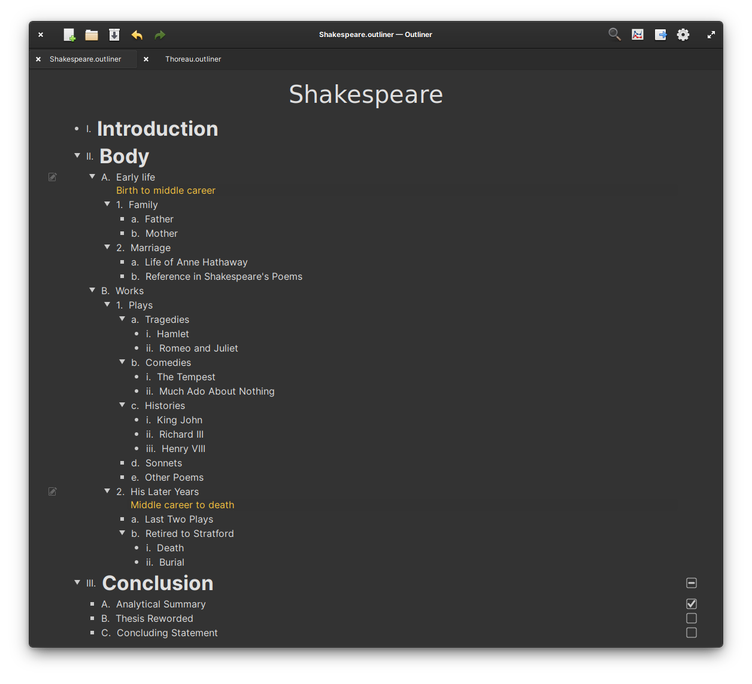
- Built-in themes.
- Support for changing fonts within a document.
- Import from Minder and OPML.
- Export to HTML, Markdown, Minder, ODT, OPML, Org-Mode, PDF, PlainText and RTF.
- Printer support.
Screenshots
Observed history
| App | Change | Version | When ↑ |
|---|---|---|---|
| new | 2.0.1 | 11 Nov 2026 |
Upstream releases
Release notes supplied by the developer. These dates are not Flathub package publication times.
2.0.16 Nov 2026
Changes
- Updated documentation link in appdata.
- Updated Flathub manifest.
- Updated code for setting dark mode.
- Added Flatpak debug command in app script.
2.0.010 May 2026
New
- Added ability to customize keyboard shortcuts in preferences.
- Added file icon for .outliner files.
- Added support for Flathub flatpak builds.
- Added an 'Edit Title' menu command.
- Added autoscroll behavior when dragging node.
- Added export support for ODT and RTF formats.
- Added find-replace skip button.
- Added support for showing release notes.
- Added link to new home for documentation.
Changes
- Updated from gtk3 to gtk4.
- Changed application icon.
- Changed application ID from com.github.phase1geo.outliner to io.github.phase1geo.outliner.
- Updated Minder import and export support for Minder version 2.x.
- Improved title support for Minder maps with multiple root nodes.
Bug Fixes
- Fixed issue with Control-W when only one tab is opened.
- Fixed application icon installation issues.
- Fixed issue in item selection when title does not exist.
- Fixed various issues with closing application.
- Fixed issues with saving and loading tab state.
- Fixed issue with combining text formatting.
- Fixed critical error with editing title.
- Fixed various minor issues with text editing and selection.
- Fixed various issues with mouse clicking in outline.
- Fixed tag filtering support.
- Fixed find functionality.
- Fixed compiler warnings and removed obsolete code.
1.7.020 May 2023
New
- Added support for inputting Unicode characters using backslash character and auto-completer.
- Added support for parsing URLs in row text and notes which are Control-clickable to open them.
- Added support for row text auto-sizing feature.
- Added new preferences dialog.
Changes
- Updated Dutch translation (thanks to @Vistaus)
- Updated Russian translation (thanks to @Prokoudine)
- Removed Accounts service from Flatpak manifest.
- Upgraded Flatpak SDK from 6 to 7.2.
- Upgraded webkit2gtk package from 4.0 to 4.1.
- Added home directory permissions by default to Flatpak.
- Removed header bar coloring.
- Improved icons for non-elementary systems.
- Improved print dialog and output.
- Disabling compile warnings.
- Improved export UI and added export options.
- Improved Minder export output.
Bug Fixes
- Fixed issues with application not displaying translations properly for Flatpak.
- Fixed layout issues with top row of table which could obfuscate the title.
- Fixed issues with Org-Mode export output when indent mode is enabled.
- Fixed text editing and undo/redo issues with Unicode characters.
- Fixed issue with text rendering when Markdown parser is disabled.
1.6.029 Sept 2021
New
- Added support for Control-right (indent) and Control-left (outdent) keyboard shortcuts.
- Added Russian translation (thanks to Alexandre Prokoudine).
- Added support for document titles.
Changes
- Improved foreground color of selected rows for improved readability.
- Changed window focus mode to distraction-free mode to avoid confusion with row focus mode and to improve understandability of this feature.
- Optimized code for handling zoom-in functionality.
- Replaced zoom UI with new UI to make this more consistent with other elementary apps.
Bug Fixes
- Fixed text size issue when adding a new row when the zoom level is not 100%.
- Fixed issues with text being incorrectly selected when words are deleted.
- Fixed issue with undoing forward deleted text.
- Added missing keyboard shortcuts for row indent/outdent.
- Fixed issue with exporting to Markdown when Enable Markdown setting is off.