
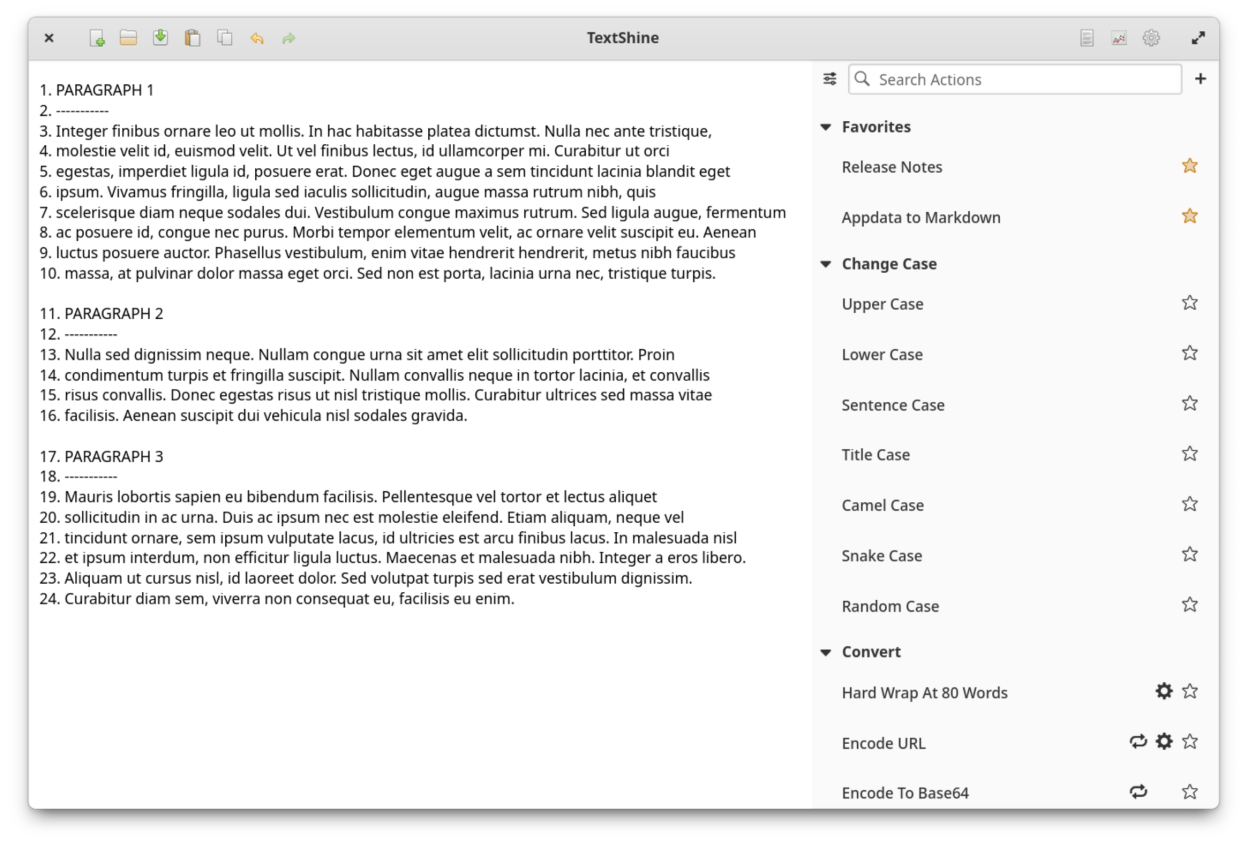
Easily paste text from the clipboard or load text from a file, modify the text with loads of built-in text actions and user-created custom text workflows, and save the changes to the clipboard or to a file.
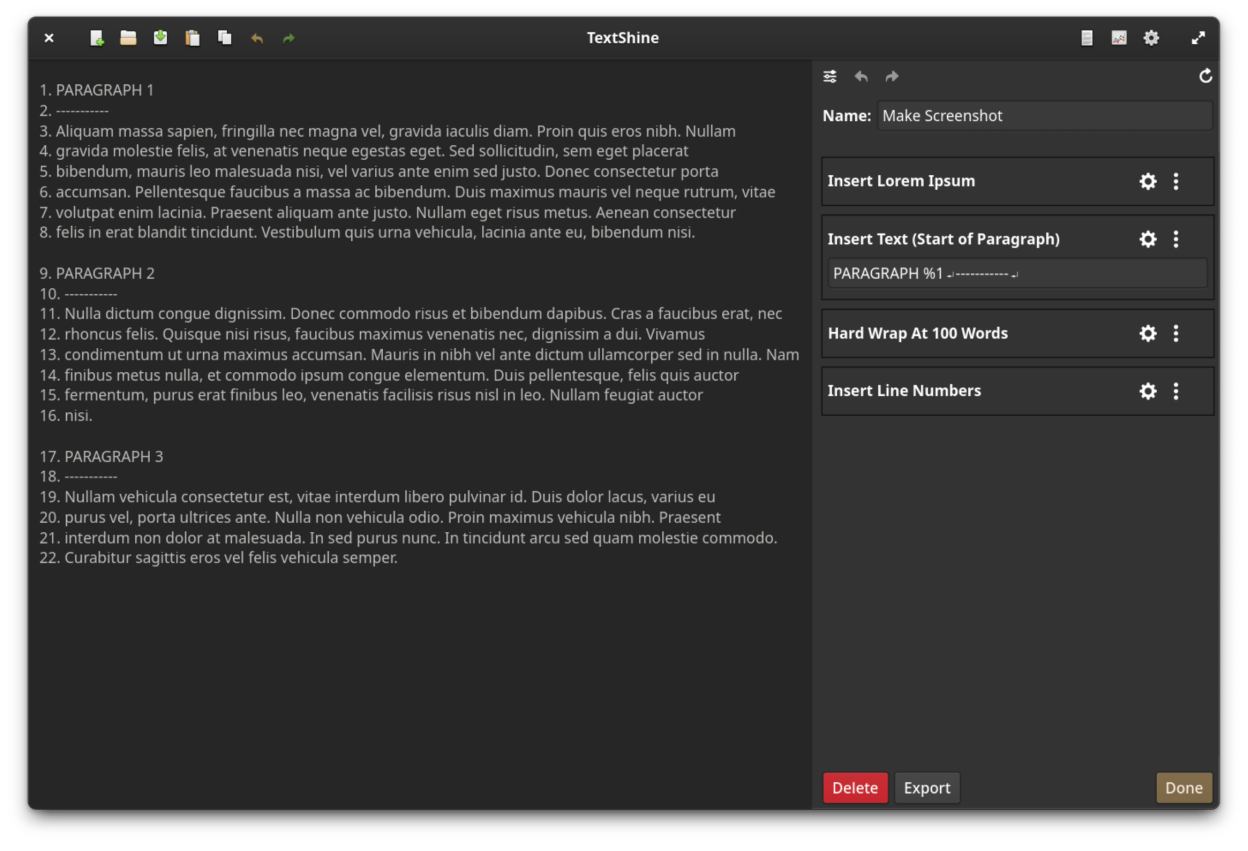
In addition to the built-in actions, TextShine allows you to create and test custom text conversion workflows. These custom workflows can then be used in the same way that built-in actions are used within the application.
Key features include the following:
- Load text from clipboard or from a file.
- Save text back to clipboard, to the same file or to a new file.
- Unlimited undo/redo of text changes.
- Apply a text action in a single click.
- Support for action favoriting.
- Support for creating and testing custom actions.
- Quickly search available text actions.
- Character, word, line, match and spelling error statistics.
- Support for font size changes.
- Built-in spell checker.
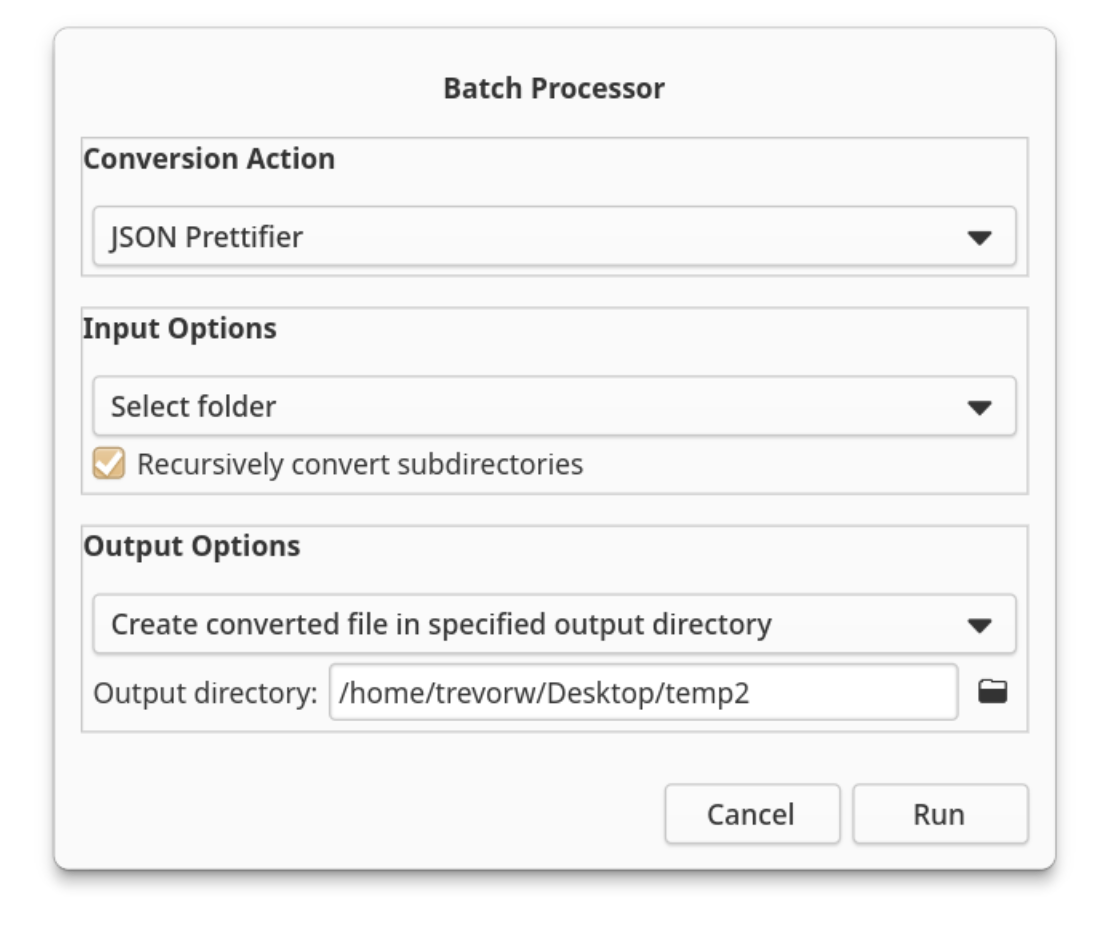
- Batch process files, applying a custom action to each file.
- Categorized text actions which include:
- Action: Changing case
- Action: Inserting text, line numbers, lorem ipsum and file/URL contents
- Action: Removing line numbers, duplicate lines, blank lines/spaces and matched text
- Action: Replacement of text
- Action: Quotation conversion
- Action: Line sorting
- Action: Character, word, line, sentence and paragraph randomization
- Action: Indentation handling
- Action: Search and replace (includes regular expression support)
- Action: Automatic text repair
- Action: Text conversion
- Action: MD5, SHA-1/256/384/512 encoding and Base64 encoding/decoding
- Action: URL encoding/decoding
- Action: Hard wrapping
- Action: Markdown utilities
Screenshots
Observed history
| App | Change | Version | When ↑ |
|---|---|---|---|
| new | 3.0.0 | 17 Oct 2026 |
Upstream releases
Release notes supplied by the developer. These dates are not Flathub package publication times.
3.0.027 Sept 2026
New
- Added About window to help in debugging issues.
- Added support for exporting custom actions.
- Added support for importing custom actions.
- Added customizable auto-indent action.
- Added support for global action settings (used by new auto-indent action).
- Added insert newline action.
- Added support for batch file processing (custom action applied to one or more files).
Changes
- Updated application icon.
- Updated Dutch translation (thanks to Helmen Stoffels).
- Updated German translation (thanks to Benjamin Weis).
- Updated elementary OS flatpak manifest.
- Increased default width of the sidebar.
- Updated Meson environment files for newer versions of Meson.
- Changed application ID from com.github.phase1geo.textshine to io.github.phase1geo.textshine.
- Removed Debian release files.
- Changed tooltip for the preferences menubutton.
Bug Fixes
- Fixed valac compiler warnings.
- Fixed majority of obsolete library issues.
- Fixed issue where a non-text file is attempted to be inserted into the text area.
- Fixed case actions to allow non-English words to be modified correctly.
- Fixed issue with using regular expressions from dropdown menus.
- Fixed issues with some of the action copy functions.
2.0.018 Feb 2024
New
- Added highlight-line option to Find and Regular Expression.
- Added German translation (thanks to Benjamin Weis).
- Added convert function between CSV and Markdown Table formats.
- Added convert function for decoding URLs.
- Added support for setting sidebar width via gsettings.
- Added support for inserting the contents from a URL.
- Added support for adding user notes to custom functions.
- Added new randomize function to operate on text.
- Added new insert URL content function.
- Added keyboard shortcuts cheatsheet.
- Added preferences window support.
- Added preference support for changing spellchecker language.
Changes
- Updated from GTK3 to GTK4.
- Updated Dutch translation (thanks to @Vistaus).
- Updated Italian translation (thanks to @albanobattistella).
- Updated Flatpak version from 6 to 7.2.
- Added home directory permissions by default to Flatpak.
- Improved header bar icons to work in non-elementary environments.
- Widening sidebar to accommodate different displays (this can also be changed with gsettings).
- Enhanced Indent XML functionality to properly indent XML code that is in minimized format.
- Improved Convert Markdown Table settings UI.
- Text function options are now displayed inline in the sidebar rather than via a popup.
- Added tooltips to entry fields in functions.
Bug Fixes
- Fixed regexp searching issue that could cause application to hang.
- Fixed app script warnings.
- Fixed issue with translations not working in Flatpak.
- Fixed issue using Indent XML that could cause the application to crash.
- Fixed handling of XML comments in Indent XML conversion function.
- Fixed issue with spell-checker when no matches are available.
- Fixed issue with remembering size of window when it was last closed.
- Fixed statistics icon for non-elementary OS environments.
1.2.017 Jan 2022
New
- Added MD5, SHA-1/256/384/512 checksum conversion functions.
- Added Base64 encoding/decoding functions.
- Added functions to support Markdown task manipulation.
- Added spell checker.
- Added number of spelling errors to document statistics.
Changes
- Changed editor margins for improved readability.
- Improved accuracy of the list of translatable files.
- Added application to the open desktop WordProcessor category.
- Improved layout of function buttons.
- Enhanced built-in, insertable HTML/XML tag regular expressions.
- Moved Create Custom Action... button from action list to the right of the search field in the sidebar.
- Removed Accounts permissions from Flatpak manifest as it is no longer needed.
Bug Fixes
- Fixed XML indentation functionality.
- Removed extraneous debug output when running in terminal.
- Fixed issue where changing function menu options did not properly save the state.
- Fixed issues with favoriting/unfavoriting actions.
- Fixed action search to include custom actions.
- Fixed issue with loading favorited custom actions.
- Fixed UI issues with custom sidebar.
- Fixed issues with converting lower/upper case of Unicode characters.
1.1.08 Aug 2021
New
- Added Italian translation (thanks to @albanobattistella).
- Added Flatpak manifest for releasing for elementary OS 6.
- Added dark mode system support.
Changes
- Updated application to use libhandy-1 to comply with elementary OS HIG recommendations.
- Updated gtksourceview from 3 to 4.
Bug Fixes
- Fixed random case transform functionality.
- Fixed determination of camel case in text string.
- Fixed warning messages when non-existent files are attempted to be opened.