
Minigalaxy
A simple GOG client for Linux
Wouter "sharkwouter" Wijsman ✓ Verified
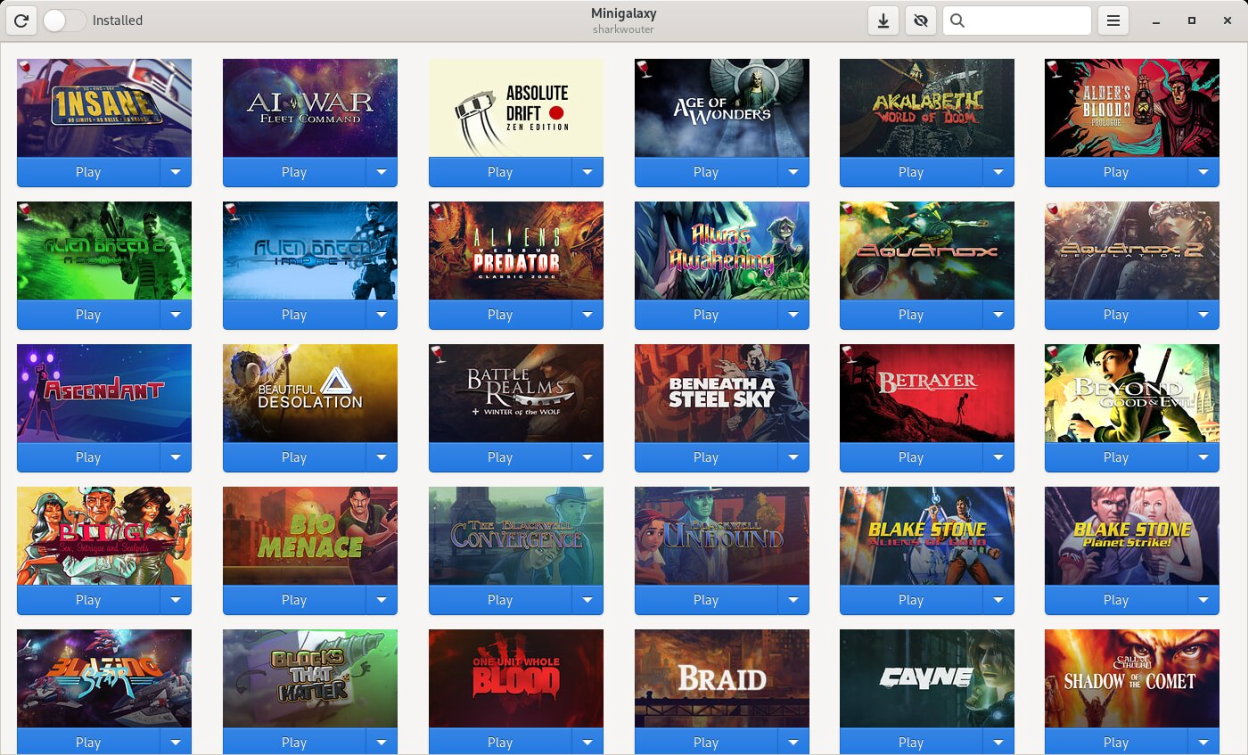
io.github.sharkwouter.MinigalaxyMinigalaxy lets you download, install and play your GOG Linux games without getting in your way.
Besides all that, it offers the following additional features:
- Select in which language you'd prefer to download your games
- Change where games are installed
- Search your GOG Linux library
- Show all games or just the ones you've installed
- View the error message if a game fails to launch
- Enable displaying the FPS in games
An account on gog.com is required to use this application.
Screenshots
Observed history
| App | Change | Version | When ↓ |
|---|
No observed changes yet.
The initial import establishes a baseline. Future version changes will appear here.
Browse the app catalogue →Upstream releases
Release notes supplied by the developer. These dates are not Flathub package publication times.
1.4.122 Jan 2026
Implements the following changes:
- Installations now report more intermediate steps like checksum verifications to the UI. (thanks to GB609)
- Fix bugs related to error handling of ongoing installations. (thanks to GB609)
- Fix an issue where CJK characters in game library path prevents the config file from being loaded properly. (thanks to kyle-zhang-42)
- Automatically add Weblate contributions to README and About dialog on release. (thanks to GB609)
1.4.09 Jul 2025
Implements the following changes:
- Various improvements to the download manager, including a pause function (thanks to GB609)
- Speed up creation of wine prefixes during installations (thanks to GB609)
- Use regedit to more permanently disable useless shortcut creation by wine from within a prefix (thanks to GB609)
- Introduce a UI to show all active, stopped or failed downloads. Also allows to permanently pause a download (thanks to GB609)
- Make more Windows games able to launch through Minigalaxy
- The download UI also shows a rough size estimate if possible (thanks to GB609)
- fix connection resource leak in DownloadManager (thanks to GB609)
- The number of parallel downloads can now be adjusted dynamically. Previous setting is saved. (thanks to GB609)
- Fixed a bug that would lead to DLCs being recognized as stand-alone games (thanks to GB609)
- Allow more games to be launched via information from goggame.info (thanks to GB609)
- The DLC list will now show a table-like multi-column view where necessary. This fixes issues with games having a high number of DLCs. (thanks to GB609)
- Some bug fixes in DownloadManager related to canceling active and queued downloads (thanks to GB609)
- Fix deletion logic of downloaded installation files. Base installers and DLC will not interfere with each other anymore. (thanks to GB609)
- Failed installs will try to keep as many downloaded parts as possible, even without the keep_installers option enabled. (thanks to GB609)
- Deleting a file in download ui now also provides the option to fully cancel the game download as if cancel on the thumbnail was clicked. (thanks to GB609)
- It's now possible to cancel auto-resume of one of many parallel DLC downloads for a game by clicking delete in the download ui after stopping it first.(thanks to GB609)
- With keep_installers enabled, Minigalaxy can now detect if a game has been fully downloaded. If not, the UI will still show the 'Download' button. (thanks to GB609)
- Installations will now run one at a time through a queue, multiple DLC can be downloaded in quick sequence. (thanks to GB609)
- Large DLC downloads will be resumed automatically on restart. (thanks to GB609)
- Improved shutdown logic of Minigalaxy. If there is an installation running, it will be finished. (thanks to GB609)
- Simple fix progress bar for games consisting of multiple files. (thanks to GB609)
- Fix log in screen remaining blank on some distributions
- Fix Minigalaxy not launching on some setups with older Nvidia cards
1.3.225 Feb 2025
Implements the following changes:
- Completely reworked windows wine installation. This should solve a lot of problems with failing game installs. Innoextract (if installed) is only used to detect and configure the installation language. (thanks to GB609)
- Variables and arguments in game settings can now contain blanks when quoted shell-style (thanks to GB609)
- Minigalaxy will now create working Desktop Shortcuts for wine games (thanks to GB609)
- Fix games with binaries in a directory not launching in some cases
- Minor UI change in the dialog for third-party logins (thanks to GB609)
- Desktop shortcuts created by Minigalaxy will now be updated with environment and launch argument changes from the game's property dialog when OK is clicked (thanks to GB609)
- Clean-up and fixes of the code used for grid and list style library views (thanks to GB609)
- Desktop shortcuts for windows games can now have icons, if gog provides them in the game info api 'images' section (thanks to GB609)
- Fixed a bug in download_manager that prevents correct resume of downloads with 50%+ progress after restart (thanks to GB609)
- Make sure all translations are included in releases
1.3.126 Nov 2024
Implements the following changes:
- Fix Windows games with multiple parts not installing with wine
- Minor AppData fixes (thanks to tim77)
- Added Portuguese translation (thanks to GLSWV)