
Fan Control
Control your fans with different behaviors
wiiznokes ✓ Verified
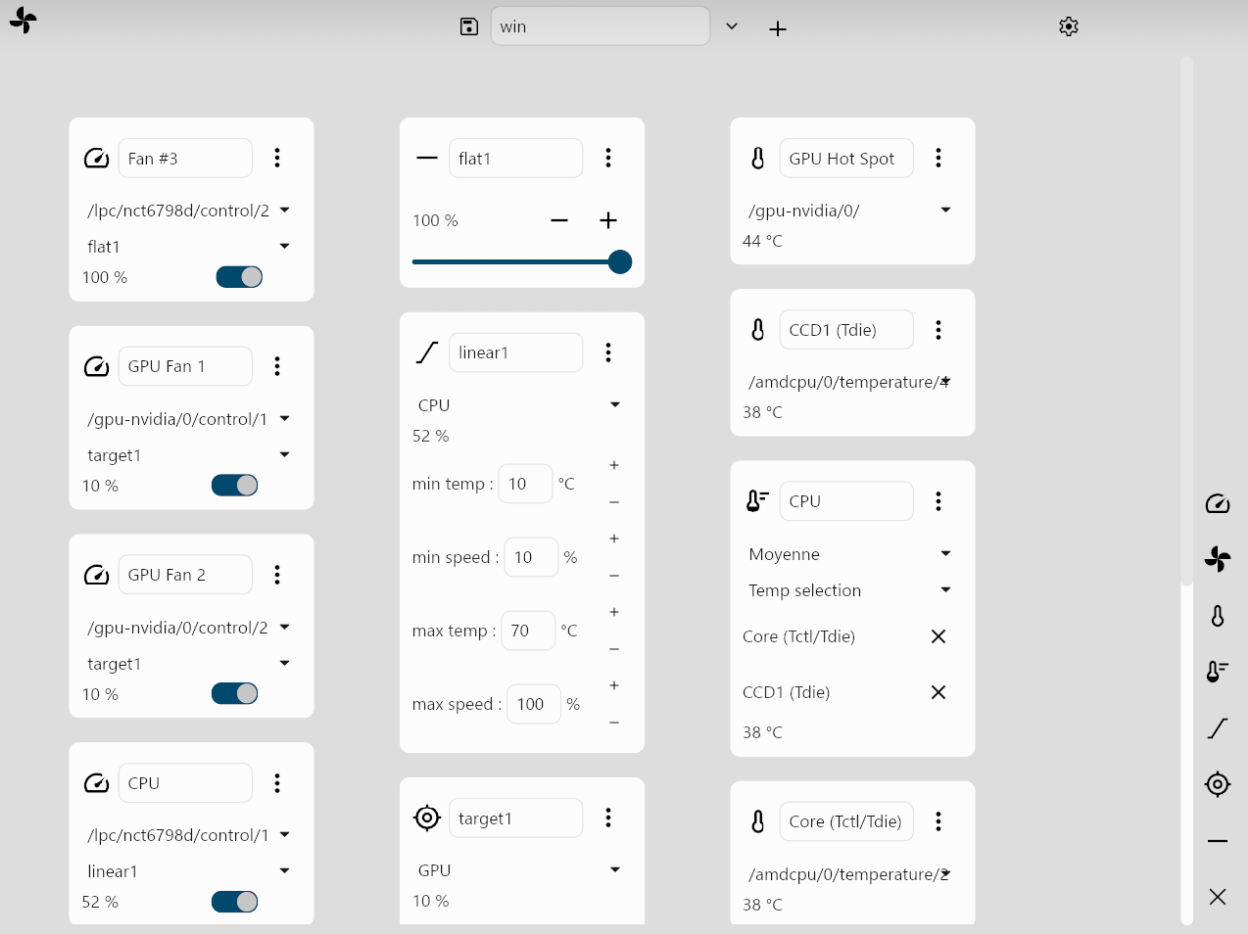
io.github.wiiznokes.fan-controlYou can add items with the buttons on the right of the app. To save a configuration, write a name in the "Configuration name" field, and click on the +. To modify the value of a fan, you must select it in a Control item (the left column), select a Behavior, and activate the swtich.
- Display sensors data on real time
- Control fans based on custom behaviors
- Save configuration
Note: After installation, you will need to add the necessary udev rule to your system for this to work. See the GitHub page for more details.
Screenshots
Observed history
| App | Change | Version | When ↓ |
|---|
No observed changes yet.
The initial import establishes a baseline. Future version changes will appear here.
Browse the app catalogue →Upstream releases
Release notes supplied by the developer. These dates are not Flathub package publication times.
26.0124 Jan 2026
No release notes supplied.