
RClone Manager
Browse and sync cloud storage
Zarestia Dev ✓ Verified
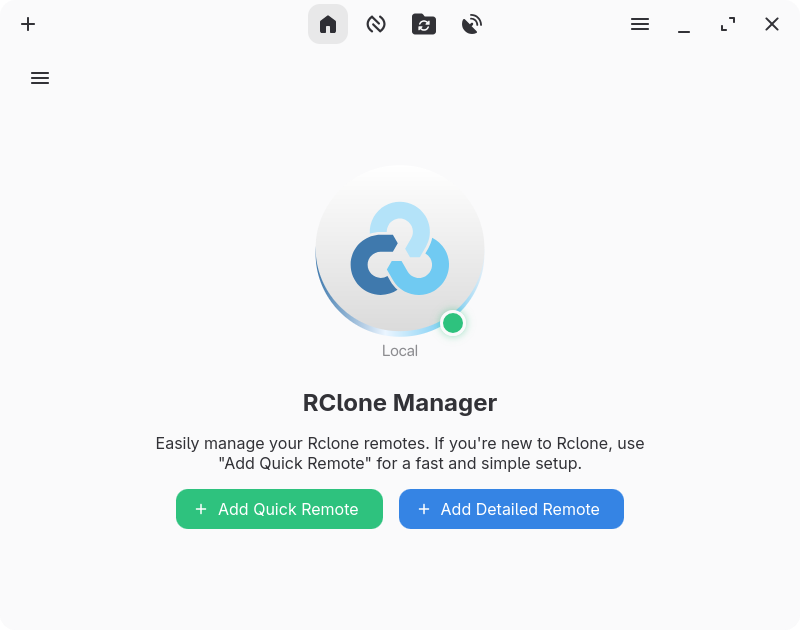
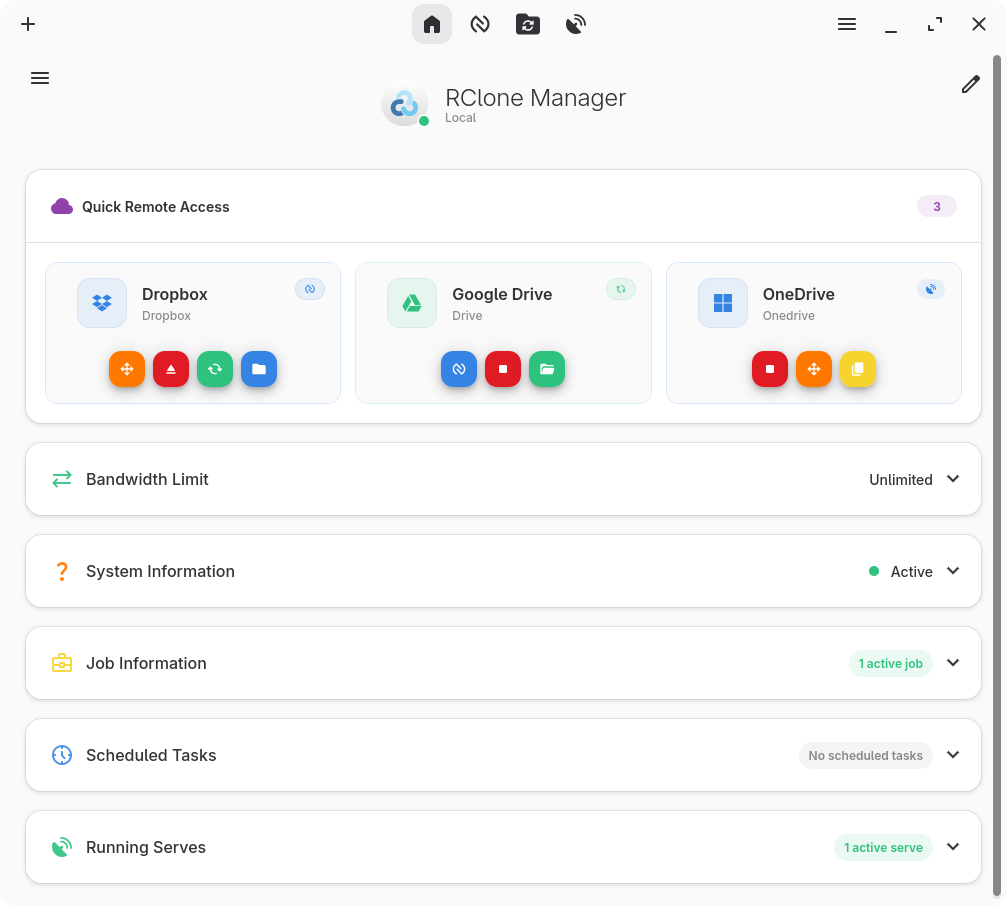
io.github.zarestia_dev.rclone-managerA graphical interface for rclone that lets you manage cloud storage accounts without using the command line. Supports dozens of providers including Google Drive, Dropbox, OneDrive, and S3.
Key features:
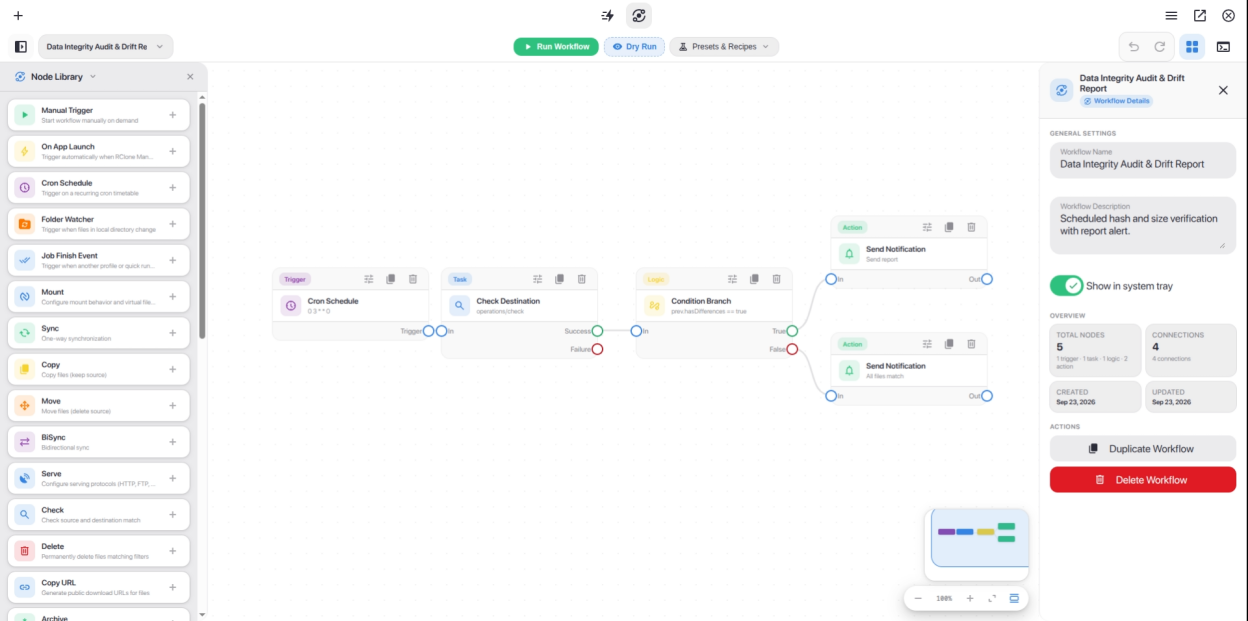
- Visual workflow builder: design multi-step automations with an interactive node-based canvas, triggers, logic, and notifications
- Quick Runs & Flow automation hub: one-click operation execution, CLI command import, and reusable templates
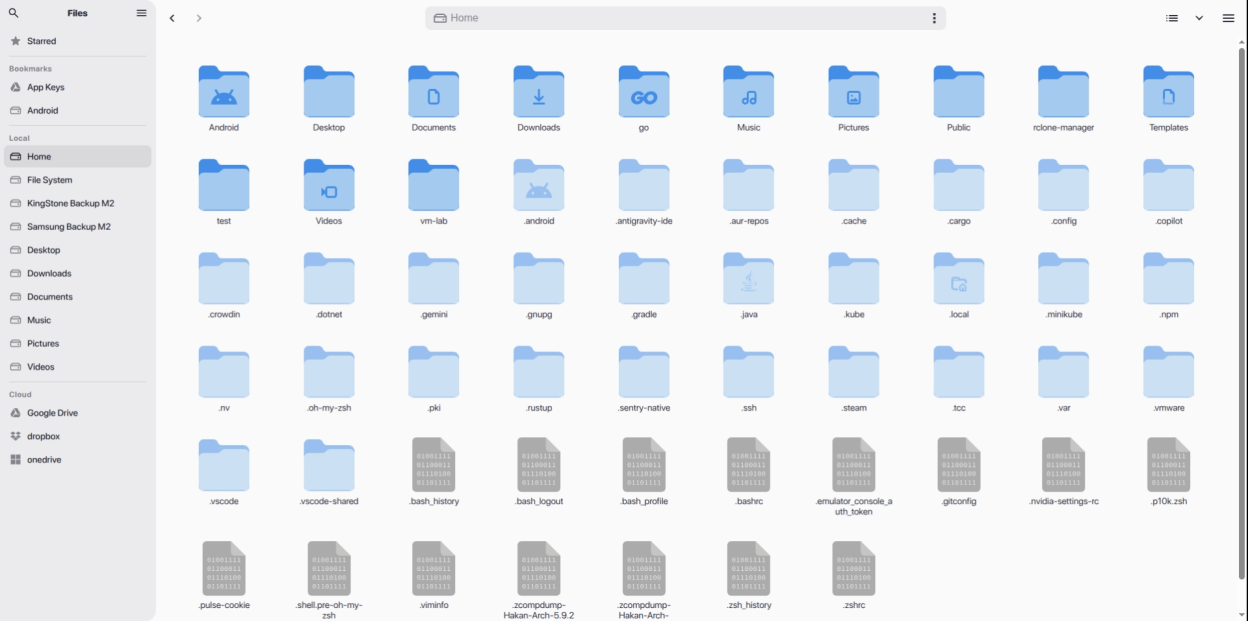
- Built-in file manager (Nautilus): browse, copy, move, rename, delete, archive, and preview remote files
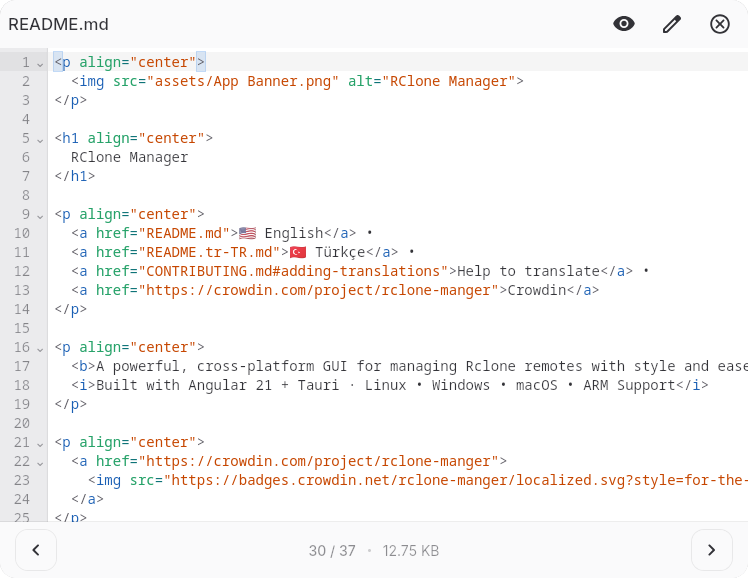
- Rich media preview: support for images, videos, audio, PDFs, Markdown, and code with syntax highlighting
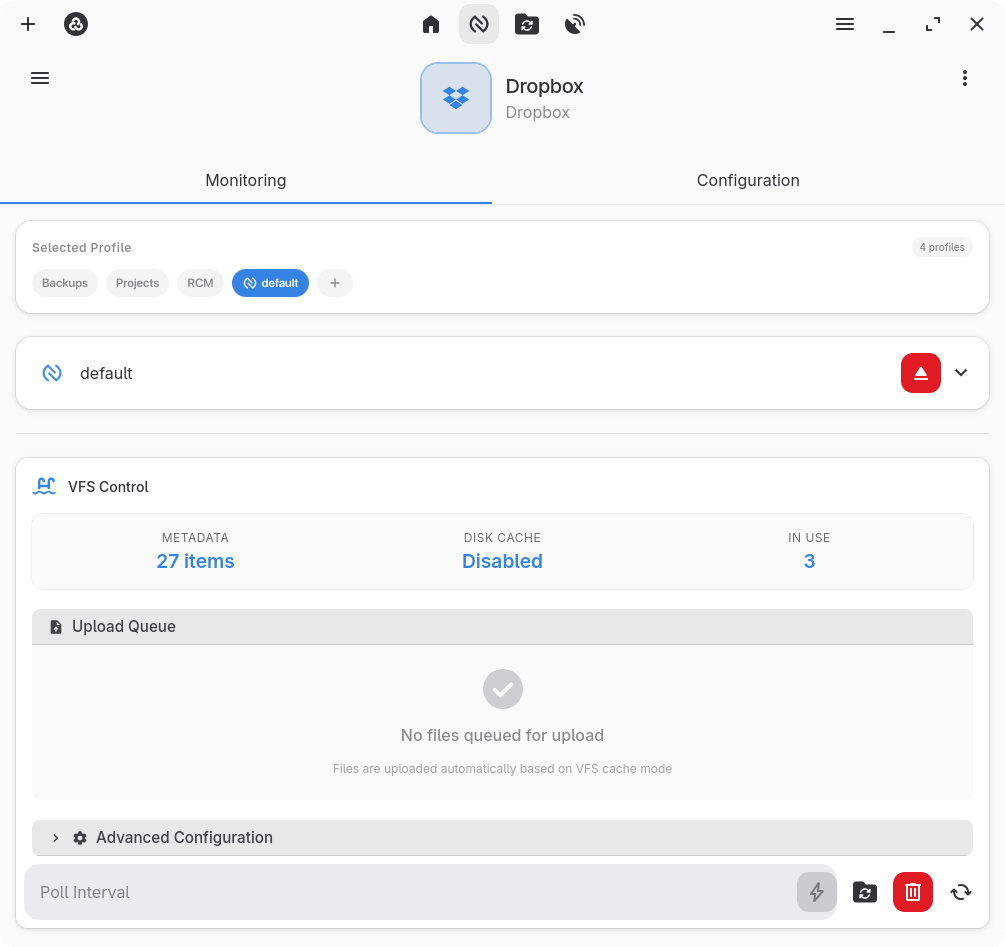
- Mount cloud storage as a local drive with VFS cache controls
- Automations: schedule operations using cron expressions or trigger transfers with real-time file system watchers
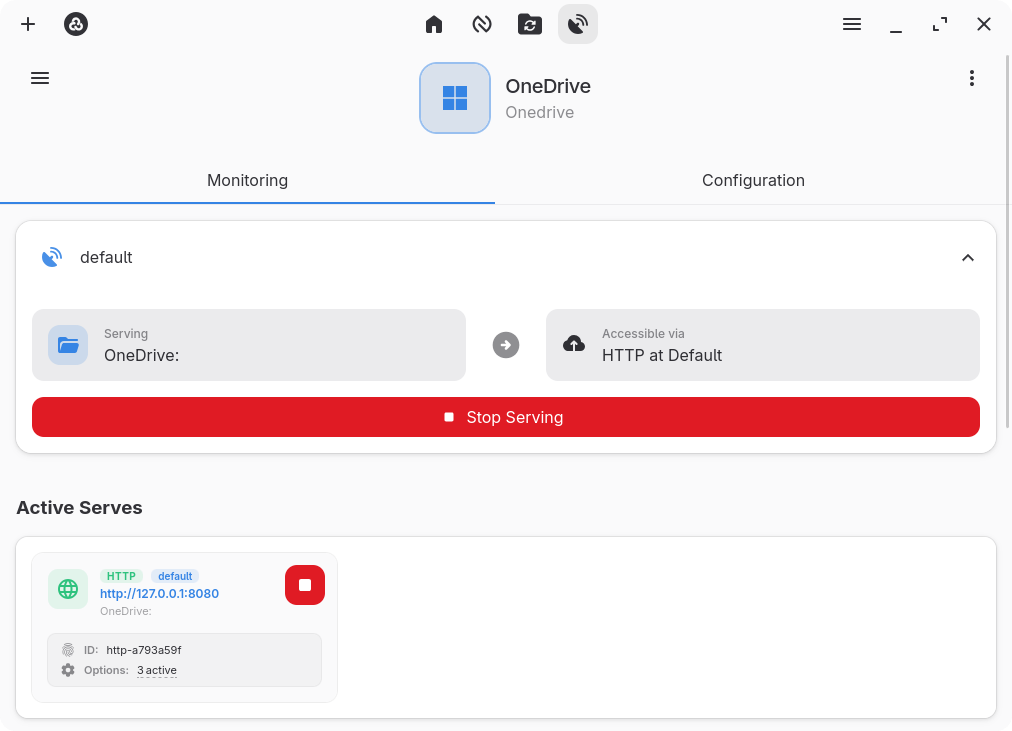
- Serve remote storage over HTTP or WebDAV
- Power management: prevents automatic system sleep while active transfers, mounts, or servers are running
- System tray integration and customizable keyboard shortcuts for quick control
- Theme support: dark and light modes with automatic system theme synchronization
- Encrypted configuration storage with full backup and restore support
- Multi-backend management with customizable per-operation profiles
Troubleshooting: If you encounter an "Invalid binary" error during setup, it is likely caused by an outdated system rclone binary. Go to Settings → Core, clear the rclone binary path, and click Save & Reset Engine. When prompted, let the app download and install the latest rclone version automatically.
For other issues such as a blank screen or freezes on Linux, refer to the Linux Troubleshooting Guide linked below.
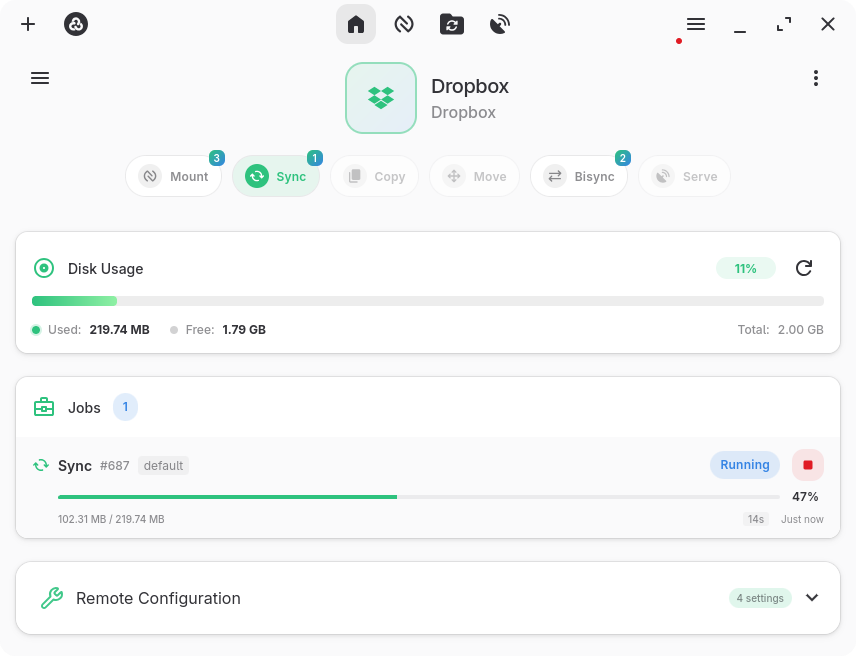
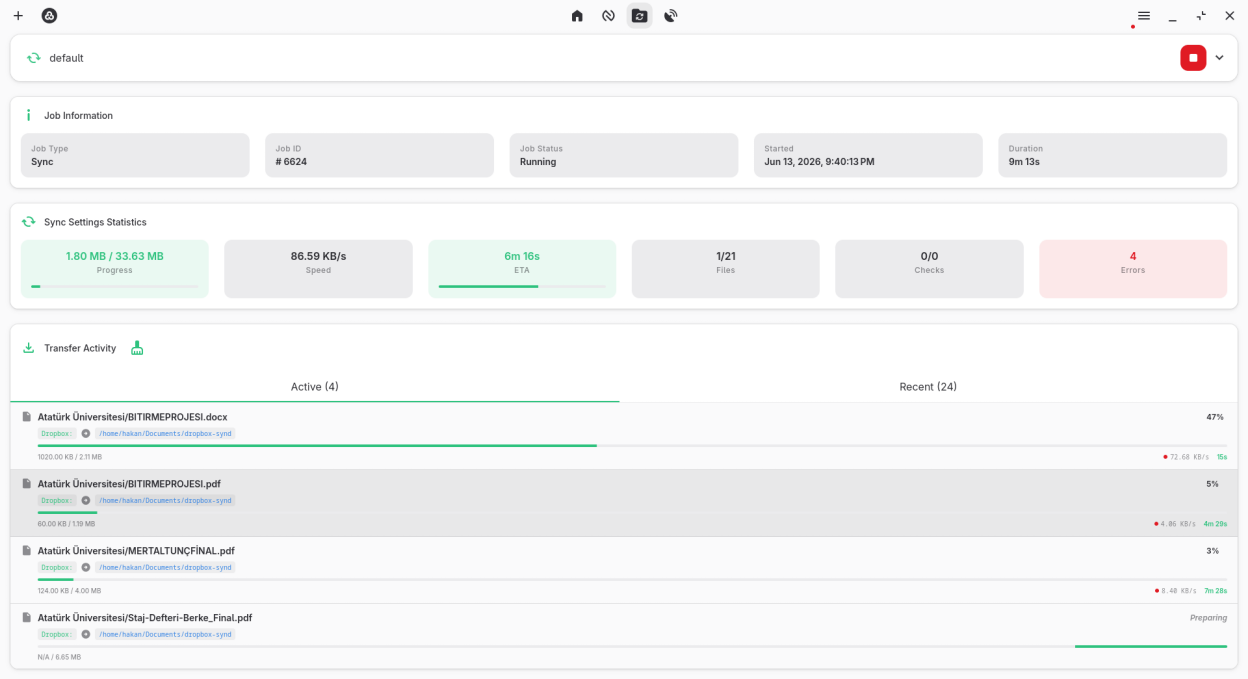
Screenshots
Observed history
| App | Change | Version | When ↓ |
|---|---|---|---|
| updated | 0.3.3 | 24 Sept 2026 |
Upstream releases
Release notes supplied by the developer. These dates are not Flathub package publication times.
0.3.323 Sept 2026
Added
- Workflow Engine & Visual Canvas UI: Introduced an interactive node-based canvas for automation, an in-process native Rust execution engine, comprehensive triggers, tasks, and logic nodes, pre-built recipes, and live execution logging.
- Centralized Keyboard Shortcut Management System: Unified keyboard shortcut handling, contextual key bindings for global navigation, and visual shortcut viewer modal.
- Power Management & Fast Actions Modal: Added a quick power and lifecycle management modal (accessible via long-press on About) for safe app termination, relaunch, emergency stop, and host power actions.
- Rclone Port Collision Detection & Auto-Repair Flow: Automatic occupied TCP port detection before spawning local Rclone engines, with instant suggestion of available ports and one-click apply & restart.
- Smart Remote vs. Local Authentication Error Handling: Differentiated rclone_auth repair flow guiding users directly to backend settings for remote backends.
- URL Preview Component & Utilities: Real-time URL inspection, domain and protocol extraction, and destination path previewing across download and transfer dialogs.
- Binary File Inspector & MIME Sniffing: In-depth file header inspection, MIME signature detection, and hex/byte dumps for unknown files in Nautilus file browser.
- Missing Remote Detection & UI Alerts for Quick Runs: Automated detection and warning badges for unconfigured remotes referenced by Quick Run configurations.
- System Theme Event Synchronization: Real-time native OS theme change listeners forwarding theme transition events for instant dark/light mode switching.
- Linux NVIDIA WebKit Environment Auto-Configuration: Automatically configures WebKitGTK rendering environment variables at startup when an NVIDIA GPU is detected.
- Graceful Unix SIGTERM Shutdown Handling: Added unified SIGTERM and SIGINT signal listeners on Unix systems to trigger a clean shutdown sequence before exit.
- New Traditional Chinese language translations.
Changed
- Decoupled Async Runtime from UI Framework: Migrated to an application-owned Tokio runtime for background tasks, improving stability.
- Export Modal UI Overhaul: Redesigned with a Libadwaita-inspired selection list, item counters, and category-level selection controls.
- Multi-Rename Modal Enhancements: Upgraded with multi-pattern search & replace, prefix/suffix additions, automatic sequence numbering, and live preview table.
- Dedicated Contributors section in the About modal under Credits.
- Polished responsive layouts and type safety across jobs overview, logs, and core dialogs.
Removed
- Removed deprecated PathValidationService in favor of centralized path resolution utilities and backend validation.
Fixed
- Resolved Linux shutdown deadlock and improved power inhibitor handling across all platforms: switched to idle-sleep inhibition to prevent automatic system sleep during active operations while ensuring clean shutdown.
- Fixed Tray Quit action window restoration when active transfers or mounts are running with window destruction enabled.
- Fixed blank page in Nautilus & UI when accessing over non-secure HTTP / remote IP addresses by replacing direct crypto.randomUUID calls with generatePrefixedId.
- Corrected preset flag definitions for macOS mounts (noappledouble, noapplexattr) and S3 backend (use_server_modtime).
- Fixed Docker FUSE mount failures with --allow-other and non-root PUID/PGID by enabling user_allow_other in /etc/fuse.conf.
- Various bug fixes and stability improvements.
0.3.224 Aug 2026
Added
- Flow Overlay & Automation Hub: Dedicated Flow overlay system for streamlined automation, Quick Run execution, and template management.
- Quick Run Execution & Management: Launch one-click operations with real-time job tracking, comprehensive Quick Run editor, card organization, tagging, and CLI command import.
- Modular Dashboard Overview Panels: Modular panels with sticky headers and toolbar layout customization controls (drag-and-drop ordering and visibility toggles).
- Power Inhibitor Integration: Prevents system sleep and shutdown during active file transfers (Linux systemd logind, Windows, macOS).
- Android Storage Access Framework (SAF): Added native SAF tree picker, DocumentsProvider, VFS mount bridge, and background keep-alive service.
- Template Management: Support for managing and applying operation templates in Quick Run Editor and Remote Config.
- Subdirectory-Scoped Real-time Monitoring: Synchronize only modified subdirectories when triggered by real-time file watcher events.
- Theme-Aware System Tray Icon: Added configurable tray icon theme options (Color, System Auto Monochrome, Light, Dark).
- Dedicated Remote Deletion Confirmation Modal with dependency awareness and warnings.
Changed
- Optimized CLI command import and flag mapping parser across Quick Run and Remote Config modals.
- Standardized backend command bridge with centralized error mapping and structured localization payloads.
- Automatic snake_case flat option mapping for CLI flags across operations and profiles.
- Native Rclone OAuth endpoint integration (Rclone v1.75+).
- Updated minimum supported Rclone version to 1.75.0.
Removed
- Removed legacy keyring migrations, legacy 7z/zip 1.0.0 backup format restore, and sevenz-rust2 dependency.
Fixed
- Fixed File Browser freeze and missing drive lists on wakeup or encountering stale/hung mounts.
- Fixed premature deletion of job stats groups on operation finish or stop.
- Fixed Docker entrypoint privilege dropping and supplementary groups (PGIDS) for ZFS and NFSv4 ACL datasets.
- Fixed dynamic reloading of remotes list on rclone configuration and backend settings changes.
- Fixed reactive system theme detection and synchronization using native matchMedia listeners.
0.3.126 Jul 2026
Added
- Android Beta Release: Added separated Android Beta APK builds (arm64-v8a, armeabi-v7a, x86_64, x86) powered by in-process librclone FFI bindings. Tested on Samsung Galaxy S23 FE. iOS status is currently unverified
- Nautilus Sidebar Drives & Remotes Customization: Added ability to reorder and hide/show local disks and cloud remotes in the Nautilus sidebar via a dedicated configuration modal.
- Nautilus Context Menu System Clipboard Integration: Added support for pasting OS system clipboard file paths and URIs directly from the context menu, with automatic paste button visibility.
- New Russian, Brazilian Portuguese and Japanese language translations.
- System Default Viewer: Support for opening files directly in the OS system default viewer.
Changed
- Nautilus Detached Dialogs & Multi-Tasking: Configurable detached file browser windows and overlay modes.
- Universal Interactive Remote Configuration: Enhanced remote creation wizard for all interactive rclone providers.
- Preserve file modification dates on local rclone instance uploads.
Fixed
- Fixed remote connection payload unmarshaling with boolean/numeric runtime overrides.
- Fixed multi-select string option inputs (e.g., Google Drive scope).
- Fixed Rclone auth error detection and HTTP 401 classification.
- Fixed undecorated window resize handles on Linux.
0.3.014 Jul 2026
Added
- Bot-less Telegram & WhatsApp Alerts: Direct Telegram alerts via CallMeBot API and WhatsApp alert notification channel.
Fixed
- Resolved Linux zbus D-Bus panics.
- Fixed encryption detection in non-librclone mode.
- Fixed task state and status refreshing for automated watchers and scheduled jobs.
- Fixed desktop remote file downloads to local PC filesystem.