
The First Cryptocurrency Wallet with Bookkeeping and Accounting Functionality in mind for Avid traders, Small Business owners and Accountants
Screenshots
Observed history
| App | Change | Version | When ↓ |
|---|
No observed changes yet.
The initial import establishes a baseline. Future version changes will appear here.
Browse the app catalogue →Upstream releases
Release notes supplied by the developer. These dates are not Flathub package publication times.
1.0.04 Feb 2026
- Signup using an email/password and a custom or generated 12 word mnemonic phrase
- Create a GreeneryID to share with up to 8 wallet addresses attached
- Easily import contacts/addresses using a shared GreeneryID
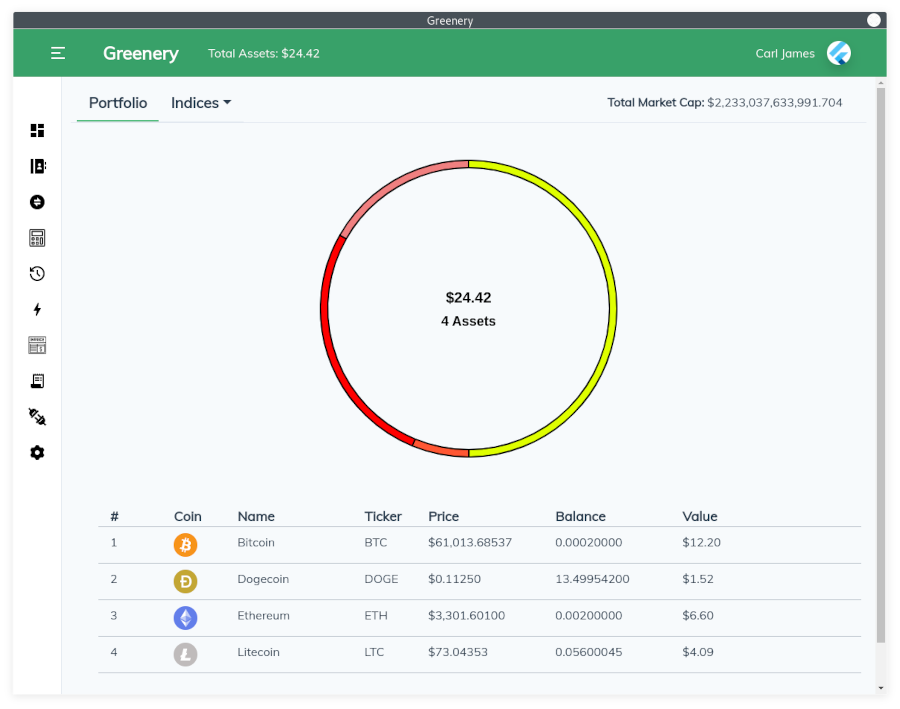
- Keep track of your assets using an easy to read portfolio page
- View indicies PoW, PoS, Coinbase (NY), Gemini (NY), and Storage
- Generate up to 5 wallets at a time using your mnemonic phrase
- Generate unlimited throwaway wallets
- Store contacts with multiple addresses in your address book (Regular, Exchange, Wallet)
- Send crypto using a public address, stored contact, or human readable domains (Unstoppable, ENS, Tezos Domains)
- Link your Gemini and Coinbase accounts using API keys
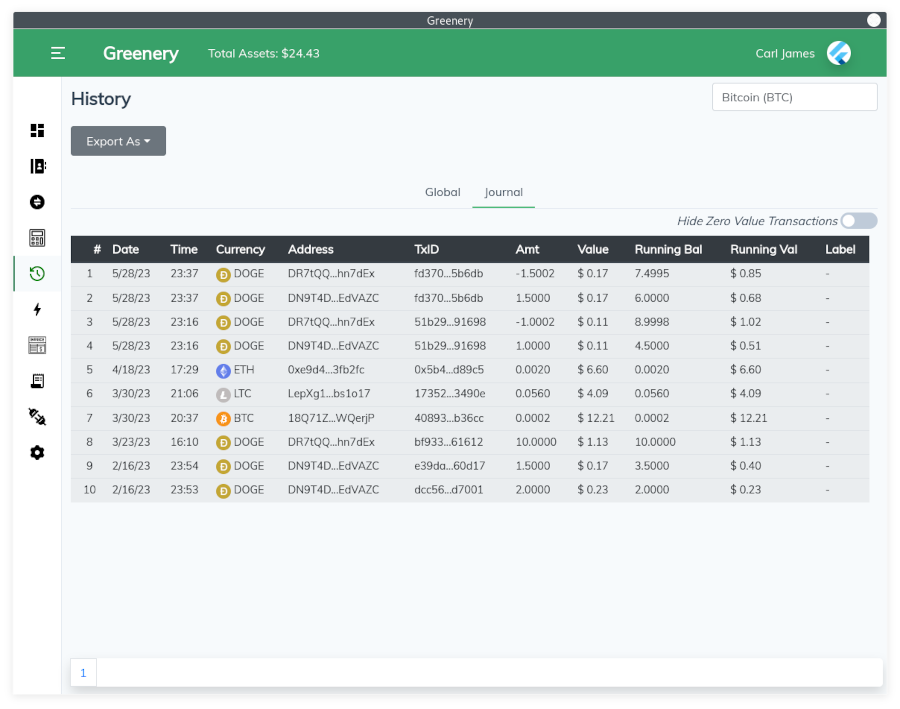
- View a comprehensive history of all your crypto transactions
- Create and send invoices with your selected deposit address attached
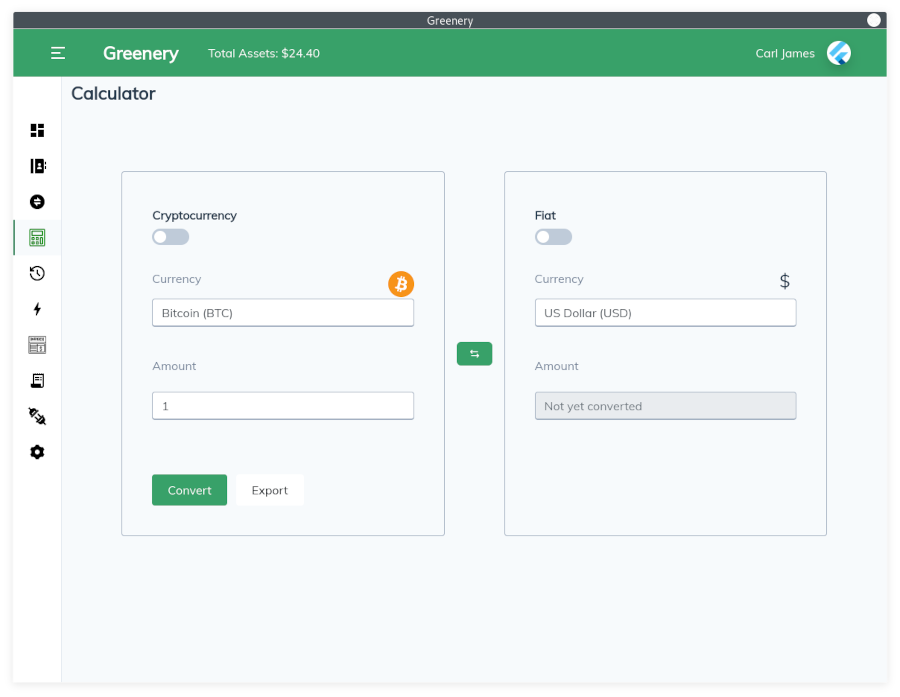
- Get conversion rates of different crypto/fiat currencies using the Greenery calculator
- Easily swap your crypto for another using our quick exchange with expanded currency support
- Purchase crypto using a credit card directly within Greenery via Transak
- Generate paper wallets for personal storage
- Connect with web3 applications using Wallet Connect (ETH) or Wallet Beacon (XTZ)
- Quickly generate and share a W9 by completing your user profile
- Set up two-factor authentication with an authenticator app
- Enable or disable active cryptos in dashboard
- Export and import contacts using drag and drop for CSV and VCF files
- Bulk import, export, or delete address book contacts
0.9.1218 Jun 2025
- Mnemonic phrase can now be printed from the settings menu
- Users will now be able to opt-in to analytics and bug reporting upon signup
- Mnemonic can now be pasted when signing up with an existing phrase
- Invoices can now be exported from the history tab
- Support for the Binance(BNB) blockchain added to the dashboard
- Added Binance Tokens BUSD, DAI, LINK, UNI, USDC, and USDT
- An issue with print dialogs has been fixed for Unix systems
- Missing/misconfigured fonts on Snapcraft builds fixed
- Dashboard crypto default view now respects the active currencies in settings
- Fixed an issue with sending to coin ticker prefixed addresses
- Transaction history fixes for ETH, LUNC, SOL, XTZ
- Wallet selection dropdown now displays tooltips in case of text overflow
- Wallet nicknames are now reflected after updating them from dashboard
- Updated W9 form
- Coins are now configured using UCID
- Reset password interface has been updated
- Improved accuracy of fee estimation for ETH transactions
- Transaction history for tokens now display the blockchain symbol
- Quick Exchange now offers a broader support of currencies
0.9.119 Apr 2025
- Exported data can now be saved using encrypted .genc files
- Encrypt/Decrypt files using the Storage page
- CSV exports are now properly formatted on Dashboard > History, History > Global/Journal, and Exchanges > Balance/History
- PDF exports have been updated in Dashboard > History and History > Global/Journal
- Tezos Domains resolution service updated for continued support
0.9.1019 Aug 2024
- Sender address and wallet balance are now displayed when sending currencies
- Terms printed to the bottom of an invoice when exported
- Window height adjusted to better suit smaller screens
- Various verbiage adjustments made throughout the application
- Updated displayed fields on the signup form
- Dashboard updated for better viewing at smaller resolutions
- Quota options have been changed to 25%, 50%, and 95%
- Fixed invalid characters in dialogs when installed through Snapcraft
- RNDR token has been updated to RENDER
- History page filtering has been updated
- Improved LUNC transaction fee estimation to prevent failed transactions.