

Moonfin is a media client for Jellyfin, Emby and Plex servers, built with Flutter. It's made for people who want a modern, customizable experience on every screen they own. Key features include customizable UI styles and themes on every screen, offline downloads, ebook support, retro game support, multi-server unified libraries, an integrated admin panel, Seerr integration, settings sync, Live TV and DVR, and so much more!
Screenshots
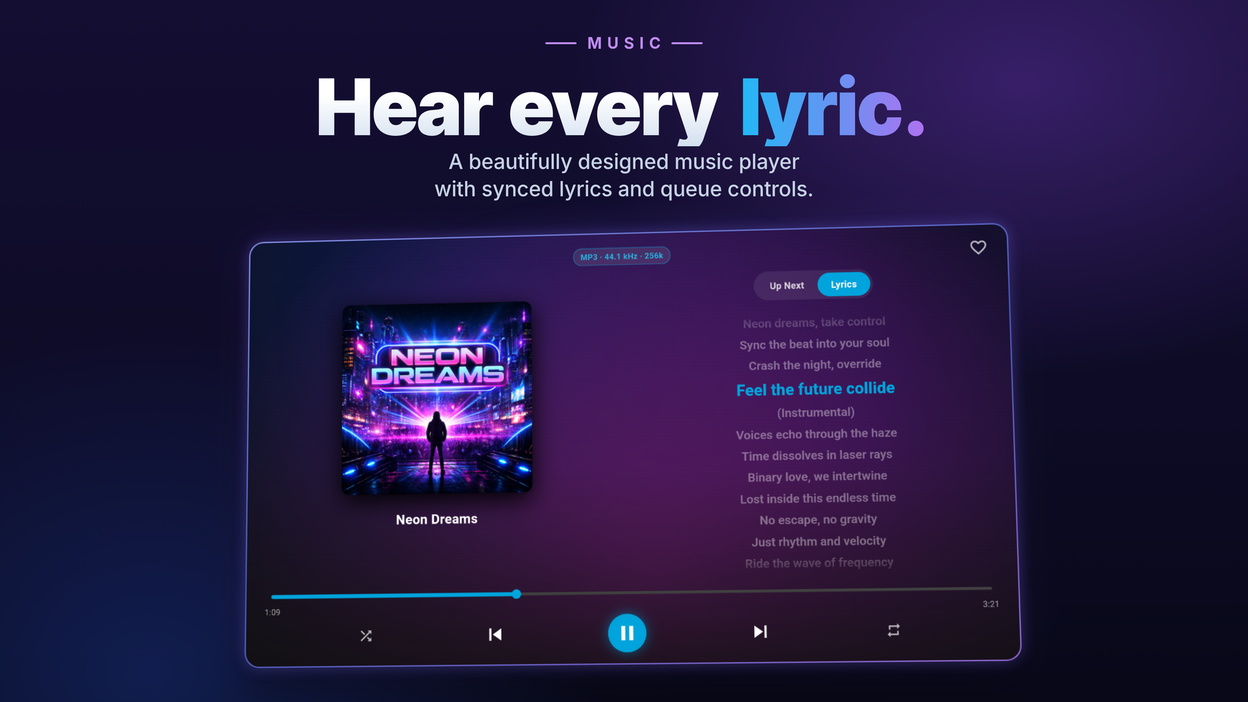
Observed history
| App | Change | Version | When ↑ |
|---|---|---|---|
| new | 3.1.1 | 20 Nov 2026 |
Upstream releases
Release notes supplied by the developer. These dates are not Flathub package publication times.
3.1.118 Nov 2026
Features
Home
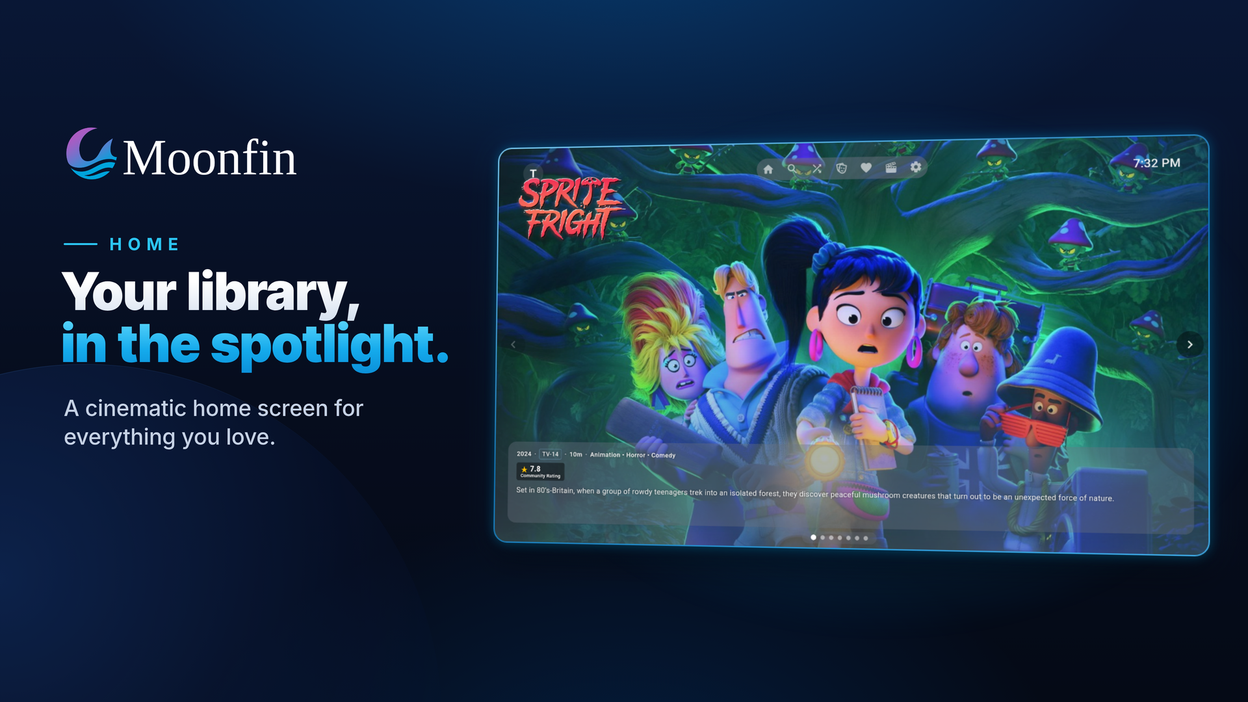
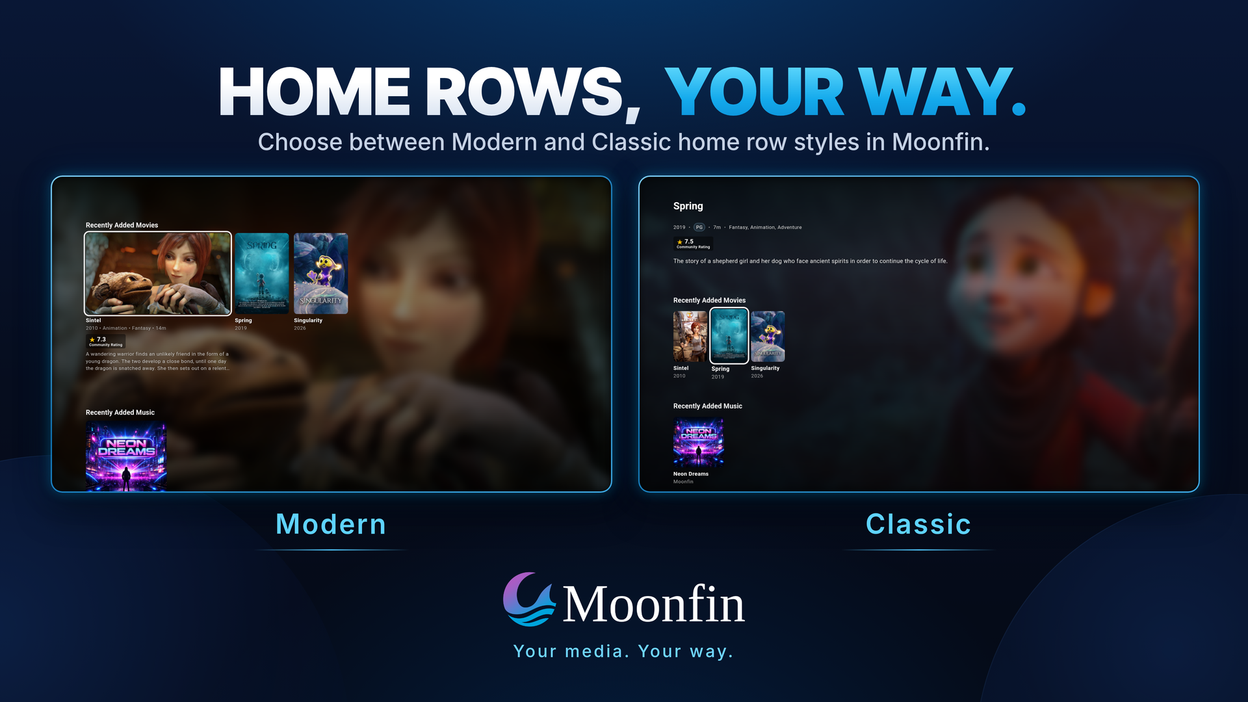
- A new Carousel row type puts a large details panel under each row's posters. Pick it under Row Type. It's the new default on TV.
- New MDBList, JustWatch and TMDB rows show what's popular, including what's trending on Netflix, Prime Video, Disney+ and other streaming services. The Home Rows editor groups outside lists by source. (Needs Moonbase 3.1.1)
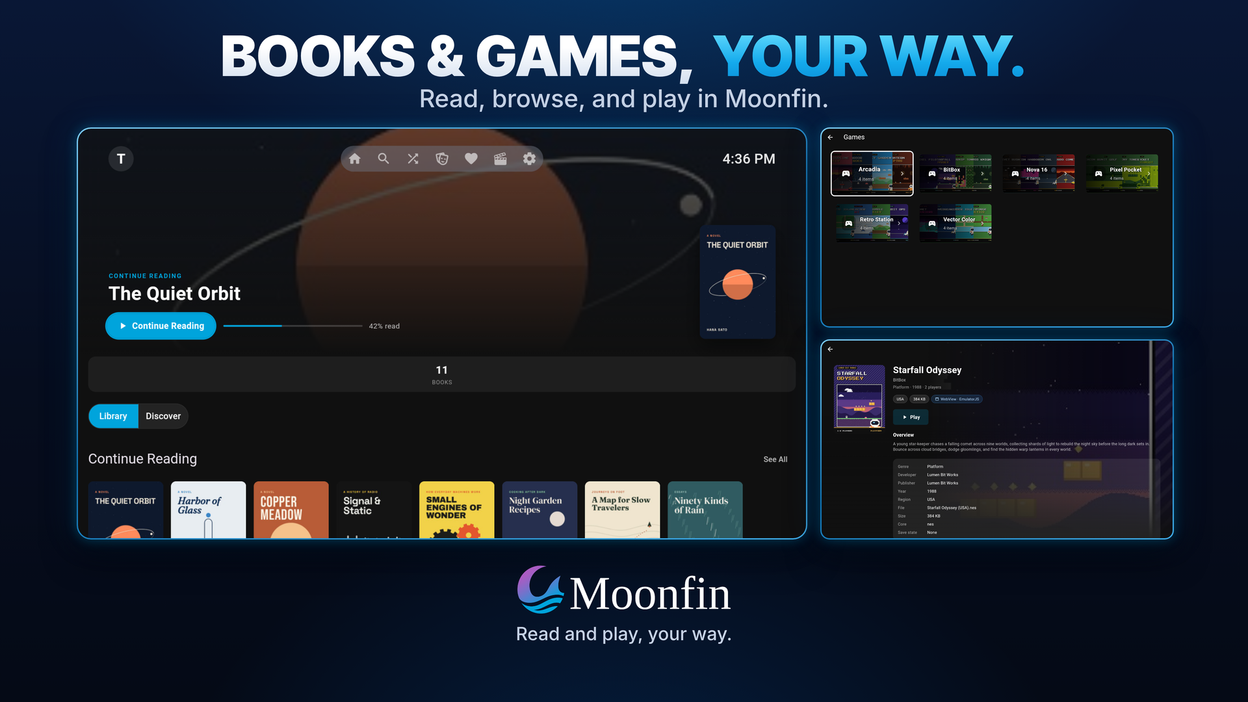
- Game library rows on Home show each game's box art in its real shape, with a clean name, a description and an in-game backdrop, and they open the game. (Needs Moonbase 3.1.1)
- The media bar's New Releases source now covers movies too. A New Movie label can show the movie's tagline, and New Episode Window and New Movie Window set how long each counts as new.
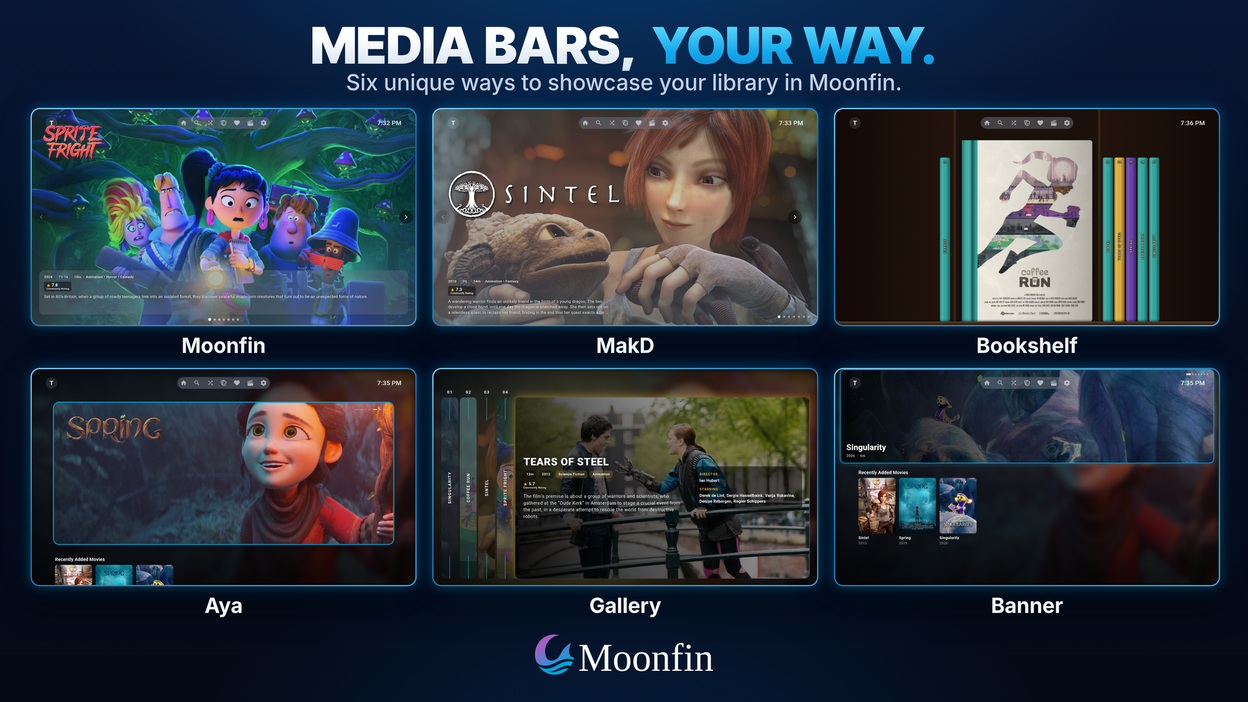
- The MakD media bar is rebuilt to match MakD's v6 Classic layout, with Info, Play and Favorite buttons.
- Seerr Discover rows follow Home's row padding and expanded rows.
- Hide Watch Progress and Hide Unwatched Count work on library posters too.
- The Banner media bar sits a little further in from the screen edges on TV and desktop.
Libraries
- Merge Movie and TV Show Libraries shows one Movies library and one TV Shows library for all your servers, Plex and Silo included, when Multi-Server Libraries is on. A title on several servers shows once.
- Collections open in Stage, Premiere, Frost, Quick Look and Minimalist with their cast and crew and a Remove from Collection menu, and big collections load 50 titles at a time.
Seerr
- Requests say what Radarr or Sonarr is waiting on: Searching indexers, Not found yet with when it last searched, Not available yet, or the date it comes out. (Needs Moonbase 3.1.1)
- Seerr settings show whether push notifications are on for your server and registered on this device, and a Send Test Notification button checks that they arrive. (Test button needs Moonbase 3.1.1)
Player
- Holding Left or Right on a TV remote seeks in steps that grow from your skip length to 30, 60 and 180 seconds, instead of racing through the video.
- Holding the spacebar plays at 2x speed until you let go.
- On Apple TV, Allow Clickpad Seeking picks whether clicks and swipes seek always, only while the controls are showing, or only while paused.
- The web player has a picture-in-picture button.
- The description shown while paused appears as soon as you pause, looks the same on every platform and has up to 8 lines.
- A manual recrop of black bars tells you whether it found any.
- The phone music player shows square album art over a blurred backdrop instead of a zoomed crop.
Android
- Phones, tablets and TVs now share one APK, which picks the TV or phone layout on its own.
- Moonfin has its own F-Droid repo. (#1559)
- Remote playback notification shows media controls on your phone when another device on your account is playing. It's off by default, under Settings > General.
Privacy
- Firebase only starts when your server can send push notifications. The notification token is skipped when notifications are off and deleted when the last account signs out.
- Self-signed certificates are only trusted for your own servers.
- SponsorBlock lookups are hashed, so the video you're watching isn't sent.
- More secrets are scrubbed from logs, and the server token stays out of Android TV's Watch Next, preview channel and car artwork links.
- Android cloud backup is off for Moonfin.
- The cast SDK waits until you cast instead of starting at launch.
- The web app loads hls.js, CanvasKit and its fallback fonts from its own build instead of outside servers.
- iOS no longer asks for camera and location permission text it never used.
Other
- Jellyfin Recommends is now Server Recommends, since it also runs on Emby and Plex.
- When a Silo admin ends your playback, the player closes and says why.
- Searching Settings for silent, silence or no sound finds Passthrough Output.
- The Windows and Linux diagnostic report includes the CPU architecture.
- Moonfin is now licensed under GPL-3.0-or-later.
Changed Defaults
- Carousel is the default Row Type on TV.
- Trailer Preview in the media bar is off. Turn it back on in the media bar settings.
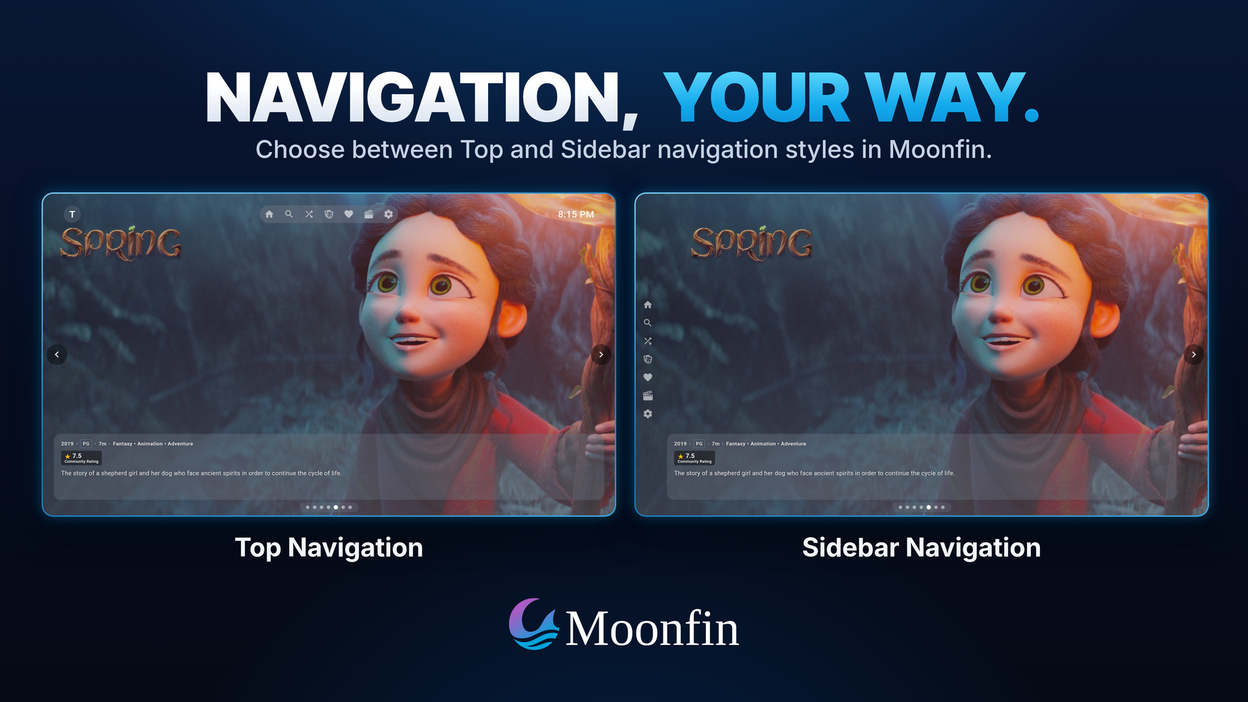
- The phone app puts the navbar at the bottom. If you already picked a position, it stays where you put it.
Bug Fixes
Playback
- Video on Linux no longer freezes every few seconds.
- The Fedora RPM bundles libmpv and FFmpeg so HEVC plays (#2266), and AC3 with passthrough on plays on Linux instead of looping on Reconnecting (#2350).
- Leaving or skipping ahead from Next Up during the credits marks the title watched. (#2270)
- Episodes started from Next Up or the queue keep the series' audio and subtitle choice (#2314), and foreign-audio subtitles follow the series' remembered audio (#2289).
- A remote Stop no longer leaves the TV on a black, empty player. (#2287)
- A quick Down to the TV player buttons no longer gets pulled back to the seek bar. (#2321)
- The time keeps moving after you leave the app and come back on Android TV. (#2320)
- MP4 timed text subtitles that the server converts now show on Android. (#2316)
- Audio no longer goes silent after pause and resume on TVs that fade their passthrough decoder, like the TCL G10. (#2348)
- Letterbox crop no longer gives up on dark scenes (#2305), and subtitles no longer sit a bar's height too high under it on desktop (#2306).
- Downloaded playback no longer freezes for half a second every 5 seconds when you have many downloads. (#2301)
- SyncPlay guests start playing when the host starts something. (#2345)
- Watch parties on web no longer drop every 8 seconds, and backspace in party chat deletes text instead of leaving the party.
- The web player on iPhone and iPad no longer pauses itself, and its exit button works. (#2347)
- N64 games use the software renderer on devices without a GPU path, even with older saved settings.
Home
- Coming back to Home refreshes On Now (#2286) and the merged Continue Watching and Next Up row (#2354).
- A media bar trailer stops when the bar reloads and another title takes its slide. (#2360)
- Media bars on phones no longer run under the top navbar, the menu button or the bottom navbar.
- Modern rows on phones no longer leave a gap under every row, even at the lowest Row Padding. Only the row you tap makes room for its details, and the Settings preview grows the first card again.
- Latest rows show the show's logo on cards made from an episode or season. (#2277)
- The Studios row is sorted (#2310), and white studio logos sit on a dark card (#2317).
- The Recently Released media bar follows the row's episode or season sort. (#2330)
- On Silo, Seerr rows no longer show twice (#2258) and Seerr person pages open (#2259).
- The Settings preview draws Home posters at their real size at every Card Size and UI Scaling, and Home's loading cards follow UI Scaling.
- The Apple TV home screen reaches the screen edges again. (#2268)
Details and Libraries
- After Watched hides Restart, the next OK presses the right button. (#2219)
- A season marked unplayed drops its Resume button and progress bar right away. (#2249)
- Episode versions on Emby fold together. (#2253)
- The Frost details screen scales properly on desktop. (#2283)
- Details rows come back to the card you left, so focus no longer gets stuck. (#2295)
- A hovered Modern action button no longer wraps in a loop. (#2332)
- Frost's Similar tab shows Seerr posters and opens their Seerr page. (#2344)
- Swiping left and right works in the photo viewer (#2244), and videos in a photo album show up there (#2245).
- The search screen updates when a deep link changes its search. (#2309)
- The Seerr Discover page lays out properly on phones (#2304), and Seerr browse stops loading once a filter runs out of matches (#2362).
Servers and Casting
- A saved Emby server that was stored as Jellyfin loads its Home screen again. (#2341)
- A server running on the phone itself counts as reachable with Wi-Fi and mobile data off. (#2274)
- Android casts no longer fail with route not found, and the cast picker no longer crashes when two DLNA scans find the same device.
- The Live TV guide shows a New badge on programs Emby flags as new. (#2358)
3.1.011 Nov 2026
Features
Servers
- Moonfin works with Silo servers. Sign in with a password, or with a code on TV, pick a household profile, then browse, play, download and request titles through Silo's own requests.
- Moonbase now runs on Plex as a companion service next to Plex Media Server. It brings settings sync, ratings and reviews, custom rows, similar items, anime markers, retro games, Seerr, Smart Search, the seasonal row and the calendar to Plex. If it isn't on port 32500, set its address under Settings > Account > Settings Sync > Moonbase Address. (Moonbase)
Watch Parties
- Watch Parties come to Jellyfin, Emby and Plex, with a room list, a Home row, invite links and codes, chat, reactions, voting on what to watch and synced playback. Turn them on under Settings > Playback > Watch Parties. (Moonbase)
- On Silo, Watch Parties use Silo's own rooms. On Jellyfin you can still start SyncPlay groups, and the SyncPlay screen has a new look with everyone's profile picture.
Home
- A new Watching on MDBList row shows what MDBList users are watching right now. (Moonbase)
- The media bar labels series with New Series, New Season or New Episodes, and has a new New Seasons & Episodes source.
- IMDb, TMDB and custom list rows show your server's own poster and progress for titles you already have.
- IMDb, TMDB and seasonal rows no longer need their own switches. They show up in the Home Rows editor whenever the server can fill them.
- Row Options has a Hide Watched switch for the Recently Added and Recently Released rows, and it follows your server's own setting. (#2210)
- The Radarr and Sonarr upcoming rows hide titles already on your server, and dates read Today, Tomorrow or In 3 days.
- Each library's Latest row and every pinned collection row ends with a See All card. (#1928)
- Admins can add poster labels like 4K, HDR or Atmos in Moonbase. You can turn them off with Poster Labels under Settings > Appearance. (Moonbase)
- Hide Watch Progress and Hide Unwatched Count under Settings > Appearance > Home Screen hide the progress bar and the unwatched badge on Home posters.
- The seasonal row's Show All Year setting shows a holiday row outside the holiday dates too.
- The media bar backdrop fades out at the bottom on desktop and web. (#2095)
Details
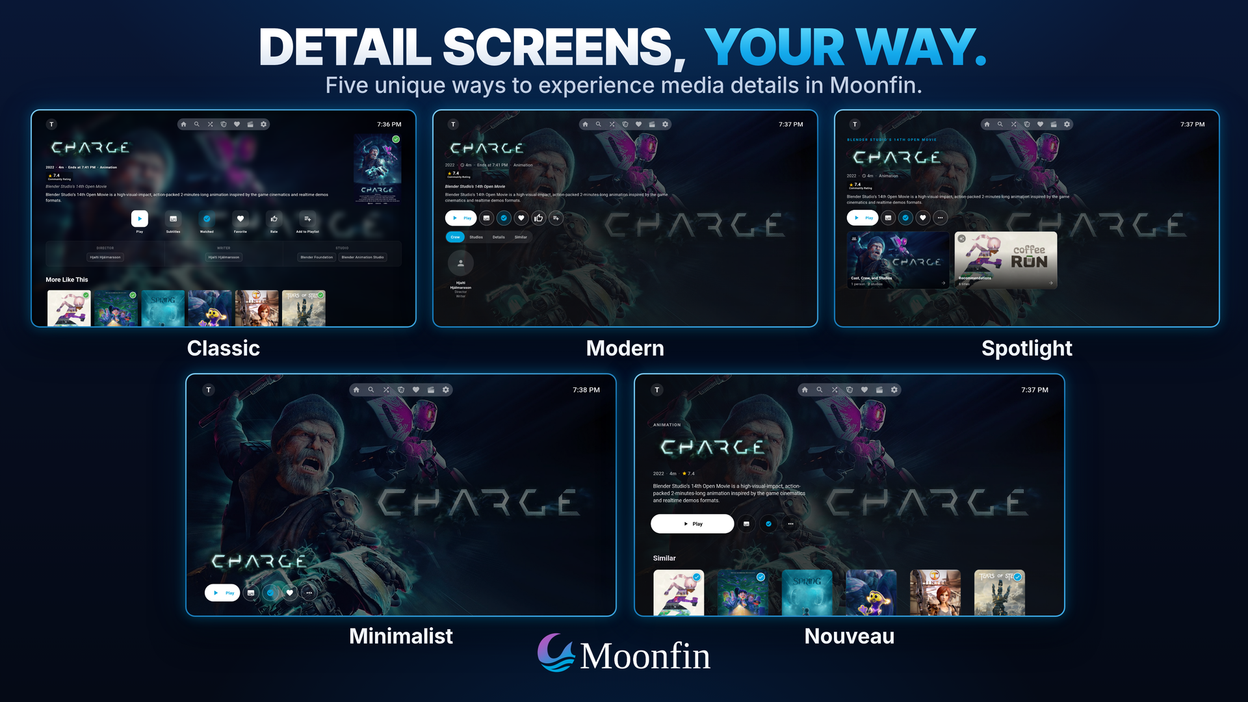
- There are four new details styles, Stage, Premiere, Quick Look and Frost, under Settings > Appearance > Details Page > Details Screen Style.
- The long-press menu has Remove from Playlist and Remove from Collection for items that are in one.
- Season and episode rows have scroll arrows on desktop.
Search and Seerr
- Smart Search lets you search by describing what you want in a sentence, once your admin turns it on in Moonbase. (Moonbase)
- Search has an Audiobooks row, and Discover has a Search button that opens on the Requests results.
- Favorites has a Watchlist tab for your Seerr watchlist.
- Seerr requests show why a download is stuck, and admins can grab a different release. (Moonbase)
- Seerr's status on posters can show as a corner dot or a banner, with the new Badge Style setting.
- Seerr Discover posters follow your poster size, and Sort & Filter has a Movies or TV Shows switch.
- When an admin renames Seerr in Moonbase, Moonfin uses that name everywhere.
Calendar
- A new Calendar screen shows upcoming and recently aired episodes and movies from Sonarr and Radarr, in Agenda or Countdown style with a full month view. Turn on Show Calendar Button to add it to the navigation bar. On phones, Remind me sends a notification when a title reaches your library. (Moonbase)
- The upcoming rows can end with a See All card that opens the calendar. When the next episode isn't in your library yet, the end of an episode says when it airs.
- Date Format under Settings > General picks month and day, day and month, or your locale's default.
Player
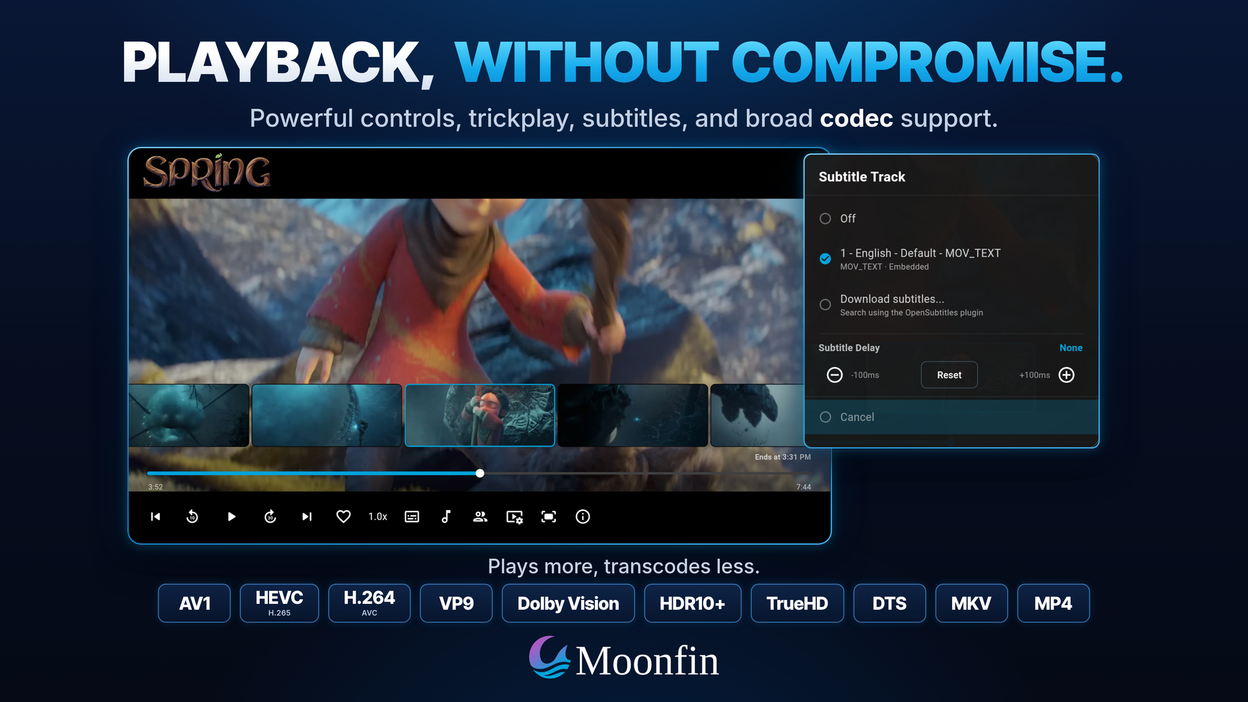
- Subtitle delay now opens at the top of the player with a timeline of the subtitle lines, so it no longer covers them. The native Apple player has subtitle delay too. (#2128)
- Subtitles can be bold, with a stroke width, a shadow and a font from Google Fonts. (#2117)
- Playback speeds go up to 5x for video and 3x for music. Video stays at 2x on Apple devices. (#1913)
- Hide Controls After lets the controls hide after 1, 3 or 5 seconds. (#1901)
- Dim Controls in HDR dims the controls while HDR video plays. (#2077)
- The desktop player volume goes up to 150% on Windows and Linux. (#2042)
- The chapter picker in the player is now a row of chapter cards.
- The remote's subtitle and audio buttons open those menus in the video player. (#2111)
- If the connection drops during a movie or episode, Moonfin keeps trying to reconnect for about 2 minutes.
- Android TV picks the right refresh rate the first time and waits for the switch before starting audio. Playback Information shows the HDMI mode, the audio output and where the frame rate came from.
- Apple TV shows a one-time tip to turn on Match Frame Rate when a video can't play smoothly. With Match Frame Rate off, Smooth 24 fps on a 60 Hz TV plays 24 fps video 0.1% slower to fit.
- The 2nd and 3rd generation Apple TV 4K can turn on Direct Play 4K AV1 (Software Decode).
- Dolby Vision Profile 7 FEL files on Apple devices now play through a Dolby Vision curve fold, which keeps most of the enhancement layer.
Live TV
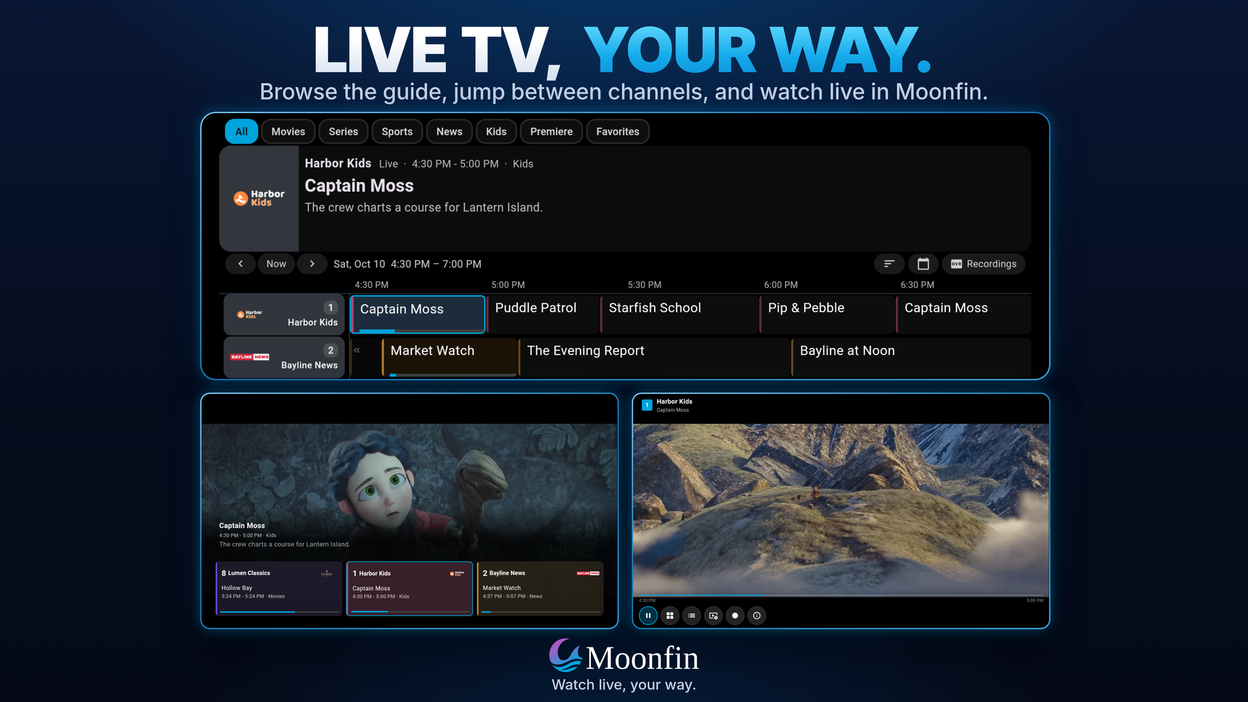
- Live TV responds to the remote's Guide, DVR, Channel Up/Down, CC, Audio and Record buttons.
- You can favorite a channel from the player, and the guide and channel carousel update right away.
- In the guide, Back goes to the channel you were watching, then to the filters. In the player's guide, selecting a program opens its options instead of tuning to it.
- The new links
moonfin://live-tv/guideandmoonfin://live-tv/recordingslet you map a remote button to the guide or recordings.
Settings and Setup
- Settings fills the screen and shows a live preview of what each setting changes. On phones you can hide the preview.
- The last setup step can add Moonbase to your server, with a one-press install for Jellyfin admins.
- Let TV Sleep After closes Moonfin on Android TV after a while without a button press. On Apple TV, it hands the screen back to the Apple TV screensaver. (#1857)
- Show During Music and Audiobooks lets the screensaver start while audio plays. (#2098)
- Remove Watched Downloads has an Ask me choice. (#2145)
- Press Settings > About > Version seven times to open After Hours, a hidden arcade with five mini games.
Accounts
- Who's watching and Switch User have a new look, and picking a user shows Signing in... until Home opens.
moonfin://homewith a user id opens Home as that user. (#2231)
Books
- Book series have their own details screen.
- Treat book folders as series groups the books in a folder into one series, and book libraries have a Folders section. (#2097)
Other
- iPhone Duo is supported closed, fully open and half open. Fully open gets wider layouts, and half open splits the calendar, Settings and player at the fold.
- The web app's browser tab shows what's playing. (#2044)
- Touch works on touchscreen Macs, so lists scroll and long presses work.
Changed Defaults
- Frost is the default details style on TV and desktop.
- My Media uses landscape thumbnails. Turn on Modern cards on My Media row to get posters back.
- Rating badges on the details page are off. Turn Rating Badges back on in the Details Page settings.
- The player controls hide after 5 seconds everywhere, so TVs no longer wait 8.
Bug Fixes
Playback
- Direct play no longer waits on the Auto quality speed test.
- Skipping the credits of a movie or the last episode no longer closes the player before a scene after them, and no longer leaves it in Continue Watching.
- Skipping an outro that runs to the end moves on to the next episode on Apple devices. (#2189)
- The next episode keeps the subtitle track you picked instead of switching to a forced signs track.
- On mpv, an episode with a different track layout keeps your audio and subtitle picks. (#1998)
- Trickplay previews no longer freeze on an old thumbnail on Android TV (#2068) or stay black after a Skip Intro prompt (#2115).
- A D-pad scrub with the controls hidden now pauses playback when Pause While Scrubbing is on. (#2104)
- The player redraws only the seek bar each second, not the whole screen. (#2057)
- The music and video players on web set and remember their volume. (#2251)
- Theme music that starts fading out and then comes back continues from its current volume.
- Full-screen YouTube trailers get more time to start (#2155), and media bar trailers stay in their box on Fire TV (#2132).
Android
- Dolby Vision Profile 5 no longer plays green and purple when the server converts it.
- With Media3, E-AC-3 above 5.1 no longer restarts the audio decoder on every frame (#2020), and AVI files it can't read fall back to a server transcode (#2051).
- When the video decoder fails, the server converts the video right away instead of retrying first.
- A home preview or trailer closing in the background no longer stops a video you just started.
- Heavily styled ASS subtitles no longer grow memory on Android TV until the app is killed. (#2089)
- MOV_TEXT subtitles sit at the bottom and follow the subtitle offset. (#2103)
- Android TV's Watch Next row updates once you start a Next Up episode. (#2131)
Subtitles
- ASS subtitles follow the subtitle size setting during direct play. (#2118)
Live TV
- Live TV channels that list a trick play stream first now play with sound, and a channel the provider refuses shows an error right away.
- Stop on Live TV goes back to the guide. (#1981)
- Long Live TV descriptions scroll at reading pace. (#2074)
Home
- Continue Watching and Next Up update after you mark an episode played (#2213), and come back after being empty.
- Recently Released rows keep loading past the first 15 titles.
- Official MDBList lists and movies-only or shows-only rows load all their items.
- Turning on a row in Row Options shows it on Home right away.
- With several servers signed in, merged Home rows keep the sort you picked. Genres and studios also open on the right server (#2141), and the Genres row stays when one server times out.
- The merged Continue Watching row is in the right order on Emby.
- The Studios row opens the studio you pick and shows its logos again. (#2136, #2137)
- Random media bar slides come from the whole library. (#2160)
- The Makd, Gallery and Banner media bars start past the left sidebar. (#2094)
- The screensaver waits for a card's trailer preview to finish.
- On phones, Modern rows have room for a card's details (#2113), and the Next Up card sits centered on the right (#1896).
Details and Libraries
- A series' Next Up moves on after you mark that episode played.
- Episode pages show the series' regular cast along with the guest stars.
- An episode's season list opens on that episode.
- Details page action buttons show up all at once instead of popping in.
- Play no longer looks selected while another button has focus.
- File badges read DV P8, HDR10+, HDR10, HLG or SDR instead of the server's raw value.
- The library grid no longer shows the previous filter's results after a quick change.
- Search on Jellyfin shows movies and series again when lots of episodes or chapters match. (#2110)
- The Bookstore book details page fits the screen. (#2179)
- An empty Books library says No Books Found.
Navigation and Settings
- Screens on TV and desktop open on their first item instead of their last.
- Short OK presses no longer open the long-press menu on some remotes. (#2135)
- Picking a media segment action in Settings keeps focus on that row, and Settings section headers are translated.
- The Navigation Bar settings only show switches for buttons that can appear, and the Home Rows editor opens on your first row.
- Quick Connect explains a failed sign-in instead of spinning forever.
- Select works right away on the TV server list.
- On a saved series in Downloads, the back arrow no longer opens highlighted on desktop, and Up and Down reach the first episode on TV. (#2030)
- The Storage settings pickers show every option.
- Non-admin users can open the Upcoming Calendars settings.
- Voice search on Fire TV keeps focus when it can't start, and the mic no longer pushes the TV search field around.
- A TV text field's placeholder hides when the keyboard opens. (#1898)
- The setup wizard no longer replaces your answers with another user's synced settings.
Seerr
- Requesting a series that Seerr can't match to Sonarr asks you to pick the match. (#2006)
- The All filter in Seerr Issues includes resolved issues. (#2045)
Apple
- 24 fps movies no longer hitch on Apple devices.
- The Siri Remote and iPhone Remote app Play/Pause buttons work on Apple TV.
- Apple devices no longer crash with a client certificate that has no chain certificates. (#2176)
Windows and Linux
- Windows shows video with the Glass theme and the Native window renderer. (#2082)
- Windows no longer ignores input for a few seconds after launch.
- Simplified Chinese no longer falls back to a Japanese font on Windows. (#2182)
- Moonfin no longer crashes when you close it on Linux. (#2072)
- N64 games load on Linux.
Emby
- Group Items into Collections hides a collection's movies (#1885), and libraries no longer show up twice (#2112).
Other
- The photo slideshow no longer cuts photos short. (#2119)
- Admin Analytics no longer times out on big libraries on web.
- Hiding a library shows an error if the server turns it down.
- Since You Watched rows and their settings are translated.
3.0.030 Oct 2026
New Features
- Plex Support added in addition to Jellyfin and Emby
- Desktop Mini Player
- Browse episodes without leaving the player
- Revamped playback info panel
- Dual subtitle support, and enhanced subtitle controls without leaving the player
- Live TV recording enhancements, including a record button in the player, series/incomplete recordings markings, and external player support
- Media bar enhancements, including external content support, separate ratings from the home screen, and peek home rows
- A refined home screen, with a redesigned classic info area, trailer preview, external rows sorting, a redesigned home row editor, and new card sizes
- Five new seasonal effects, with custom focus effects that follow your cursor for some of them
- New video library styles for added customization
- Completely redesigned book and music library screens with 3 style options tailored to their content types instead of matching video libraries
- A brand new EPUB reader based on epub.js
- Comics/PDFs/Books now sync progress with the server
- User reviews on item details screens
- A trailer picker to browse multiple trailers for an item instead of only the default one
- Streaming services links on Seerr pages
- Social media links on person pages
- Smart downloads to follow your watch status
- Skip intro/credits works offline
- Support for Seerr discover sliders
- Link your RomM account for retro games
- Redesigned game details screen
- Native touch controls for each game system
- Redesigned add server screen to showcase the many ways to sign in
- Sign in pins from the server
- Reorganized settings to make it easier to find what you want to change
- Redesigned admin panel with updated screens, search, and more settings access than ever before
Bug Fixes
- Support for HEVC copy to reduce transcode burden when only the audio needs transcoding
- Transcoded downloads keep the audio track you picked
- Forced and flagged subtitle modes skip forced tracks in languages you don't read
- Older language codes match their modern ones
- Subtitle backgrounds draw a box instead of a shadow
- Trailer captions follow the trailer captions setting instead of falling back to YouTube's default
- Emby Live TV plays
- Canceling a recording from schedule works
- Sonarr calendar shows evening episodes on the correct day for your timezone
- Video playback is now supported on X11 instead of being Wayland only
- Fixed mpv's dithering to eliminate banding in dark gradients
- Controllers work on desktop as well as TV
- Home no longer lags with large collections
- Empty home sections no longer flash
- Modern focus cards animation was smoothed out on fast scrolling
- Per row image type syncs with Moonbase
- Left sidebar no longer pops out when loading new screens, and arrow keys navigate it on desktop
- Playing a collection follows its order
- Extras are in order
- Renaming a playlist no longer crashes
- Comics with '#' in the name no longer fail to download
- A Seerr page switches to a standard library page automatically once the title is available
- PlayStation cue/bin games load