
Master PDF Editor
Master PDF Editor is a full solution for work with PDF documents
net.code_industry.MasterPDFEditor- Edit PDF text and images, Mark and annotate, Merge and split.
- JavaScript and Dynamic XFA form support.
- Validation Forms and Calculate Values.
- Adding a digital signature and Signing PDF Documents.
- Fast and simple PDF forms fill out.
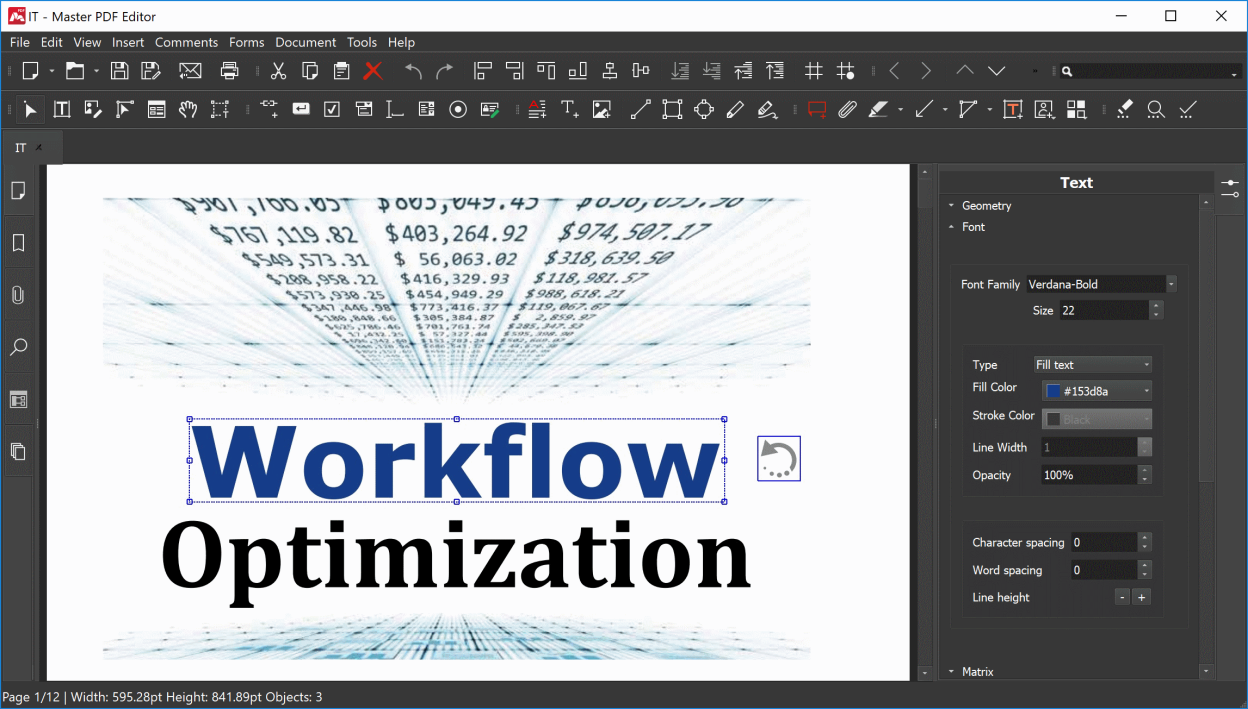
- Changing font attributes (size, family, color, etc).
Screenshots
Observed history
| App | Change | Version | When ↓ |
|---|
No observed changes yet.
The initial import establishes a baseline. Future version changes will appear here.
Browse the app catalogue →Upstream releases
Release notes supplied by the developer. These dates are not Flathub package publication times.
5.9.9911 Aug 2026
- Implemented the ability to create initials with a transparent background when loading from an image.
- Added saving the list of devices in the “Select Scanners” dialog window once the initial search for devices is canceled on Linux systems.
- Added new command-line parameters for the Master PDF Editor Windows installer. You can now disable update checks, select the interface language, and specify the installation directory.
- Improvements for document comparison.
- Enhanced printing files with mixed-size pages.
- Improvements for the deskew function.
- Enhancements and fixes for the document encryption function.
- Improvements and fixes for undoing redaction.
- Resolved an issue which caused the progress bar to freeze after scanning.
- Fixed a bug related to initials being added incorrectly in some documents, and improved the initials display.
- Resolved an issue where the device list was handled incorrectly when rescanning on macOS.
- Fixed an error which occurred on Linux systems when installing Qt 5-based packages.
- Resolved various display issues with headers, footers, watermarks, backgrounds, and their preview areas under certain settings.
- Fixed a bug that prevented opening folder shortcuts when selecting and saving documents on Windows.
- Fixed an issue that resulted in incorrect page sizes when scanning on Linux.
- Resolved an issue that prevented saving via the “Save As” menu item on Fedora.
- Fixed the incorrect page orientation when printing documents using versions 2.4.14 and later of the CUPS printing system.
- Resolved an error which made width and height values swap in custom page sizes in printer settings.
- Fixed an issue where content on certain pages rotated incorrectly when deskewing during the optimization and optical character recognition of scanned pages.
- Resolved an issue with non-functional hotkeys for adding bookmarks and improved how hotkeys function.
- Resolved a bug in the Qt 6-based installation package which caused Windows File Explorer to freeze when editing and deleting files.
- Various minor fixes and performance enhancements.
5.9.9815 Apr 2026
No release notes supplied.
5.9.976 Mar 2026
No release notes supplied.
5.9.9415 Sept 2025
No release notes supplied.