It is a highly configurable turn-based strategy game inspired by mechanics of Risk board game.
Features:
- Zoom-able map.
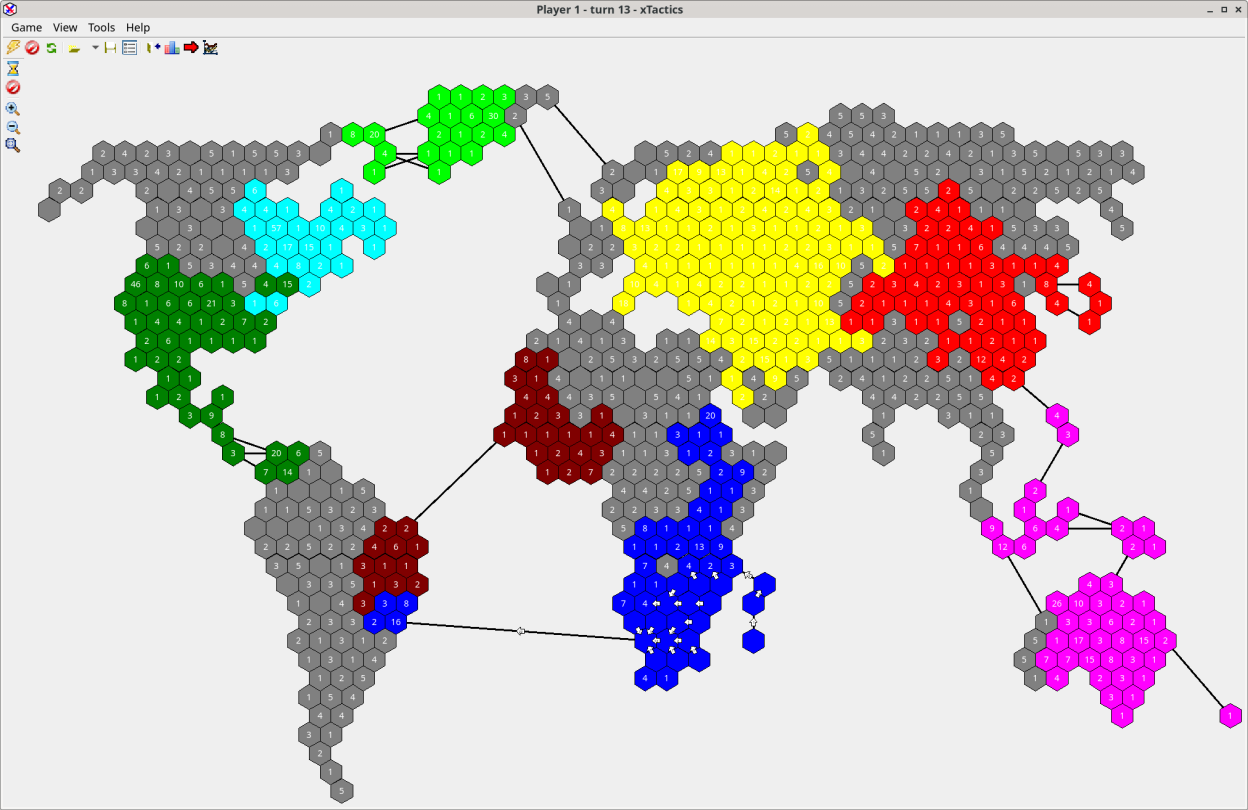
- Map can be generated in cyclic mode to simulate world without borders.
- Application configuration stored in XML file.
- Allows to save and load game to game file in XML format with extension .xtg.
- Localization support (English, Czech)
- High DPI support.
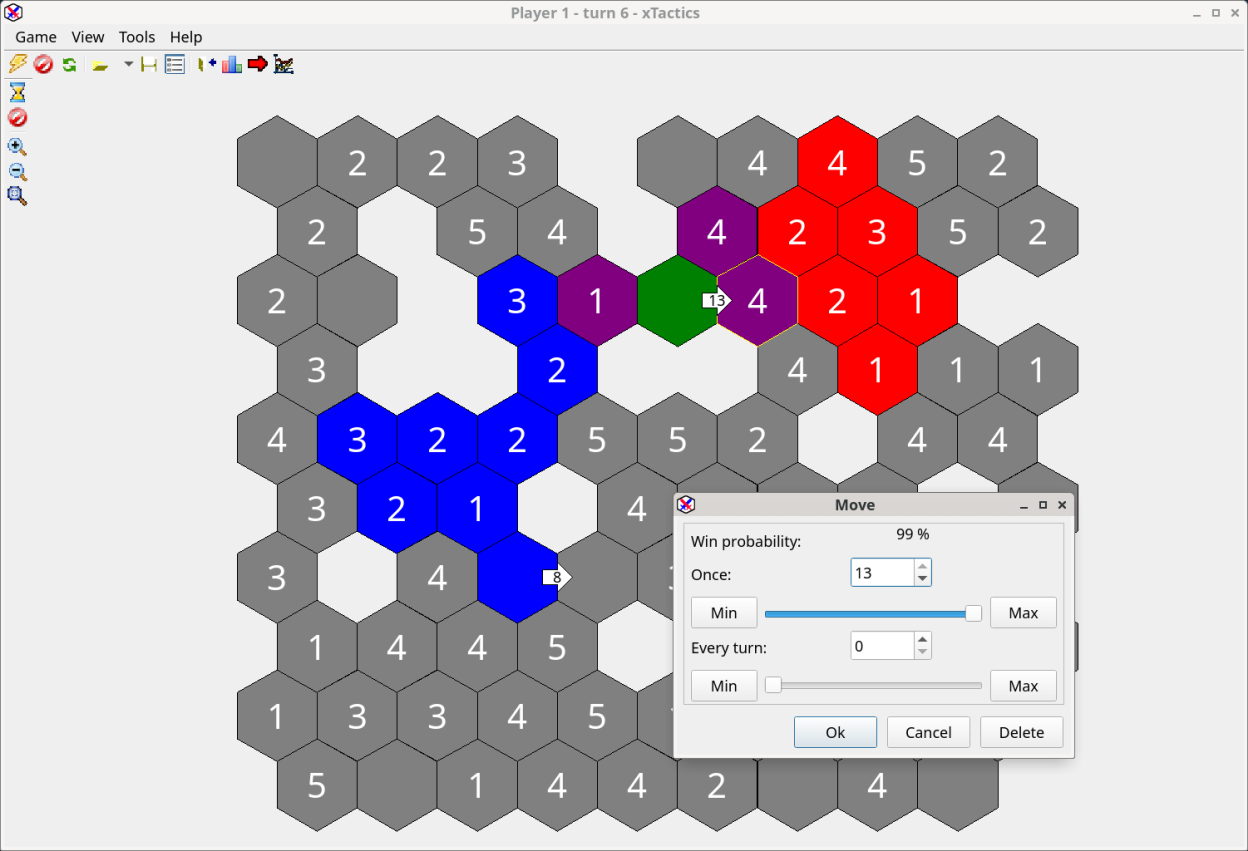
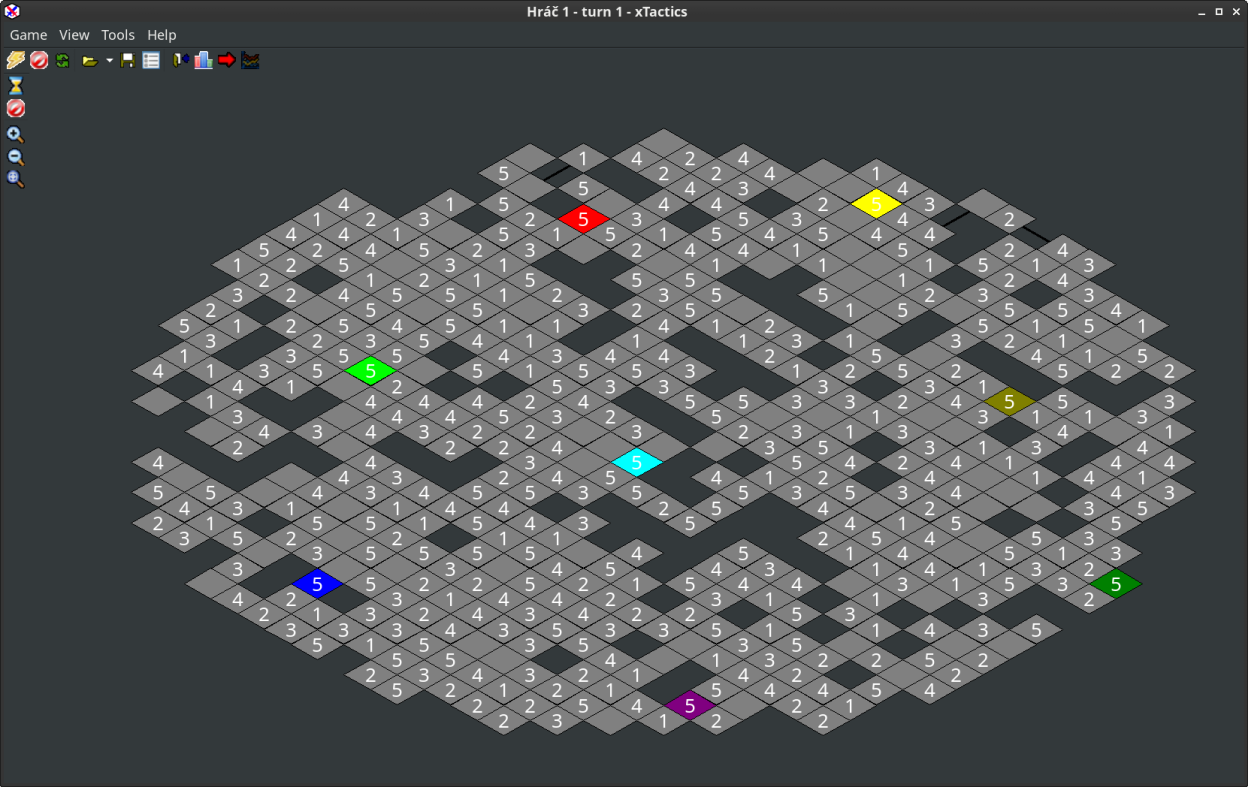
- Multiple map cell shapes as hexagons, squares, triangles, isometric, and random mesh.
- Bridges between remote cells visible as lines.
- Multiple players support. Players can have different color and other starting properties.
- Application automatically open saved game file given as command line parameter after execution.
- Computer player settings to be low, medium or highly aggressive in attacking.
- Use Shift key during mouse click to attack maximum available power is moved without dialog confirmation.
- Use Control key during mouse click to move with maximum one time and repeated unit counts to selected target cell.
- Game option "Fog of war" which cause map to be covered to black and only explored cells will be visible.
- Auto save game to file option in settings.
- Map shape can be selected as Rectangular, Rounded or mask from image file.
- Support for symmetric map usable for two players game.
- Confirmation dialog for ending game.
- Support for switching large icons in toolbar.
- Support for cities. Cities can configured to be used as only growing cells.
- Allows to set grow rate as square root of cell power.
- Amount of inaccessible cells can be adjusted in New game dialog.
- Player mode human or computer.
- Graph window can be shown from menu which presents development of various statistic values during game turns.
- Load recent menu action to load recently opened/saved files.
Screenshots
Observed history
| App | Change | Version | When ↓ |
|---|
No observed changes yet.
The initial import establishes a baseline. Future version changes will appear here.
Browse the app catalogue →Upstream releases
Release notes supplied by the developer. These dates are not Flathub package publication times.
1.4.04 Jan 2025
- Added: Application icon with 256x256 resolution.
- Added: Close button on more forms for better touch screen devices support.
- Added: Game systems action in Tools menu.
- Added: Allow to add building kinds to game system.
- Added: Allow to manage nations for each game system.
- Added: New map type hexagonal horizontal.
- Added: Limit allowed map type according selected game system.
- Added: Allow to load/save game system from/to file system as .xts file.
- Added: Allow to move units instantly during turn.
- Added: Game system parameter to play without possibility to merge/split units.
- Added: Show units shape to see in which cell units are placed.
- Added: Delete button to unit move dialog.
- Added: Map random preview in New game form.
- Added: New menu action show/hide map grid lines.
- Added: New win objective None to just play freely without any win objective.
- Added: New win objective to capture entire map.
- Added: New game systems to represent various game play systems of other existing games.
- Added: New game option to set cells without player units as neutral.
- Modified: Improved data directories detection.
- Modified: OK button moved to be on the left side of buttons.
- Modified: Added more action icons to main toolbar and main menu.
- Modified: Do not paint new game preview bellow form height.
- Modified: Automatically save running game on application exit and reopen it on next start.
- Modified: Automatic map zoom on new game.
- Modified: Show icons in shortcuts window.
- Modified: Improved dark theme support on Windows.
- Modified: End turn with space key.
- Modified: Allow to set nation in player settings.
- Modified: Allow to have only one player in the game.
- Fixed: Initialization of preset World image map.
- Fixed: Map image was not always loaded and applied.
- Fixed: Symetric map generation.
- Fixed: Store current player information to game save to be able to continue with different player.
- Fixed: Item list form minimal item count limit on items removal.
- Fixed: Store client form settings on close.
- Fixed: Workaround for incorrect client form drawing area size on Windows.
- Fixed: New game symetric map units calcualtion.
- Fixed: Map preview with cell and unit borders.
- Fixed: Allow to set preferred game system grid type.
- Fixed: Remember maximized main form state on Linux.
- Fixed: Main form was not visible on Windows task bar.
- Fixed: Size of buttons was too small in some cases.
- Fixed: Show toolbars hints.
- Fixed: Fully terminate the application on main form closure.
- Fixed: Error if players stats opened.
- Fixed: Clear correctly defender player from unit moves if his cell is captured.
- Fixed: Do not allow to remove too many players to have at least minimum players.
- Fixed: Bad cell links in Random map type causing problems on openning saved file.
- Fixed: Selection of unit moves.
- Fixed: Full screen mode under Windows and Linux.