
Ever wanted to know the value of that color on your screen? Color Picker enables you to pick the color from any pixel on your screen. It also offers a palette, so that you can easily mix and match a couple of colors together.
When you have found the perfect combination of colors, naturally you want to save them. Color Picker allows you to conveniently save and retrieve colors.
Color Picker is a color selection dialog written in GTK 3. It is much alike Gcolor2, but uses the newer GTK version and other modernisations to better integrate into your modern desktop.
Screenshots
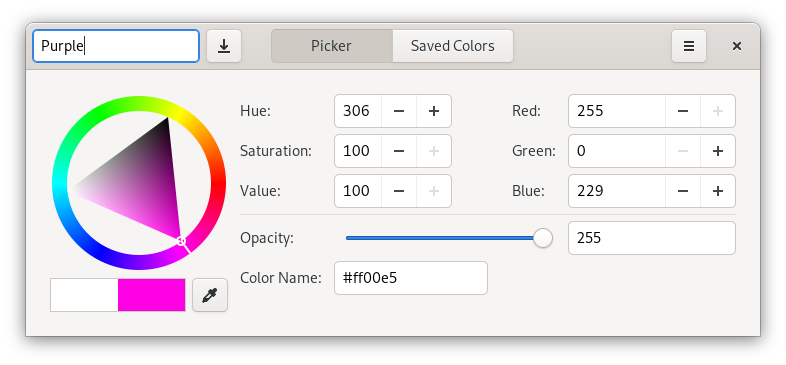
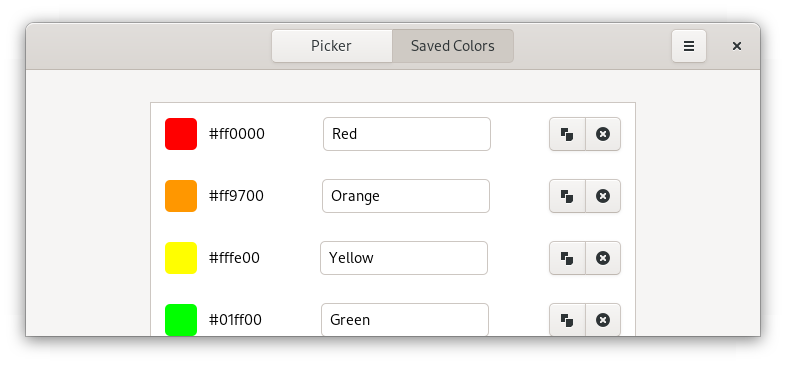
Observed history
| App | Change | Version | When ↑ |
|---|
No observed changes yet.
The initial import establishes a baseline. Future version changes will appear here.
Browse the app catalogue →Upstream releases
Release notes supplied by the developer. These dates are not Flathub package publication times.
2.4.024 Aug 2020
Gcolor3 is now "Color Picker"! With the rename comes a new maintiner, a new icon, lots of new improvements, and many translation updates.
- Color Picker now works on Wayland!
- The typography and iconography of Color Picker has changed to be consistent and more in line with the GNOME HIG.
- The use of deprecated GTK APIs has been dropped, which will make porting to GTK4 a smooth process.
- Multiple other under-the-hood improvements
2.3.12 Sept 2018
Gcolor3 has moved to the GNOME umbrella! It is now part of the World collection, non official GNOME projects that use additional functionality.
- The saved colors page is now more in-line with GNOME
- Gcolor3 now builds on FreeBSD
2.31 Sept 2018
After two years, work has finally picked up again on Gcolor3. Thanks to numerous contributors, Gcolor3 version 2.3 is finally here. It brings UI improvements, new and updated translations and a crash fix for Wayland. Full Wayland support is planned for version 2.4.
- Redesign the saved colors page
- Redesign the header bar
- Disable color picking on Wayland for now, instead of crashing
- Add a shortcuts window
- Gcolor3 is now available as a Flatpak
- New and updated translations
- Gcolor3 now comes with a manual page
- Lots of under-the-hood improvements
2.220 Aug 2016
- Centrally manage colors between several running instances;
- Follow the XDG directory specification for the configuration file. This means that the configuration file has moved from `~/.rgb.ini` to `$XDG_CONFIG_HOME/gcolor3/config.ini`;
- Copy the selected color's hex value from the tree view using Ctrl-C;
- Make the main window resizable;
- Translation updates.
For more information, see the release notes on Gcolor3's GitLab page.