
Drift is a free desktop video editor that feels simple from the first cut. Drop in video, photos, and music, add effects and stickers, generate captions automatically, and export — no subscription, no watermark, and no account required.
Great for social videos, explainers, and everyday projects. Cut subjects out of a frame, animate to the beat, style text and shapes, then add fonts and stickers only when you need them.
What you get:
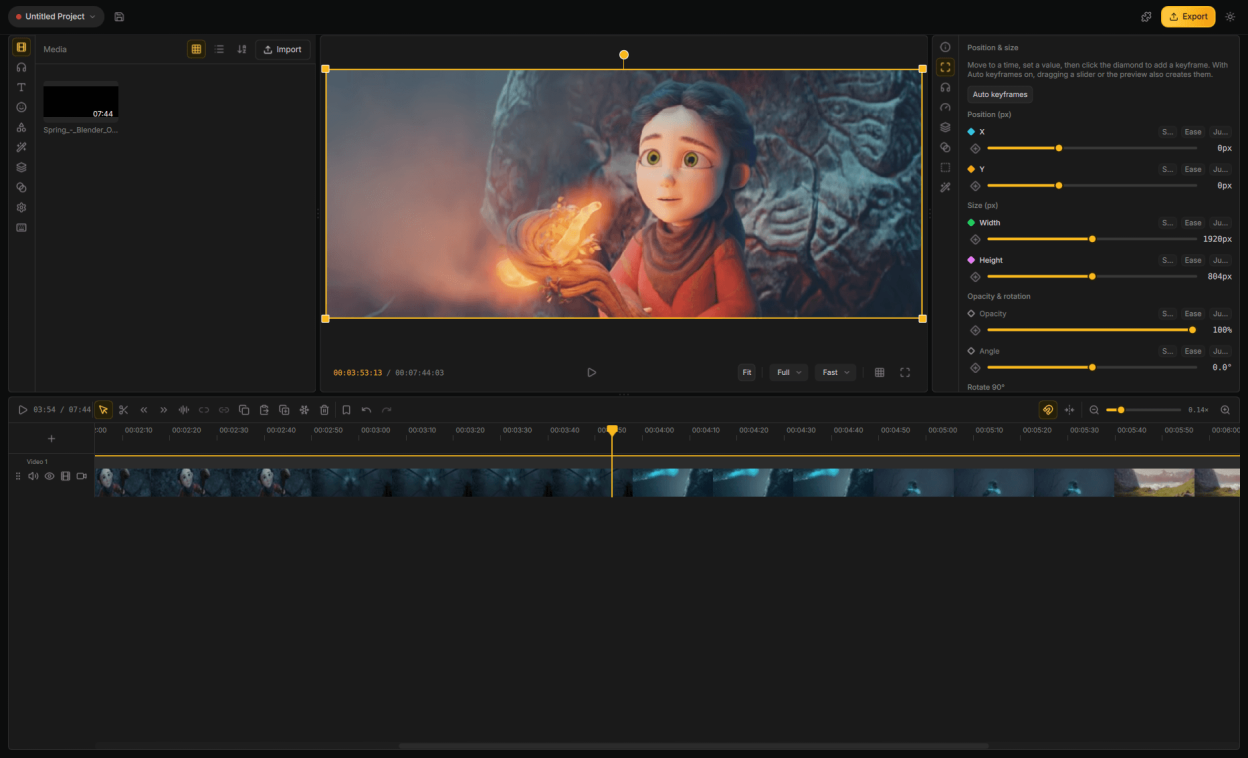
- Multi-track timeline — trim, split, snap, and undo as you go
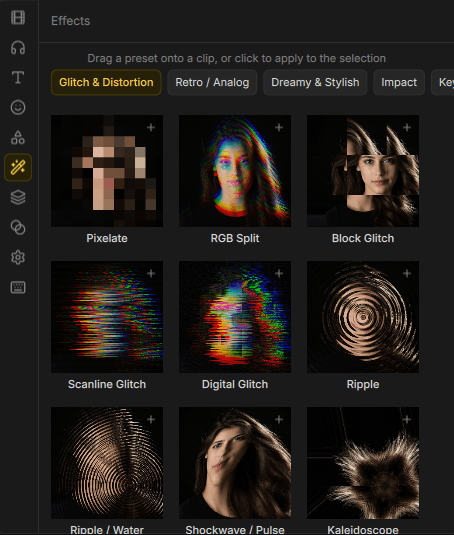
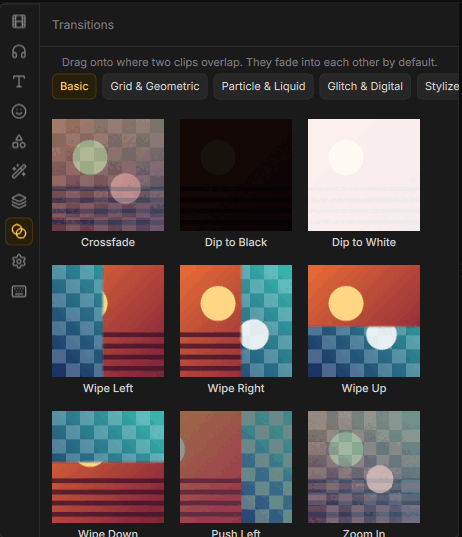
- Effects, transitions, and reusable look templates
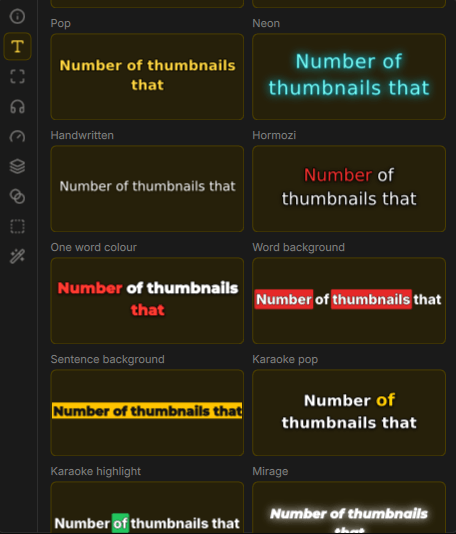
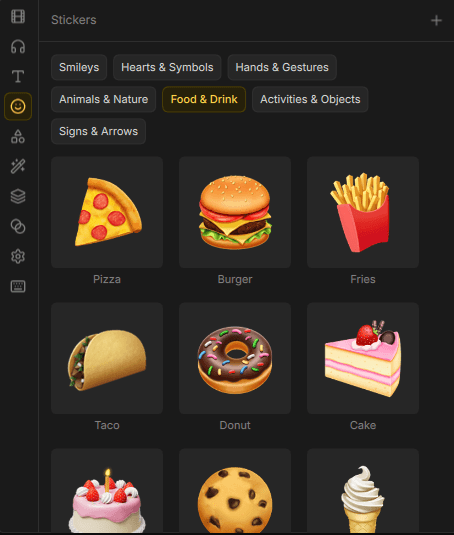
- Stickers, emoji, titles, and shapes for a finished look
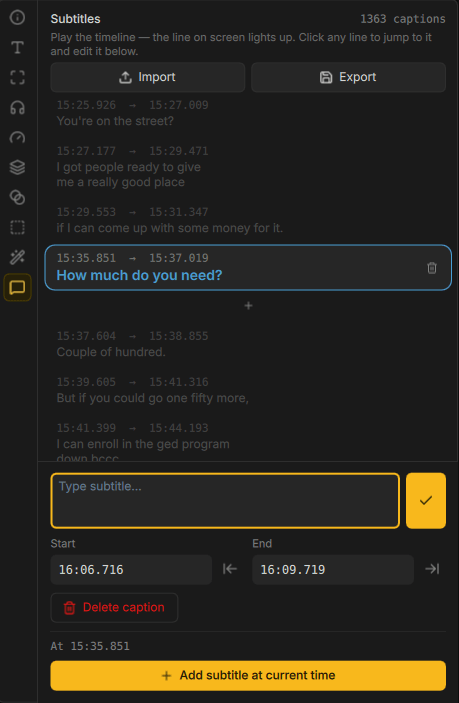
- Auto captions from speech in your video
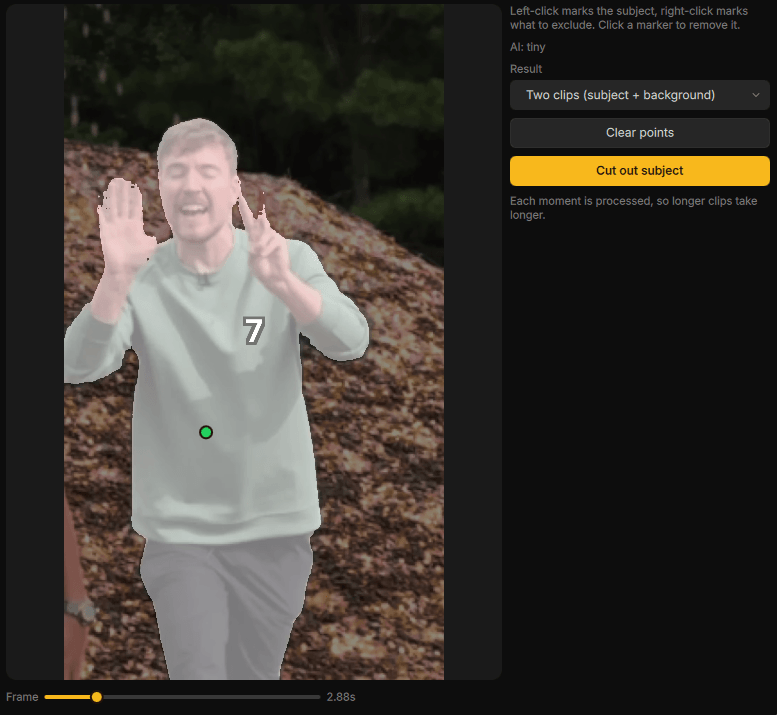
- Cut out subjects, mask clips, and key out green screens
- Speed changes, reverse playback, and fades
- Animate to the beat of your music
- Mix audio and clean up background noise
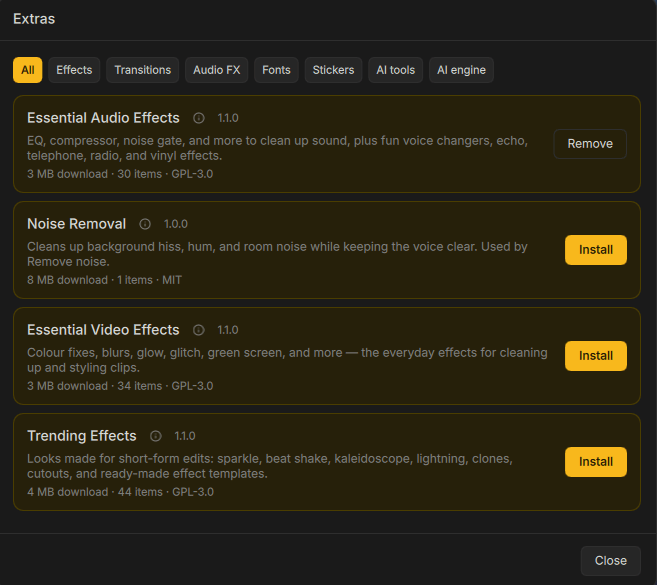
- Optional addons for fonts, stickers, and extras
- Project bundles that keep your media together
Screenshots
Observed history
| App | Change | Version | When ↓ |
|---|---|---|---|
| updated | 0.8.0 | 13 Oct 2026 |
Upstream releases
Release notes supplied by the developer. These dates are not Flathub package publication times.
0.8.013 Oct 2026
Drift goes 3D: a 3D preview mode with a scene camera, Gaussian splats and lights you can place in the view. It also brings local text-to-speech with voice cloning, PDF clips, audio effects built from pedals, an Outline effect, a rebuilt text engine and a much more usable Android app.
- 3D preview mode: a free 3D view with a camera gizmo, orbit and zoom controls and a Blender-style fly mode; 3D models sit in the scene as world-space layers
- Scene camera: add a camera track and pan, orbit and dolly every clip through it, with per-clip depth occlusion
- Gaussian splats: import SOG, streamed SOG and 3DGS PLY files
- 3D lighting: four point and spot lights editable in the 3D view, and depth-effect clips shown as a relief with draggable light gizmos
- Text to speech: generate speech and clone voices locally, with a voice library and voiceovers from subtitles
- PDF clips: place PDF pages on the timeline and scroll through them
- Audio effects made of pedals: filters, drive, reverb, convolution reverb, delay and more in series, parallel or frequency splits, with LFOs, envelope followers and step sequencers, and keyframable parameters
- Outline effect: strokes, dashes, gradient fills, shadows, glows and torn, burnt, stamp and other edge styles around any clip
- Text: edit text directly on the preview, system fonts and your own font files in the picker, colour emoji fonts, and new plain and bold styles
- Link unrelated clips so they move and trim together
- Import numbered image sequences as a single video clip
- Proxies are kept next to the source footage and relinked automatically
- Generated captions stay in sync when the clip's speed or direction changes
- Close Gap can move a track's first clip to the start, and deleting with ripple on closes the gap
- Projects open in the background behind a progress dialog
- Notifications show one at a time, with a history under a bell in the header
- Updates download only when you ask, are verified, and install in place on Windows, macOS and AppImage
- Android: tablets, DeX and ChromeOS open the desktop layout, made touch-friendly; choose the desktop or mobile layout on any device; a keyboard composer for text and subtitles
- macOS: an appearance-aware app icon and better native menu integration
- MCP: tools for text to speech, PDFs, the 3D view, the scene camera, effect presets and closing projects
- Fixes: undo for keyframe tangents, holds and bookmarks, panels no longer shrink on every launch, export reports why it failed, a project name is asked for on first save, AVI, MKV and WebM play in the macOS trim window, and fonts on Windows
- Translations: Bengali added; Japanese, Korean, Polish, Portuguese, Vietnamese and many others updated
Thanks to @rangaNP for the macOS icon, menu and update work; to André Mota for linking clips; to Jose Miguel Navarro for Close Gap and the MCP project tools; to @NipunSGeeTH for linked keyframe coordinates; to Mehedi Hasan for Bengali; to Paweł Korobajło for Polish; to @coolvitto for Japanese; and to Nguyễn Lam for Vietnamese.
0.7.55 Oct 2026
A bug-fix release that stops the crashes on Intel graphics when scrubbing hardware-decoded video. It also brings a Face Retouch effect, AI video upscaling, speed control for composite clips and a batch of smaller fixes and additions.
- Fixed crashes in the Intel media driver (iHD) when scrubbing hardware-decoded video in the preview
- Face Retouch: a beauty effect for smoothing skin, reshaping and lip and skin tone colour, with a numbered face picker and support for still images
- Enhance video: upscale clips with a choice of models, with trim and crop before upscaling and a live frame preview
- Speed adjustment for composite clips
- Animated GIFs import as video and play on the timeline
- Stabilized clips are rendered into the media bin as their own assets
- Save media bin assets back out as files
- Eye toggle to hide adjustment tracks, and nested adjustment lanes
- Custom effects: new parameter types (2D points, choice lists, whole numbers and colours with alpha), keyframable colours and toggles, a My Effects filter and audio effects in .driftfx packages, which can now be imported directly
- Install add-ons from .driftpkg or .zip files and from a custom add-ons folder
- Market: a Sound Effects tab, asset variations and back buttons that stay in place while scrolling
- MCP: agents can create, update, delete and export custom effects, transitions and audio effects
- macOS: a native system menu bar, and install through Homebrew
- Available on the Microsoft Store and Google Play
- Fixes: effects work on people cutouts, ripple on edge trims, zoom-aware snapping, sized SVGs scale to the clip and keep their CSS styles, the market catalog reloads when its tab opens, package textures are no longer flipped, proxies no longer fill up the temp folder, and image export on Android
- Translations: Korean, Polish and Portuguese (Portugal) added; Japanese and Vietnamese updated
Thanks to @rangaNP for the macOS menu bar and the Homebrew cask; to @mildannerofc for Korean and Portuguese (Portugal); to Paweł Korobajło for Polish; to @coolvitto for Japanese; and to @tojidotakarin for Vietnamese.
0.7.028 Sept 2026
Huge performance improvements across the timeline, preview and playback, with the UI lag gone. Import 3D objects, light scenes with Studio Relight and depth effects, and tilt clips with 3D transforms. A redesigned audio mixer, recording straight onto the timeline, and proxy editing for heavy footage round out the release.
- Transcript-first editing: word-level transcripts with speaker detection, cut by deleting words, remove silences, and audio transitions
- Composite clips: nest clips into a single clip you can move, trim and reuse
- Transform layers: move, scale, rotate, tilt and fade several tracks as one (Ctrl+G), with a bracket in the track headers showing what the layer covers
- 3D clip transforms with tilt, depth and perspective, and a move, rotate and scale gizmo in global or local space
- Import 3D models (.glb) as clips, and face props for the face effects
- Depth effects: 3D relight, depth of field, fog and occlusion driven by estimated video depth, and Behind Subject for placing graphics behind people
- Voiceover recording from the microphone onto a track, with live waveforms, gain, mic selection and pause
- Redesigned audio mixer: resizable docked panel with per-track and master strips, pan knobs, stereo meters and a pinned master
- Proxy editing, and a Convert to CFR option for variable frame rate phone footage
- Non-destructive source framing to crop and reframe a video inside its clip
- Videos with an alpha channel keep their transparency
- Custom preview guides: build guide sets, drag guides on the preview and snap to them
- Subtitles: generate for a selection of clips, merge subtitles, and a smoother editing workflow
- A start screen for opening or starting a project, a full-project overview strip above the timeline, a transform scale slider, and dropping media straight from the file manager onto the timeline
- A themed colour picker with an in-window eyedropper, and the chroma key colour picked from the Effects card
- Market: Drift Assets as the home page, a stock browser across all sources, detail panels that slide over, and a remembered download folder
- Performance: a GPU-drawn timeline, lighter trims and drags, lower memory use, smoother transitions during playback and hardware decoding for every clip once it is proven to work
- Android: faster timeline scrubbing, touch-first clip gestures, drag and drop for every asset, in-process stabilization, and safer names for imported files
- Audio fixes: the Limiter limits instead of adding gain, loudness and true peak are measured to the standard so Normalise no longer clips, and ducking keeps the music's own volume
- Fixes: splitting keeps effects and animation on both halves, imported media is centred on the canvas, pinned effects stay on their own clip during transitions, the Duotone effect renders again, the preview no longer flashes on slow GPUs, and arrow keys jog the playhead on Wayland
- Nightly builds, AppImage update information, a warning for unsupported graphics drivers, and an Agent access option that starts on launch with a persistent token
- Translations: Arabic and Colombian Spanish added; Japanese, Spanish, Vietnamese, French (Canada) and Sinhala updated
Thanks to @jmn8718 for the start screen, the timeline overview strip, source framing, the Agent start-on-launch option and decoder and addon install fixes; to @gelvezz23 for the chroma key tab and Colombian Spanish; to @dratiux for Arabic; to @coolvitto for Japanese; to @tojidotakarin for Vietnamese; to @CathodeAnode for French (Canada); and to Loposmo for Spanish.
0.6.013 Sept 2026
Text and shapes are redrawn through Skia with layered styles, gradients and a new animation engine, Lottie and SVG clips arrive on the timeline, over a hundred new transitions land in the add-ons catalog, and Windows gets a Direct3D zero-copy path with fixes for NVIDIA stutter.
- Text styles: fill, stroke, shadow, glow and extrude layers with solid, gradient, texture or shader paints, a Looks gallery (Neon, Chrome, Holographic, Glitch, Outline, Echo and more), curved baselines and keyframable size, tracking and layer settings
- Text animations: per-character, word or line animators with In, Out and Loop preset galleries — typewriter, type-on blur, rise by word, snap together, glitch, flicker, colour wave, wipe, karaoke pop and bounce, and 40 more
- Shapes share the same style stack: gradient fills, multiple strokes, shadows, glows and dashes, all keyframable so shapes can animate
- Lottie (.lottie, .json) and SVG files import as vector clips, with a Motion inspector for editing slots, playback options and poster frames
- 100+ new GPU transitions ported from gl-transitions, available through the add-ons catalog, plus easing curves for every transition
- In-app Marketplace for browsing and downloading stock media, with a separate download-queue window
- Adjustment layers in the Effects tab; masks are now keyframeable adjustment layers with on-canvas handles and their own Masks tab
- Cutouts via Robust Video Matting, and Paste Attributes with selective picking across multi-clip selections
- Windows: Direct3D 11 zero-copy decoding and a GPU switcher for hybrid laptops; fixed CUDA zero-copy and CUDA/OpenGL interop stutter on NVIDIA, hybrid-GPU decode, display-cadence stutter and the black preview on software OpenGL; new playback diagnostics and a warning for hardware-acceleration settings that will not work on the current machine
- Audio: multi-channel waveform view, decibel volume control, multi-track audio extraction, and separate-audio / unlink actions on the timeline
- Media bin: tree view, Import Folder, nested folder moves, multi-select with Shift-click ranges and bulk actions, safe removal of in-use media, lossless 90° rotation correction and non-destructive trimming from the bin
- Android: hardware-accelerated video decoding and a reworked mobile layout
- Save As, track renaming, select-all-and-move, keyboard delete, Shift+Arrow frame-by-frame scrubbing, native shortcut labels on macOS, and settings moved into a dialog
- MCP: headless CLI mode, text, shape and motion-graphics tools, and lower token usage
- Translations: Tagalog and Vietnamese added; Japanese and Spanish updated
Thanks to @jmn8718 for lossless rotation correction, Import Folder, track renaming and the media bin multi-select and folder moves; to @gorio for safe media removal, keyboard delete, separate-audio and unlink actions, track numbering and native macOS shortcuts; to @TSFBCE24RhythmHeaveners for the Tagalog translation; to @tojidotakarin for Vietnamese; to @coolvitto for Japanese; and to @angelreyesvelazquezjesus-gif for Spanish.