
OpenShot Video Editor
An easy to use, quick to learn, and surprisingly powerful video editor
org.openshot.OpenShotOpenShot Video Editor is an award-winning, open-source video editor, available on Linux, Mac, Chrome OS, and Windows. OpenShot can create stunning videos, films, and animations with an easy-to-use interface and rich set of features.
Features include:
- Free & open-source (licensed under GPLv3)
- Cross-platform (Linux, OS X, Chrome OS, and Windows)
- Easy-to-use user interface (designed for beginners, built-in tutorial)
- Supports most video, audio, & image formats (based on FFmpeg)
- Includes popular video profiles & presets (over 70+ profiles, including YouTube HD)
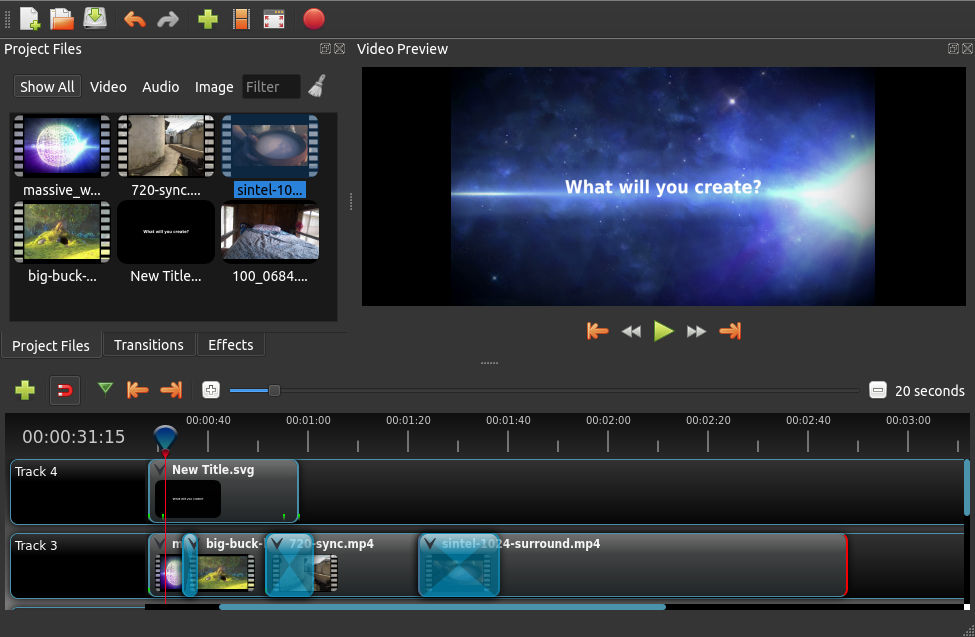
- Advanced timeline (including drag and drop, scrolling, panning, zooming, and snapping)
- Advanced clips (including trimming, alpha, scaling, location, rotation, and shearing)
- Real-time preview (multi-threaded, and optimized for performance)
- Simple & advanced views (or customize your own unique view)
- Powerful, curve-based Keyframe animations (linear, Bézier, and constant interpolation)
- Compositing, image overlays, watermarks, & transparency
- Unlimited tracks / layers (support for complex projects)
- Video transitions, masks, & wipes (grayscale images and animated masks)
- Video & audio effects (including brightness, gamma, hue, chroma key / blue screen, and more)
- Image sequences & 2D animations (001.png, 002.png, 003.png, etc…)
- Blender 3D integration (animated 3D title templates)
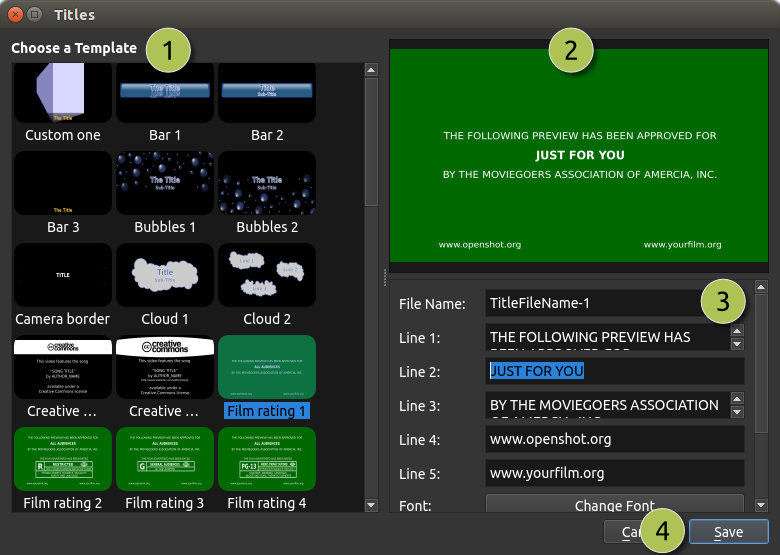
- Vector file support & editing (SVG / scalable vector graphics used for titles and credits)
- Audio mixing, waveform, & editing
- Emojis (open-source stickers & artwork included)
- Frame accuracy (step through each frame of video)
- Time mapping & speed changes (slow/fast, forward/backward)
- Advanced AI (motion tracking, object detection, & stabilization effects)
- Credits & captions (scrolling and animated)
- Hardware accelerated (encoding & decoding supports NVIDIA, AMD, Intel and more)
- Import & export (EDL and Final Cut Pro formats, supports most video editors)
- Customizable keyboard shortcuts
- Translations (available in 100+ languages)
Screenshots
Observed history
| App | Change | Version | When ↑ |
|---|
No observed changes yet.
The initial import establishes a baseline. Future version changes will appear here.
Browse the app catalogue →Upstream releases
Release notes supplied by the developer. These dates are not Flathub package publication times.
3.5.12 Apr 2026
No release notes supplied.
3.5.016 Mar 2026
No release notes supplied.
3.4.012 Jun 2025
No release notes supplied.
3.3.021 Dec 2024
No release notes supplied.