
Pitivi is a video editor that aims to appeal to hobbyists and professionals alike, with a strong focus on efficiency, quality and usability. It integrates well with other applications and sports a beautiful user interface designed to be powerful yet easy to learn.
With a non-modal editing workflow, a framerate-independent and playhead-centric timeline, Pitivi allows you quickly and accurately trim, split and review your scenes. Pitivi's ripple and roll editing features allow spending more time on storytelling and less time on "pushing clips around".
Some other features include:
- Accepts any file formats supported by the GStreamer multimedia framework
- Can animate hundreds of special effects and filters with keyframable properties
- Ability to set custom aspect ratios, framerates and rendering presets
- Easy to use crossfades and SMPTE transitions
- Multihead-friendly with detachable user interface components
Screenshots
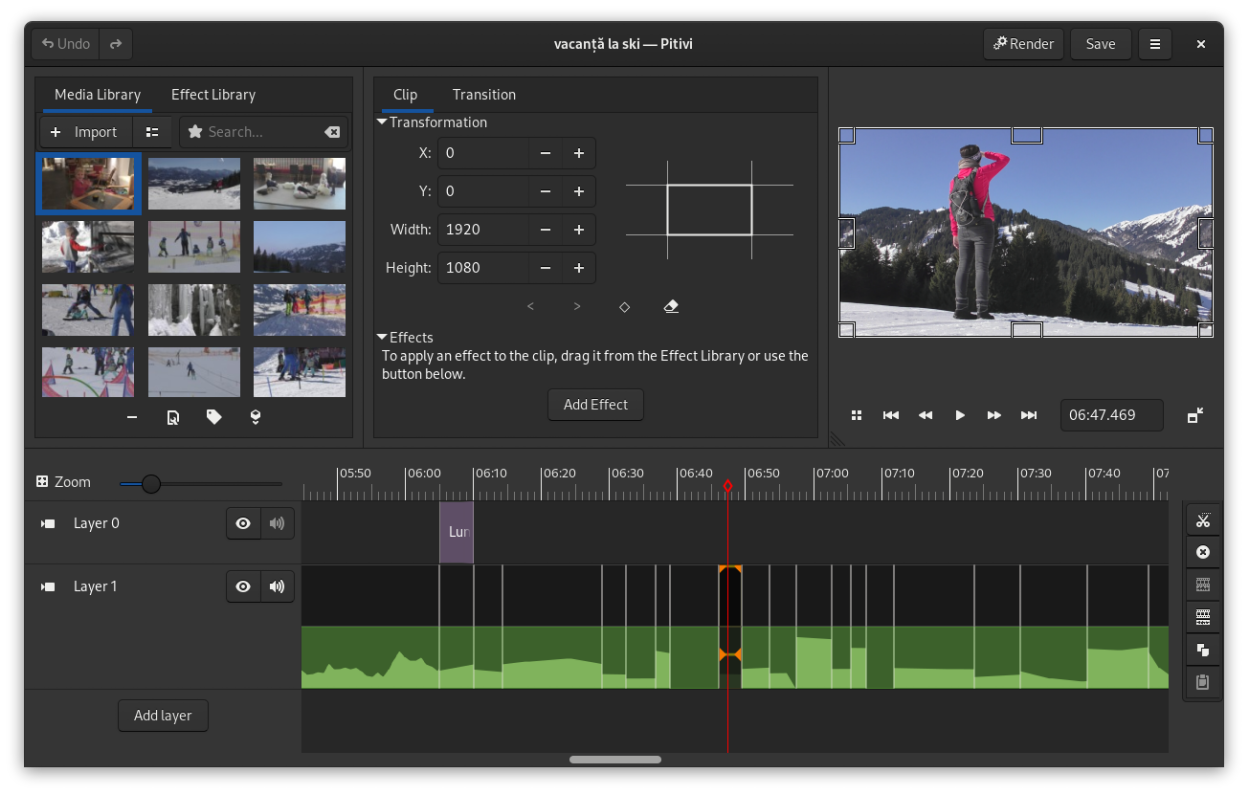
Observed history
| App | Change | Version | When ↑ |
|---|
No observed changes yet.
The initial import establishes a baseline. Future version changes will appear here.
Browse the app catalogue →Upstream releases
Release notes supplied by the developer. These dates are not Flathub package publication times.
2023.0326 Mar 2023
This release adds the following features:
- Resurrect the autoaligner which allows aligning two or more clips based on their audio, at the click of a button.
- More precise audio waveforms, when you look at them.
- Seek automatically to the start of the timeline when starting playback and the playhead is at the end, saving you a click.
2022.0625 Jun 2022
This release adds the following features:
- Object tracking and blurring.
- Beat detection and snapping clips to detected beats.
- Title clip text border and shadow.
- Allow maintaining aspect-ratio when resizing clips.
- Added Source blending mode.
- Easier to fade in/out a clip.
- Playback sound VU meter.
- Cut clips to paste them at a different position.
2021.0530 May 2021
This release adds the following features:
- Clips in the Media Library can be tagged.
- Drag a keyframe vertically or horizontally by pressing Ctrl.
- Keyboard shortcuts to seek to the previous/next marker.
2021.0131 Jan 2021
This release adds the following features:
- The Render dialog has been further simplified.
- Lots of bugfixes.