

Luppolo is a real-time, multi-track audio looper for guitar (or any instrument), in the style of Loopy HD — record a phrase, loop it, and keep layering more tracks on top while the first one keeps playing.
Features:
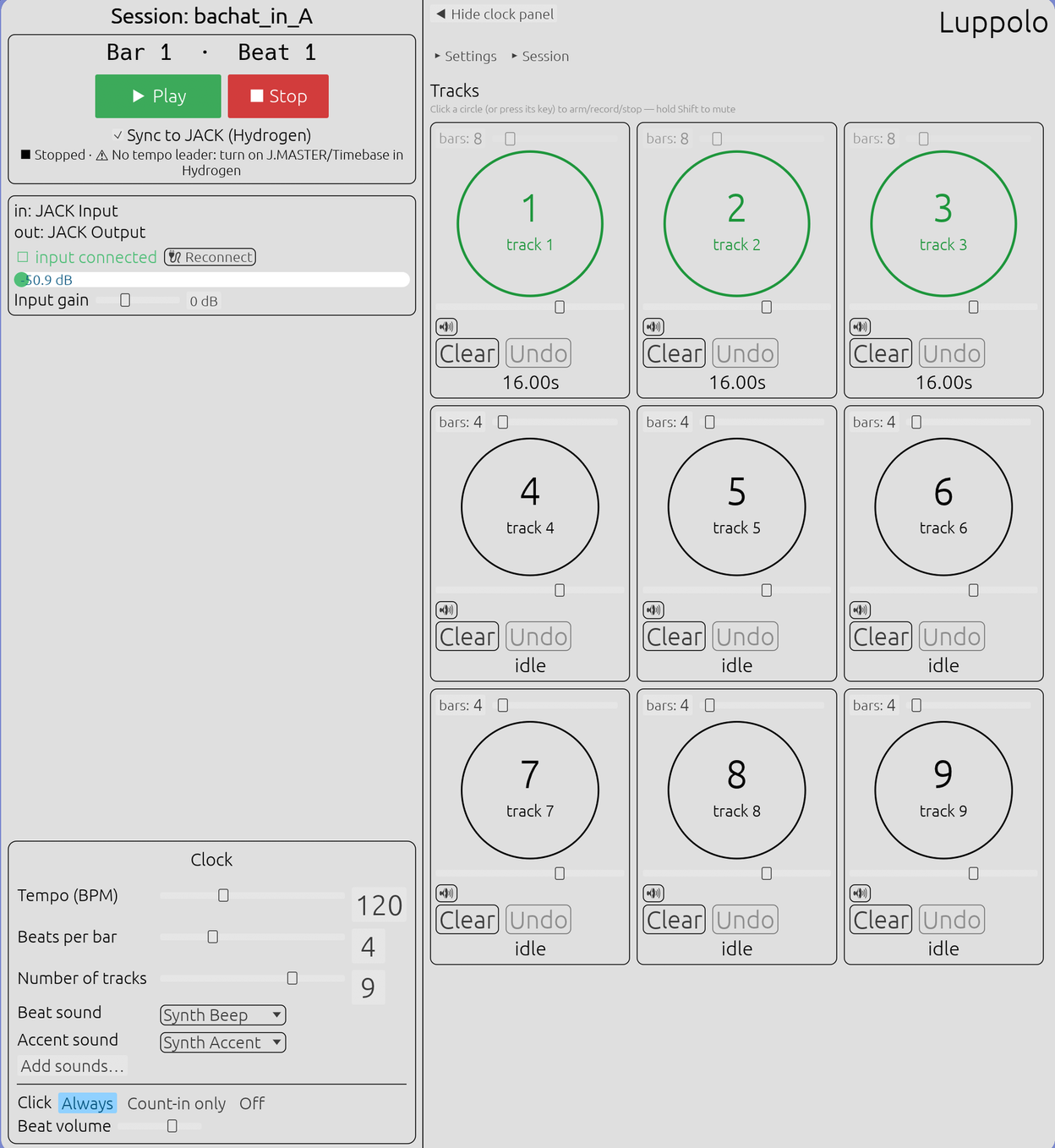
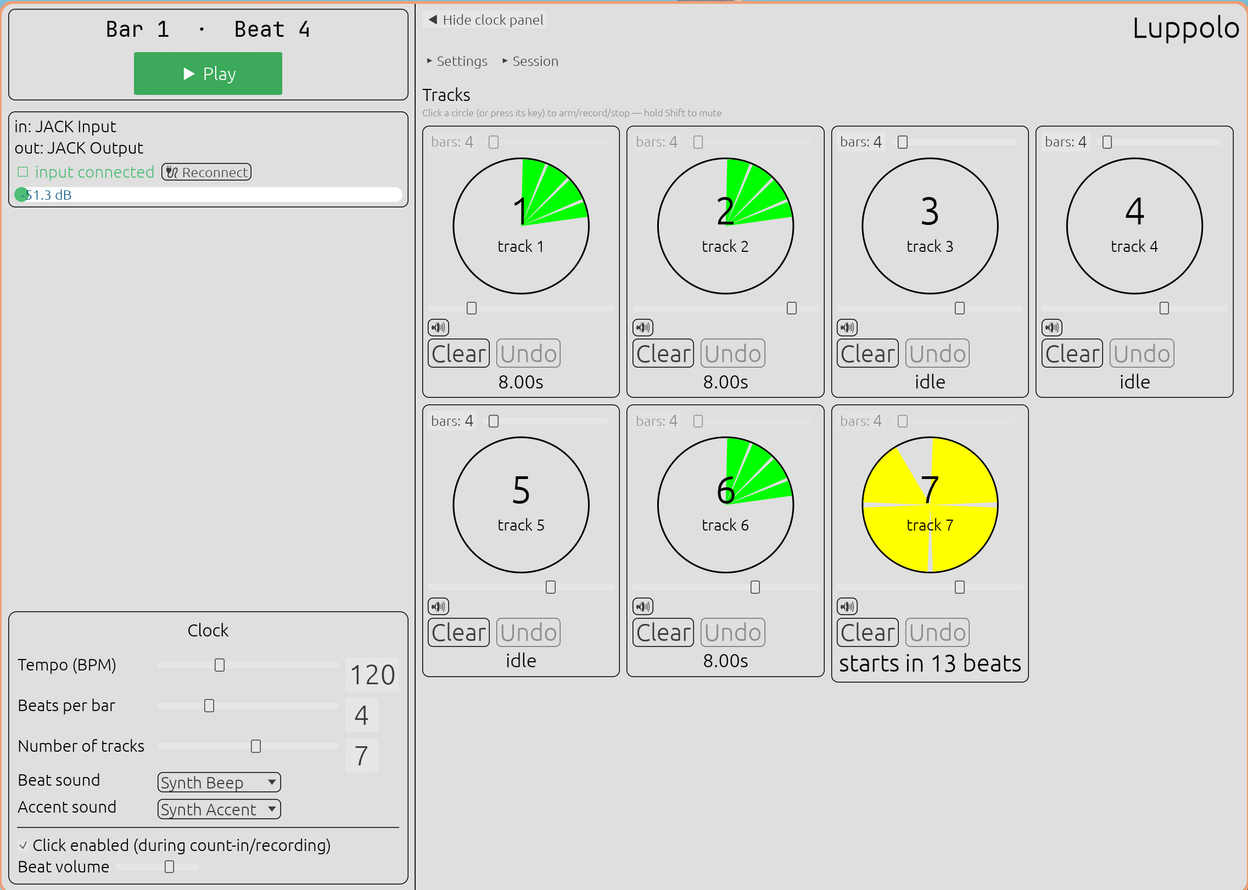
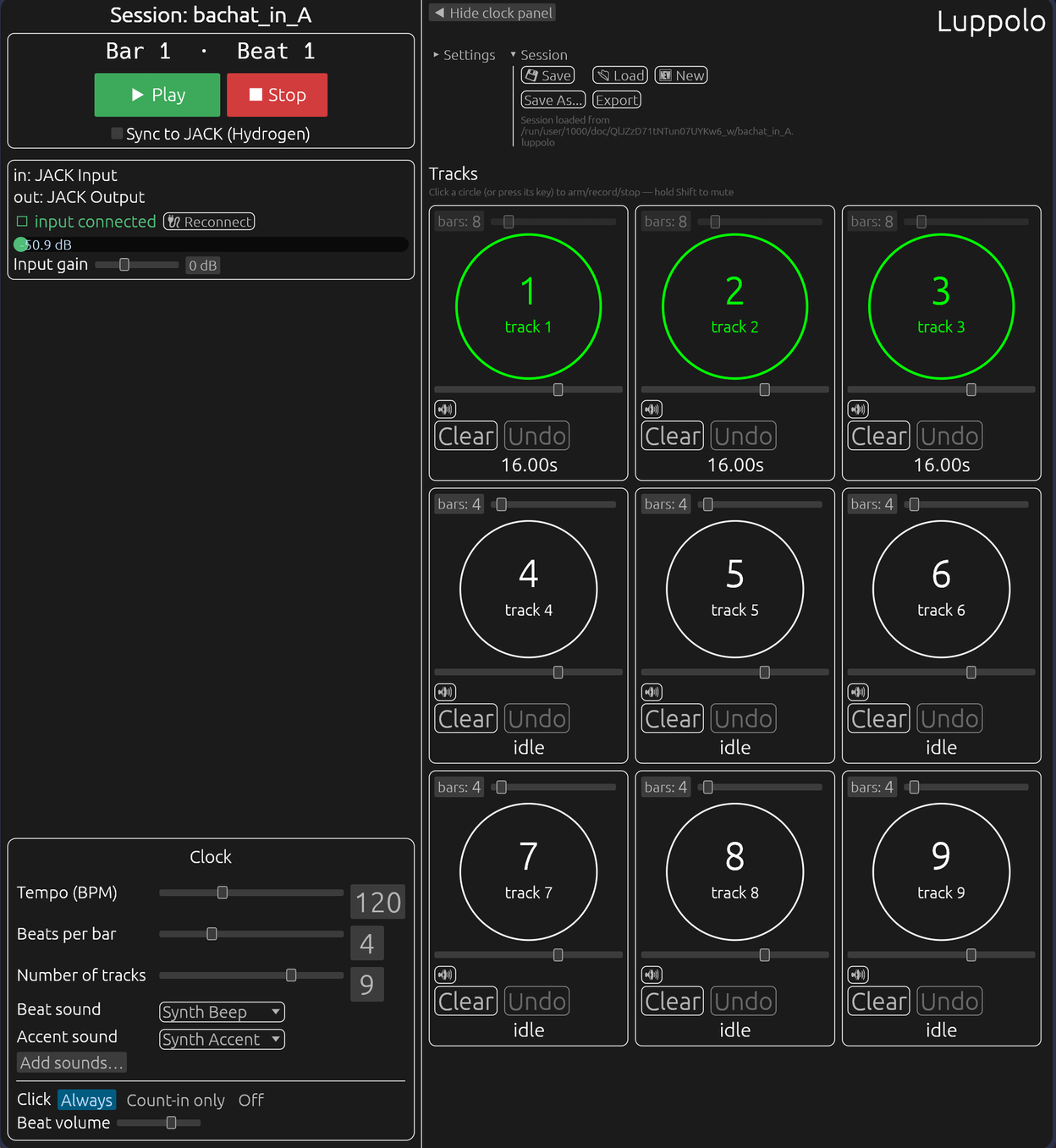
- Up to 12 tracks, each shown as a circle that fills up as it plays
- A sample-accurate master clock so every track's loop phase-locks to the others automatically
- Quantized, count-in recording with a live "starts in N beats" countdown
- Configurable tempo, time signature, and track count
- Per-track volume, mute, and single-level undo
- A metronome with selectable beat/accent sounds, including your own custom samples
- Session save/load and mixdown export to WAV or FLAC
Luppolo uses JACK (via PipeWire's JACK compatibility layer) for audio I/O, and connects to your audio interface automatically on launch.
Screenshots
Observed history
| App | Change | Version | When ↑ |
|---|---|---|---|
| new | 0.1.5 | 29 Oct 2026 | |
| updated | 0.1.5 → 0.1.6 | 9 Nov 2026 | |
| updated | 0.1.6 → 0.1.7 | 12 Nov 2026 | |
| updated | 0.1.7 → 0.2.0 | 17 Nov 2026 |
Upstream releases
Release notes supplied by the developer. These dates are not Flathub package publication times.
0.2.016 Nov 2026
Luppolo can now play in sync with Hydrogen and other JACK transport apps.
- New "Sync to JACK (Hydrogen)" option: Luppolo follows Hydrogen's play, pause and stop, and its tempo and beats per bar (turn on JACK transport and Timebase in Hydrogen)
- While synced, Luppolo's Play, Pause and Stop control Hydrogen too, and the count-in hands over so drums and recording start together on bar 1
- A warning appears when the tempo no longer matches the tempo your tracks were recorded at
- New click modes: Always, Count-in only (no click while recording, handy over recorded drums) or Off, saved with the session
- The countdown now also shows during the count-in bar
- Recorded tracks are marked in green, so you can see them right after opening a session
- Tracks can be named: right-click a track to rename it; names are saved with the session
- Both inputs are now recorded, mixed to mono, so stereo sources like Hydrogen can be connected left to in_0 and right to in_1
- New input gain control to bring up quiet sources such as a guitar
0.1.712 Nov 2026
- New Stop button, so you no longer wait for the loop to come round to re-record a track: Stop rewinds to the start and, with a track armed, Play counts in one bar and recording starts right on bar 1
- Stopping during a recording cancels the take and puts back what the track had before
- The Play button now switches to an orange Pause while playing
- Keyboard shortcuts: Space for Play/Pause, Esc for Stop
- UI improvements: a bigger, bold session name, and the bottom of the clock panel is no longer cut off
0.1.69 Nov 2026
- New default accent click, a long kick drum, that is easy to tell apart from the normal beat
- Add your own .wav files as click sounds with the new "Add sounds…" button
- The chosen beat and accent sounds are remembered between launches
- The last saved or loaded session reopens automatically at startup
- The current session's name is shown at the top of the clock panel
- Open and save dialogs start in the folder of the last session, also in the Flatpak
0.1.523 Oct 2026
- Sessions are now saved as a single .luppolo file, so Luppolo no longer needs access to your home folder
- Older folder sessions can still be loaded by picking their session.json