
FeedFlow
An open source, minimal RSS reader for your desktop
Marco Gomiero ✓ Verified
com.prof18.feedflowFeedFlow is an open source RSS reader built for desktop — a fast, minimal timeline for your news, blogs, and feeds. No algorithms, no clutter, no noise.
A Desktop-First Reading Experience
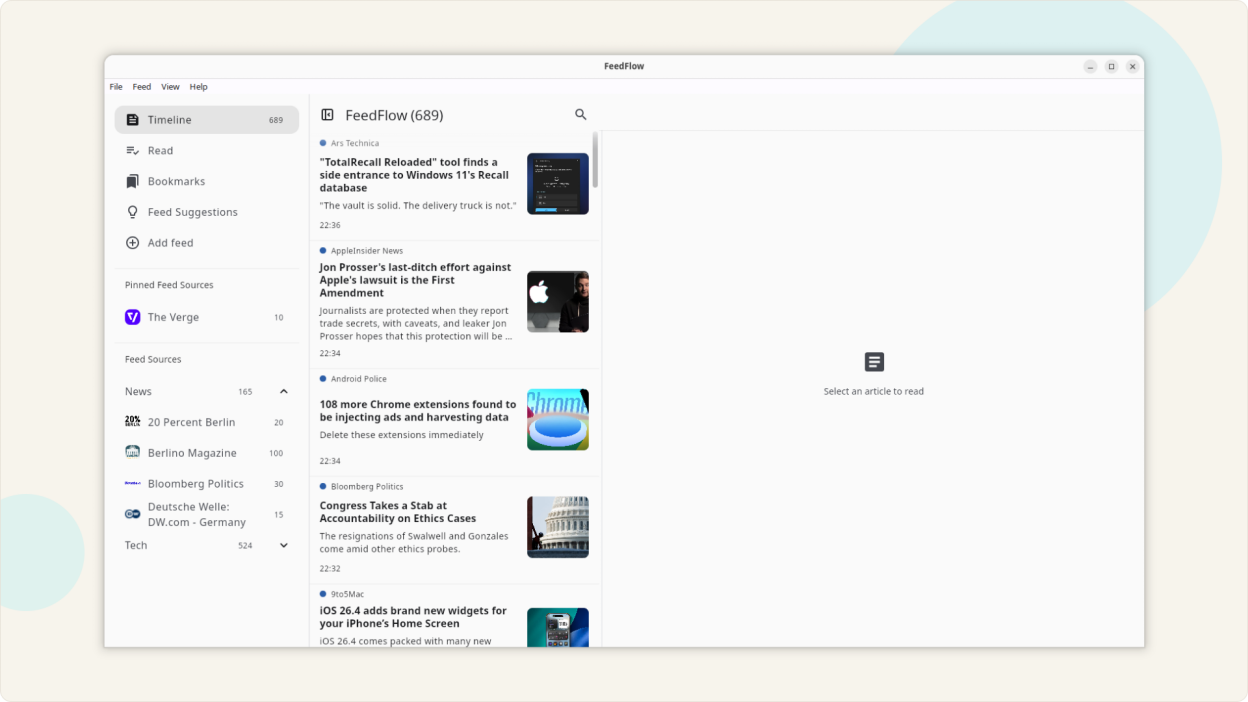
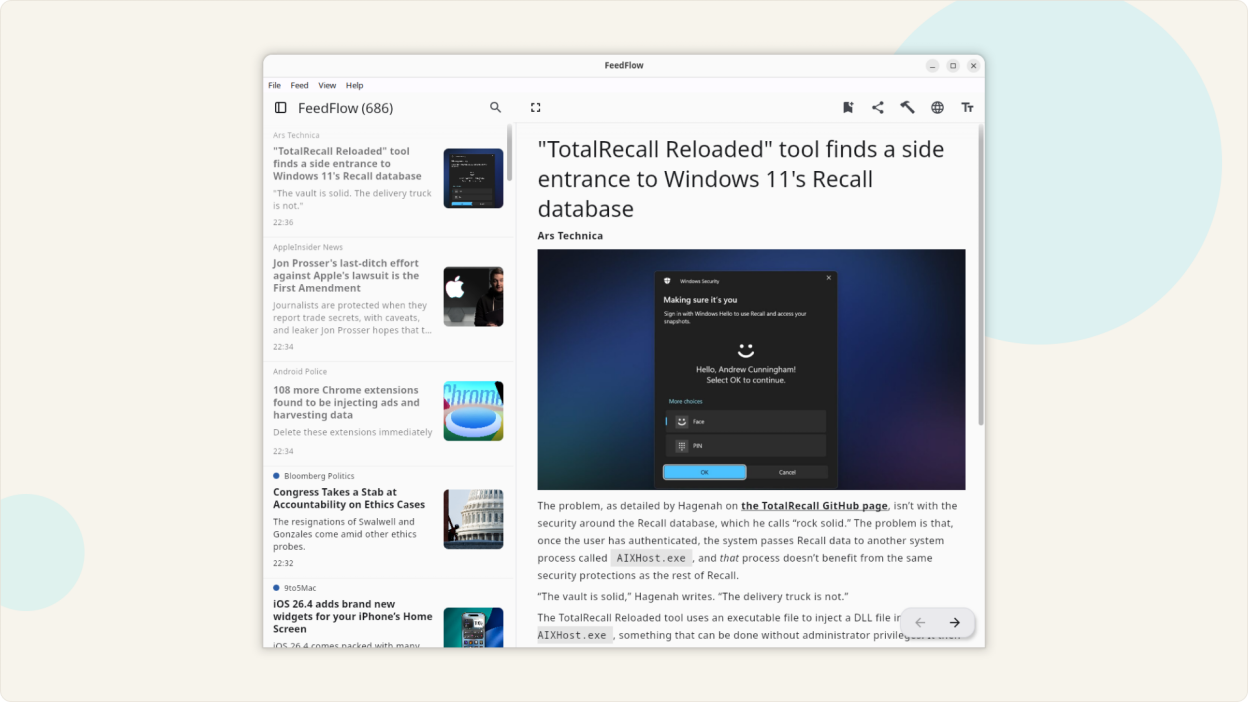
- Three-pane layout: sidebar, feed list, and article view — all visible at once
- Switch to single-pane mode if you prefer a focused view
- Keyboard shortcuts for everything — refresh with F5, navigate with arrow keys, mark as read with Ctrl+Shift+A
- The app remembers your window position and size between sessions
- Dark mode, light mode, and OLED black theme
Read Articles Your Way
- Open articles in your default browser, or use Reader Mode for a distraction-free reading experience
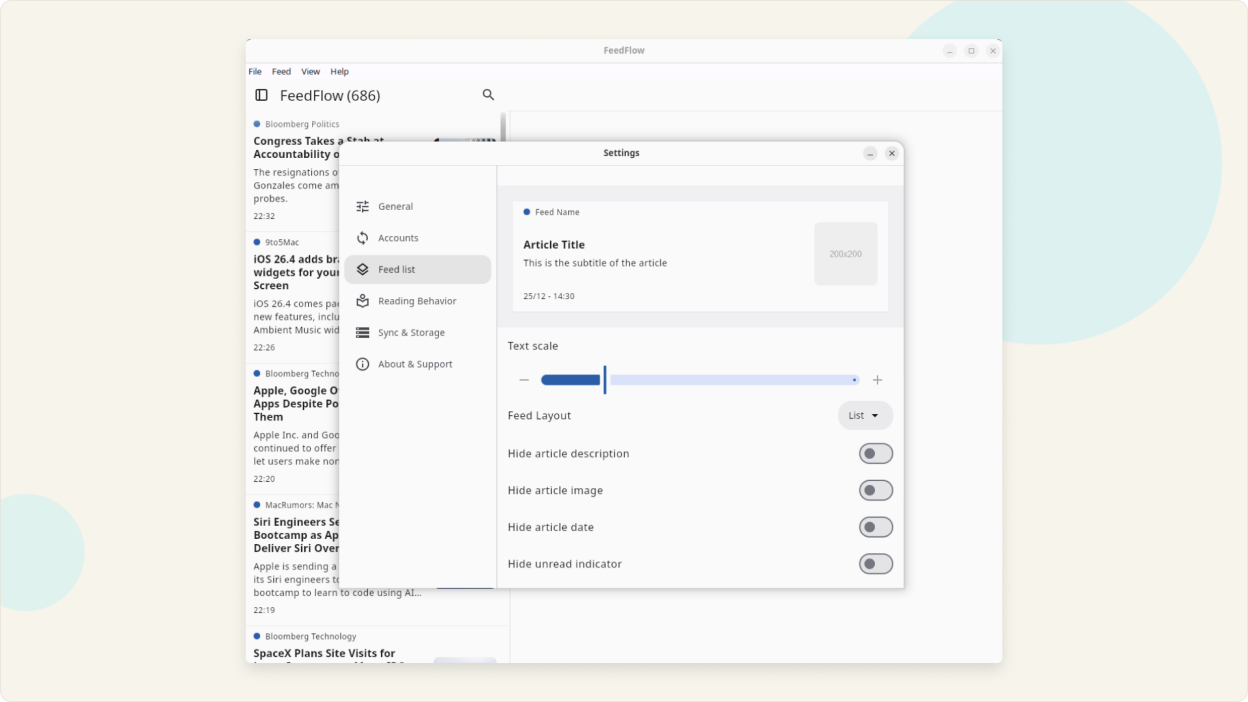
- Adjust text size and spacing in Reader Mode for comfortable reading on any screen
- Prefetch and cache full article content for offline reading
Sync Feeds Across All Your Devices
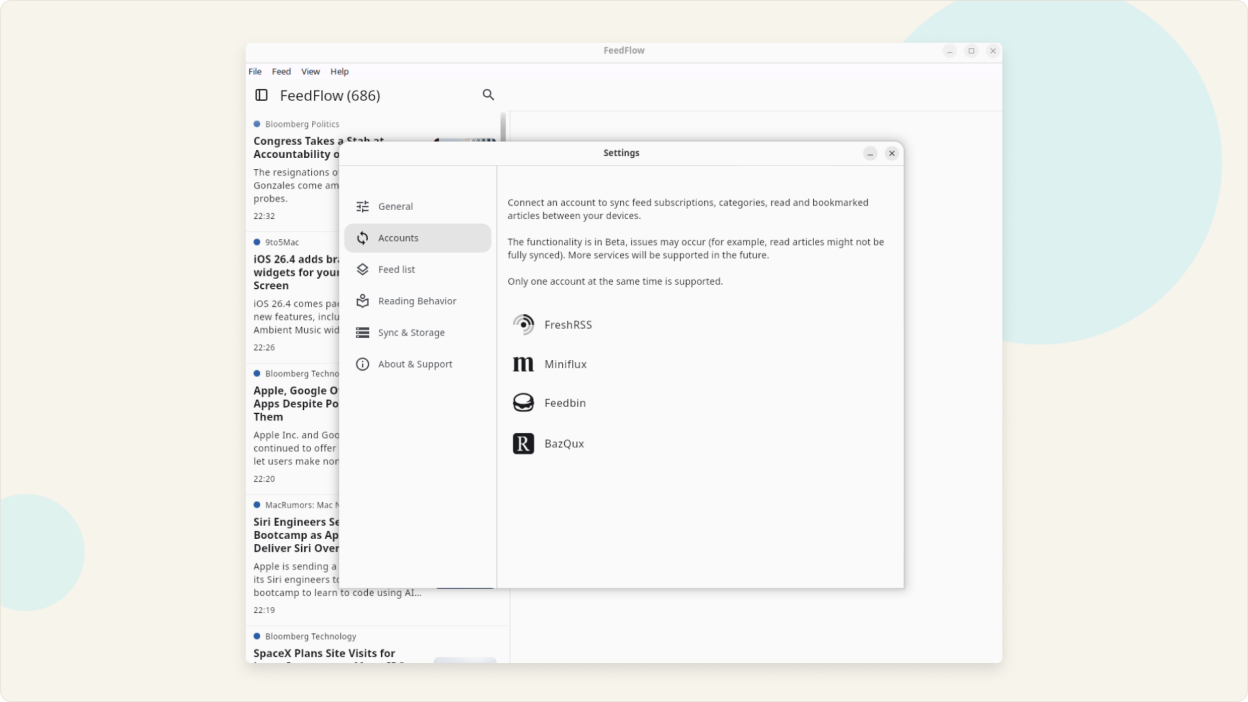
- Keep everything local, or sync with multiple backends
- Cloud storage sync with Dropbox
- Self-hosted and server sync with FreshRSS, Miniflux, Feedbin, or BazQux
- Your feeds, read status, and bookmarks stay in sync across Linux, Windows, Android, iOS, and macOS
Stay Organized
- Import and export feeds with OPML — migrate from any RSS tool
- Block keywords to filter out unwanted content
- Organize feeds into categories and bookmark articles for later
- Search across all your feeds to find articles quickly
Built for RSS, Atom, and the Open Web
- Supports RSS 2.0, RSS 1.0, and Atom feed formats
- Add feeds by URL or browse curated suggestions
- No account required to get started
Open source with an active community. Available on all major platforms. Translated into 25+ languages.
Screenshots
Observed history
| App | Change | Version | When ↓ |
|---|---|---|---|
| updated | 1.18.0 | 27 Sept 2026 |
Upstream releases
Release notes supplied by the developer. These dates are not Flathub package publication times.
1.18.026 Sept 2026
New Reader Mode engine for cleaner, more reliable articles. Feedback on pages that don't look right is welcome
Easier YouTube channel discovery when adding feeds
More reliable Dropbox sync that keeps pending edits and read states
Better loading of feeds and articles from sites that block requests
Warning when adding a feed you already follow
The window reopens maximized if it was closed that way
The article list no longer jumps while marking as read on scroll
1.17.01 Sept 2026
Try the experimental new Reader Mode engine for faster, more accurate article extraction. Help me improve it by reporting missing content or formatting issues.
Improved Reader Mode images, embedded content, and support for short and image-only articles.
Made bookmark actions clearer and fixed Dropbox unlinking.
1.16.015 Aug 2026
Added global and per-feed controls for opening articles in Reader Mode, from feed content, or in a browser.
Added an option to hide images for individual feeds.
Added configurable background feed refresh with a new-article indicator.
Added navigation to the next feed when the current feed is empty.
Added confirmation before marking all articles above or below an item as read.
Improved mixed-language text direction and article image detection.
Improved keyboard focus when opening Reader Mode.
Fixed unread articles being skipped while scrolling.
Fixed sync failures affecting some FreshRSS and Google Reader-compatible accounts.
1.15.19 Jul 2026
Added big-image card and grid layouts for feeds.
Added feed and category reordering.
Added Reader Mode line height controls.
Improved feed refreshing with conditional caching.