
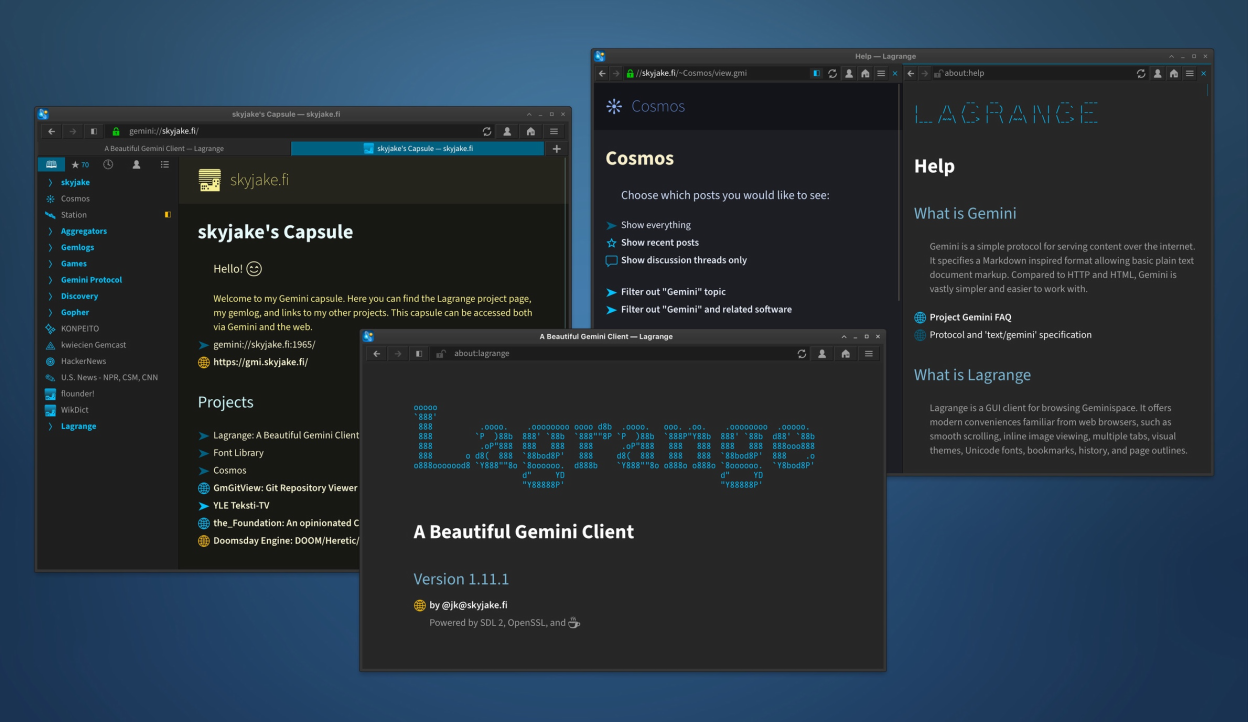
Lagrange is a desktop GUI client for browsing Geminispace. It offers modern conveniences familiar from web browsers, such as smooth scrolling, inline image viewing, multiple tabs, visual themes, Unicode fonts, bookmarks, history, and page outlines.
Like the Gemini protocol, Lagrange has been designed with minimalism in mind. It depends on a small number of essential libraries. It is written in C and uses SDL for hardware-accelerated graphics. OpenSSL is used for secure communications.
Screenshots
Observed history
| App | Change | Version | When ↓ |
|---|---|---|---|
| updated | 1.21.2 | 3 Oct 2026 |
Upstream releases
Release notes supplied by the developer. These dates are not Flathub package publication times.
1.21.230 Sept 2026
- Updated the bundled monospace font (Iosevka): no ligatures, 4% wider.
- Quitting the app is disabled while the Titan upload dialog is open. (The contents are autosaved in case of a crash.)
- Fixed visibility of selected text against different backgrounds.
- Fixed feed refresh not getting triggered when due.
- Fixed potential crash when an inline prompt is immediately visible at launch.
- TUI: Fixed potential hang in the text renderer.
The full release notes can be viewed inside the app by opening the "about:version" page.
1.21.13 Sept 2026
- Fixed: Sidebar tab buttons lack a background color in the second split (clipping issue).
- Fixed: Handling input events in the correct prompt when multiple prompts are open.
- Fixed: Auto-opened input prompt dialog was duplicated when opening the same link again without first dismissing the first prompt.
- Fixed: Auto-opened input prompt randomly becoming unresponsive.
The full release notes can be viewed inside the app by opening the "about:version" page.
1.2126 Aug 2026
- Inline input prompts. By default, input prompts appear below the originating link, much like inline images. This allows accessing the rest of the page normally while entering input.
- Links marked "Assume This URL Requires Input" will pre-populate with an inline prompt UI.
- Option to choose default mode for prompts: inline, top, or bottom.
- Gopher: Support for TLS, i.e., "gophers://". Server certificates are handled similarly to Gemini, which means they are verified using TOFU and trusted root CAs.
- "Use on This Domain" in identity context menu.
- Appearance option to make scroll bars thicker.
- Input prompts are no longer strictly modal: a click outside the dialog turns the dialog non-modal, allowing normal access to page contents and links.
- Improved sidebar layout. Sidebars are now top-level siblings of the document area, which means the tab buttons don't overlap the sidebar area.
- Click middle mouse button to scroll vertically. (No longer necessary to keep holding the button down.) Middle-clicking on links and list items still behaves as before (open in background tab).
- Optional build features are listed in Debug Information. For example, whether JPEG XL support is enabled.
- Window placement is persistent also in multi-window arrangements (saved and restored).
- Placement of previously open windows is stored persistently.
- On Windows and Linux, closing the last tab no longer quits the app.
- Registered the app as a "nex://" URL handler.
- Declare the app as a "misfin://" handler in the .desktop file.
- Compatibility with OpenSSL 4.
- Updated UI translations.
- Opening ZIP archives with prepended arbitrary data (e.g., self-extracing archives).
- The redirect limit (5) only applies to Gemini, not Titan. It was being triggered by consecutive edits/uploads.
- Bookmark URI normalization issue that possibly caused duplicated bookmarks to appear.
- Gopher: Don't apply URI path normalization to selectors.
- Gopher: Parsing tilde-prefixed username from selector.
- Gopher/Finger: Spurious autoreloads due to fetched document not getting a timestamp.
- Underscore-prefix words should not break after the underscore.
- Overflowing text with "View as Plain Text".
- Improved hover highlight contrast with "Gray" UI accent color.
- Drag action in sidebar is cancelled if the sidebar is dismissed.
- Potential crash when splitting the view with multiple tabs open.
- TUI: Keep the menubar always visible (top line also used for shortcut keys).
The full release notes can be viewed inside the app by opening the "about:version" page.
1.20.929 Jun 2026
- Fixed: Potential crash when Fingerprints menu open in Page Information.
- Fixed: Page Information popup dismissed inadvertently.
- Improved list resizing performance: contents should not be invalidated on height changes, since items are anyway buffered for vertical scrolling.
- Ask SDL to use the Wayland video backend when running on a Wayland display. (This should fix rendering glitches on KDE Plasma.)
The full release notes can be viewed inside the app by opening the "about:version" page.