
FSearch
A graphical file search application
Christian Boxdörfer ✓ Verified
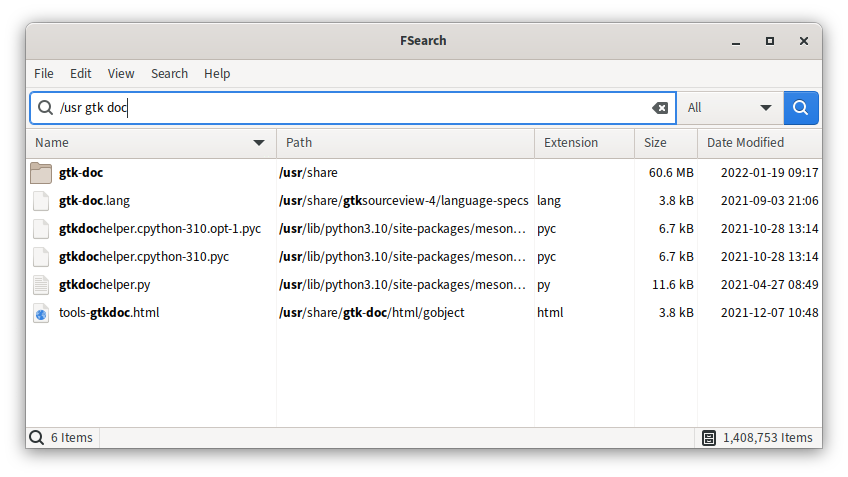
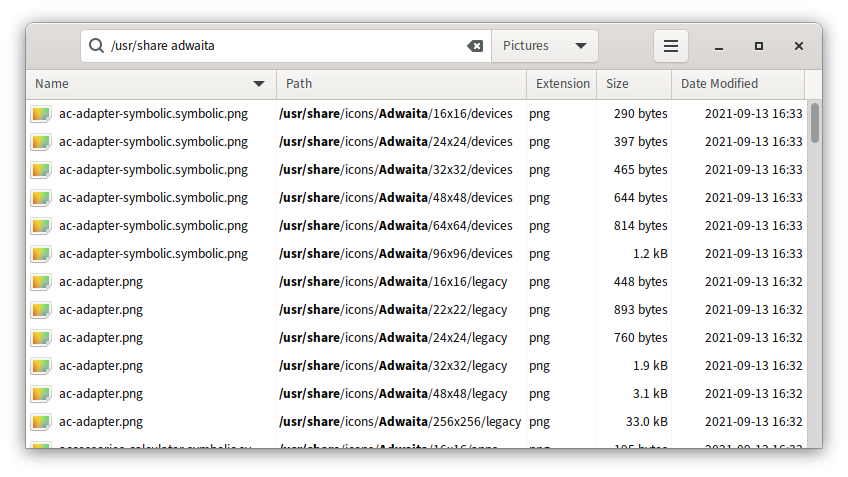
io.github.cboxdoerfer.FSearchFSearch helps you to find files and folders as easy and fast as possible. Just type a few letters and search results will appear almost instantly.
There are a lot of features which make searching as efficient and powerful as possible. Such as:
- Ignore case (e.g. searching for "
fsearch" will match "FSearch" as well) - Regular expressions
- Wildcard support
- Filter support (e.g. only search for audio files)
- Exclude certain files and folders
- Fast sort by name, path, size, modification time and extension
Note: Due to Flatpak's sandboxing, FSearch can't find every file on your system.
Screenshots
Observed history
| App | Change | Version | When ↓ |
|---|---|---|---|
| updated | 0.3.2 | 20 Sept 2026 |
Upstream releases
Release notes supplied by the developer. These dates are not Flathub package publication times.
0.3.220 Sept 2026
- Fix crash when the filesystem monitor received events for unknown watches (e.g. after aborted scans or removed folders)
- Fix possible crash and removal of unrelated entries when folders are removed from the database
- Fix implicit AND placement in search queries (#742)
- Fix wrong icon size when the scale factor changes (#718)
- Fix icons not refreshing after a theme change
- Fix broken single click to open
- Fix row activation not working outside of the columns
- Fix new window action not working
- Fix blocking UI when opening files in some situations
- Fix memory leak when building the file list for file actions
- Try to guess the content type of a file if querying it failed
- Only show the welcome dialog when upgrading from versions before 0.3
- Improve database update performance (faster sorting, insertion and removal of entries)
0.3.117 Jul 2026
- Fix blocking UI when loading icons
- Fix option 'action after file open' not getting saved
- Remove duplicate language to fix build on newer gettext versions
0.311 Jul 2026
- DB rewrite
- DB: Add support for filesystem monitoring
- DB: Allow files and folders to be excluded based on fixed patterns, wildcards or regular expressions
- DB: Allow included folders to be scheduled and scanned after launch independently
- DB: Make rescanning more efficient
- DB: Store database config in DB file
- DB: Add checksum to DB file
- Make icon and file info gathering asynchronous (no UI blocking)
- Reduce memory usage
- Add contextual help for all preferences
- Numerous bug fixes and stability and performance improvements
0.215 Aug 2022
- New search engine
- Greatly improved highlighting of search terms
- Custom filters
- Improved sort performance
- Improved scroll performance
- Remember file selection after a database update
- Automatically scroll the result list in rubberband selection mode
- Invert selection with rubber band when 'Ctrl' is pressed
- Focus search entry when the main window gets activated
- Add filter for applications (i.e. .desktop files)
- Add option to launch applications directly instead of opening the .desktop files
- Show application icons for .desktop files
- Add .odp and .ods files to document filter
- 'Open with' menu now only shows applications which can handle the selected files
- Improved opening of multiple files with the same type (they get now passed as a list to applications, instead of one by one)
- Better support for opening files in sandboxed mode
- Add menu items with links to the issue tracker, forum and donation pages
- Improve support for non-Linux systems
- Add option to exit FSearch when Escape is pressed instead of minimizing the window
- Exclude '/proc' and '/sys' by default
- Open context menu when 'Menu' key or 'Shift + F10' are pressed
- and tons of bug fixes, translation updates and smaller improvements