
Reinschrift combines a native GNOME interface with the simplicity of plain text. Your tasks remain a normal Markdown file – easy to back up, versionable via Git, and editable on any device with your favorite editor.
The app syncs the file via Nextcloud/WebDAV, reads changes live, writes directly back, and thus makes classic to-do lists in plain text suitable for everyday use – without proprietary silos. The format remains open, portable, and transparent.
Screenshots
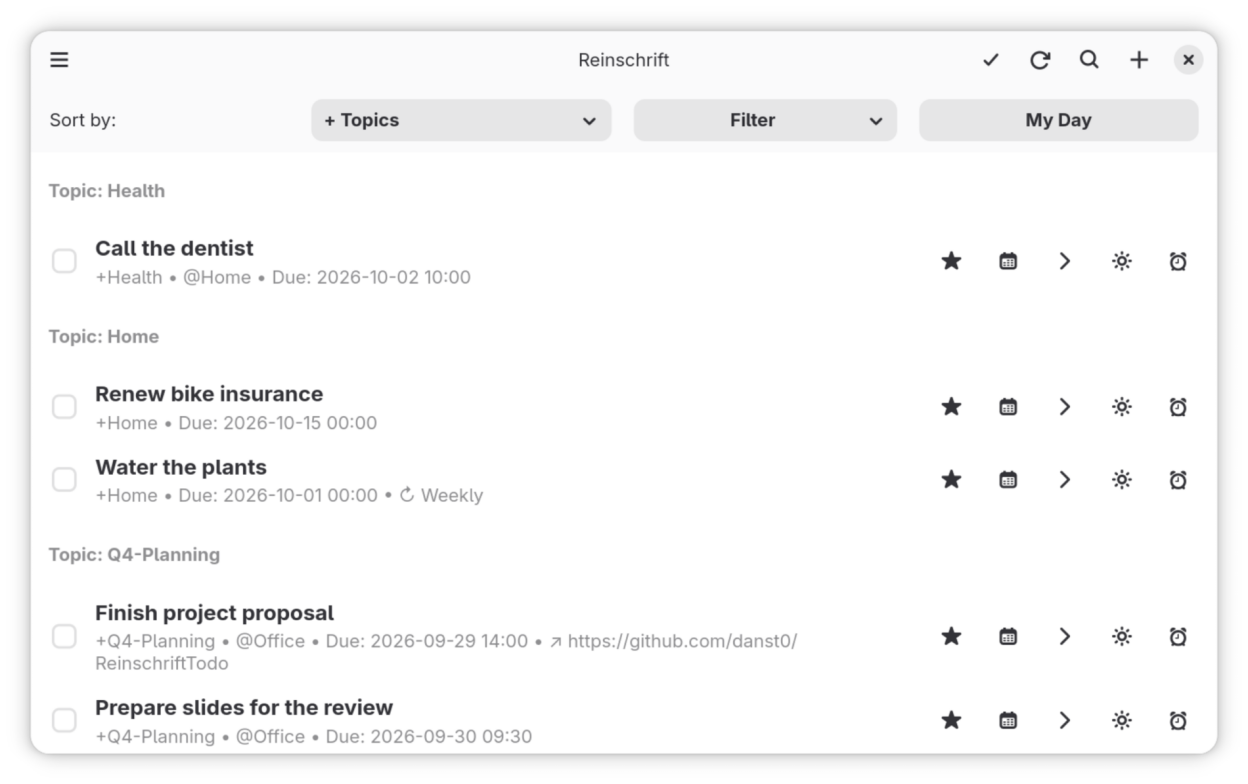
Observed history
| App | Change | Version | When ↓ |
|---|---|---|---|
| updated | 1.2.1 | 9 Oct 2026 |
Upstream releases
Release notes supplied by the developer. These dates are not Flathub package publication times.
1.2.19 Oct 2026
- The task list no longer flickers or jumps when it updates — e.g. adding tasks to My Day from far down the list keeps the top visible row exactly where it was
- In the edit dialog, the note field grows with the window and the buttons stay at the bottom
- GNOME Shell extension: the menu now follows the web app's design — today's date as the header, a yellow highlighter on tasks due today, and +project and @place shown as colored tokens
- Web: adding a task whose reminder time already passed no longer triggers an instant push notification
- Updates now arrive bundled, so you get fewer, larger updates
1.2.029 Sept 2026
- App description and screenshots are now available in Spanish, French, Japanese and Swedish as well as English and German
- Updated sample data for the screenshots in all six languages
1.1.929 Sept 2026
- Moving the mouse over the task list no longer leaves a row highlighted; section headings are no longer selectable
- Updated screenshots
1.1.829 Sept 2026
- In the My Day planning list, clicking a task opens the edit dialog; only the plus button (or Space) adds it to My Day