
Rayforge
A desktop application for laser cutting and engraving
Samuel Abels ✓ Verified
org.rayforge.rayforgeRayforge is a desktop application for laser cutting and engraving. It provides an intuitive interface to create and manage laser cutting projects. Rayforge support communicating with GRBL based laser cutters. Rayforge supports importing SVG, DXF, PDF, and PNGs, and provides advanced features such as multi step jobs, automatic path optimization, interpolation based on laser dot size, and much more.
Screenshots
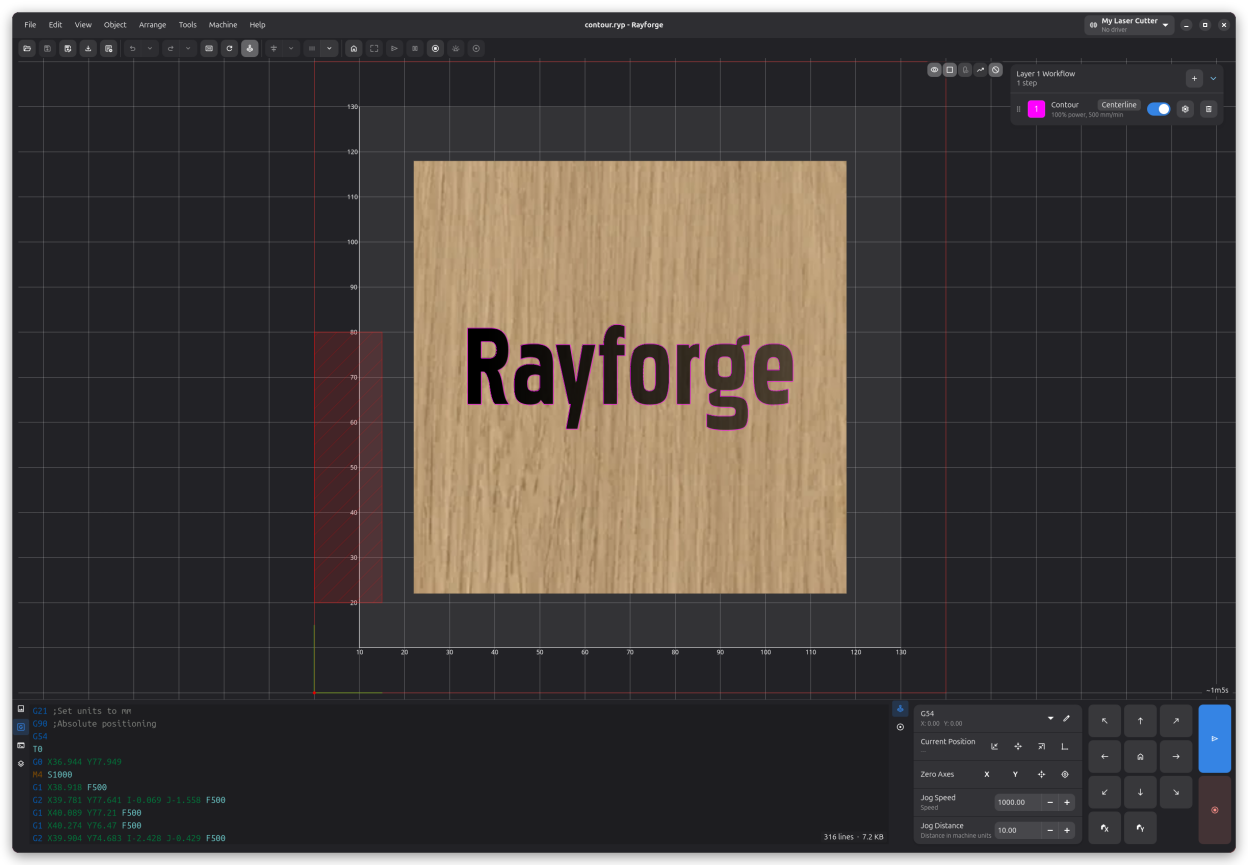
Observed history
| App | Change | Version | When ↓ |
|---|---|---|---|
| updated | 1.12.0 | 2 Oct 2026 |
Upstream releases
Release notes supplied by the developer. These dates are not Flathub package publication times.
1.12.02 Oct 2026
A Command step for injecting custom machine code, plus fixes for SVG import, click positioning, jog soft limits, and Ruida UDP on Windows
New Features:
- A new built-in "Automation" addon debuts with the Command step: add your own machine code at any position in a layer's workflow — one command per line, sent exactly where the step sits (#449). Handy for pre-positioning the head, toggling air assist between operations, or sending controller-specific codes. Lines can use the same variables as macros, the text is stored with the project, and a warning appears on machines whose driver does not consume machine code (e.g. Ruida)
- The About dialog gains a GitHub Discussions button
Changes:
- Usage tracking (opt-in) now reports the host OS and one anonymous machine event per configured machine, carrying its type (driver, laser type, optical power, bed size, rotary); each launch counts as its own session, and the consent prompt was reworded. Machine names and identifiers are never sent
Bug Fixes:
- SVGs that contain a DOCTYPE declaration, such as those exported by Affinity Studio, import again (#484)
- Click to Zero and Click Canvas to Move Head round the clicked position to the machine's precision, so the machine can hit the requested position exactly; the ruler labels use a font that fits them (#479, by atkaper)
- ruida-pa was upgraded to 0.21.2, fixing UDP connections on Windows (#486, by StevenIsaacs)
- Jogs no longer reverse towards the nearest soft limit when the reported position lies outside the travel range — previously a single jog could drive an axis into its end stop, e.g. on a Ruida RDC8445S reporting Z around 3176 mm. Jogs heading further out of range are now blocked, jogs back towards the range stop at the far limit, and the soft-limit warning matches exactly (#488, by medoix)
1.12.0~beta230 Sept 2026
Machine notes, more camera calibration target types, Ruida power scaling and framing, and a Hindi translation
New Features:
- A new Notes category in Machine Settings combines the guidance shipped with the device profile with your own notes for the machine. Device notes are read-only; My Notes are edited with a built-in Markdown editor (headings, emphasis, lists, links, code blocks, and expandable details sections). Profile setup guidance also appears on the setup wizard's review page, and personal notes survive profile updates (#471, by atkaper)
- Lens calibration now supports ArUco/AprilTag marker grids and printable dot grids alongside ChArUco boards. Marker grids tolerate partial views, and their dictionary, ID offset, origin corner and numbering order are all editable, so factory-printed patterns can be calibrated against directly instead of printing a new card (#466, by TOverbye)
- The Ruida driver honors the step Power Mode setting: Dynamic enables the controller's power scaling and Constant disables it. The driver setup gains Power Scaling and Vector Power Floor toggles, and serial ports can be bound from a USB device dropdown with VID:PID matching (#476, by StevenIsaacs)
- Hindi translation is now available
Improvements:
- raygeo and raydriver now ship aarch64 (ARM64) Linux wheels, so ARM64 installs use prebuilt binaries instead of compiling from source
Bug Fixes:
- Framing now works on Ruida machines: framing became a driver capability, and the Ruida driver traces the outline with beam-off absolute moves (#470)
- Print and cut: capturing an alignment point now accounts for Pointer Alignment, so the computed transform no longer lands one pointer offset away from the printed marks; the wizard's jog panel gains a Pointer Alignment switch (#478)
1.12.0~beta127 Sept 2026
Native Ruida support, arbitrary laser head positioning with pointer-alignment aiming, an experimental Rust GRBL driver, network cameras, and per-step power modes
New Features:
- New Ruida RPA driver connects Rayforge to Ruida-based controllers over USB or UDP directly, or via TUI RPC through the Ruida Protocol Analyzer; it ships with all installs and includes new Generic Ruida RPA and Monport MP-570 60W CO2 device profiles (#404, by StevenIsaacs)
- The laser head can now be moved to an arbitrary position: a Move to Position popover in the Current Position area offers direct X/Y (and Z, when available) coordinate entry and hosts the selection/workarea corner and WCS origin shortcuts, a Click Canvas to Move Head mode mirrors Click to Zero, the canvas background context menu gains a Move Head Here action, and these moves run at the configured jog speed (#452, #458)
- Ctrl+M arms the Click Canvas to Move Head mode from the keyboard
- A per-head pointer offset makes an alignment laser's dot a first-class aiming reference: while Pointer Alignment is on, aiming moves (Move to Position, the corner and WCS origin shortcuts, Click Canvas to Move Head, Move Head Here, and framing) are shifted so the pointer dot lands on the aimed position, zeroing accounts for the offset, and the canvas shows the pointer dot next to the beam dot. Starting a job asks whether to turn alignment off first, since jobs always burn with the unshifted beam (#423)
- Network cameras are supported as camera stream sources alongside USB cameras, with automatic reconnection after read failures (#438, by atkaper)
- Experimental GRBL (Rust) driver: the complete GRBL serial protocol stack (character-counting flow control, job streaming, stall detection, deadlock recovery, cancel/safety shutdown, settings, work coordinate systems, and probing) now runs in Rust through the raydriver package; dialects and settings remain Rayforge data, and the driver can be selected per machine as a drop-in alternative to GRBL (Serial)
- Each step gains a Power Mode setting, Dynamic (M4) or Constant (M3): constant power avoids power sags at corners during vector cuts, while raster engraving keeps dynamic power (#437)
- The Frame operation gains a Round Corners toggle and a corner radius setting, avoiding sharp, fragile corners without hand-drawing a rounded outline (#447, #448)
- Framing at 0% power is now allowed and traces the outline with the beam off, so machines with an auxiliary alignment laser can frame without firing the main laser
- Serial ports can be bound by USB VID:PID instead of a device path, so auto-reconnect follows the machine to its new port after the OS re-enumerates USB devices (#459)
- Sketcher: array tools now also lay out text boxes (#399)
- The dialect editor warns when Continuous laser mode is enabled on a dialect whose movement templates have no {s_command} placeholder, a combination that previously dropped all laser power (#403)
- G-code fields that contain only a number show a warning, since the value is most likely a mistake (#393, #396)
- New device profile for the Creality Falcon A1 Pro (#461, by atkaper)
- New device profile for the Creality Falcon 2 Pro 22W, shipping camera lens calibration and image settings as a starting default; the 40W profile's work area is corrected to the official 400 x 415 mm spec (#463)
- The Falcon A1 and Falcon 10W profiles emit a bounds comment in the G-code preamble so their firmware can trace the job outline before running it
Improvements:
- The prototype Ruida (UDP) driver has been removed; the RuidaRPA driver supersedes it, and affected device profiles were migrated
- The default raster threshold is now 254, so only pure white stays unengraved
- Upgrade raygeo to 1.56.1, which omits zero-length travel moves from generated G-code; this builds on 1.55.0's power-mode-aware laser commands (constant-power M3 output), frame corner radius support, and the contour nesting classification fix (#456)
- Drivers: move_to accepts an optional absolute Z target; machines with a Z axis receive it in the same move
- Drivers: drivers may opt into live reconfiguration via update_settings instead of a teardown/rebuild when their setup arguments are edited
Bug Fixes:
- The time estimate in the machine dropdown counts down again while a job runs: the ETA falls back to the job's estimated duration when GRBL acknowledges buffered commands faster than the machine executes them, the dropdown refreshes it once per second instead of only on driver callbacks, and every bound status label receives the update
- GRBL: flow-control state jammed by lost acknowledgements is detected and healed, so a firmware that stays silent after a cancel (e.g. the Sculpfun iCube over Bluetooth) no longer leaves Read from Device hanging and the machine controls dead (#428)
- GRBL: the work coordinate offset is refreshed from the WCS read-back, so zeroing again right after setting a zero no longer reads a stale position and writes the old offset back
- Z jog moves are clamped to the configured Z axis extents, the Move to Position popover accepts the full Z range, and the hardware settings page gains Z Min/Z Max rows (#459)
- The ChArUco calibration card is detected again on blurry, unevenly lit frames by falling back through progressively more tolerant detection passes (#443, #465)
- Dialect copies on existing machines stay linked to the built-in dialect they came from, so fixes to built-in dialects reach machines while user edits remain preserved
- Ruida: job encoding is routed by driver capability instead of a stale dialect, fixing garbled output after switching drivers (#420)
- Configuration, machine profiles, and recipes are persisted atomically with backups, so an interrupted save can no longer destroy them (#455)
- macOS: the full-screen main window stays visible when a dialog closes on top of it (#453)
- Material test: the test speed is capped at the machine's live speed limit (#439, #440)
- SVG files that define a viewBox but no width/height attributes now import at the correct scale (#434, by MausRundung)
- Rounded Frame corners are rendered with arc tolerance, so they come out smooth instead of segmented
- Sketcher: helper geometry now moves together with the array members it belongs to
- 3D simulation: the playback slider position is re-derived when the playback range shrinks
- The estimated job time in the right panel stays fully visible in the status bar instead of being clipped behind adjacent widgets
1.11.225 Sept 2026
Immediate job cancellation, driver selection crash fixes, and a material texture packaging repair
Bug Fixes:
- GRBL: cancelling a job now hard-aborts the streaming sender instead of waiting for the controller's RX buffer to drain, so the machine stops immediately; interactive commands issued while a cancelled job is winding down can no longer resume it, and a transient connection error no longer grays out the machine controls for the rest of the session
- Selecting a driver that requires connection details no longer crashes the app with a GTK assertion and a crash loop at startup
- Machine settings: a fast editing burst of driver setup arguments can no longer leave a cancelled driver rebuild touching live driver state
- The Machine Settings dialog is now a single instance per main window instead of opening duplicates, and the machine counters action opens the maintenance page instead of a nonexistent page
- Preview assembly failures for everyday states such as an empty document are no longer logged as errors
- Material textures are included again in wheel-based installs, repairing blank material thumbnails on flatpak and deb installs